
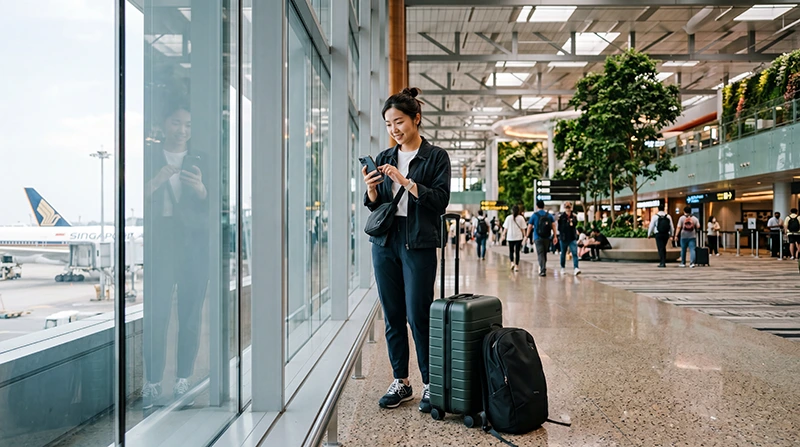

Traveler using the best eSIM for Changi Airport arrival and Singapore mobile internet

Best eSIM for Changi Airport (2026 Singapore Arrival Guide)

Many travelers arriving at Singapore Changi Airport want mobile internet immediately after landing.

Internet access is useful for booking Grab rides, opening Google Maps, checking MRT routes, contacting hotels, using WhatsApp, accessing digital tickets, confirming bookings, and navigating Singapore efficiently from the moment you leave the aircraft.

Quick answer: The best eSIM for Changi Airport is one that can be installed before travel, works immediately after arriving in Singapore, supports reliable mobile data, and allows travelers to stay connected throughout their entire trip instead of relying only on airport WiFi.

Top Singapore eSIMs

Why Travelers Need an eSIM at Changi Airport

Changi Airport is regularly ranked among the world’s best airports, but internet remains one of the first things travelers need after landing.

Most visitors use mobile internet for:

  • Booking Grab transportation
  • Opening Google Maps
  • Finding MRT connections
  • Contacting hotels
  • Using WhatsApp
  • Accessing boarding passes
  • Managing travel itineraries
  • Finding restaurants and attractions
  • Business communication

An eSIM allows travelers to prepare internet access before departure and avoid searching for a SIM card after landing.

What Makes the Best eSIM for Changi Airport?

Not every travel connectivity solution is equally convenient.

The best eSIM for Changi Airport should offer:

  • Simple installation before departure
  • Fast activation after arrival
  • Reliable Singapore coverage
  • Compatibility with modern smartphones
  • Support for Google Maps and Grab
  • Compatibility with WhatsApp and business apps
  • Convenient travel setup
  • No need to replace your primary SIM card

Best Internet Options After Landing at Changi Airport

Option Best For Main Limitation
Singapore eSIM Most travelers Requires eSIM-compatible unlocked phone
Airport SIM Card Older phones Requires airport purchase and activation
Airport WiFi Short airport use Limited to WiFi coverage areas
International Roaming Included roaming plans Costs depend on provider
Pocket WiFi Groups and multiple devices Extra device to carry

Why eSIM Is Usually Better Than Airport WiFi

Airport WiFi can be useful immediately after landing, but it is generally limited to airport areas.

Once you leave the terminal, you may need internet for:

  • Grab pickups
  • MRT navigation
  • Hotel directions
  • Google Maps
  • Restaurant searches
  • Tourist attractions
  • Business meetings

A Singapore eSIM provides mobile internet beyond the airport, making it more practical for most travelers.

Why eSIM Is Usually Better Than Airport SIM Cards

Airport SIM cards can work well, but they often require more effort after arrival.

Travelers may need to:

  • Find a SIM card counter
  • Compare available plans
  • Wait in line
  • Replace an existing SIM card
  • Activate the plan
  • Store their primary SIM safely

An eSIM avoids most of these steps because installation can be completed before the trip.

Using eSIM for Grab at Changi Airport

Grab is one of Singapore’s most important travel apps.

Many visitors use Grab immediately after landing to reach hotels, attractions, business meetings, shopping districts, and transport hubs.

Mobile internet is useful for:

  • Booking rides
  • Messaging drivers
  • Finding pickup points
  • Managing payments
  • Tracking routes

An eSIM helps ensure connectivity from the moment you arrive.

Using eSIM for Google Maps After Landing

Google Maps is one of the most important travel tools in Singapore.

Travelers frequently use it for:

  • Hotel navigation
  • MRT routes
  • Walking directions
  • Restaurant searches
  • Tourist attractions
  • Shopping malls
  • Airport transportation

Continuous mobile internet provides a better navigation experience than depending only on WiFi.

Using eSIM for MRT Navigation

Singapore’s MRT network is one of the easiest ways to move around the city.

Mobile internet helps travelers:

  • Check routes
  • Plan transfers
  • Find station exits
  • Navigate to hotels
  • Adjust travel plans

Many visitors continue using mobile data throughout their stay because it works across the city.

Using eSIM for WhatsApp

WhatsApp is widely used by tourists and business travelers.

Many visitors use WhatsApp to:

  • Contact family
  • Coordinate airport pickups
  • Communicate with hotels
  • Manage business conversations
  • Share locations
  • Organize group travel

Most travelers can continue using WhatsApp with their existing number while using a Singapore eSIM for data.

Best eSIM for Stopovers at Changi Airport

Singapore is one of the world’s leading stopover destinations.

If you leave the airport during a stopover, mobile internet becomes extremely valuable.

Travelers often use data for:

  • Exploring Marina Bay
  • Visiting Gardens by the Bay
  • Shopping on Orchard Road
  • Using Grab
  • Finding restaurants
  • Returning to the airport on time

An eSIM allows travelers to stay connected throughout the stopover without searching for local connectivity options.

Best eSIM for Business Travelers

Singapore is one of Asia’s most important business hubs.

Business travelers frequently need internet immediately after arrival for:

  • Email
  • Calendar updates
  • Video meetings
  • Messaging platforms
  • Conference apps
  • Hotel communication
  • Ride-hailing services

An eSIM allows professionals to remain productive from the moment they land.

Best eSIM for Marina Bay Travelers

Marina Bay is one of the most popular destinations after leaving Changi Airport.

Travelers often use mobile internet to:

  • Navigate to hotels
  • Access attraction tickets
  • Book restaurants
  • Find transport options
  • Share travel experiences

Best eSIM for Sentosa Visitors

Sentosa attracts millions of visitors every year.

Internet access helps travelers manage transportation, attraction bookings, hotel check-ins, maps, and communication while exploring the island.

Best eSIM for Orchard Road and Chinatown

Many travelers stay near Orchard Road, Chinatown, Clarke Quay, Bugis, or Little India.

Mobile internet is useful for shopping, dining, navigation, transportation, and local recommendations.

eSIM vs Airport WiFi

Feature Airport WiFi Singapore eSIM
Works inside airport Yes Yes
Works after leaving airport No Yes
Useful for Grab Limited Yes
Useful for Google Maps Limited Yes
Continuous connectivity No Yes
Good for entire trip No Yes

eSIM vs Airport SIM Card

Feature Singapore eSIM Airport SIM Card
Install before travel Yes No
Physical SIM required No Yes
Airport purchase needed No Yes
Can keep home SIM active Often yes Depends on device
Fast arrival setup Yes Usually slower

How Much Data Do Travelers Need in Singapore?

Trip Type Recommended Data
Short stopover 1GB – 3GB
Weekend trip 5GB – 10GB
One-week vacation 10GB – 20GB
Business travel 15GB – 30GB
Remote work and hotspot 30GB+ or unlimited

What Uses the Most Data in Singapore?

  • YouTube
  • TikTok
  • Instagram Reels
  • Video calls
  • Cloud backups
  • Large downloads
  • Hotspot sharing
  • Streaming services

Google Maps, Grab, WhatsApp messages, emails, and restaurant searches usually consume much less data.

Can You Keep Your Home SIM Active?

Yes. Many modern smartphones support dual SIM functionality.

You can use a Singapore eSIM for mobile data while keeping your regular SIM active for calls, SMS verification codes, banking messages, and authentication services.

Do You Need Data Roaming Enabled?

Yes. Most travel eSIM plans require data roaming to be enabled on the eSIM line.

This applies only to the travel eSIM and does not require enabling roaming on your primary SIM.

APN Settings for NoveSIM eSIM

Setting Value
APN data.esim
Username Leave blank
Password Leave blank

How to Activate a Singapore eSIM Before Arriving

  1. Choose a Singapore eSIM plan.
  2. Install the eSIM while connected to WiFi.
  3. Arrive at Changi Airport.
  4. Select the eSIM for mobile data.
  5. Enable data roaming.
  6. Wait for network connection.
  7. Start using mobile internet.

Where to Find Your NoveSIM eSIM Details

Your NoveSIM QR code, installation instructions, and eSIM details are available:

  • In your confirmation email
  • Under My Account → Orders → View → eSIM details

More Singapore Airport and eSIM Guides

FAQ: Best eSIM for Changi Airport

What is the best eSIM for Changi Airport?

The best eSIM is one that can be installed before travel, works after arrival in Singapore, and provides reliable mobile internet throughout the trip.

Can I use eSIM immediately after landing?

Yes. If your eSIM is installed and configured correctly, it can connect after arrival when mobile data and data roaming are enabled.

Is eSIM better than airport WiFi?

For most travelers, yes. eSIM provides internet beyond airport WiFi coverage and works throughout Singapore.

Can I use Grab with eSIM?

Yes. Mobile internet from an eSIM can be used for Grab rides, driver communication, and route tracking.

Can I keep my existing phone number?

Many modern phones allow travelers to keep their existing SIM active while using a Singapore eSIM for data.

Final Recommendation

The best eSIM for Changi Airport is one that allows you to connect immediately after arrival and stay connected throughout your entire Singapore trip.

For most travelers with compatible unlocked devices, a Singapore eSIM provides a more convenient experience than relying only on airport WiFi or purchasing a physical SIM card after landing.

View Singapore eSIM plans

Scroll to Top