


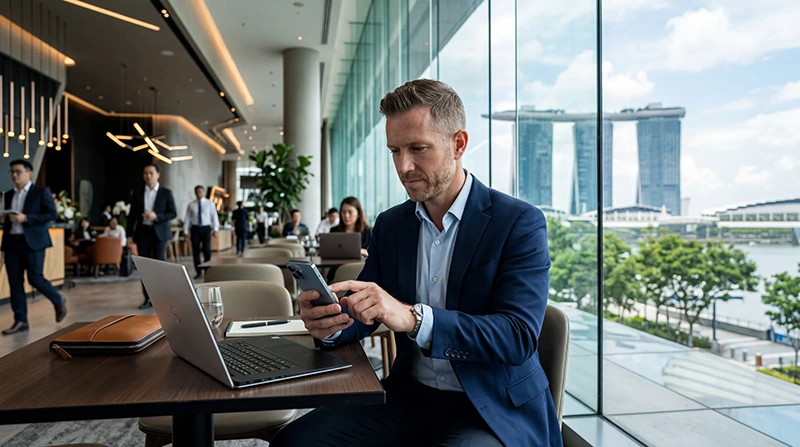

The best eSIM business travel Singapore setup should protect the parts of a trip that cannot wait for hotel or venue Wi-Fi: arrival messages, transport, calendar changes, authentication, client calls and last-minute document access.
The largest data allowance is not necessarily the best business choice. Network access, activation timing, hotspot policy, validity and a workable backup determine whether the connection is dependable during a meeting day.
NoveSIM travel eSIMs are data-only. Teams, Zoom, WhatsApp and email work over data, but the plan does not supply a Singapore number, ordinary calls or SMS.
Quick answer: Choose a plan that covers every day from arrival through departure, supports hotspot use when a laptop depends on it, and has enough data for video meetings and cloud files. Install and test the profile before travel where possible, keep the home number available for verification, and never make one mobile connection the only route into a critical meeting.
Top Singapore eSIMs


Best eSIM business travel Singapore checklist
Match the plan to the working day
| Business task | What the plan must handle |
|---|---|
| Email and calendar | Reliable background sync and attachment downloads |
| Voice meetings | Stable data with modest allowance |
| Video meetings | Larger allowance, consistent uplink and low congestion |
| Laptop hotspot | Explicit tethering permission and battery planning |
| Conference apps | Connectivity inside a crowded venue |
| Account verification | Continued access to the home number or another approved method |
Estimate meetings and hotspot use separately with Singapore data planning. A normal tourist allowance can disappear quickly when a laptop downloads updates or synchronises shared drives.
Conference connectivity needs a backup
Venue Wi-Fi can be fast, restricted, congested or available only after a portal login. A mobile eSIM provides an independent path for agenda changes, QR tickets and urgent messages, but a crowded hall can also load the mobile network.
- Download the agenda, venue map and ticket before arrival.
- Save the organiser’s contact details offline.
- Test the conference app before the event.
- Keep hotel or venue Wi-Fi as a second connection.
- Carry a charged power bank when hotspot use is expected.
Set up dual SIM for work travel
- Install the Singapore eSIM over reliable Wi-Fi before departure.
- Label it clearly and select it for mobile data after arrival.
- Disable data roaming on the home line.
- Turn off automatic cellular-data switching.
- Keep the home line active only if calls, SMS or authentication require it.
- Test email, VPN and the meeting platform with Wi-Fi off.
Follow the detailed installation and activation instructions before the first appointment.
Security on client and company systems
A personal mobile connection reduces dependence on unknown public Wi-Fi, but it does not replace company security controls. Use the approved VPN, device encryption, screen lock and multifactor authentication. Never expose an eSIM QR code in a screenshot sent to a public channel.
Confirm before departure that the company VPN and security tools work over mobile data. Some corporate devices block eSIM installation through management policies; use the compatibility checklist early.
Singapore-only or regional business plan?
A Singapore plan is sufficient when all meetings remain in the country. If the itinerary continues to Kuala Lumpur, Jakarta, Bangkok or another regional office, choose a plan that explicitly lists every country and check whether allowance and validity are shared.
For the most common extension, see Singapore and Malaysia eSIM travel. Do not assume that a Singapore-only allowance roams across the causeway.
What to do if data fails before a meeting
- Switch to known venue or hotel Wi-Fi so the meeting can proceed.
- Confirm the travel eSIM is selected for data and roaming is enabled on that line.
- Toggle airplane mode, then restart once.
- Verify the NoveSIM APN is data.esim.
- Follow the full Singapore troubleshooting sequence after the urgent task is secured.
Related Articles
- Digital Nomad Internet in Singapore
- How Much Data for Singapore?
- Singapore Roaming Charges
- Best Singapore Network for Tourists
FAQ
How much data does a Singapore business trip need?
Email and messaging need little, but video calls and hotspot work can require many gigabytes. Estimate scheduled calls and laptop traffic separately.
Can I use a Singapore eSIM for Teams or Zoom?
Yes, over a working data connection. Call quality depends on signal, congestion and available high-speed data.
Will the eSIM receive verification SMS?
No. A data-only NoveSIM plan cannot receive ordinary SMS. Keep access to the registered home number or an approved alternative authentication method.
Should I rely on one eSIM for a critical conference?
No. Keep venue or hotel Wi-Fi and offline copies of essential information as practical backups.
Final Recommendation
Choose a business eSIM by reliability, hotspot terms, full-trip validity and meeting data—not by allowance size alone.
Configure dual SIM before the first appointment and test company tools over mobile data.
Keep a second connection and offline meeting details so a temporary network issue does not interrupt the business objective.
The best eSIM business travel Singapore choice also keeps recovery simple: retain the installed profile and do not delete the eSIM while support is diagnosing it.