


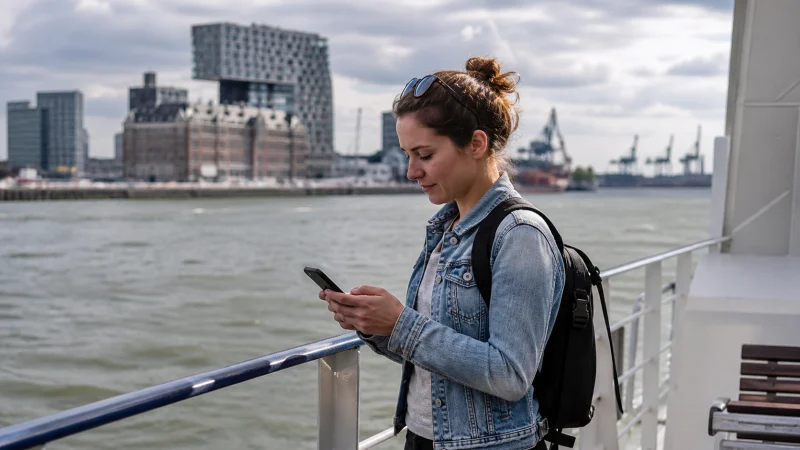

Solo travel in Belgium often places transport tickets, directions, accommodation messages and payment confirmations on one phone. A mobile-data plan is useful, but the safer setup keeps the first route, essential contacts and a meeting point available without a connection.
The main risk is not usually a long nationwide outage. It is losing access at the wrong moment: inside a station, after a late arrival, on a rural section or with a nearly empty battery.
NoveSIM Belgium eSIM plans are data-only. They support online messaging and internet calls but do not provide a Belgian number, conventional calls or carrier SMS.
Quick answer: Activate the Belgium eSIM before leaving the arrival area, store tickets and accommodation details offline, carry power and share the day’s itinerary with a trusted contact.
Top Belgium eSIMs

Belgium eSIM
Fixed
1 GB, 7 days€ 1.772 GB, 15 days€ 3.553 GB, 30 days€ 4.44Unlimited
Unlimited, 1 day€ 2.22Unlimited, 3 days€ 4.88Unlimited, 5 days€ 7.99
Europe Extra eSIM
Fixed
1 GB, 7 days€ 2.222 GB, 15 days€ 3.553 GB, 30 days€ 4.44Unlimited
Unlimited, 1 day€ 2.66Unlimited, 3 days€ 5.32Unlimited, 5 days€ 8.87Europe+ eSIM
Fixed
1 GB, 7 days€ 2.662 GB, 15 days€ 3.993 GB, 30 days€ 5.32Unlimited
Unlimited, 1 day€ 2.66Unlimited, 3 days€ 6.21Unlimited, 5 days€ 10.20Prepare the first journey before arrival
Save the airport or station exit, onward route and accommodation entrance. Keep the booking reference and check-in instructions outside an app that requires a fresh login. If arrival is late, note a public-transport alternative and an official taxi option.
The Belgium public-transport apps guide covers rail and urban services. Download the ticket itself rather than depending only on a live account screen.
Set up the travel line without exposing the home SIM
Install the eSIM on trusted Wi-Fi, select the Belgium line for mobile data and enable Data Roaming for it. Keep data roaming off on the home SIM and disable automatic switching if the phone could fall back to that line.
Follow the Belgium eSIM installation and activation guide before starting the first solo transfer. Test maps and messaging with Wi-Fi switched off.
Keep a small offline safety pack
- Accommodation address and access instructions.
- Transport tickets and the next connection.
- Emergency and insurance information.
- A local meeting point and one trusted contact.
- A downloaded map of the first destination.
Store the essentials in more than one place when possible. A printed address or a copy on a second device remains useful if the main phone is lost, damaged or out of power.
Protect the battery on long travel days
Navigation, weak signal, camera use and constant screen time drain the battery together. Carry a charged power bank, reduce unnecessary background refresh and avoid searching repeatedly for a weak network.
When travelling by rail, allow the phone to reconnect naturally after tunnels or cell handovers. The Belgium train-internet guide explains how to keep tickets and connections accessible.
Use public Wi-Fi as a supplement
Hotel, café and airport Wi-Fi can preserve mobile data, but verify the network name with the venue and avoid ignoring browser certificate warnings. Disconnect and disable auto-join after use.
Mobile data provides an independent option for maps and bookings when a public network is congested or unavailable. Neither connection should hold the only copy of the itinerary.
Plan for cities, countryside and borders
Reception can change in stations, thick-walled buildings, forests and valleys. Download the route before a rural day and review rural Belgium coverage.
If the trip continues to France, the Netherlands, Germany or Luxembourg, verify that the selected plan includes every country. The cross-border internet guide covers the handover.
If mobile data stops while travelling alone
Move to an open, safe place and use the offline route first. Confirm the Belgium eSIM is enabled and selected for data, Data Roaming is on for it and network selection remains automatic. Toggle aeroplane mode once and restart once.
If manual APN entry is required, use data.esim. Do not delete the installed eSIM unless NoveSIM support instructs you to do so.
Related Articles
- Best Apps for Belgium Travel
- Using Google Maps in Belgium
- Ride-Hailing Apps in Belgium
- Roaming Charges in Belgium
FAQ
Is mobile data enough for solo travel in Belgium?
It supports maps, bookings and messages, but keep essential tickets, addresses and contacts offline as a backup.
Should I keep my home SIM active?
You may keep it for its normal number on a compatible phone, but disable its data roaming and check the price of calls and SMS.
What should I share with a trusted contact?
Share the main itinerary, accommodation and important transport details without sending unnecessary sensitive information.
What if the Belgium eSIM stops working?
Use the offline route, check the active data line and roaming, and keep the eSIM installed while following the troubleshooting sequence.
Final Recommendation
For solo travel in Belgium, treat mobile data as one part of the safety plan rather than the only copy of the journey.
Test the Belgium eSIM, protect the home line from roaming and carry enough battery for the longest travel day.
Keep tickets, addresses and a meeting point offline so a temporary signal problem does not interrupt the trip.