


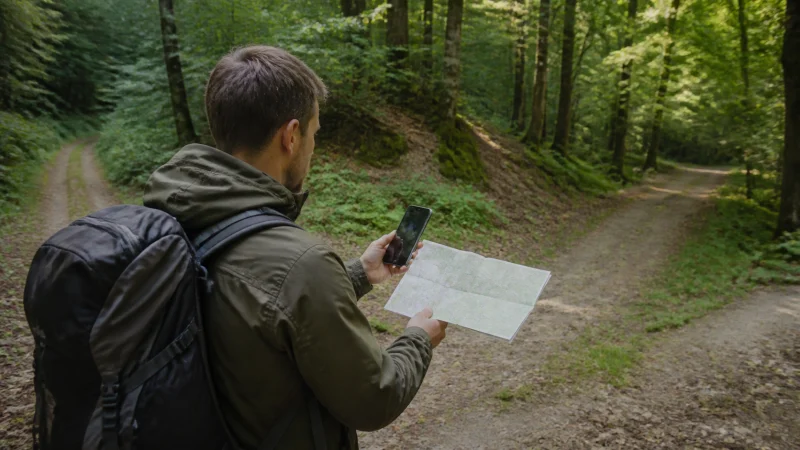

Google Maps is useful in Belgium for walking routes, driving and finding stations, but it should not be the only copy of an important journey. Download key areas before travel and use mobile data for live traffic, route changes and details that offline maps cannot provide.
Belgium’s dense roads and compact cities can make navigation look simple. In practice, low-emission rules, temporary street closures, platform changes and regional transport systems still require current official information.
A NoveSIM Belgium eSIM supplies data for maps and other online services. It is data-only and does not include a Belgian number, ordinary calls or carrier SMS.
Quick answer: Download Brussels and the regions on your route over Wi-Fi, save accommodation and station pins, then use mobile data for live navigation. Keep official transport apps alongside Google Maps for service-specific updates.
Top Belgium eSIMs

Belgium eSIM
Fixed
1 GB, 7 days€ 1.782 GB, 15 days€ 3.553 GB, 30 days€ 4.44Unlimited
Unlimited, 1 day€ 2.22Unlimited, 3 days€ 4.89Unlimited, 5 days€ 8.00
Europe Extra eSIM
Fixed
1 GB, 7 days€ 2.222 GB, 15 days€ 3.553 GB, 30 days€ 4.44Unlimited
Unlimited, 1 day€ 2.67Unlimited, 3 days€ 5.33Unlimited, 5 days€ 8.89Europe+ eSIM
Fixed
1 GB, 7 days€ 2.672 GB, 15 days€ 4.003 GB, 30 days€ 5.33Unlimited
Unlimited, 1 day€ 2.67Unlimited, 3 days€ 6.22Unlimited, 5 days€ 10.22Download offline areas before departure
In Google Maps, choose the areas that contain the cities, roads and accommodation on the itinerary. Download them on Wi-Fi and update them shortly before travel. An offline area can preserve basic map and driving access when reception drops.
Offline maps have limits. Live traffic, some transit information, cycling details and dynamic rerouting may be unavailable or reduced. Save the first destination in plain text as well as a pin, especially when an entrance differs from the street address.
Walking and city navigation
In Brussels, Antwerp, Ghent and Bruges, walking directions help connect stations, attractions and accommodation. Dense streets, covered passages and tall buildings can briefly reduce GPS precision. Check the street name and direction before following a moving dot.
Location services and a bright screen can drain the battery faster than the map data itself. Lock the screen on long straight sections, lower brightness and carry a power bank. The best Belgium travel apps guide explains which official transit tools complement maps.
Trains, trams and buses
Google Maps can suggest a route, but the relevant operator is the authority for current departures, disruptions and ticket rules. Use SNCB/NMBS for national trains, STIB/MIVB in Brussels, De Lijn in Flanders and TEC in Wallonia.
Load the journey before entering a station or boarding. Tunnels and station interiors may interrupt data briefly. For rail-specific preparation, see mobile internet for train travel in Belgium.
Driving in Belgium and the Ardennes
Offline maps are valuable on rural roads, but a cached route does not know every current closure, accident or local restriction. Check the route while connected before departure and follow road signs when they conflict with an old map instruction.
If the trip crosses into France, Luxembourg, Germany or the Netherlands, download both sides of the border and verify that the mobile plan covers the destination. Read the cross-border internet guide before relying on live rerouting abroad.
How to reduce Google Maps data use
- Download map areas over Wi-Fi.
- Save places and routes before leaving accommodation.
- Pause automatic app updates and cloud photo uploads.
- Use satellite imagery only when it adds useful detail.
- Share live location only for the period it is needed.
- Check remaining data before a long day trip.
Navigation itself is usually lighter than video or constant photo backup. The guide to data needs for a Belgium trip helps place map use in the full allowance.
If Maps will not load on mobile data
Test a normal webpage first. If all data is unavailable, confirm that the Belgium eSIM is enabled, selected for mobile data and has Data Roaming on. Leave automatic network selection enabled, try aeroplane mode once and enter data.esim only if a manual APN is required. Do not delete the eSIM unless support instructs you.
If other websites work, check Google Maps mobile-data permission, location permission, battery restriction and whether the offline download has expired.
Related Articles
- Internet in Belgium for Tourists
- Belgium Road Trip Mobile Internet
- Mobile Internet in the Belgian Ardennes
- Does WhatsApp Work in Belgium?
FAQ
Does Google Maps work in Belgium?
Yes. It works with mobile data or Wi-Fi, and downloaded offline areas can preserve basic map access when the phone is temporarily offline.
Can I use Belgium maps completely offline?
Basic downloaded maps and driving routes can work offline, but live traffic, transit updates and some route types require a connection.
Does Google Maps use a lot of travel data?
Ordinary navigation is usually moderate. Satellite imagery, repeated downloads and other background apps can increase total use, so download areas on Wi-Fi.
Is Google Maps enough for Belgium public transport?
Use it for route context, but check the official transport operator for current departures, disruptions and ticket rules.
Final Recommendation
Download the relevant Belgium map areas before travel, save the first destinations and carry enough battery for navigation. Use mobile data for live changes, but verify transport and road information with official sources. This gives you the convenience of Google Maps without making one app or one connection the single point of failure.