


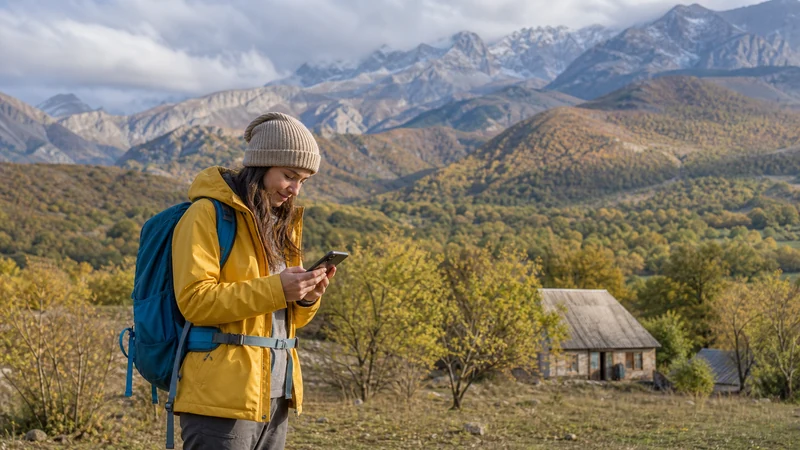

Arslanbob mobile internet should be checked with your booked host, not inferred from a general description of rural accommodation. Ask separately about usable cellular data, guest Wi-Fi and phone charging.
For a stay including a forest walk or waterfall visit, settle the day’s meeting and return details before leaving the property. Reception at the accommodation does not establish a connection throughout the excursion.
Our NoveSIM travel eSIMs are data-only. We do not provide a local number, conventional calls or SMS. Confirm whether your host and guide accept internet messaging, and arrange another service if ordinary calls are required.
Quick answer: Ask your Arslanbob host which operator has recently provided working data at the property, whether guest Wi-Fi reaches the internet and how charging is arranged. Save the walk and return instructions offline. Do not assume homestays lack Wi-Fi or that one operator is universally best for the area.
Top Kyrgyzstan eSIMs

Kyrgyzstan eSIM
Fixed
1 GB, 7 days€ 3.182 GB, 15 days€ 5.913 GB, 30 days€ 8.19Unlimited
Unlimited, 1 day€ 5.46Unlimited, 3 days€ 12.28Unlimited, 5 days€ 19.11
Commonwealth of Independent States eSIM
Fixed
1 GB, 7 days€ 8.192 GB, 15 days€ 17.743 GB, 30 days€ 18.65Unlimited
Unlimited, 1 day€ 8.64Unlimited, 3 days€ 23.20Unlimited, 5 days€ 37.31Start the Arslanbob Mobile Internet Check with Your Host
Give the host your booking details and ask about the guest room or shared area you will use. Clarify whether the recent test used a domestic SIM, a travel eSIM or Wi-Fi. Those observations describe different services.
Check the permitted networks in your Kyrgyzstan eSIM package before relying on an operator recommendation. Confirm the exact handset is unlocked and eSIM-compatible, and choose validity and allowance for the complete stay.
A property-specific answer is more useful than a claim that Arslanbob is slower than another city. This guide does not establish a measured village-wide speed or a universal network winner.
Ask What Guest Wi-Fi Actually Provides
Do not assume the word “homestay” tells you whether internet is available. Ask whether guests have Wi-Fi access, whether it currently reaches the internet and whether there are location or time restrictions.
If you need a live meeting or large upload, explain the task rather than asking only whether Wi-Fi exists. Test the service after arrival and arrange an alternative for essential work if the connection is not adequate.
Ask about charging separately. Save important information locally so that a Wi-Fi login, unavailable socket or flat battery does not leave all instructions inaccessible.
Agree the Forest-Walk Plan Before Leaving
Tell the guide or host which walk or waterfall visit you intend to make. Ask for the exact meeting point, expected return and how to report a change where a connection is available. Avoid treating every route around Arslanbob as one reception zone.
Use the trekking connectivity guide for communication preparation, adapting it to the actual activity. A short walk still needs a clear return arrangement; this is not a statement that a particular route is safe or suitable.
- Save the agreed starting point and return instructions.
- Download the route information and map content appropriate to the walk.
- Keep the host’s and guide’s contacts available offline.
- Check that the saved records open without internet.
- Restore connections and prepare phone power before departure.
Do not assume a forest or waterfall has no signal simply because it lies outside the accommodation area. Prepare for unavailable data without inventing coverage findings for the route.
Test Mobile Data Independently on Arrival
Turn Wi-Fi off briefly and load a fresh page through the selected travel line. Apply the settings provided with the order. Then check guest Wi-Fi separately if you intend to use it.
If the mobile connection fails, check plan validity and allowance as well as the selected line. Keep the installed profile and use the Kyrgyzstan troubleshooting guide for reversible checks. A missing connection at one spot does not prove that installation failed.
For an onward transfer, save the next address and pickup arrangement while a connection is available. Do not assume that reception at the homestay extends along the entire road.
Related Articles
FAQ
Do Arslanbob homestays have Wi-Fi?
Check the booked property directly. Do not generalise across homestays; ask about actual guest access, working internet and any restrictions.
Which operator is best for Arslanbob?
This guide does not establish a universal winner. Compare recent property-specific observations with the networks your package permits.
Will mobile data work at the waterfalls or in the forest?
That requires information about the exact route. Prepare offline instructions and a return arrangement without assuming either continuous reception or complete absence of signal.
What should I do before leaving the homestay for a walk?
Agree the meeting and return details, save relevant route information and contacts offline, test access to the files and prepare phone power.
Final Recommendation
Choose Arslanbob mobile internet using information from your actual host and the terms of an eligible plan. Check Wi-Fi and cellular access separately.
Test the data line at arrival and retain the installed profile during troubleshooting. Complete essential online arrangements before leaving a working connection.
Keep the forest walk and return plan usable offline. Neither a rural-accommodation label nor a general operator claim should determine your expectations.