


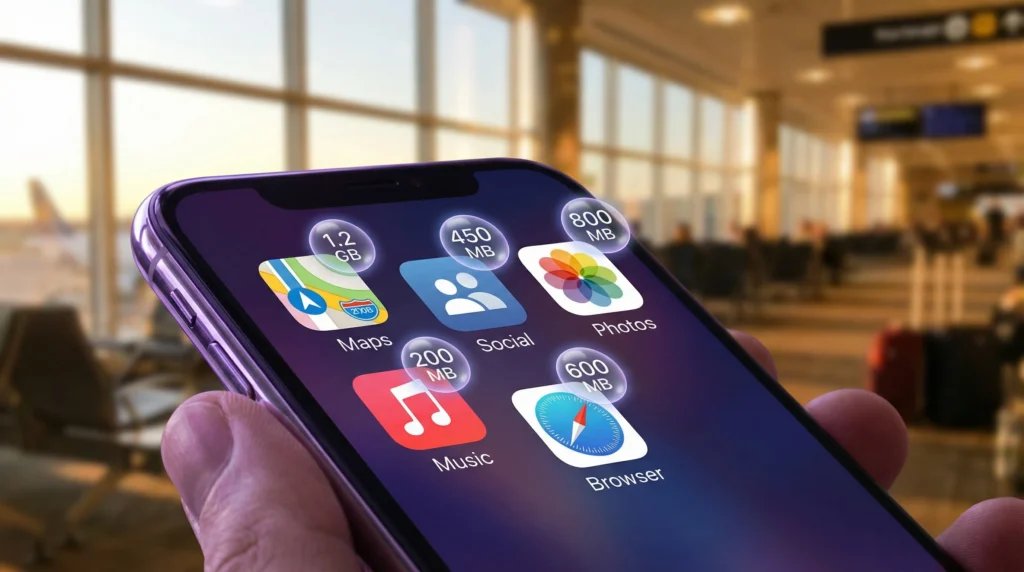
When traveling abroad, one of the biggest questions people have is: How fast will my apps use my mobile data?
Different apps consume very different amounts of data. Some use only a few megabytes, while others can drain gigabytes quickly.
Understanding this helps you:
- Choose the right eSIM plan
- Avoid running out of data
- Manage usage smarter
- Travel stress-free
If you’re unsure how much total data you need, see this full guide: 👉 https://novesim.com/how-much-data-do-you-need-for-7-days-of-travel/
Why app data usage matters while traveling
Abroad, your data is limited.
Unlike unlimited home plans, travel data packages usually have fixed amounts.
So knowing which apps use the most data helps you:
- Avoid unexpected exhaustion
- Choose the right plan size
- Optimize usage
Average data usage by popular travel apps
- Below are realistic average estimates.
Maps apps (Google Maps, Apple Maps)
Approximate usage:
- Navigation → 5–10 MB per hour
- Browsing maps → 3–5 MB
Maps are surprisingly efficient.
Messaging apps (WhatsApp, Telegram, Messenger)
Text messages use almost nothing:
- Text → <1 MB per hour
Media usage:
- Photos → 1–3 MB each
- Voice messages → ~0.5 MB per minute
WhatsApp guide: 👉 https://novesim.com/whatsapp-with-esim/
Social media apps
Data usage depends heavily on scrolling behavior.
Average estimates:
- Instagram → 100–200 MB/hour
- TikTok → 300–800 MB/hour
- Facebook → 80–150 MB/hour
Video autoplay is the main data consumer.
Video streaming apps
These use the most data. Approximate usage:
- YouTube HD → 1–3 GB/hour
- Netflix → 1 GB/hour (standard)
- Netflix HD → 3 GB/hour
Streaming should be limited on travel plans.
Music streaming
Much lighter than video.
- Spotify → 40–150 MB/hour
- Apple Music → 50–150 MB/hour
Downloading offline playlists saves data.
Ride apps (Uber, Bolt, etc.)
Very low usage:
- Average ride → 2–5 MB
- These apps mainly use location data.
Browsing websites
General browsing:
- Reading articles → 5–15 MB/hour
- Heavy sites with images or ads use more.
Apps that use the most data abroad
Top data-consuming apps:
- Video streaming apps
- Short video apps (TikTok/Reels)
- Social media feeds
- Cloud backups
These drain data fastest.
Apps that use the least data
Most efficient apps:
- Maps
- Messaging
- Ride apps
- Translation apps
These are safe even on small plans.
How to reduce data usage while traveling
Smart travelers use these tricks:
- Disable auto-play videos
- Download maps offline
- Turn off background refresh
- Limit cloud backups
- Use Wi-Fi for updates
Real travel scenario
- Traveler A scrolls TikTok for 1 hour → uses ~600 MB
- Traveler B uses maps + messages → uses ~20 MB
Same time. Massive difference.
Quick data estimation formula
You can estimate usage like this:
- Light user → 1–2 GB/week
- Moderate user → 3–5 GB/week
- Heavy user → 7–15 GB/week
Full calculator guide: 👉 https://novesim.com/how-much-data-do-you-need-for-7-days-of-travel/
Biggest misconception
- Myth -> Messaging apps use the most data.
- Reality -> Video content is by far the biggest data consumer.
Final verdict
Most travel data is used by:
- Video apps
- Social feeds
- Streaming
Low-usage apps like maps and messaging barely affect your data balance.
- Understanding app usage helps you pick the right plan and avoid interruptions during your trip.
Choose the perfect data plan for your trip: 👉 https://novesim.com/destinations/
Frequently asked questions
Which apps use the most data while traveling?
Video streaming and short video apps use the most data.
Do maps use a lot of data?
No. Maps apps are surprisingly efficient and use very little data.
Does WhatsApp use a lot of data?
No. Messaging uses minimal data unless sending media.
How can I reduce app data usage abroad?
Disable autoplay videos, background refresh, and download offline content.