


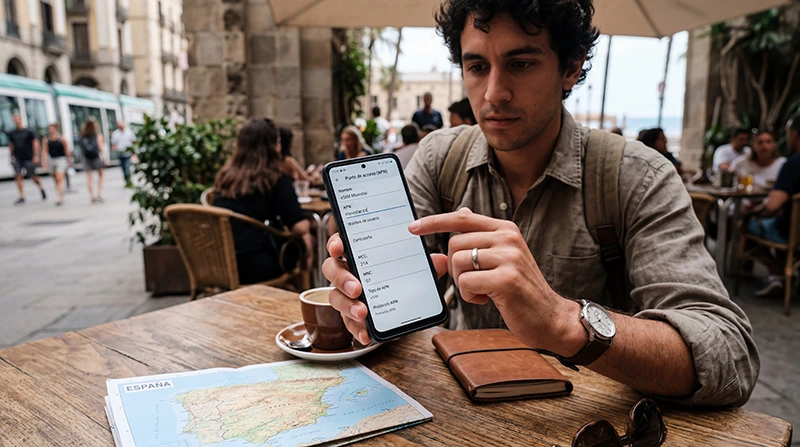

If your Spain eSIM is connected but mobile internet is not working correctly, the issue may be related to APN settings.
APN settings help your phone connect to the mobile data network properly while traveling in Spain.
Quick answer: Most Spain eSIM plans configure APN settings automatically, but if manual setup is required for NoveSIM eSIM, the APN is data.esim.
Top Spain eSIMs

Spain eSIM
Fixed
1 GB, 7 days2.00$2 GB, 15 days4.00$3 GB, 30 days5.00$Unlimited
Unlimited, 1 day2.50$Unlimited, 3 days5.50$Unlimited, 5 days9.00$
Europe Extra eSIM
Fixed
1 GB, 7 days2.50$2 GB, 15 days4.00$3 GB, 30 days5.00$Unlimited
Unlimited, 1 day3.00$Unlimited, 3 days6.00$Unlimited, 5 days10.00$Europe+ eSIM
Fixed
1 GB, 7 days3.00$2 GB, 15 days4.50$3 GB, 30 days6.00$Unlimited
Unlimited, 1 day3.00$Unlimited, 3 days7.00$Unlimited, 5 days11.50$Europe Lite eSIM
Fixed
1 GB, 7 days2.50$2 GB, 15 days4.00$3 GB, 30 days5.00$Unlimited
Unlimited, 1 day3.00$Unlimited, 3 days6.00$Unlimited, 5 days10.00$What Is an APN?
APN stands for Access Point Name.
The APN tells your phone how to connect to the mobile internet network.
If the APN is missing or incorrect, you may experience:
- No mobile internet
- Slow connection
- Signal without internet
- Apps not loading
- Connection instability
Do You Need to Configure APN Manually?
In many cases, no.
Most modern eSIM plans automatically configure APN settings during installation.
However, manual APN setup may sometimes be required if:
- Internet does not work after activation
- The phone shows signal but no data
- Mobile data feels unstable
- The APN did not configure automatically
NoveSIM APN Settings for Spain
| Setting | Value |
|---|---|
| APN | data.esim |
Most other fields can usually remain empty or default.
How to Configure APN on iPhone
- Open Settings
- Tap Mobile Data
- Select your Spain eSIM
- Open Mobile Data Network
- Enter APN: data.esim
- Leave other fields unchanged unless instructed
- Restart the phone if needed
How to Configure APN on Android
- Open Settings
- Open Mobile Networks
- Open Access Point Names
- Create a new APN or edit the existing one
- Enter APN: data.esim
- Save the APN
- Restart the phone if needed
What If APN Settings Do Not Work?
If internet still does not work after entering the APN, try the following:
- Restart the phone
- Enable airplane mode for 30 seconds
- Check data roaming settings
- Confirm the eSIM is selected for mobile data
- Disable automatic network switching
- Wait several minutes for activation
Enable Data Roaming for Spain eSIM
Most travel eSIM plans require data roaming to be enabled.
If roaming is disabled, mobile internet may not work even if the APN is correct.
iPhone
- Settings
- Mobile Data
- Select the Spain eSIM
- Enable Data Roaming
Android
- Settings
- SIM Manager or Mobile Network
- Select the Spain eSIM
- Enable Data Roaming
Select the eSIM for Mobile Data
Sometimes the phone continues using the primary SIM instead of the Spain eSIM.
Make sure the Spain eSIM is selected as the preferred line for mobile data.
Why Your eSIM Shows Signal but No Internet
This is one of the most common eSIM issues.
Typical causes include:
- Incorrect APN settings
- Roaming disabled
- Wrong SIM selected for data
- Temporary network issue
- Phone requires restart
Why Internet May Feel Slow
Slow mobile internet in Spain may be caused by:
- Weak signal
- Tourist area congestion
- Automatic network switching
- Background app usage
- Video uploads or cloud backups
- Reduced speed after high usage
Coverage in Spain
Coverage is usually strong in:
- Madrid
- Barcelona
- Valencia
- Seville
- Malaga
- Airports
- Train stations
- Tourist areas
Signal quality may vary in:
- Mountain roads
- Tunnels
- Remote beaches
- National parks
- Rural villages
Why Many Travelers Use eSIM in Spain
- Install before travel
- No physical SIM card required
- No airport SIM card queues
- Useful for maps, WhatsApp, trains, and beaches
- Can keep the regular SIM active
Can You Keep Your Main SIM Active?
Yes. Most modern smartphones support dual SIM functionality.
This allows travelers to use the Spain eSIM for mobile data while keeping the regular SIM active for:
- Calls
- SMS verification codes
- Banking apps
- Authentication messages
- WhatsApp on the same number
Recommended Troubleshooting Order
- Check APN settings
- Enable data roaming
- Select the Spain eSIM for mobile data
- Restart the phone
- Toggle airplane mode
- Disable automatic network selection
- Wait for network activation
How to Install Spain eSIM
- Choose your Spain eSIM plan.
- Install the eSIM using the QR code or activation link while connected to WiFi.
- Arrive in Spain.
- Select the Spain eSIM for mobile data.
- Enable data roaming.
- Check APN settings if needed.
Where to Find Your NoveSIM eSIM Details
Your NoveSIM QR code and installation instructions are available:
- In your confirmation email
- Under My Account → Orders → View → eSIM details
Before Contacting Support
Before contacting support, prepare:
- Your phone model
- Screenshots of APN settings
- Screenshots of roaming settings
- Your current location in Spain
- Signal status
- Whether the eSIM is selected for mobile data
More Spain eSIM and Internet Guides
- Spain eSIM
- eSIM Not Working Spain
- Why Is My eSIM Slow in Spain
- Does My eSIM Work in Spain
- Mobile Internet Spain
- Google Maps in Spain
FAQ: APN Settings for Spain eSIM
What is the APN for NoveSIM eSIM?
The APN for NoveSIM eSIM is data.esim.
Why does my eSIM show signal but no internet?
This is usually caused by incorrect APN settings, disabled roaming, wrong mobile data selection, or temporary network issues.
Do I need to configure APN manually?
Usually no. Most eSIMs configure automatically, but manual setup may sometimes be required.
Do I need data roaming enabled?
Yes. Most travel eSIM plans require data roaming to be enabled on the eSIM line.
Should I restart my phone after changing APN settings?
Yes. Restarting the phone often helps refresh the network connection.
Can automatic network switching affect internet connection?
Yes. In some cases, disabling automatic network selection and choosing a network manually improves stability.
Can I keep my regular SIM active while using eSIM?
Yes. Most compatible smartphones support using a regular SIM together with an eSIM.
Can APN settings affect internet speed?
Yes. Incorrect APN settings may reduce speed or prevent stable internet connection.
Final Recommendation
Most APN-related eSIM issues in Spain can usually be fixed quickly by checking the APN settings, enabling roaming, selecting the correct SIM for mobile data, and restarting the phone.
For many travelers, a Spain eSIM is one of the easiest ways to stay connected for maps, WhatsApp, trains, beaches, road trips, and travel apps throughout Spain.