


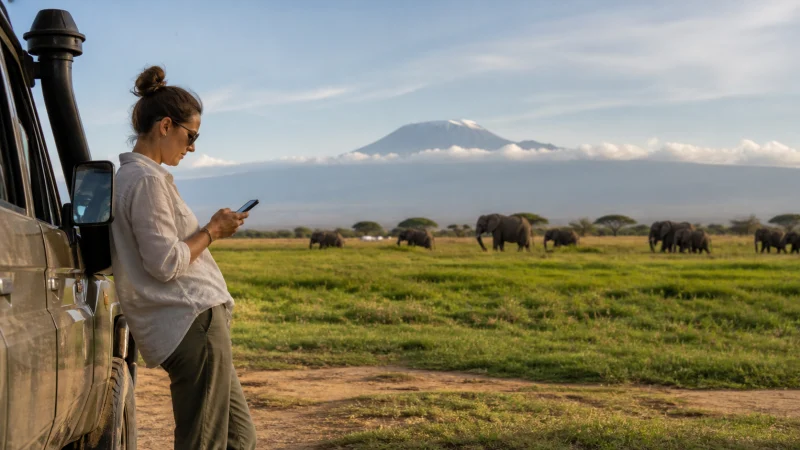

Internet in Amboseli needs two separate checks: whether your accommodation provides usable Wi-Fi and whether your mobile plan can connect at the places you will visit. A lodge advertising internet does not confirm phone reception along a game-drive route.
Before booking around a video call or an important message, ask your actual lodge about its current connection. For arrival, save its directions and the agreed park entrance offline rather than depending on a map loading at the last turn.
Our NoveSIM Kenya travel eSIMs provide mobile data; we do not provide a Kenyan telephone number, conventional calls or SMS with these plans. Messaging and internet calls need a working data connection or Wi-Fi.
Quick answer: For Amboseli, arrange lodge Wi-Fi as a separate service from your mobile data, ask about reception at your exact accommodation and prepare for time offline during outings. NoveSIM currently lists Safaricom 4G for Kenya, but that is not a guarantee of coverage throughout the park.
Top Kenya eSIMs


Internet in Amboseli: lodge Wi-Fi is not mobile coverage
There is verified accommodation Wi-Fi in Amboseli. The official Amboseli Serena Safari Lodge website includes complimentary wireless internet among its room amenities. That supports a statement about this property’s advertised facilities, not a promise about every lodge or the performance of each connection.
Ask where you can actually connect: your room, reception, a lounge or another designated area. An amenity listing does not tell you how well a large upload or a live meeting will work at the time you need it. If staying elsewhere in the Amboseli area, obtain the answer from that property rather than applying Serena’s facilities to your booking.
Mobile data follows a different path. Your phone connects through the network available to its SIM or eSIM, whereas the lodge supplies its own Wi-Fi connection. One can work when the other does not. Neither connection should be treated as guaranteed emergency communications.
Ask these questions before committing to online work
- Is guest Wi-Fi currently working, and is it included in my booking?
- Does it reach my booked room, or should I use a communal area?
- Have guests recently managed video calls, rather than only messages?
- Are there access hours or interruptions that I should plan around?
- Which mobile networks have staff or guests recently used at this property?
Explain the task you need to complete. “Can I send a message to my family?” and “Can I lead a one-hour video meeting?” require different answers. If a deadline cannot move, arrange to finish it before the safari or after returning to accommodation where you have tested the connection.
A staff report of local signal is useful but is not a coverage survey. Conditions in one room or at reception do not establish reception at a park gate or on tomorrow’s drive. Our Kenya eSIM coverage guide explains the distinction between a supported network and service at a specific location.
Choosing an eSIM for the connected parts of the trip
The NoveSIM Kenya product page currently lists Safaricom 4G. Check that network entry and the selected plan’s allowance and validity before purchasing. Do not choose a bigger allowance expecting it to improve reception: more data does not extend a mobile network’s reach.
A travel eSIM can be useful for accommodation messages, bookings and directions when service is available. It is not a replacement for your guide’s communications arrangements, and we cannot promise uninterrupted data during game drives.
Check your exact phone model and regional variant for eSIM support and ensure it is network-unlocked. Follow the Kenya eSIM installation instructions while you still have a reliable connection. Read the purchased plan’s activation rules before enabling it; installing a profile and starting its validity are not always the same action.
Prepare the Amboseli arrival before going offline
- Ask the lodge or transfer operator for the intended entrance and the final approach to the property. Keep those instructions alongside the lodge name.
- Save the reservation, booking reference, contact details and agreed pickup arrangements on the phone.
- Download the relevant map area and check that it opens without an internet connection. Our Google Maps guide for Kenya explains offline map limitations.
- Agree with the driver or host what to do if a message cannot be delivered. Do not leave the meeting point dependent on a last-minute online update.
- Charge the phone and a power bank before departure, and keep them accessible with the saved instructions.
A saved map is a navigation aid, not permission to use a road or enter a park. Follow current directions from your guide or accommodation rather than an app’s suggested shortcut. Do not leave the vehicle or a permitted area simply to search for reception.
Use a short check-in, not an upload queue
When you have a working connection, send the essential arrival or itinerary message first. A queued photo library can consume data before the message you actually need has gone through. Pause automatic photo backup and app updates, then upload selected pictures when you have suitable Wi-Fi.
Tell family in advance that you may be offline during outings. Agree a reasonable check-in window rather than promising instant replies throughout the day. Keep copies of the next day’s plans on each traveller’s phone if the group may separate.
For an important work call, test the actual call app from the place where you intend to use it. A Wi-Fi icon or a successful webpage load is not enough to confirm a stable meeting connection.
When data stops: identify which connection failed
If lodge Wi-Fi is connected but pages will not load, ask staff whether the guest internet is working. Switching the phone’s mobile settings will not repair the lodge’s connection. You can try mobile data separately if you have reception and an active plan.
If the travel line has no service, avoid repeatedly reinstalling it. At an authorised stop or back at the lodge, check whether service returns. If signal is present but data still fails, confirm that the eSIM is enabled, selected for mobile data and has Data Roaming switched on as instructed. Keep home-line data roaming and automatic data switching off to avoid using the wrong line.
Use the Kenya eSIM troubleshooting guide for persistent faults. Enter data.esim only if your NoveSIM instructions require a manual APN. Do not delete the installed eSIM unless NoveSIM support tells you to do so.
Related Articles
- Planning Mobile Internet for a Kenya Safari
- Estimating Data for Your Kenya Trip
- Activating a Kenya eSIM
FAQ
Can I rely on mobile internet throughout Amboseli National Park?
No continuous park-wide service is guaranteed here. Check the network supported by your plan and ask your accommodation about recent reception at its location. Prepare arrival information and outing plans offline even if the phone works at the lodge.
Does Amboseli Serena Safari Lodge offer Wi-Fi?
Its official website advertises complimentary wireless internet among its room amenities. Confirm current availability and suitability for your tasks directly with the lodge. This does not establish Wi-Fi facilities at other properties or mobile reception elsewhere in Amboseli.
Will buying more eSIM data improve the signal on a game drive?
No. Increasing the allowance does not add network coverage. A larger bundle helps only with data consumption where the plan can already connect; it cannot remove an area without reception.
How can I contact the lodge if my data connection disappears?
Agree a fallback with your host or transfer operator before departure and save contact details offline. A NoveSIM data-only plan does not supply conventional calls or SMS. Internet messaging needs a working connection; another voice line is subject to its own availability and charges.
Final Recommendation
For an Amboseli stay, choose accommodation connectivity based on the property’s current answers, not an assumption that “Wi-Fi available” means uninterrupted internet everywhere. Put fixed work commitments outside uncertain connection windows.
If using a Kenya eSIM, check the listed network, phone eligibility and activation terms before departure. Install on a reliable connection, select the correct data line and keep the profile installed if reception later drops.
Save the agreed entrance, lodge directions and transfer arrangements before travelling. With those details available offline, an Amboseli outing does not depend on a message arriving or a map refreshing at precisely the right moment.