


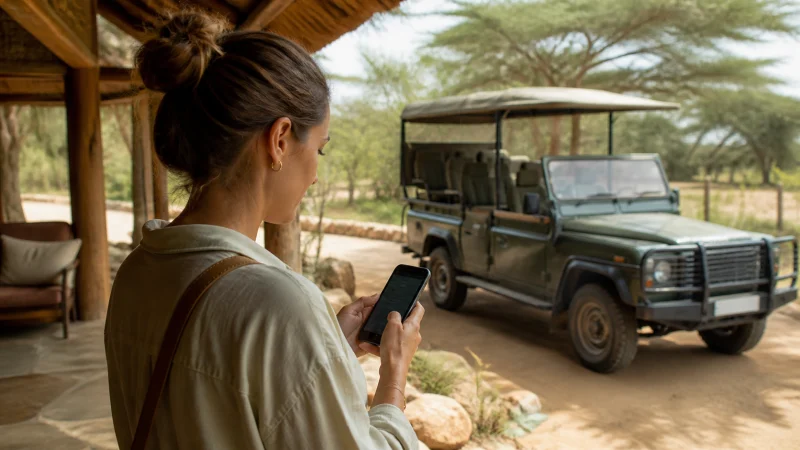

To activate an installed Kenya eSIM for mobile data, enable its line, select it for mobile data and apply the roaming setting in your purchase instructions. Then test internet access without Wi-Fi. Downloading the profile, starting the plan’s validity and obtaining a working connection are separate events.
This guide is for the moment you are ready to use data in Kenya. If the profile has not yet been added to your phone, start with the installation instructions instead of changing network settings on a line that does not exist.
Our travel plans are data-only. We do not provide a Kenyan number, conventional calls or SMS with the eSIM. Your phone can use the travel line for internet while the home line handles its separate services, subject to your carrier’s roaming charges.
Quick answer: Check the activation and expiry rules supplied with your Kenya eSIM. Once the profile is installed and you are ready to connect in Kenya, enable it, choose it for mobile data, turn on data roaming for that travel line and leave network selection automatic. Switch Wi-Fi off for a small browsing test. Do not delete the profile if the test fails.
Top Kenya eSIMs

Kenya eSIM
Fixed
1 GB, 7 days€ 9.332 GB, 15 days€ 15.553 GB, 30 days€ 21.33Unlimited
Unlimited, 1 day€ 10.22Unlimited, 3 days€ 26.22Unlimited, 5 days€ 42.66
Which activation stage have you reached?
| Stage | What to establish |
|---|---|
| Profile installation | The Kenya travel line appears in SIM settings. |
| Plan validity | The purchased plan is usable under its activation and expiry conditions. |
| Network registration | The enabled line connects to a supported network in Kenya. |
| Internet access | A webpage loads using the travel line with Wi-Fi off. |
A label such as Activating is not the same as a successful internet test. Equally, installing a profile does not establish that every plan starts its validity at that moment. Read your order instructions for the exact rule; do not assume validity always begins at purchase, download or first data use.
The public Kenya eSIM page recommends installation before departure and selecting travel data on arrival. Check the terms attached to your particular purchase before deciding when to install or enable it. If they are unclear, ask us before starting an irreversible validity period.
Before departure: prepare, do not force a Kenya connection
Use a reliable internet connection to download the profile according to the Kenya eSIM installation guide. Give it a recognisable label and keep the order details available offline. If your instructions allow advance installation, you can prepare the profile without expecting it to provide Kenya data while you are elsewhere.
Do not scan the code again just because there is no Kenyan network at your departure location. Keep the installed eSIM. A repeated download is not a substitute for being within the plan’s supported destination.
Activate the Kenya eSIM on arrival
- Open SIM or mobile-network settings and locate the installed Kenya travel profile. Enable that line.
- Select it as the phone’s mobile-data line. Confirm the choice by its label, especially if you have several saved travel profiles.
- Turn on data roaming for the Kenya eSIM as instructed. Keep home-line data roaming off; disable automatic mobile-data switching if you do not want fallback data charged to your home service.
- Leave network selection on automatic and allow time for registration. Registration and available speeds depend on supported network access, the phone and local reception.
- Turn Wi-Fi off briefly and load a simple webpage. Avoid using a large video download as the first test.
- Check that the home line has not become the selected data service, then restore Wi-Fi if you need it.
For device-specific menu choices, use the iPhone Kenya data-line guide or Android setup guide. Do not change the default voice line merely to choose a different data line.
Keeping your usual number active can be useful for account messages, but it is not a promise of free roaming calls or SMS. Ask your home carrier about those services, or turn the home line off if you do not need it.
If you see signal but the first page does not load
Return to the selected data line first. Then check the plan’s usable dates and remaining allowance in the order or account information available to you. Signal bars alone do not prove that the selected profile has a working data session.
If the purchase instructions require manual APN entry, the NoveSIM APN is data.esim. Edit the travel line only, leave unrelated fields unchanged and follow the Kenya APN instructions. An already working connection does not need an APN change.
After confirming the settings, one aeroplane-mode cycle or normal restart can prompt a fresh connection. If service remains unavailable, use the Kenya troubleshooting sequence rather than repeatedly reinstalling the profile. Contact our support team with the order reference, exact error and phone model; do not post the QR code publicly.
When not to keep changing the phone
An expired allowance, unsupported location or account-side issue cannot be repaired by cycling through APNs. Likewise, moving between areas of different reception is not evidence that activation must be repeated. Once the line is working, keep its configuration unless the instructions or support team require a change.
If the phone stays on Activating or shows a used-code error, explain whether the profile is visible and whether it ever supplied data. That distinction helps support separate a download problem from an arrival connection problem. Do not delete the eSIM or reset every network setting unless we specifically instruct you.
Related Articles
FAQ
Does installing my Kenya eSIM start its validity?
Check the activation rule for the purchased plan. Profile installation and the validity period are separate concepts; do not assume all plans start their countdown at the same event.
Should data roaming be on for the Kenya eSIM?
Follow the NoveSIM plan instructions, which direct you to enable data roaming for the travel line on arrival. This is separate from home-line roaming, which you can leave off.
How can I confirm activation has produced working data?
Select the Kenya eSIM for mobile data, switch Wi-Fi off and load a small webpage. A successful test on the travel line is more useful than signal bars alone.
Should I reinstall if the Kenya eSIM has no service before departure?
No. A destination plan may not connect outside its supported location. If the profile is already installed, keep it and check the supplied timing rules; ask support before attempting another download.
Final Recommendation
Activate your Kenya eSIM by following the purchased plan’s timing rules, not by treating installation and data access as interchangeable.
On arrival, verify the enabled profile, data-line selection and travel-line roaming, then make a small test with Wi-Fi off.
Once data works, keep the settings stable. If it does not, preserve the installation and diagnose the failed stage before making further changes.