


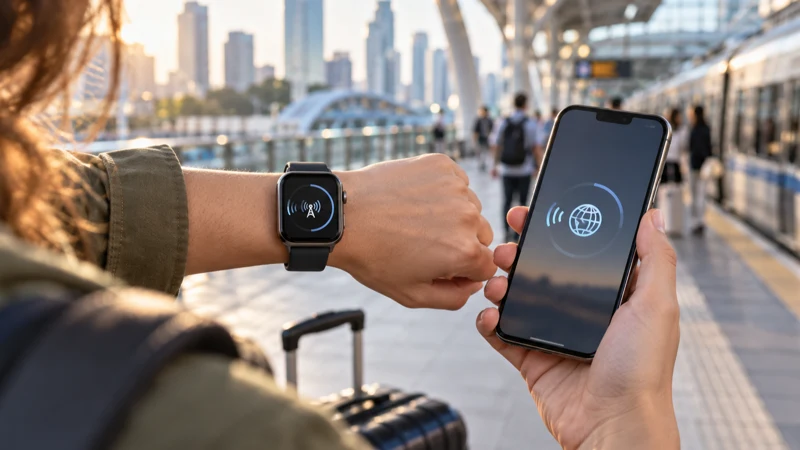

A smartwatch can contain eSIM hardware without accepting an ordinary travel eSIM. Cellular watches commonly use a wearable plan provisioned through a supported mobile operator and linked to a phone account, rather than a QR profile purchased for a smartphone.
The exact answer depends on the watch model, country, paired phone, operator and provisioning system. Seeing “LTE”, “Cellular” or “eSIM” in the specifications is not enough to confirm travel-profile compatibility.
NoveSIM travel plans are data-only smartphone plans and should not be installed on a smartwatch unless the exact product and device are explicitly confirmed as supported.
Quick answer: Do not scan a NoveSIM or other standard phone travel-eSIM QR code into an Apple Watch, Galaxy Watch or another wearable merely because the watch supports eSIM. Check the manufacturer’s carrier list and ask the plan provider whether that exact watch and installation flow are supported.
Top eSIMs

Why smartwatch eSIM works differently
A phone can normally add a profile through its cellular settings. A smartwatch may instead require activation through the paired phone’s Watch or Wearable app. The operator can use number sharing, a companion plan or a dedicated wearable subscription that is not interchangeable with a phone travel plan.
Review the NoveSIM compatible-device information before purchase. If the watch is not explicitly included, do not assume compatibility from the presence of an eSIM chip.
Apple Watch checks
- Confirm that the watch is a Cellular model, not GPS-only.
- Check Apple’s supported carrier list for the country and model.
- Ask the home operator whether international wearable roaming is available.
- Review whether the plan requires the iPhone and watch to use the same operator.
An Apple Watch can still use many online functions through its paired iPhone or trusted Wi-Fi when a separate cellular plan is unavailable.
Galaxy Watch and other Wear OS checks
LTE Galaxy Watch and other wearable models can support operator eSIM service, but activation commonly runs through the manufacturer’s wearable app and an approved carrier. Regional model numbers and carrier support can differ. Confirm the exact model rather than relying on the product-family name.
Use the phone’s travel eSIM instead
Install the travel plan on a compatible unlocked phone, select it for mobile data and let the watch use the paired phone’s connection where supported. This keeps the activation profile on the intended device and avoids consuming a limited-use QR code.
For phone setup, follow the iPhone installation guide or the Android installation guide. If the phone connection fails, keep the profile installed and troubleshoot there rather than moving it to the watch.
Questions to ask before buying
- Is this exact watch model supported?
- Can the profile be installed through the watch’s required provisioning flow?
- Does the plan provide standalone watch data or depend on a phone line?
- Will the service work in the destination country?
- What happens if the QR code is scanned on an unsupported device?
Related Articles
FAQ
Can I install a NoveSIM plan on Apple Watch?
Do not do so unless NoveSIM explicitly confirms support for that exact watch and provisioning method. Standard phone travel plans are not automatically wearable plans.
Does every Cellular Apple Watch accept travel eSIMs?
No. Apple Watch cellular service depends on supported carriers, model, country and the operator’s watch plan.
Can a Galaxy Watch use any eSIM QR code?
No. A cellular Galaxy Watch may still require activation through an approved carrier and the Galaxy Wearable flow.
Can my watch use the phone’s travel data?
Often it can use the paired phone connection for supported functions, even without its own independent travel profile.
Final Recommendation
Treat smartwatch eSIM support and travel-eSIM compatibility as separate questions.
Verify the exact wearable model, carrier list and provisioning method before purchasing or scanning a code.
In most travel setups, install the data plan on the compatible phone and let the watch use the phone connection where supported.