


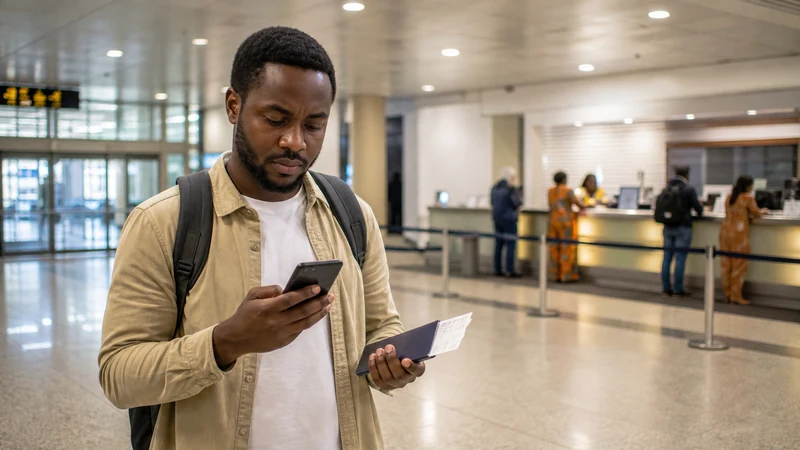

You may find mobile telephone services after landing at Entebbe International Airport, but do not plan the first transfer around a guaranteed SIM-card counter. Uganda’s Civil Aviation Authority mentions mobile telephone booths at the airport, while current operator presence, SIM stock, bundle prices and opening hours still need to be confirmed on arrival.
A Ugandan physical SIM can be useful when you specifically need a local telephone number. The trade-off is that the purchase involves a retail stop and mandatory registration, so bring your original passport and follow the identification process required by the authorised seller.
NoveSIM takes a different approach: install the data-only Uganda eSIM before departure, then connect after landing without replacing your existing card. It supports internet-based maps, messages and calls, but it does not provide a Ugandan number or traditional voice and SMS service.
Quick answer: If a local number is essential, check for an authorised mobile booth after arrival and confirm the full price, registration steps and active bundle before paying. If the priority is immediate data for a driver, maps and accommodation messages, a pre-installed NoveSIM Uganda eSIM avoids making the transfer depend on airport retail availability.
Top Uganda eSIMs

Uganda eSIM
Fixed
1 GB, 7 days€ 11.152 GB, 15 days€ 21.423 GB, 30 days€ 29.45Unlimited
Unlimited, 1 day€ 10.26Unlimited, 3 days€ 29.45Unlimited, 5 days€ 48.19
Can you buy a SIM card at Entebbe Airport?
The official airport information says telephone cards can be purchased at mobile telephone booths and that cellular telephone services are available. That establishes a reasonable possibility of mobile retail service in the terminal, but it is not a live inventory or opening-hours guarantee.
Flights can arrive early, late or during a busy period. A counter may be closed, a particular package may be unavailable or registration may take longer than expected. Treat an airport SIM as an option to verify, not as the only way to contact a waiting driver.
Before travel, save the accommodation address, pickup contact and meeting point offline. The companion guide to Wi-Fi at Entebbe Airport explains how the terminal’s free connection can serve as a temporary fallback while you confirm the current retail situation.
What is confirmed and what must be checked on arrival?
| Question | Reliable planning position |
|---|---|
| Are mobile services mentioned by the airport? | Yes. The Uganda Civil Aviation Authority refers to mobile telephone booths and cellular telephone services. |
| Will a particular operator have a booth? | Verify from current terminal signs or authorised airport staff. |
| Will tourist SIM stock be available? | Do not assume it; ask at the counter after arrival. |
| What will the SIM and bundle cost? | Request the current written price and confirm whether taxes or activation charges are included. |
| Will the counter be open for your flight? | Opening hours can change and should be checked independently. |
| Is registration required? | Yes. Complete the current identification process with an authorised provider. |
This distinction matters because old travel reports can preserve operator names, packages and prices long after the airport arrangement has changed. A current sign, receipt and confirmation from the authorised seller are more useful than a screenshot from an earlier trip.
What should you bring for local SIM registration?
Uganda requires SIM registration. A foreign visitor should bring the original passport and be ready to complete the identification or biometric steps currently required by the authorised retailer. Requirements can change, so do not rely on a photocopy or an online checklist as a guaranteed substitute for the original document.
Ask the seller to explain which details are being recorded and retain the receipt. Do not hand the passport to an unofficial helper or allow someone else to register a line in their name for you. If a local telephone number is not necessary, compare this process with a travel eSIM in Local SIM vs eSIM in Uganda.
How do you buy an airport SIM safely?
- Finish immigration and baggage collection before starting the purchase.
- Use a clearly authorised counter or ask airport staff where official mobile services are located.
- Confirm the operator, SIM price, data allowance, validity and any activation charge before paying.
- Ask whether the plan includes a local number, voice minutes or SMS if those features matter.
- Complete registration with your own identity document.
- Request a receipt showing the product and amount paid.
- Keep the seller present while the phone registers and the bundle is confirmed.
- Turn Wi-Fi off and test a webpage, map and outgoing message using mobile data.
- Store the support channel and your new number before leaving the counter.
A signal icon alone does not prove that the purchased data bundle is active. Testing before the onward journey gives the retailer a chance to correct an incomplete registration or configuration.
Airport SIM or NoveSIM eSIM: which is better?
| Need | Airport physical SIM | NoveSIM Uganda eSIM |
|---|---|---|
| Preparation | Purchase and register after arrival | Install before departure on stable private Wi-Fi |
| Local Ugandan number | Potentially included; confirm the package | Not included; NoveSIM is data-only |
| Keep existing physical SIM in place | Depends on available SIM slots | Yes, on a compatible unlocked phone |
| Arrival queue | Possible | No retail stop required |
| Identity registration at airport | Required for the local line | No local SIM-counter registration |
| Maps and app messages | Yes, after activation | Yes, after the eSIM registers on permitted coverage |
The best option follows the actual communication need. Read Best SIM Card for Uganda if the decision turns on a local number, or the best way to get internet in Uganda for a broader arrival-to-departure comparison.
When does a local Ugandan number matter?
A local SIM may be worthwhile when a hotel, guide, workplace or local service specifically needs to call a Ugandan number. It can also suit a longer stay where traditional domestic calling is more important than completing setup before departure.
Many short-stay travellers mainly use WhatsApp, email, maps and booking apps. Those services use mobile data, so a local number may add little value. Confirm how each essential contact communicates rather than buying a SIM simply because it is the familiar travel routine.
Keep the home SIM available if it receives banking codes or account-verification messages, but review its roaming settings. The guide to avoiding roaming charges in Uganda explains how to prevent the wrong line from using expensive background data.
Why prepare NoveSIM before the flight?
A pre-installed eSIM removes several variables from the arrivals hall: queue length, counter hours, card stock and the need to open the phone’s SIM tray. It can provide data as soon as the device registers on an available permitted partner network.
First confirm that the handset is unlocked and eSIM-compatible using the Uganda eSIM compatibility guide. Then choose a current plan for the whole trip, not only the drive from the airport.
Follow the Uganda eSIM installation guide while connected to reliable private Wi-Fi. Do not delete the installed profile after scanning it, and do not assume that installation and plan activation always happen at the same moment. The order instructions control the timing.
How should you activate and test NoveSIM after landing?
- Remain in a safe, staffed part of the terminal.
- Switch the NoveSIM line on.
- Select NoveSIM as the mobile-data line.
- Enable Data Roaming for the NoveSIM profile.
- Keep Automatic network selection enabled initially.
- Turn airport Wi-Fi off.
- Wait for network registration, then open a lightweight webpage.
- Send a test message to the pickup contact.
The complete sequence appears in How to Activate an eSIM in Uganda. If there is signal but no data, follow Uganda eSIM troubleshooting in order. When manual APN entry is genuinely required, NoveSIM uses data.esim. Do not delete the eSIM as an early troubleshooting step.
Can airport Wi-Fi help if the mobile booth is closed?
Yes, as a temporary bridge. Official airport information currently lists free Wi-Fi in several passenger areas, including arrivals. Confirm the network name from current signs or authorised staff before connecting, because a plausible-looking public network name is not proof that it belongs to the airport.
Use the connection for limited tasks such as telling the driver you have landed, checking an address or reading activation instructions. Avoid sensitive banking or account-recovery work on an unverified public connection. Wi-Fi ends with the terminal, so test the chosen mobile-data option before beginning the transfer.
How should you plan the first transfer?
Save the driver’s name, number, vehicle details, meeting point and a backup procedure before the flight. Download the first map area and keep the accommodation address as text as well as a pin. The Google Maps in Uganda guide explains how offline maps reduce pressure on the arrival connection.
Entebbe and Kampala require different day-to-day planning. Use Internet in Entebbe for Tourists if staying near the airport, or Internet in Kampala for Tourists for the capital. Mobile conditions may change along the route, and no airport purchase guarantees identical performance everywhere.
What should dual-SIM users check?
On a compatible phone, NoveSIM can supply data while the home line remains present for incoming calls or SMS. Label both lines clearly, set NoveSIM as the mobile-data line and disable cellular-data switching if the phone might silently return to the home SIM.
Traditional calls and texts on the home line remain subject to the home provider’s charges. Internet calls through WhatsApp, FaceTime or another app use the NoveSIM data allowance. Check the exact phone controls in the relevant Uganda eSIM iPhone guide or Uganda eSIM Android guide.
How much data should you arrange?
The airport transaction is only the first hour of the trip. Estimate navigation, messaging, browsing, ride coordination, work and photo uploads across the full itinerary. Video, cloud backup and hotspot use consume substantially more than text messages and cached maps.
The Uganda mobile-data guide helps match common activities to a sensible allowance. Also review Uganda eSIM coverage: availability and performance depend on the selected plan, permitted partner network, device, location and local conditions. An eSIM does not create coverage where the underlying network has none.
Airport connectivity checklist
- Confirm whether a local Ugandan number is actually required.
- Bring the original passport if planning to register a local SIM.
- Install NoveSIM before departure if using an eSIM.
- Save the first address, driver details and meeting point offline.
- Confirm any airport mobile booth from current signs or staff.
- Ask for the full current price, allowance and validity in writing.
- Retain the receipt and test the chosen connection before leaving.
- Keep the home line from using unintended roaming data.
- Preserve enough battery for the transfer.
Related Articles
- Uganda eSIM Plans
- Wi-Fi at Entebbe Airport
- Best SIM Card for Uganda
- Local SIM vs eSIM in Uganda
- Install an eSIM for Uganda
- Activate an eSIM in Uganda
- Internet in Entebbe for Tourists
- Internet in Kampala for Tourists
- Using Google Maps in Uganda
- How NoveSIM Works
FAQ
Can I buy a SIM card at Entebbe Airport?
Official airport information mentions mobile telephone booths and telephone-card sales, but the current operator, SIM stock and opening hours should be verified after arrival.
Do tourists need identification to buy a Uganda SIM?
Uganda requires SIM registration. Bring your original passport and complete the current identification process requested by the authorised retailer.
How much does a SIM card cost at Entebbe Airport?
Prices and bundles can change. Ask for the current total price, included data, validity and any activation charge before paying, then retain the receipt.
Is an airport SIM guaranteed to be available for a late flight?
No. Do not make the pickup depend on a booth being open or having stock. Save the transfer details offline and prepare airport Wi-Fi or a pre-installed eSIM as a backup.
Does NoveSIM provide a Ugandan phone number?
No. NoveSIM Uganda plans are data-only. App-based calls and messages use data, while a local or home line is needed for traditional voice and SMS.
Can I install NoveSIM before flying to Uganda?
Yes. Installation is best completed on stable private Wi-Fi before departure. Follow the selected plan’s current activation instructions and keep the profile installed.
Should I use airport Wi-Fi to install the eSIM?
Private Wi-Fi before travel is preferable. Airport Wi-Fi can be a fallback, but captive portals, congestion and time pressure can interrupt installation.
What should I test before leaving Entebbe Airport?
Turn Wi-Fi off, open a webpage, load the first route and send a message to the pickup contact using mobile data. Keep the address and meeting point offline even after the test succeeds.
Final Recommendation
Buy an Entebbe Airport SIM only when a Ugandan number or local calling is genuinely useful and an authorised booth can complete registration without disrupting the transfer. Confirm the live offer, obtain a receipt and test the activated bundle before walking away.
For travellers who mainly need maps, WhatsApp, email and booking apps, install NoveSIM before departure. It removes the airport retail dependency while keeping the existing physical SIM in place on a compatible unlocked phone.
Whichever option you choose, save the first address and pickup procedure offline. A prepared connection is valuable; a prepared arrival plan is safer.