


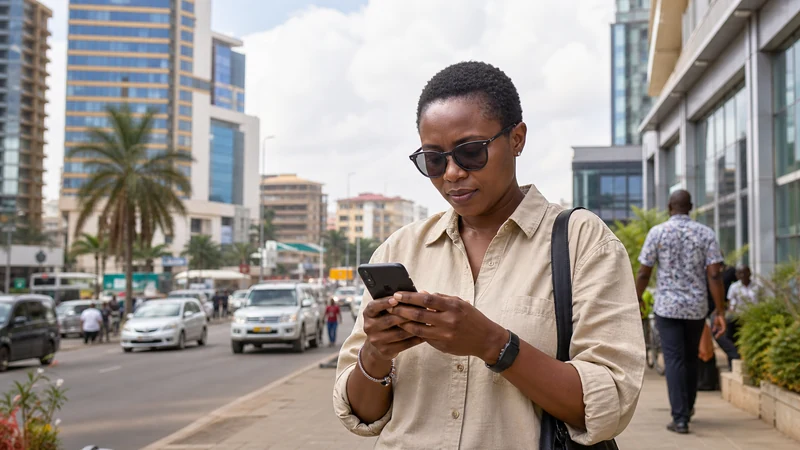

Tourists can use 4G in Uganda wherever the selected plan, permitted partner network, phone and location support it. 5G may be available under suitable conditions, but it should not be expected throughout an entire Uganda itinerary.
A stable 4G connection is normally sufficient for maps, WhatsApp, email, accommodation messages and booking applications. The newest network icon is less important than whether the connection performs the travel task reliably.
A NoveSIM Uganda eSIM provides mobile data rather than a Ugandan telephone number, traditional calls or carrier SMS. Its available network technology depends on the plan, partner access, device, region and local coverage.
Quick answer: Leave network mode and network selection on their normal automatic settings. Accept stable 4G when it handles the required task, and treat 5G as an optional result rather than a trip requirement. Save essential routes and contacts offline before rural or safari sections.
Top Uganda eSIMs

Uganda eSIM
Fixed
1 GB, 7 days€ 11.112 GB, 15 days€ 21.333 GB, 30 days€ 29.33Unlimited
Unlimited, 1 day€ 10.22Unlimited, 3 days€ 29.33Unlimited, 5 days€ 47.99
What determines whether a tourist gets 4G or 5G?
A 4G or 5G connection appears only when every relevant part of the connection supports it. The eSIM alone cannot force a particular network technology.
| Requirement | Why it matters |
|---|---|
| NoveSIM plan | The selected plan controls the permitted partner access and applicable service |
| Partner network | The local network must provide the relevant technology at that location |
| Exact phone model | The device must support the necessary network mode and frequencies |
| Regional phone variant | Models with the same commercial name may have different network capabilities |
| Phone settings | The eSIM line, data roaming and network mode must be configured correctly |
| Current location | Terrain, buildings and distance from infrastructure affect the live result |
| Local conditions | Demand, maintenance and temporary network conditions can affect service |
If one part of this chain does not support 5G, the phone may correctly use 4G or another available mode. That fallback is not automatically a fault.
Is 4G enough for normal travel in Uganda?
Yes. A stable 4G connection is generally adequate for the activities most tourists perform on a phone.
| Travel activity | Does it normally require 5G? |
|---|---|
| Text messaging | No |
| Maps and navigation | No |
| Email and booking applications | No |
| Internet voice calls | No; a stable connection is more important |
| Ordinary browsing | No |
| Photo sharing | No, although upload time varies |
| Video calls | No, but performance depends on the live connection |
| Large downloads | No; trusted Wi-Fi may preserve mobile data |
Do not spend time trying to replace a working 4G connection with 5G when maps, messages and bookings already work correctly.
What does the 5G symbol actually prove?
A 5G symbol indicates that the phone reports a connection associated with that technology under the current network conditions. It does not guarantee a particular speed, capacity or result in every application.
The symbol does not prove:
- a minimum download speed;
- low latency for every service;
- continuous 5G along the route;
- 5G inside the next building;
- that every NoveSIM plan has identical access;
- that another phone will show the same result;
- that mobile data is unlimited.
A phone may switch between network modes as conditions change. Treat the displayed icon as current information rather than a permanent promise.
Why can the phone switch between 5G and 4G?
Automatic network management allows the device and network to choose an available connection mode. Moving between streets, buildings, towns or road sections can change the result.
Common reasons for a switch include:
- leaving an area with suitable 5G service;
- entering a building with weaker indoor reception;
- moving farther from the serving infrastructure;
- changing between network sites;
- local demand or temporary network management;
- the phone’s battery or network-mode preferences;
- returning to the best available permitted connection.
If the phone moves from 5G to stable 4G and the travel task still works, no corrective action may be necessary.
Does NoveSIM connect to every 4G or 5G network?
No. NoveSIM can register only through the partner access permitted by the selected plan. A phone may detect other networks without being authorised to use them.
Three separate questions apply:
- Can the phone detect the network?
- Is the NoveSIM profile authorised to register?
- Can the registered connection provide usable mobile data?
A manual network scan answers only the first question. The guide to mobile networks in Uganda explains partner registration and network visibility in more detail.
Should network selection remain Automatic?
Yes. Automatic selection is the normal setting because it lets the phone attempt permitted partner access without forcing one operator.
Manual selection should be reserved for a specific diagnostic test when:
- Automatic selection has failed to register;
- the line and roaming settings are correct;
- current plan information identifies an allowed partner;
- NoveSIM support asks you to test a network.
Do not select networks randomly in an attempt to force a 5G icon. Follow the Uganda manual network selection guide and return to Automatic afterwards unless support advises otherwise.
Check whether the phone supports 4G and 5G correctly
A commercial model name is not always enough to establish compatibility. Regional variants may support different network bands, eSIM features or dual-SIM combinations.
- Find the exact model number in the phone settings.
- Confirm that the device supports eSIM.
- Confirm that it is not locked to the home carrier.
- Check the model’s supported network modes.
- Check whether 5G can operate in the required dual-SIM configuration.
- Review the current NoveSIM plan and compatibility information.
Use the guide explaining whether your phone supports an eSIM for Uganda before purchase.
Install NoveSIM before travelling
Install the travel eSIM at home using stable private Wi-Fi. This separates installation from any live network question after landing.
- Open the installation information supplied with the order.
- Add the NoveSIM profile using the provided method.
- Confirm that it appears in the mobile settings.
- Label the profile “NoveSIM” or “Uganda”.
- Keep the eSIM installed.
- Follow the activation timing specified for the plan.
- Save the instructions somewhere accessible offline.
Follow the Uganda eSIM installation guide and the separate instructions to activate a Uganda eSIM.
Use the correct settings after arrival
The phone must use NoveSIM for mobile data before its network result can be evaluated.
- Turn on the NoveSIM line.
- Select NoveSIM as the mobile-data line.
- Enable Data Roaming for NoveSIM.
- Disable automatic mobile-data switching.
- Keep roaming disabled on the primary SIM.
- Leave network selection on Automatic.
- Leave the preferred network mode on an appropriate automatic setting.
- Turn Wi-Fi off temporarily.
- Open a new webpage to test mobile data.
Testing with Wi-Fi disabled confirms that the eSIM is carrying the connection. The Uganda mobile-data guide explains data-line management and background traffic.
Should tourists force the phone into 5G-only mode?
Normally, no. A 5G-only setting can prevent the phone from using a stable 4G connection where 5G is unavailable or unsuitable.
| Network-mode choice | Practical effect |
|---|---|
| Automatic 5G/4G mode | Allows the phone to use an available supported technology |
| 4G-preferred mode | May be useful for stability or battery management on some devices |
| 5G-only mode | Can remove the 4G fallback and cause avoidable loss of service |
| Manual operator selection | Restricts registration to the selected network and is mainly diagnostic |
Menu names and available modes vary by device. Avoid changing several settings at once, because that makes the result harder to interpret.
Does 5G use more mobile data?
The network icon does not directly decide how many gigabytes an activity consumes. Data use is driven mainly by what the phone or connected device downloads and uploads.
However, a faster connection may make it easier to:
- stream higher-quality video;
- download larger files;
- complete cloud backup sooner;
- run high-resolution video calls;
- connect several hotspot devices;
- allow applications to select higher media quality automatically.
Control the applications rather than blaming the network technology. Pause cloud backup, automatic updates and optional large downloads. The guide to how much data a Uganda trip needs provides a practical allowance estimate.
Does 5G affect battery life?
Battery use depends on the phone, signal conditions, network mode, screen activity and applications. Repeated searching for an inconsistent signal can increase power use, as can hotspot sharing and large transfers.
To preserve battery:
- leave network mode on a sensible automatic setting;
- avoid repeated speed tests;
- turn off the hotspot when it is not needed;
- pause large background transfers;
- download maps before a long journey;
- carry an appropriate power bank;
- charge before leaving a connected town.
A stable 4G connection can be the better travel result when it performs the task without unnecessary network searching.
How should tourists test 4G or 5G?
Test practical activities rather than focusing only on a speed-test score.
- Turn Wi-Fi off.
- Load a new webpage.
- Open the map for the next destination.
- Send a message to the accommodation or driver.
- Open a booking reference.
- Test an internet call if it is important.
- Check the phone’s current data-line assignment.
A speed test can use a noticeable amount of data and reflects only that time, server and location. Repeating tests rarely improves the journey.
Why can data be slow while the phone shows 5G?
The 5G icon does not reveal every part of the connection. Performance can still be affected by:
- local network demand;
- the serving site and backhaul;
- indoor conditions;
- background application traffic;
- hotspot devices;
- the destination website or service;
- temporary network management.
Before changing network mode, pause background transfers, test another application and move to another safe location. Follow the guide for slow mobile data in Uganda when registration succeeds but performance remains poor.
What if the phone shows 4G but nothing loads?
A network icon can remain visible even when the data session is not working correctly. Check the complete configuration:
- Confirm that NoveSIM is enabled.
- Confirm that it is selected for mobile data.
- Check that Data Roaming is enabled on NoveSIM.
- Turn Wi-Fi off.
- Load a new page rather than cached content.
- Turn Airplane Mode on briefly and then off.
- Restart the phone if necessary.
- Test again after changing location.
Use the guide for a Uganda eSIM that is not working if the problem continues in an expected service area. Do not delete the eSIM unless NoveSIM support instructs you to do so.
What should tourists expect in cities?
In Kampala and other connected towns, 4G or 5G may support maps, bookings, messages and internet calls where the selected plan and local network permit it.
Indoor results can differ from outdoor results. Thick walls, metal roofs, lower floors and enclosed rooms may reduce reception even when the surrounding area is connected.
Use the city connection to:
- download the next map region;
- save accommodation contacts;
- complete optional software updates over trusted Wi-Fi;
- send arrival information;
- save tickets and booking references;
- prepare for the next rural stage.
The guide to internet in Kampala for tourists covers the capital in more detail.
What changes on rural roads?
On rural roads, the phone may move between 4G, another available mode and no usable service. The network icon can change as the vehicle passes terrain and different serving areas.
A missing 5G icon is not the main problem. The important question is whether the traveller has:
- an offline route;
- the next accommodation address;
- lodge and operator contacts;
- meeting points and departure times;
- booking references and permits;
- a plan for a complete coverage gap.
Review rural mobile coverage in Uganda and the Uganda road-trip internet guide before relying on live navigation.
Should 5G be expected on safari?
No particular network technology should be expected throughout a national park or remote safari area. A phone may connect in a gateway town, on a covered approach road or around some accommodation, then lose service during the activity.
Ordinary mobile data is not a satellite emergency system. Follow the communication procedure supplied by the guide, lodge or tour operator.
The Uganda safari mobile-internet guide explains how NoveSIM supports connected stages without being presented as continuous remote coverage.
Use coverage and technology as separate questions
| Question | What it establishes |
|---|---|
| Is partner coverage available? | Whether the eSIM may be able to register at the location |
| Does the phone support the network mode? | Whether the device can use the relevant technology |
| Does the phone show 4G or 5G? | The current reported connection mode |
| Does a new webpage load? | Whether the phone has usable data at that moment |
| Do maps and messages work? | Whether the connection serves the practical travel task |
| Is the next route saved offline? | Whether the journey can continue through a coverage gap |
The Uganda eSIM coverage guide provides the route-level context behind these network modes.
Related Articles
- Uganda eSIM Plans
- Mobile Networks in Uganda
- Best Network for Uganda Tourists
- Uganda eSIM Coverage
- Mobile Data in Uganda
- Does My Phone Support eSIM in Uganda?
- Slow Mobile Data in Uganda
- Rural Mobile Coverage in Uganda
- Mobile Internet on a Uganda Road Trip
- Mobile Internet on Safari in Uganda
FAQ
Can tourists use 4G and 5G in Uganda?
Tourists can use the network technology supported by the selected plan, permitted partner network, exact phone, location and local conditions. 4G is more than sufficient for most travel tasks.
Is 5G necessary for Google Maps or WhatsApp?
No. Stable 4G is normally sufficient for maps, messaging, bookings, email and internet voice calls.
Why does my phone switch from 5G to 4G?
The phone may be responding to changing coverage, indoor conditions, distance, network management or device settings. A stable 4G fallback is normal.
Does NoveSIM guarantee 5G in Uganda?
No. 5G availability depends on the selected plan, partner network, device, region and local coverage.
Should I use 5G-only mode?
Normally, no. A 5G-only setting can remove the 4G fallback and cause avoidable loss of service where 5G is unavailable.
Does 5G consume more data than 4G?
The activity determines most data use. Faster service may encourage higher-quality video, larger downloads or more background traffic, so application settings still matter.
Will 4G or 5G work throughout a Uganda safari?
No network mode should be expected everywhere. Save operator contacts, permits, routes and meeting information offline before entering remote areas.
Final Recommendation
Use NoveSIM as the travel-data line on a compatible unlocked phone and allow the device to use an appropriate automatic network mode. Stable 4G is a successful result when it handles maps, messages and booking tasks.
Treat 5G as an optional benefit whose availability depends on the plan, permitted partner network, phone, location and local conditions. Do not force 5G-only mode or repeatedly change networks to chase an icon.
Before rural roads and safari stages, save routes, lodge contacts and booking information offline. A practical Uganda connection plan values usable data where coverage exists more than a particular network symbol.