


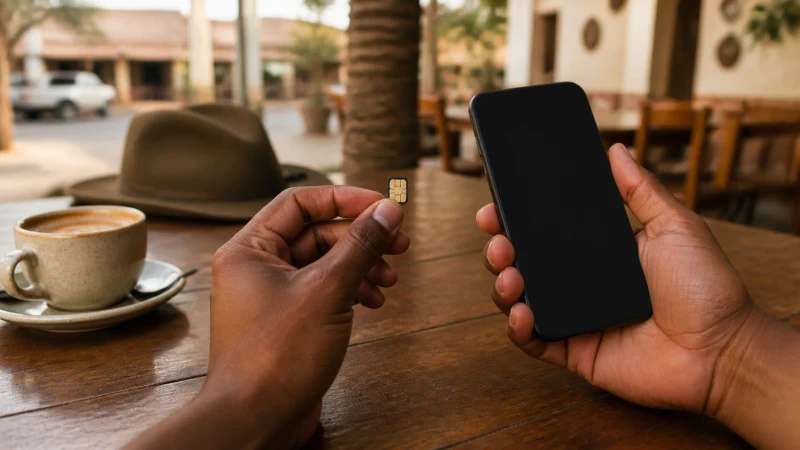

The best SIM card for Namibia depends on local-number needs, registration and advance eSIM setup. The phone, travel dates and places where data is genuinely needed determine the most suitable setup.
Most travellers need data for a few time-sensitive tasks: an airport transfer, a booking, navigation or a message. Save the fixed details offline before leaving a staffed or well-connected place.
NoveSIM’s Namibia plan is a data-only eSIM. Messaging and internet-calling apps work through data, but a local number and conventional mobile service are not included.
Quick answer: Compare the options using total trip cost, setup time, number requirements, device support and the complete route—not one headline price.
Top Namibia eSIMs


A practical comparison for the best SIM card for Namibia
Use the same travel dates, usable allowance, hotspot requirement and setup effort. Include registration, equipment return or daily roaming triggers where they apply; the cheapest headline is not automatically the best value.
Decide whether a local number is necessary
NoveSIM travel plans provide mobile data, not a Namibian number, ordinary voice minutes or carrier SMS. Keep the home line active only when its call, SMS and voicemail charges are understood.
Match the option to the complete Namibia route
Town stays, airport transfers and remote drives create different connection requirements. Judge each option by the weakest essential part of the itinerary rather than one test in a connected urban area.
Keep a fallback that works without mobile data
Retain the original SIM and installed eSIM profile, save key documents offline and avoid destructive troubleshooting. This leaves another route to essential information if the preferred connection is delayed or temporarily unavailable.
Keep the first transfer independent
Use the Namibia plan listing as the authority when checking local-number needs, registration and advance eSIM setup. Then read The Best Ways to Get Internet in Namibia While Travelling for the related travel preparation.
Before departure, compare the live plan with the needs that matter here: local-number needs, registration and advance eSIM setup. Read the high-speed allowance, validity period, activation rule and hotspot terms together rather than treating one feature in isolation. Confirm that the exact handset is unlocked and eSIM-compatible. Keep the installation details somewhere another device can display them. Current product information is more dependable than an old screenshot, a remembered description or a general promise about nationwide coverage.
- Confirm the exact handset is unlocked and supports eSIM.
- Keep the installation details private and available on another device.
- Download the first route, address and booking reference.
- Carry enough power for the longest planned transfer.
- Pause automatic updates, cloud backup and large media downloads.
Configure roaming on the correct profile
Read Does My Phone Support an eSIM for Namibia? before opening How to Install an eSIM for Namibia Before You Travel. Note which profile currently handles data before making a change.
- Confirm that the travel eSIM is visible and enabled.
- Select Travel as the Mobile Data line.
- Enable Data Roaming on Travel and keep it off on Primary unless home-carrier costs are understood.
- Disable automatic data switching.
- Allow Automatic Network Selection time to register.
- Use data.esim only when manual NoveSIM APN entry is required.
Avoid destructive fixes during the trip
When service changes, consult Namibia eSIM Not Working? Safe Troubleshooting Steps. Do not erase the eSIM after one failed attempt; the existing profile and network state are useful diagnostic evidence.
Test one reversible change at a time and write down the result. This avoids masking the fault and keeps the recovery options open.
Check the connection before it becomes urgent
Choose one ordinary task that matters on the trip, such as opening the next booking, loading a saved route or sending a short message. Test it over cellular data with Wi-Fi disabled. Treat each location separately: airport, town, lodge and remote road conditions are not interchangeable. Use the result to confirm the task, not to remove the offline fallback prepared for the journey. An unsuccessful check in Namibia is useful evidence when the eSIM and current settings remain intact.
Related Articles
- Local SIM vs eSIM in Namibia: Which Is Better?
- Namibia eSIM vs Pocket Wi-Fi: A Traveller’s Comparison
- Roaming Charges in Namibia: Costs and Better Data Options
- Mobile Data in Namibia: What Travellers Need to Know
- How Much Mobile Data Do You Need for a Namibia Trip?
- Unlimited Mobile Data in Namibia: What the Limits Mean
- Can You Use a Hotspot with a Namibia eSIM?
- Namibia eSIM Coverage: Towns, Highways and Remote Routes
- Mobile Networks in Namibia: A Visitor’s Guide
FAQ
What is the practical answer?
Compare the options using total trip cost, setup time, number requirements, device support and the complete route—not one headline price.
Does a Namibia eSIM include a local number?
No. NoveSIM supplies mobile data but no Namibian number, ordinary voice minutes or carrier SMS. Messaging and internet-calling apps use the data connection.
Should Data Roaming be enabled?
Enable Data Roaming on the Namibia travel eSIM when partner access requires it. Keep roaming off on the primary line unless the home carrier’s charges are understood.
Should a non-working eSIM be deleted?
No. Preserve the installed profile and complete only reversible checks. If data still fails, give NoveSIM Support the phone model, location and visible network status.
Final Recommendation
For travellers researching the best SIM card for Namibia, the plan should reflect local-number needs, registration and advance eSIM setup, the actual phone and the complete route. Recheck the live Namibia plan shortly before departure because product features can change.
Prepare the line on dependable Wi-Fi, store essential information offline and test a normal webpage before departure. Reception can still differ between towns, buildings and remote parts of Namibia.
Select Travel for Mobile Data, prevent automatic fallback to the home SIM and retain the installed profile during troubleshooting. These steps make the connection easier to manage without overstating coverage.