


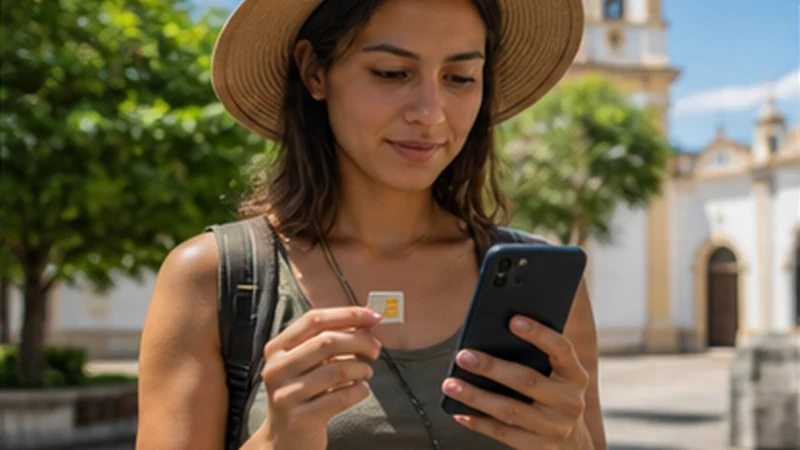

An El Salvador eSIM with Dual SIM lets a compatible phone keep the home number present while a NoveSIM profile supplies travel data. The important choice is not simply which lines are switched on, but which line the phone is permitted to use for mobile data.
This arrangement can preserve incoming verification messages or the familiar number. Charges from the home carrier remain possible if that line uses roaming data, sends messages, answers calls or forwards voicemail.
NoveSIM plans are data-only. They do not add a Salvadoran number or standard calls and SMS, although internet calling and messaging apps work through the data connection.
Quick answer: Label both lines, select NoveSIM for mobile data, enable roaming only on the travel line and turn off automatic mobile-data switching. Keep the home line active only if you understand its carrier’s roaming charges.
Top El Salvador eSIMs

El Salvador eSIM
Fixed
1 GB, 7 days€ 3.992 GB, 15 days€ 7.103 GB, 30 days€ 11.98Unlimited
Unlimited, 1 day€ 5.32Unlimited, 3 days€ 17.75Unlimited, 5 days€ 24.40
Caribbean eSIM
Fixed
1 GB, 7 days€ 9.322 GB, 15 days€ 16.863 GB, 30 days€ 23.52Unlimited
Unlimited, 1 day€ 13.75Unlimited, 3 days€ 39.49Unlimited, 5 days€ 65.22Central America eSIM
Fixed
1 GB, 7 days€ 7.102 GB, 15 days€ 11.543 GB, 30 days€ 15.53Unlimited
Unlimited, 1 day€ 6.66Unlimited, 3 days€ 16.42Unlimited, 5 days€ 26.18Decide what each SIM is allowed to do
| Function | Recommended starting choice |
|---|---|
| Mobile data | NoveSIM travel line |
| Data roaming | On for NoveSIM; off for the home line |
| Default voice line | Choose deliberately based on home-carrier costs |
| Automatic data switching | Off, to prevent fallback to home roaming |
The El Salvador eSIM plan guide helps choose the data allowance before assigning the travel profile this role.
Configure an El Salvador eSIM with Dual SIM before departure
- Install the travel eSIM while reliable internet is available.
- Label it NoveSIM or El Salvador data.
- Give the physical or existing eSIM a clear Home label.
- Select NoveSIM as the mobile-data line.
- Enable data roaming for NoveSIM.
- Disable data roaming for the home line.
- Disable automatic cellular-data switching.
- Take a screenshot of the finished configuration.
Installation does not always mean that the plan has activated. Read the El Salvador activation guide and the exact order terms before connecting.
Keeping the home line active is a billing decision
Receiving an ordinary SMS is often treated differently from sending one, but the price is determined by the home operator. Answering a call, calling voicemail or using carrier services can trigger roaming costs even when NoveSIM carries the phone’s data.
For the lowest uncertainty, switch the home line off after confirming that essential accounts do not require it. If verification messages are necessary, leave it on with home-line data roaming disabled and avoid calls until the tariff is understood.
Prevent the phone from silently changing data lines
Some phones can switch data to maintain a voice call or improve connectivity. That convenience is risky abroad because the fallback may be the home SIM. Keep automatic switching off and inspect the mobile-data label after restarts or software updates.
When pages do not load, follow the El Salvador troubleshooting sequence. If manual NoveSIM APN entry is requested, use data.esim. Do not delete the installed eSIM unless support explicitly instructs you to do so.
Messaging apps may need a brief check
WhatsApp, Signal, iMessage and similar apps normally continue over travel data, but account prompts can appear after SIM changes. Avoid accepting an unexpected number change. Keep account recovery information available offline before travelling.
Related Articles
- Install an eSIM for El Salvador
- Use an El Salvador eSIM as a Hotspot
- How Much Data Do You Need in El Salvador?
FAQ
Can I keep my normal number with an El Salvador eSIM?
Yes, on a compatible Dual SIM phone, but calls and messages on the home line remain subject to the home carrier’s roaming tariff.
Which SIM should have data roaming enabled?
Enable roaming on the NoveSIM travel line when required for partner-network access, and disable it on the home line.
Will NoveSIM receive SMS sent to my home number?
No. NoveSIM is data-only. Any SMS to the home number is handled by the home line and its operator.
Why did my phone use the home SIM for data?
Automatic data switching or an incorrect default may be responsible. Re-select NoveSIM and disable switching between mobile-data lines.
Final Recommendation
Set up an El Salvador eSIM with Dual SIM by assigning one clear job to each line.
Keep NoveSIM selected for data, prevent automatic fallback and treat every use of the home line as a potential roaming charge.
Once the configuration works, save a screenshot so you can restore the correct choices after a restart or accidental change.