


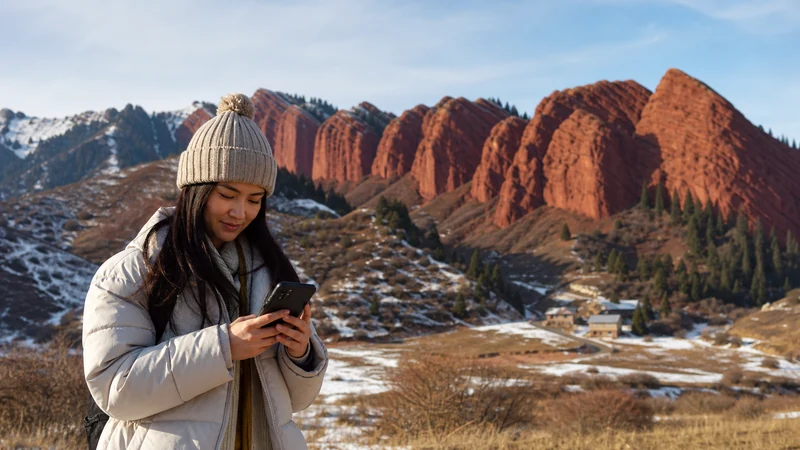

Jeti-Oguz mobile internet cannot be confirmed for your visit simply because the destination is popular. Establish the exact stop and return arrangement with your driver or organiser, and prepare to access those instructions without data.
A visit to the rock formations and an excursion continuing into the valley are different itineraries. Give the organiser the actual plan instead of asking about reception at “Jeti-Oguz” as though it were one test location.
We provide data-only NoveSIM travel eSIMs, without conventional calls, SMS or a local number. Internet messages can use a working data connection, but your driver must accept that contact method.
Quick answer: Save the precise Jeti-Oguz stop, meeting point and return time before leaving Karakol or your accommodation. Ask for recent reception observations for that itinerary, not a general promise for the viewpoints. Keep photographs locally and upload them later if the connection is unavailable or unsuitable.
Top Kyrgyzstan eSIMs

Kyrgyzstan eSIM
Fixed
1 GB, 7 days€ 3.172 GB, 15 days€ 5.883 GB, 30 days€ 8.14Unlimited
Unlimited, 1 day€ 5.43Unlimited, 3 days€ 12.21Unlimited, 5 days€ 19.00
Commonwealth of Independent States eSIM
Fixed
1 GB, 7 days€ 8.142 GB, 15 days€ 17.643 GB, 30 days€ 18.55Unlimited
Unlimited, 1 day€ 8.60Unlimited, 3 days€ 23.07Unlimited, 5 days€ 37.10Define the Stop Before Checking Jeti-Oguz Mobile Internet
Tell the organiser whether you intend to see the main formations, walk further or stay overnight. Ask where the vehicle will wait and where the group will meet afterwards. A broad place name or an unexplained chat pin may not identify the right pickup location.
Save a written description and the agreed time. Confirm what happens if the visit runs late or you cannot send an update. The driver must agree to the fallback; do not assume that an unsent message has changed the arrangement.
The Karakol connectivity guide covers preparation at your base. A working connection there does not prove uninterrupted reception on the approach or at the next stop.
Ask for Observations, Not a Guaranteed Signal Boundary
Ask which operator was recently used at the location and whether someone successfully loaded a page or sent a message. Compare the observation with the networks permitted by your purchased package.
Do not treat visitor numbers or proximity to a town as evidence that mobile data must work. Nor does a successful test at one formation establish where reception will end farther into the valley.
For a longer excursion, consult the mountain connectivity guide and agree route-specific communication with your organiser. Check access and suitability separately; internet availability is not a route assessment.
Keep Photos Separate from Immediate Sharing
Taking and retaining a photograph on the phone does not require uploading it over mobile data. Check that originals remain stored locally, especially if your photo application manages cloud backups.
Review whether automatic backup uses cellular data. Defer non-urgent uploads if reception is poor or you want to conserve the allowance. Buying more gigabytes does not guarantee a faster connection at a viewpoint.
If immediate sharing is important, test the actual data connection safely before relying on it. A signal indicator is not proof that a large upload will complete. Avoid searching for a better signal in an unsafe place just to post a photograph.
Prepare a Small Offline Set for the Visit
- Save the exact stop and the driver’s agreed meeting instructions.
- Download the relevant map area and any route information supplied by the organiser.
- Keep the contact details and return plan accessible locally.
- Test the saved information with internet connections off, then restore them.
The offline maps guide explains the limits of downloaded content. A screenshot can preserve instructions but cannot calculate a new route.
Check an eligible Kyrgyzstan eSIM plan for country inclusion, validity and allowance, and confirm exact phone compatibility and unlocked status. Follow the supplied setup instructions. If data fails later, keep the profile and use support guidance rather than deleting it to try to create coverage.
Related Articles
FAQ
Is mobile data guaranteed at the Jeti-Oguz viewpoints?
No. Ask about the exact stop and permitted operator, and keep meeting instructions offline. Popularity does not establish reception.
Can I assume the valley has the same reception as the formations?
No. Treat the actual route and overnight location as separate checks. Do not infer a universal point where signal begins or ends.
Do I need mobile data to keep the photographs I take?
Not simply to retain them locally. Uploading or cloud backup uses a connection; check your application settings and defer transfers where appropriate.
How do I meet the driver if messages will not send?
Follow the location, time and fallback agreed before the visit. Save those instructions locally rather than relying on an arrival message or live-location link.
Final Recommendation
Plan Jeti-Oguz mobile internet around the precise itinerary, not blanket claims about the main road or viewpoints.
Confirm and save the return meeting before departure, and use an eligible data plan according to its instructions. Keep the installed profile if connection checks are needed.
Let uploads wait when necessary. The visit should remain manageable without a new message or a successful photo transfer.