


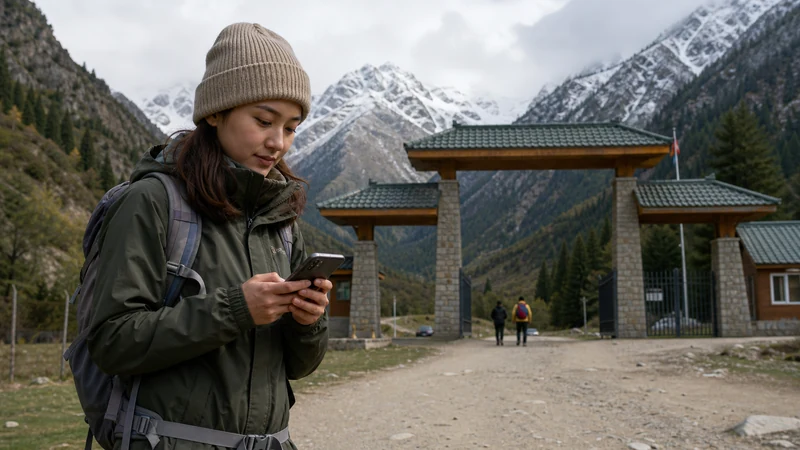

Ala-Archa mobile internet should be treated as a possible convenience, not the basis of your return transport. Agree the pickup point and time before the visit, and save the information you need without relying on a message from inside the park.
If you are leaving Bishkek for a walk, decide what the driver or organiser needs to know before you set off. A clear return arrangement removes the need to find reception simply to confirm where you should meet.
Our NoveSIM travel eSIMs are data-only. We do not provide conventional calls, SMS or a local number with these plans. Ask whether your driver accepts internet messaging or needs a separate telephone calling option.
Quick answer: Before visiting Ala-Archa, download the relevant map content and save the return meeting point, time and organiser’s contact. Check the actual visit arrangements with your driver or guide. Do not assume that a connection in Bishkek or at one park location will remain available throughout the walk.
Top Kyrgyzstan eSIMs

Kyrgyzstan eSIM
Fixed
1 GB, 7 days€ 3.182 GB, 15 days€ 5.913 GB, 30 days€ 8.19Unlimited
Unlimited, 1 day€ 5.46Unlimited, 3 days€ 12.28Unlimited, 5 days€ 19.10
Commonwealth of Independent States eSIM
Fixed
1 GB, 7 days€ 8.192 GB, 15 days€ 17.743 GB, 30 days€ 18.65Unlimited
Unlimited, 1 day€ 8.64Unlimited, 3 days€ 23.20Unlimited, 5 days€ 37.30Make the Return Independent of Ala-Archa Mobile Internet
Ask whether the driver will wait or return later, where the vehicle will be and how to identify it. Confirm the arrangement in writing while a connection is available. Do not leave the pickup as “send me your location when finished” without an agreed fallback.
Save the latest instructions rather than only the original booking. If plans change before departure, make sure both parties have acknowledged the change. A queued message is not confirmation that the driver knows about it.
Download What the Visit Actually Requires
- Obtain the intended route and meeting instructions from your organiser.
- Download the relevant map area and any supplied route file.
- Save the pickup point, time and contact details locally.
- Check that these records open with Wi-Fi and mobile data off.
- Restore the connections and charge the phone before departure.
The offline maps guide explains why a saved pin is not the same as downloaded map content. Check that your chosen app supports the offline function you need. A stored driving map is not automatically a walking-route resource.
Confirm current access, weather and route suitability with the organiser or relevant official sources. This article does not establish that a particular trail is open or appropriate for your group.
Check the Plan Before the Excursion, Not on the Trail
An eligible Kyrgyzstan eSIM package can supply data where a permitted network is usable. Check country inclusion, validity, allowance and the exact handset’s compatibility and unlocked status before purchase.
Install according to the supplied instructions and test mobile data while you still have an opportunity to resolve problems. Turn Wi-Fi off briefly and load a fresh page; the profile appearing in settings does not prove an internet connection.
There is no verified park-wide operator ranking in this guide. Ask your organiser about recent observations on the actual route, and use the mountain connectivity guide for the limitations of route-level reception reports.
Keep the Safety Plan Separate from the Data Plan
Agree the expected return and response to missed contact with the people responsible for the visit. Mobile data is not an emergency system. Do not take an unsafe detour to look for reception or interpret signal bars as a guarantee that assistance can be reached.
If the connection fails, retain the installed eSIM. Follow the order’s settings and support guidance when a safe opportunity is available. Deleting the profile does not resolve a coverage gap.
Use any available connection for useful updates, but keep the agreed meeting arrangement workable without it.
Related Articles
FAQ
Can I rely on mobile data throughout an Ala-Archa walk?
No continuous reception is established here. Prepare maps and return details offline, and ask about the exact route rather than assuming park-wide coverage.
What should I agree with the driver before departure?
Confirm whether the driver waits or returns, the meeting point and time, identifying details and a fallback if messages cannot be sent.
Is a saved map pin enough?
No. Download the relevant map content and route information, and check that it opens offline with the features you need.
Does reception in Bishkek prove my eSIM will work in the park?
No. A successful city test establishes that the connection worked there, not at every point on the excursion.
Final Recommendation
Prepare Ala-Archa mobile internet as a supplement to the visit. Choose an eligible plan without treating it as a promise of reception on the route.
Save the maps and organise the return before departure. Test the data line and keep the installed profile if later troubleshooting is needed.
The essential outcome is a clear meeting and safety arrangement that does not depend on finding a connection at the end of the walk.