


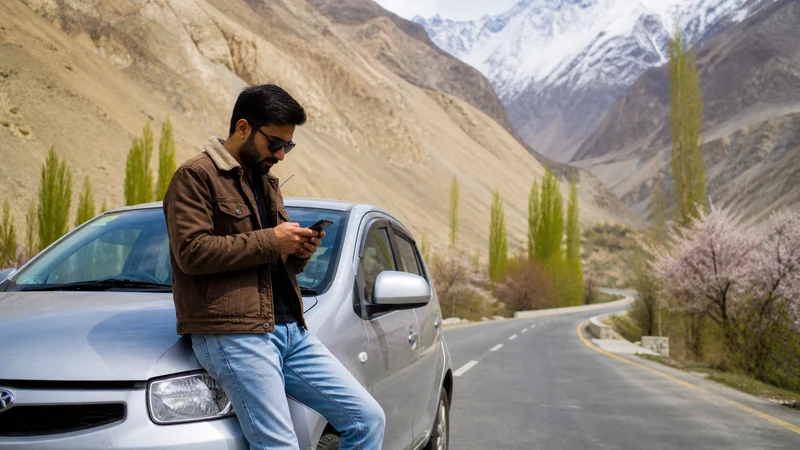

A Pakistan road trip needs an offline-first navigation plan. Mobile data can update routes, weather and accommodation where service exists, but it should not be the only way to find the next stop.
Coverage varies between cities, highways, mountain sections and sparsely populated areas. The driver should never handle network settings while moving.
NoveSIM Pakistan plans are data-only and do not provide a local number, traditional calls or SMS.
Quick answer: Download the full route and alternatives, save fuel and accommodation stops, assign a passenger to manage the phone, carry power and agree on a procedure for signal gaps before departure.
Top Pakistan eSIMs

Pakistan eSIM
Fixed
1 GB, 7 days€ 4.012 GB, 15 days€ 7.133 GB, 30 days€ 10.24Unlimited
Unlimited, 1 day€ 5.35Unlimited, 3 days€ 15.14Unlimited, 5 days€ 24.05
Build the Route Package Before Driving
- Offline map for the complete route and nearby alternatives
- Accommodation, fuel and meeting points
- Driver, rental and roadside contacts
- Tickets, permits and booking references
- Latest official road and weather information
Store the package on more than one device when another adult is travelling.
Assign Driver and Passenger Roles
The driver follows the prepared route and does not change apps, SIMs or networks while moving. A passenger can check updates, contact accommodation and manage charging.
Expect Coverage to Follow Places, Not Every Kilometre
Service may be stronger near cities and settlements and weaker through terrain or long gaps. Compare the route with Pakistan coverage planning, but treat maps as estimates rather than guarantees.
Protect Power and Temperature
Continuous navigation and hotspot use increase heat and battery drain. Keep the phone out of direct sun, use a secure mount, carry suitable power and avoid leaving electronics in a parked vehicle.
Reserve Data for Disruption
Download entertainment and large media on Wi-Fi. Keep mobile allowance for route changes, current conditions and contact at the next stop. Use the Pakistan data estimate.
Respond to a Signal Gap
- Continue using the saved route only when it remains safe and valid.
- Do not stop in an unsafe position to search for signal.
- At a safe stop, test outdoors and refresh registration.
- Do not delete the installed eSIM.
- Use the agreed check-in procedure when service returns.
For long gaps, follow the remote-area preparation checklist.
Separate Connectivity from Route Permission
A working phone does not make a road open, permitted or safe. Check current official restrictions, local transport guidance and weather before departure, especially near borders and mountain routes.
Related Articles
FAQ
Will mobile data work throughout a Pakistan road trip?
No. Coverage depends on the route, plan, phone, terrain and current network conditions.
Should the driver use live navigation?
Use a secure, prepared setup and let a passenger handle changes. The driver must not adjust the phone while moving.
What should I download?
The full route, alternatives, stops, contacts, bookings and current information available before departure.
Should I delete the eSIM after losing signal?
No. A route gap is not proof of profile failure. Retest at a safe, known served location.
Final Recommendation
Make the road trip workable with no signal before starting the engine.
Assign phone tasks to a passenger, protect power and preserve data for disruption.
Use connectivity to support current official and local route decisions, never to replace them.