


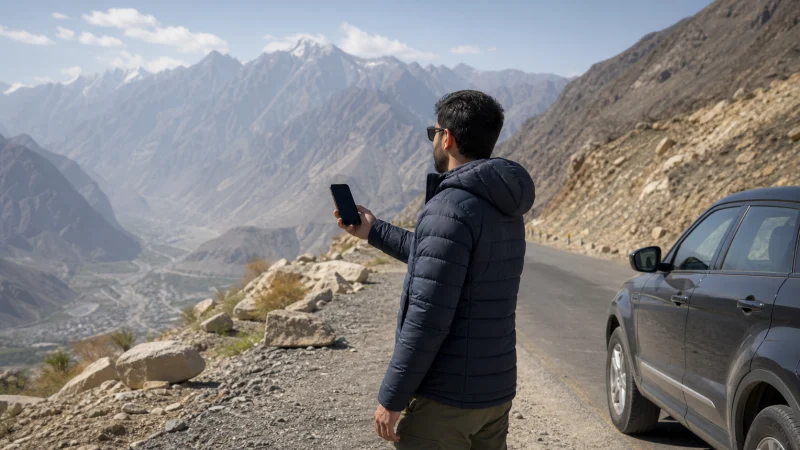

Pakistan eSIM coverage depends on the partner network available to the exact plan, the phone, local radio service and the traveller’s position. A strong city connection does not predict coverage on a mountain road.
Build the plan around the most difficult part of the itinerary: indoor urban use, an intercity transfer, the Karakoram Highway or a remote valley.
NoveSIM Pakistan plans are data-only. Coverage enables internet use but does not add a local number or guarantee a particular speed or network generation.
Quick answer: Check the current plan’s permitted network, compare its official coverage with the full route, expect stronger continuity around large cities and settlements, and download maps and essential details before remote travel.
Top Pakistan eSIMs

Pakistan eSIM
Fixed
1 GB, 7 days€ 3.992 GB, 15 days€ 7.103 GB, 30 days€ 10.20Unlimited
Unlimited, 1 day€ 5.32Unlimited, 3 days€ 15.09Unlimited, 5 days€ 23.96
Coverage Is a Chain of Four Conditions
| Condition | Question to answer |
|---|---|
| Plan | Which Pakistani partner network can this product use? |
| Device | Does the exact model support the required bands and service? |
| Location | Is there usable outdoor and indoor service at this point? |
| Conditions | Are congestion, power, weather or disruption affecting the site? |
Expect a Different Task in Major Cities
Islamabad, Rawalpindi, Lahore, Karachi, Peshawar, Quetta, Multan and Faisalabad have broad mobile-network activity, but indoor construction, basement levels and congestion can still affect service. Test outside before diagnosing a whole-city failure.
For city-specific arrival planning, use Islamabad Airport internet or Karachi Airport internet.
Treat Gilgit-Baltistan Separately
Northern Pakistan has distinct terrain, network footprints and long distances between settlements. Service in Gilgit or central Hunza does not imply continuous data through every valley or highway section.
Review Gilgit connectivity, Hunza connectivity and the Karakoram Highway plan before departure.
Do Not Read a Coverage Map as a Guarantee
Operator maps are planning tools. They cannot account for the exact room, handset antenna, local load, temporary outage or road position. Check the date and radio layer, then maintain an offline fallback.
Prepare for Gaps Before Leaving a Stable Connection
- Download the full route and adjacent map areas.
- Save accommodation, driver and emergency contacts.
- Keep permits, tickets and booking details offline.
- Carry power and protect the phone from heat and cold.
- Agree on meeting points and check-in times.
The remote-area guide turns these items into a practical departure check.
Use 4G and 5G Realistically
Pakistan’s 5G rollout is active in selected urban areas, but access depends on local coverage, a compatible device and the exact plan’s roaming arrangements. A phone may use 4G outside a 5G area or when the travel plan does not have 5G access.
Do not force 5G to solve weak service. Automatic mode allows the handset to choose a more usable available network. See the Pakistan 5G traveller guide.
Diagnose Location Before Editing the Profile
If service fails, test outdoors and in a second location, then refresh registration. Use manual network selection only for networks allowed by the plan. Keep the eSIM installed and follow the Pakistan diagnostic flow.
Related Articles
FAQ
Will a Pakistan eSIM work everywhere?
No. Plan access, device support, terrain, buildings and network conditions all affect coverage.
Is coverage continuous on the Karakoram Highway?
Do not assume so. Prepare offline maps and communication arrangements for gaps between served locations.
Does a 5G phone guarantee 5G?
No. The plan, partner network, device configuration and exact 5G footprint must all support it.
Should I delete the eSIM in a coverage gap?
No. Move to a known served location and troubleshoot without removing the profile.
Final Recommendation
Judge coverage against the full itinerary and exact plan, not a successful airport test.
Use automatic network mode and treat operator maps as planning evidence rather than guarantees.
For northern and remote travel, download the route, carry power and keep the journey workable without continuous data.