


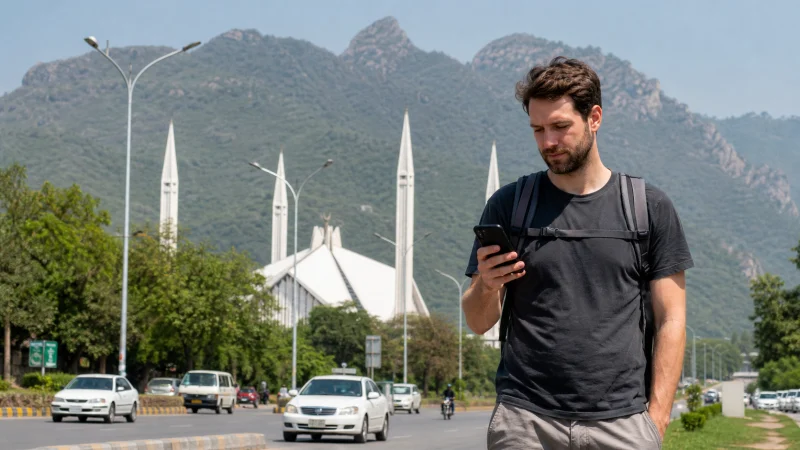

An eSIM can work in Pakistan, but four separate conditions must be satisfied: the exact phone variant needs eSIM support, the handset must be carrier-unlocked, the purchased plan must include Pakistan and the device must remain eligible to register on Pakistani mobile networks.
The eSIM menu alone answers only the first question. It does not prove that a foreign phone is unlocked or that its IMEI is unaffected by Pakistan’s device-registration rules.
NoveSIM travel eSIMs are data-only. We do not provide a Pakistani telephone number, conventional calls or SMS, although internet calling and messaging apps can use the mobile-data connection.
Quick answer: Before buying, find the phone’s exact model number, EID and carrier-lock status. Confirm that Pakistan is named on the selected plan and check current Pakistan Telecommunication Authority guidance for overseas devices, especially for a longer stay. An eSIM cannot bypass an IMEI restriction.
Top Pakistan eSIMs

Pakistan eSIM
Fixed
1 GB, 7 days€ 3.962 GB, 15 days€ 7.053 GB, 30 days€ 10.13Unlimited
Unlimited, 1 day€ 5.28Unlimited, 3 days€ 14.97Unlimited, 5 days€ 23.78
What determines whether an eSIM will work?
| Requirement | What to verify | Why it matters |
|---|---|---|
| eSIM hardware | Exact regional model, EID and Add eSIM menu | Some variants of the same phone family differ |
| Unlocked handset | No carrier or SIM restriction | A locked phone may reject another provider |
| Pakistan coverage | Destination shown on the current plan page | A regional product name is not sufficient evidence |
| Device eligibility | Current PTA/DIRBS status and visitor rules | Network access is tied to the handset’s IMEI |
Complete these checks before depending on the phone for an airport pickup or hotel contact. The NoveSIM device list is a starting point, but the model code printed in Settings is more reliable than the marketing name.
How to check an iPhone
- Open Settings → General → About.
- Record the model number and look for an EID.
- Check Carrier Lock; “No SIM restrictions” normally indicates an unlocked phone.
- Open Mobile Service or Cellular and confirm that Add eSIM appears.
- Compare the model number with Apple’s specifications for the country where the phone was sold.
An iPhone family may include eSIM-only, physical-SIM and region-specific variants. Do not assume that another traveller’s identically named iPhone has the same configuration.
How to check an Android phone
Android wording changes between brands and software versions. Search Settings for eSIM, SIM manager or Add mobile plan, then verify the model code on the manufacturer’s website.
- A dual-SIM tray does not necessarily mean eSIM support.
- An EID is a stronger indicator than a generic phone-family name.
- A visible eSIM menu does not prove that the carrier lock has been removed.
- A model supported elsewhere may have a Pakistan-market or other regional variant with different capabilities.
How do PTA device rules affect travellers?
Pakistan uses the Device Identification, Registration and Blocking System to manage mobile devices by IMEI. The Pakistan Telecommunication Authority provides registration and temporary-registration processes for eligible overseas visitors, but conditions can change.
This rule concerns the handset, not the downloaded plan. Replacing a physical SIM with an eSIM does not alter the IMEI and cannot make a blocked device eligible. A short visitor and someone staying for an extended period may therefore face different practical requirements.
Check current official PTA guidance close to travel rather than relying on a fixed allowance quoted in an old article. If the phone has previously been used in Pakistan, verify its status before purchasing another plan.
What should you check on the plan page?
Confirm that the specific product lists Pakistan, then review validity, data allowance, activation conditions, available network information and hotspot terms. Do not infer coverage from words such as “Asia” or “regional”.
A travel plan does not include a local Pakistani number. If receiving domestic calls or SMS is essential, compare it with a registered local line in the Pakistan SIM versus eSIM guide. Route-specific expectations are covered in the Pakistan eSIM coverage guide.
When should you install and activate it?
Install the profile on dependable private Wi-Fi before departure when the plan instructions permit. Save the order details offline and label the new line clearly so it is not confused with the primary SIM.
- Follow the Pakistan eSIM installation steps.
- Keep the travel line off until the activation instructions say to use it.
- After arrival, switch it on and select it for mobile data.
- Enable Data Roaming on the travel line.
- Keep home-line data roaming off to avoid accidental charges.
Installing and connecting are different events. A profile may install correctly outside Pakistan but remain unable to register until it reaches a supported network at the destination.
What if the eSIM installs but has no data?
Confirm that the phone itself remains eligible for local service, then check the selected data line, roaming and network registration. Leave network selection on Automatic initially and restart the phone after a short Airplane Mode cycle.
If an APN must be entered for a NoveSIM plan, use data.esim. Do not delete the profile as an early troubleshooting step because an activation code may not be reusable. Continue with the Pakistan eSIM troubleshooting guide and contact support if the reversible checks fail.
Related Articles
- Best eSIM for Pakistan travel
- Mobile internet in Pakistan
- SIM card options in Pakistan
- Activate a Pakistan eSIM
FAQ
Can an eSIM work on a non-PTA-approved phone?
An eSIM does not change the phone’s IMEI or registration status. Check current PTA rules and any temporary-registration option available to eligible overseas visitors.
Does Add eSIM prove my phone will connect in Pakistan?
No. It indicates eSIM capability, but you must also verify that the handset is unlocked, the plan includes Pakistan and the device is eligible for local networks.
Will a Pakistan travel eSIM give me a local number?
No. NoveSIM travel eSIMs are data-only and do not include a Pakistani number, standard voice minutes or SMS.
Can changing the SIM bypass a blocked IMEI?
No. A physical SIM or eSIM subscription does not change the handset’s IMEI or override a device block.
Final Recommendation
Do not treat “eSIM compatible” as the complete answer. Verify the exact model, carrier lock, plan coverage and current PTA eligibility as four independent checks.
Install on reliable Wi-Fi when allowed, save the instructions offline and select the travel line for data only after arrival.
If the phone does not connect, preserve the installed eSIM and confirm the handset’s network eligibility before changing APN or plan settings.