
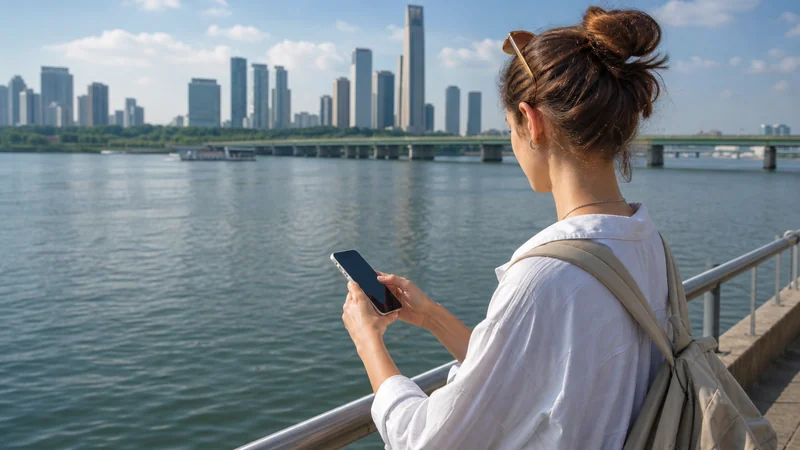

Travellers can get mobile internet in South Korea through a travel eSIM, a local prepaid SIM, home-carrier roaming or Wi-Fi.
A travel eSIM is often the simplest option for short visits because it can be installed before departure and used for maps, transport and messages after landing.
NoveSIM South Korea plans provide data only, without a local number, traditional calls or SMS; online communication apps can use the data connection where available.
Quick answer: Choose an eSIM for convenient prepaid data, a local SIM if you specifically need a South Korean number, and Wi-Fi only as a backup rather than your sole connection.
Top Republic of Korea eSIMs
Start with the Republic of Korea eSIM plans, review how NoveSIM works and check eSIM-compatible devices before purchase.
South Korea Internet Options Compared
| Item | Guidance |
|---|---|
| Travel eSIM | Fast digital setup; suitable for short trips |
| Local prepaid SIM | Useful when a South Korean number is required |
| International roaming | Convenient but price depends on the home carrier |
| Public or hotel Wi-Fi | Useful backup with limited range |
Where Mobile Data Is Most Useful
- Airport transfers and ride apps in Incheon and Gimpo.
- Navigation between accommodation and visitor sites.
- Hotel, airline and tour communication.
- Travel coordination in Seoul and Busan.
- Bookings, translation, email and mobile payments where supported.
How Much Data Should You Choose?
Light use such as maps and messaging needs less data than video, cloud work or hotspot sharing. Check your phone’s recent mobile-data statistics, allow a margin for background use and select a validity period that covers the whole trip. Unlimited-plan speed policies and hotspot availability depend on the selected plan.
How to Prepare Before Departure
- Confirm that the phone supports eSIM and is unlocked.
- Choose a South Korea plan for the trip length and expected usage.
- Install the profile while connected to reliable Wi-Fi.
- Download offline maps and save booking details.
- After arrival, select the eSIM for data and enable its Data Roaming setting.
Coverage and 5G Expectations
The current Republic of Korea product page lists SK Telecom with 5G access. Actual network, 4G or 5G access, performance and hotspot support depend on the selected plan, handset, location, congestion and local coverage. Rural mountain and island routes and some indoor areas can be less consistent than major urban areas.
Check Your Phone and Plan Before Departure
Successful preparation for Mobile Internet in South Korea begins with two separate checks: the handset must support eSIM technology, and it must be free to use a plan from a different provider. A phone can show an eSIM menu and still be locked to the carrier that originally supplied it. Check the exact model number rather than relying only on a product-family name, because regional versions of the same phone can have different SIM capabilities.
Open the phone settings and look for an option such as Add eSIM, Add Mobile Plan or Download a SIM. Then confirm unlocked status with the home carrier or through the device settings where that information is displayed. Complete these checks before buying a plan, especially when travelling with an older handset, a corporate device or a phone purchased under a carrier instalment agreement.
Plan coverage is a separate requirement. Choose a product that explicitly includes South Korea and whose validity covers the whole trip. Do not infer coverage from a regional plan name alone. Review the selected allowance, activation conditions, supported-network information and any fair-use wording shown for that exact product. Network access and product terms can change, so the current plan page and order instructions take priority over a general travel article.
Installation, Activation and Connection Are Different
Installation adds the eSIM profile to the phone. Activation makes the plan eligible for service according to its rules. Connection happens when the handset registers on a supported South Korean network. These stages do not always occur at the same moment. A profile installed at home may show No Service because the phone is outside the destination; that alone does not mean the installation failed.
Install on dependable Wi-Fi before departure unless the order instructions say otherwise. Keep the QR code and manual activation details private, and avoid repeatedly scanning a code after the profile appears in the SIM list. Give the new line a clear label such as South Korea or Travel. A clear label prevents the common mistake of enabling roaming or mobile data on the wrong SIM after landing.
On arrival, turn on the travel line, select it for Mobile Data and enable Data Roaming for that line. Keep roaming off for the primary SIM and disable automatic mobile-data switching if the goal is to avoid home-carrier data charges. Leave Network Selection on Automatic during the first connection. Registration can take several minutes after a flight, a restart or a move between coverage areas.
Calls, Messages and Your Primary Number
NoveSIM South Korea travel plans are data-only. They do not provide a South Korean telephone number, traditional voice minutes or SMS. Apps such as WhatsApp, iMessage, Signal, email and other internet communication services can use the eSIM’s data connection where the app and its features are locally available. Existing app accounts normally remain associated with their current number; installing a data eSIM does not by itself replace that account identity.
Many compatible phones can keep the primary SIM active for calls and SMS while the travel eSIM supplies data. This is useful for verification messages and contact on the normal number, but it does not make the primary line free to use abroad. The home carrier may charge for incoming or outgoing calls, voicemail, SMS or other roaming services. Check those rates separately and avoid answering calls if the costs are unclear.
Dual-SIM behaviour varies by device. Some phones can keep two lines on standby but use only one mobile-data network at a time. A call on the primary line can also affect the data connection on certain models. Before relying on the arrangement for work or urgent communication, learn how the handset labels each line and which line it uses for calls, messages and data.
Choose Enough Data for Your South Korea Trip
Estimate data from actual habits rather than the number of travel days alone. Maps, text messaging, email and ride bookings are comparatively light uses. Automatic photo backup, social video, cloud synchronisation, video calls, streaming and hotspot sharing can consume much more. Check the phone’s mobile-data statistics for a recent week, remove usage that will stay on hotel Wi-Fi, and add a margin for navigation and unplanned travel tasks.
Reduce unnecessary consumption before departure. Turn off automatic app updates over mobile data, pause cloud photo uploads, download entertainment on Wi-Fi and save offline maps for important routes. If several devices need access, confirm hotspot availability for the selected plan rather than assuming tethering is included. Hotspot support, unlimited-plan policies and full-speed allowances depend on the product and can differ between plans.
Monitor remaining allowance during the journey through the available account or device tools. Unexpected use often comes from background synchronisation rather than the app visible on screen. A phone can also switch back to the primary line when a travel line loses signal if data switching is enabled. Keeping that feature off makes usage more predictable and reduces the risk of an unwanted roaming bill.
Coverage, Speed, 5G and Hotspot Expectations
Mobile coverage for the complete South Korea itinerary is not uniform. Major urban areas and transport corridors often have stronger service than remote mountain roads and island routes, mountain routes, building interiors or isolated visitor sites. Even within a covered city, speed can change with the exact network, handset radio bands, local congestion, time of day and indoor construction. Signal bars are useful but do not guarantee a particular download speed.
The current Republic of Korea product page lists SK Telecom with 5G access. This does not guarantee that every session or location will use 5G. The selected plan, supported partner, phone, software, location and local coverage determine whether the handset connects on 4G or 5G. A stable 4G connection can be more useful than an unstable 5G signal, so avoid forcing a network mode unless troubleshooting guidance requires it.
Prepare an offline fallback for any time-sensitive journey. Save accommodation addresses, transfer instructions, boarding details, meeting points and essential contacts before setting out. Download the relevant map area and keep enough battery for the day; navigation and hotspot use can drain a phone quickly. A power bank is useful for long transfers, road trips and busy travel days.
Safe Troubleshooting Without Losing the eSIM
If the eSIM does not connect, start with reversible checks. Confirm that the line is enabled, that it is selected for Mobile Data and that Data Roaming is on for the travel line. Turn Airplane Mode on for 30 seconds, turn it off and allow time for network registration. Restart the handset if needed. Keep Network Selection on Automatic first; manual selection is a later diagnostic step, not the default configuration.
If the phone shows signal but websites do not load, test more than one site or app and confirm that the data allowance remains available. Check the APN only after verifying the active line and roaming settings. For a NoveSIM plan, use data.esim if manual APN entry is required, leaving username and password blank. Do not copy an APN from a South Korean domestic operator, another eSIM provider or an online forum.
Do not delete the installed eSIM as an early troubleshooting step. A QR code may be limited to one installation, and removal can turn a settings issue into a profile-recovery problem. If the connection still fails, contact NoveSIM Support with the order number, phone model, current location, the eSIM status and useful screenshots. Keep activation codes and full QR details private, and delete the profile only if support specifically instructs you to do so.
For general preparation, read install an eSIM on iPhone, check install an eSIM on Android, and follow the guides to check whether a phone supports eSIM or Data Roaming for an eSIM.
Related Articles
- no internet after landing
- eSIM APN settings
- keep your number while using eSIM data
- NoveSIM FAQ
- NoveSIM Support
- NoveSIM destinations
- best eSIM for travel guide
- Does eSIM Work in South Korea? 2026 Traveller Guide
- eSIM Not Working in South Korea? Step-by-Step Fixes
- South Korea eSIM APN Settings
- Best SIM Card for South Korea
- Internet at Incheon Airport
- Internet at Gimpo Airport
- South Korea eSIM Dual SIM Settings
- Use a South Korea eSIM as a hotspot
- How much data do you need in South Korea?
FAQ
Can I use a travel eSIM in South Korea?
Yes, if your unlocked phone supports eSIM and the selected plan includes South Korea. Install over Wi-Fi, select the eSIM for mobile data and enable Data Roaming on that line after arrival.
What APN does NoveSIM use in South Korea?
Use data.esim if manual APN entry is required. Leave username and password blank.
Does a NoveSIM South Korea plan include calls or SMS?
No. NoveSIM South Korea travel plans are data-only and do not provide a local number, traditional calls or SMS. Internet communication apps can use mobile data where available.
Will I always receive 5G?
No. 5G and performance depend on the selected plan, compatible device, location, partner network, congestion and local coverage. The phone may use 4G where 5G is unavailable.
Final Recommendation
Confirm eSIM compatibility, unlocked status, plan coverage and validity before travelling to South Korea, then install the profile on reliable Wi-Fi.
After arrival, select the South Korea eSIM for mobile data, enable Data Roaming on that line, keep the primary line’s roaming off and use data.esim only if manual APN setup is required.
This preparation gives you a practical data connection for maps, messages, bookings and transport wherever the selected plan and local South Korean network provide coverage.


