


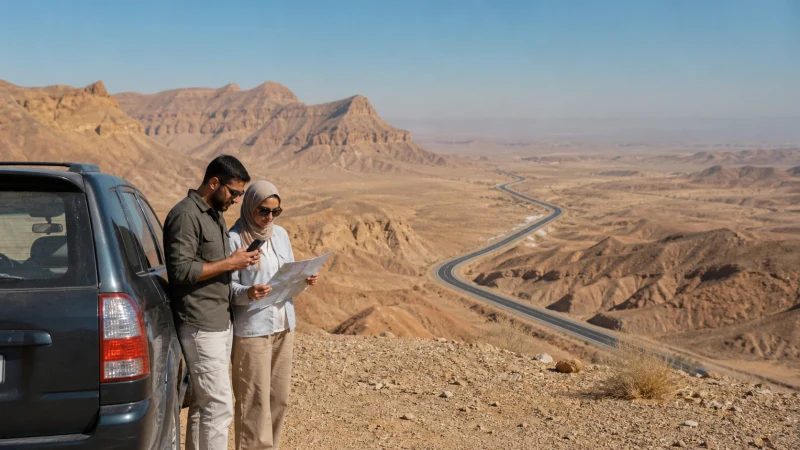

A Saudi Arabia road trip needs a connection plan for the journeys between stops, not just the hotels at either end. A working eSIM in Riyadh does not establish whether your phone will have service at a desert campsite, on a mountain detour or throughout a drive towards Jeddah.
Before setting out, mark the places where you need directions, booking details or contact with another vehicle. Save those essentials offline and check the networks available to your exact plan. There is no reliable universal estimate for how long a particular route might leave you without signal.
Our NoveSIM Saudi Arabia travel eSIMs provide data only. We do not provide a Saudi telephone number, conventional calls or SMS with these plans. Arrange any local voice service separately if your rental company or another service requires it.
Quick answer: For mobile internet on a Saudi Arabia road trip, choose a plan valid for the full journey, check its supported networks and download maps before each leg. Test mobile data before leaving your accommodation. Keep campsite directions, the next address and agreed meeting arrangements offline; do not rely on continuous 4G or 5G between cities.
Top Saudi Arabia eSIMs


Check the Route, Not Just the Country Name
Start with your actual itinerary. A Riyadh–Dammam transfer, a journey towards Jeddah and a circuit including AlUla or Asir involve different stops and conditions. Check the roads and accommodation you have booked rather than treating a broad regional itinerary as a coverage promise.
Open the Saudi Arabia eSIM plan details and confirm the country, supported networks, validity and any usage restrictions for the package you intend to buy. If an operator provides a coverage map, inspect the relevant corridor and stops. A mapped coverage area is useful planning information, not a guarantee of reception inside a car or at an exact campsite.
Do not choose an operator solely because a general guide calls it the best nationwide network. Access through a travel eSIM depends on that package’s partners; you cannot assume that every Saudi operator is available. The Saudi Arabia coverage guide explains why the phone, supported network and precise location all matter.
Save What You Need Before Each Driving Leg
Downloading one city map at the airport is not enough for a longer circuit. Before leaving each overnight stop, check that the offline area includes the next drive and any side trip. Offline navigation features vary by app, so test what your chosen app can do without mobile data.
- Save the destination precisely. Keep the accommodation or campsite address, map pin and arrival instructions. A property name alone may not identify the correct entrance.
- Download the relevant map area. Open it once with Wi-Fi and mobile data off. Confirm you can locate the destination rather than assuming a download completed.
- Keep bookings accessible. Save rental details, accommodation confirmations and any access instructions as files or screenshots that do not need a fresh login.
- Agree on contact arrangements. If travelling in separate vehicles, set a meeting place and a plan for a delayed arrival. A messaging group is not a substitute when one vehicle loses data.
- Check power and charging. Carry a suitable charging cable and keep a backup for time away from the vehicle. Do not leave the only phone with the only directions nearly empty.
Make these checks while parked. If you need to investigate a connection problem during the drive, stop somewhere safe or leave the task to a passenger; do not change network settings while driving.
City Stops, Desert Detours and Mountain Roads
| Part of the journey | Preparation that matters |
|---|---|
| Leaving Riyadh, Jeddah or Dammam | Test the travel data line and save the next address before departure. Service at the hotel does not prove the entire corridor is covered. |
| A visit to AlUla or another heritage destination | Keep tickets, meeting details and the accommodation location offline. Check the exact visit and transfer arrangements. |
| A desert campsite or side road | Ask the organiser about the specific location and communication arrangements. Do not extrapolate reception from the nearest town. |
| Taif or Asir mountain stops | Save the approach and return journey. Terrain and the precise stopping point can affect reception; avoid promising service across a whole region. |
If the itinerary includes a remote excursion, read the remote-area connectivity guide before deciding what to leave online. Mobile data is useful when available, but it should not be the sole communication arrangement for a journey whose safety depends on reaching someone.
Winter Road Trips and Overnight Camping
For a winter circuit, organise the connection around the booked stops and nights away from accommodation. Before a campsite stay, download its approach instructions, the return route and the organiser’s contact details. Ask whether there is service at the actual site; a report about the surrounding destination does not answer that question.
Save tickets and agreed meeting points before a busy visit. Slow data at a crowded venue can have several causes, including congestion, but do not assume every failure is crowd-related: check the active line, allowance and location before diagnosing it.
Keep the phone within its manufacturer’s operating guidance. Apple explains that very cold conditions can temporarily shorten battery life or shut a device down; its temperature advice also covers overheating. This is device preparation, not a prediction that every Saudi winter stop will be cold or that network coverage changes uniformly with the season.
Size the Plan for Navigation, Passengers and Uploads
Separate essential travel use from entertainment. Messages and map checks are different demands from passengers streaming through a hotspot or a laptop uploading photographs. Check recent device usage and decide which downloads will happen on accommodation Wi-Fi. The Saudi Arabia data-planning guide helps you work through those activities.
Validity matters as much as the remaining allowance. A package that expires before the final drive cannot serve as that day’s backup. Check whether the selected plan supports an extension or top-up and how you would arrange it; do not wait until a remote stop to discover the available options.
If several devices will share a phone, check the package’s hotspot conditions and reduced-speed policy. Give each independently travelling vehicle a workable arrangement rather than expecting one hotspot to connect a group spread along the road. Download entertainment before departure and pause automatic photo backups during driving days.
Test the Travel Line Before Leaving Wi-Fi
Use the Saudi Arabia installation guide to prepare a compatible, unlocked phone on reliable Wi-Fi. Follow the order instructions for the start of validity; installing a profile and registering on a destination network are separate events.
Before the first driving leg, select the travel eSIM for mobile data, enable its Data Roaming as instructed and keep automatic mobile-data switching off if you want to avoid fallback to your home SIM. Leave network selection on Automatic initially. Briefly turn Wi-Fi off and load a website, then check that your saved address remains available without a connection.
If mobile data stops later, check the active line and remaining allowance at a safe stop. Try a reversible reconnect and allow time for registration. Where manual APN entry is required for NoveSIM, use data.esim, not a domestic operator’s APN. Follow the Saudi Arabia troubleshooting steps and do not delete the installed eSIM unless support specifically instructs you to do so.
Related Articles
- Compare mobile internet options in Saudi Arabia
- Choosing a Saudi SIM card when you need local voice service
- Check Saudi Arabia roaming charges before departure
FAQ
Will I have mobile internet throughout a Saudi Arabia road trip?
No guide can guarantee uninterrupted service on your itinerary. Check the supported networks and specific stops, test the line before driving and keep maps, addresses and booking details offline.
Which network should I choose for a Saudi Arabia driving route?
Compare the networks your exact package permits against the planned route and stops. A national ranking does not establish reception at a particular campsite or mountain road, and a travel eSIM may not provide access to every operator.
What should I save before a winter camping stop?
Keep the campsite pin, approach instructions, return route, booking confirmation and organiser’s contact details available offline. Agree on communication arrangements before leaving a place where the phone works.
Can passengers use one eSIM hotspot for the whole journey?
Only where the plan permits hotspot use and the host phone has service, power and enough allowance. Download entertainment beforehand. Separate vehicles or groups travelling independently should not depend on a single phone staying nearby.
Final Recommendation
Choose a Saudi Arabia road-trip connection against the actual itinerary and package conditions, not an unsupported promise of nationwide reception. Make sure validity covers the last driving day.
Test the mobile-data line before leaving Wi-Fi and save the next leg’s maps, addresses and contact arrangements. Keep installation details private and retain the installed eSIM if troubleshooting becomes necessary.
For winter campsites, desert excursions and mountain detours, prepare for the precise stop rather than the season alone. Your essential directions and agreed meeting plan should remain usable when mobile data does not.