


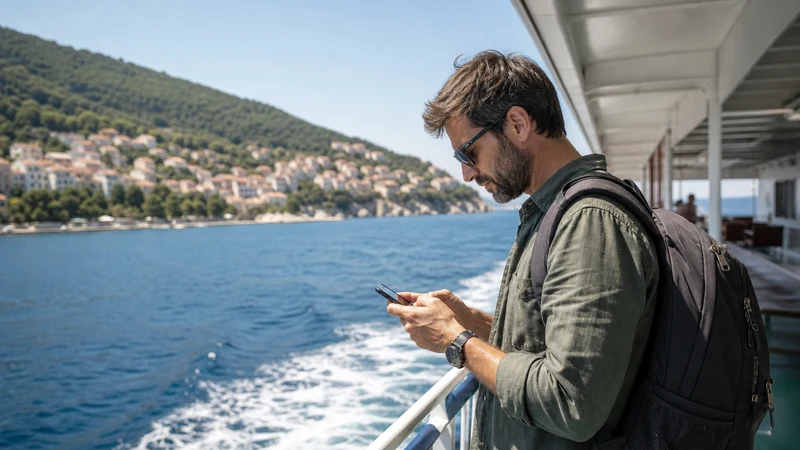

Croatia ferry WiFi and mobile data should be treated as useful when available, not as guaranteed services throughout a crossing. Mobile reception is often strongest in ports and near populated coastlines, while onboard WiFi depends on the vessel and route.
Travellers should download the ferry ticket, port location, accommodation address and arrival route before boarding. A connection may return as the vessel approaches another island or coastal town, but it should not be required to prove the booking or find the next transfer.
NoveSIM Croatia travel eSIMs provide data without a Croatian phone number, conventional calls or carrier SMS. Messaging and internet-calling apps can work over mobile data or WiFi when a usable connection is available.
Quick answer: Expect the most reliable phone data before departure and after arrival. Do not assume every Croatian ferry has passenger WiFi or that coastal mobile signal will remain continuous at sea. Save tickets and onward directions offline, and use the crossing as a low-data period.
Top Croatia eSIMs

Croatia eSIM
Fixed
1 GB, 7 days€ 2.232 GB, 15 days€ 3.563 GB, 30 days€ 4.45Unlimited
Unlimited, 1 day€ 2.23Unlimited, 3 days€ 5.35Unlimited, 5 days€ 8.02
Balkans eSIM
Fixed
1 GB, 7 days€ 4.452 GB, 15 days€ 7.133 GB, 30 days€ 9.35Unlimited
Unlimited, 1 day€ 4.90Unlimited, 3 days€ 11.14Unlimited, 5 days€ 17.37Europe Extra eSIM
Fixed
1 GB, 7 days€ 2.232 GB, 15 days€ 3.563 GB, 30 days€ 4.45Unlimited
Unlimited, 1 day€ 2.67Unlimited, 3 days€ 5.35Unlimited, 5 days€ 8.91Europe+ eSIM
Fixed
1 GB, 7 days€ 2.672 GB, 15 days€ 4.013 GB, 30 days€ 5.35Unlimited
Unlimited, 1 day€ 2.67Unlimited, 3 days€ 6.24Unlimited, 5 days€ 10.24Europe Lite eSIM
Fixed
1 GB, 7 days€ 2.232 GB, 15 days€ 3.563 GB, 30 days€ 4.45Unlimited
Unlimited, 1 day€ 2.67Unlimited, 3 days€ 5.35Unlimited, 5 days€ 8.91Is There WiFi on Croatian Ferries?
WiFi availability varies by operator, vessel and route. Even when a network is advertised, capacity can be limited when many passengers connect or when the vessel’s own backhaul is weak.
Check the operator information for the exact sailing rather than assuming that a feature seen on another ship will be present. A WiFi name appearing on the phone does not prove that the network has a working internet connection.
Will Mobile Data Work During the Crossing?
A phone may retain terrestrial mobile coverage while the vessel is close to a town, island or coastline. The signal can fall quickly when terrain blocks the nearest site or the ferry moves farther offshore.
| Stage | Connectivity expectation | Best action |
|---|---|---|
| At the departure port | Often the best opportunity for mobile data | Download tickets, maps and messages |
| Leaving the harbour | Signal may remain but can change networks | Avoid starting a large upload |
| Open-water section | Temporary weak or absent service is possible | Use saved content and preserve battery |
| Approaching the destination | Terrestrial coverage may return | Allow the phone time to register automatically |
A pocket router does not avoid this limitation because it also depends on terrestrial mobile coverage. The comparison in Croatia eSIM vs Pocket WiFi explains the equipment and sharing trade-offs.
Prepare the Ticket Before Boarding
- Open the booking and confirm the port, sailing time and operator.
- Save the ticket or boarding code for offline access.
- Download the walking or driving route to the correct terminal.
- Save the first route after arrival.
- Keep the booking reference and accommodation contact in plain text.
- Check whether the operator requires identification or a specific ticket format.
Do this before joining a vehicle queue or boarding line. Port layouts can be spread out, and the name of the destination island alone may not identify the correct berth.
Configure the Croatia eSIM Before the Ferry Day
Install the eSIM over reliable WiFi before departure. After arrival in Croatia, enable the travel line, select it for mobile data and turn on Data Roaming for that eSIM. Keep home-SIM data roaming off unless its charges are understood.
The complete sequence is available in How to Install a Croatia eSIM. Do not leave installation until the port, where time, signal and charging options may be limited.
What to Do When Signal Disappears at Sea
Loss of signal during an offshore section is expected behaviour, not evidence that the eSIM is damaged. Leave automatic network selection enabled and wait for the phone to find an eligible network near the destination.
If data does not return after reaching populated land:
- Confirm that the Croatia eSIM is enabled and selected for mobile data.
- Check Data Roaming on the travel line.
- Use aeroplane mode for about 20 seconds and reconnect.
- Restart the phone once if necessary.
- Check data.esim only if manual APN entry is required.
Do not delete the installed eSIM. If the normal checks fail, contact NoveSIM support before removing the profile. The slow-data guide for Croatia helps distinguish weak reception from a configuration problem.
Reduce Battery and Data Use Onboard
A phone searching for a weak network can consume more battery. The crossing is a good time to pause tasks that do not need to run.
- Use low-power mode during a longer sailing.
- Pause cloud photo backup and app updates.
- Download entertainment before boarding.
- Turn off hotspot when no other device needs it.
- Keep a charging cable or power bank accessible rather than inside checked luggage.
Ferry WiFi Security
Treat open or shared ferry WiFi like any other public network. Confirm the network name with the operator when possible, prefer encrypted websites and avoid sensitive account changes on an unfamiliar connection.
A travel eSIM provides a mobile-data path when coverage exists and avoids joining an unknown WiFi network. It does not make the phone immune to phishing, weak passwords or unsafe downloads.
Island Hopping with Several Sailings
For a multi-island itinerary, store each ticket separately and label it with the date, port and destination. Do not assume that the same terminal or operator is used for the next segment.
Use the connected periods in ports to refresh forecasts, confirm accommodation and download the next island map. The broader Croatia island-hopping eSIM guide covers repeated ferry and accommodation transitions.
Related Articles
- Croatia eSIM Plans
- Croatia eSIM for Island Hopping
- Mobile Internet While Sailing in Croatia
- Croatia eSIM Coverage
- Install a Croatia eSIM
FAQ
Do all Croatian ferries have free WiFi?
No. Availability depends on the operator, vessel and route, and a visible onboard network may still have limited internet capacity. Check the exact sailing information.
Will my Croatia eSIM work throughout a ferry crossing?
Not necessarily. It can use eligible terrestrial coverage near ports and coastlines, but reception may weaken or disappear farther offshore or behind island terrain.
Should I change networks manually on the ferry?
No, not as the first step. Keep automatic selection enabled so the phone can reconnect as available networks change. Use manual selection only after arriving if automatic registration fails.
What should I save before boarding?
Save the ticket, correct port, boarding details, accommodation address and first route after arrival. Keep the booking reference and a useful contact outside the operator app.
Final Recommendation
Use Croatia ferry WiFi or mobile data when it is available in ports and near populated coastlines, but plan every crossing so that the ticket and onward route remain usable without a connection.
Keep automatic network selection enabled, conserve battery offshore and allow the phone time to reconnect near the destination.
Onboard WiFi is a possible convenience, not the foundation of the journey. The reliable plan is a prepared phone plus offline tickets, maps and contacts.