


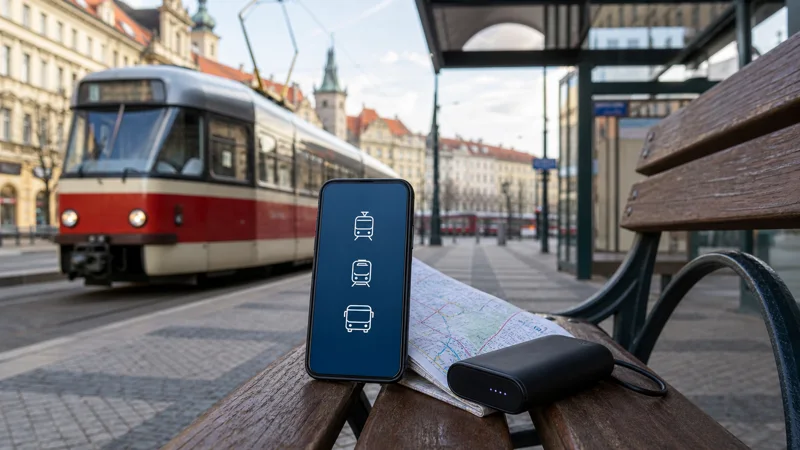

Internet on Czech public transport is most useful before and during a journey: finding the correct stop, checking a connection, buying a digital ticket and responding to a delay. A Czech travel eSIM keeps those functions available beyond hotel or station Wi-Fi.
Transport systems and ticket rules differ between cities and regions, so connectivity does not replace checking the instructions for the actual operator. Essential tickets and addresses should remain accessible when the phone temporarily loses service.
Quick answer: Use a Czech eSIM for route planning and live transport changes, but save each digital ticket, final stop and accommodation address offline. Download the map area before travel and validate or activate tickets exactly as the issuing app requires.
Top Czech Republic eSIMs

Czech Republic eSIM
Fixed
1 GB, 7 days€ 1.782 GB, 15 days€ 3.563 GB, 30 days€ 4.45Unlimited
Unlimited, 1 day€ 2.23Unlimited, 3 days€ 4.90Unlimited, 5 days€ 8.02
Europe Extra eSIM
Fixed
1 GB, 7 days€ 2.232 GB, 15 days€ 3.563 GB, 30 days€ 4.45Unlimited
Unlimited, 1 day€ 2.67Unlimited, 3 days€ 5.35Unlimited, 5 days€ 8.91Europe+ eSIM
Fixed
1 GB, 7 days€ 2.672 GB, 15 days€ 4.013 GB, 30 days€ 5.35Unlimited
Unlimited, 1 day€ 2.67Unlimited, 3 days€ 6.24Unlimited, 5 days€ 10.24What mobile data helps with on public transport
- Searching connections and departure times
- Finding the correct platform or stop
- Buying eligible digital tickets
- Viewing delays, diversions and replacement services
- Opening the walking route after the final stop
Do not assume that one city app covers the whole country. Confirm which operator or regional system issues the journey before purchasing.
Keep tickets usable without a connection
Some tickets are displayed in an app, while others can be stored as a PDF or wallet item. Follow the actual ticket conditions and take an offline copy where permitted. A screenshot may not be accepted when the system requires a moving security element or in-app validation.
Charge the phone before a long day and keep the screen brightness manageable. A valid digital ticket is not helpful if the device has no power at inspection.
Prepare city and regional navigation separately
Download the full city map for Prague, Brno or another base, then add the surrounding region for day trips. Pin the exact stop rather than only the attraction, because two stops with similar names may serve different routes.
The Czech Republic navigation guide explains GPS, offline maps and permissions. For rail-specific conditions, use the Czech train travel internet guide.
Set up the eSIM before the first journey
- Install the Czech eSIM on reliable Wi-Fi.
- Select it as the phone’s mobile-data line.
- Apply the plan’s required data-roaming setting.
- Disable automatic fallback to the home SIM.
- Test the transport app with Wi-Fi turned off.
- Download the first route and ticket before departure.
Use the Czech eSIM installation guide if the data line is not configured. NoveSIM plans are data-only and do not include a Czech number for conventional calls or SMS.
Plan for underground and moving coverage
Mobile data can pause in tunnels, lower-level stations, dense buildings or rural sections. Wait for the phone to reconnect rather than changing network settings after every brief gap. Never delete the eSIM as a first troubleshooting step.
Store a second route when a connection is time-sensitive. The stop name, line number and walking directions are more useful offline than a link that requires the journey planner to reload.
Related Articles
Frequently Asked Questions
Do I need mobile data for Czech public transport?
Not for every journey, but data is useful for live routes, ticket purchases and changes. Keep the essential ticket and route offline.
Can I show a screenshot of a digital ticket?
Only when the operator’s conditions allow it. Some systems require in-app activation or a dynamic ticket display.
Will an eSIM work underground?
Coverage varies by location and infrastructure. Prepare for short gaps in tunnels and lower-level stations.
How much data do transport apps use?
Ordinary timetable and map checks are relatively light. Background updates, media and other apps usually account for more data.
Final Recommendation
Use mobile internet on Czech public transport for live decisions, not as the only copy of a ticket or route. Test the eSIM before departure, store journey essentials offline and follow the ticket rules of the specific city, region or operator.