
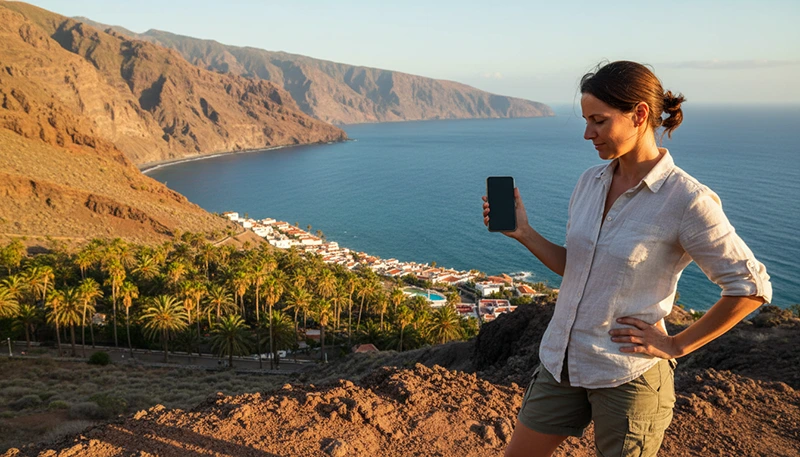

The best mobile network in the Canary Islands depends on where you are staying and how you plan to travel. Visitors spending most of their time in cities and coastal resorts can usually expect reliable mobile service from the main Spanish networks, while travellers exploring mountain roads, volcanic parks and remote beaches should prioritise coverage over maximum speed.
Movistar, Orange and Vodafone are among the principal network options available across Spain and the Canary Islands. Yoigo and other brands may use their own infrastructure, shared infrastructure or national roaming arrangements. A travel eSIM may connect to one supported partner network or switch between compatible networks depending on the plan.
For most tourists, there is no single network that is guaranteed to be strongest in every location. Movistar is often considered a strong choice for broad geographic coverage, while Orange and Vodafone can perform very well in cities, resorts and other populated areas. Actual performance can change by island, neighbourhood, building and time of day.
Quick answer: Choose a travel eSIM that supports a well-established Spanish network and, when possible, offers access to more than one compatible network. Prioritise coverage if you are planning road trips, hiking or island hopping, and do not choose a plan based only on whether it advertises 5G.
Top Canary Islands eSIMs
Which Mobile Networks Operate in the Canary Islands?
The Canary Islands use Spain’s national mobile telecommunications infrastructure. The networks commonly encountered by visitors include:
- Movistar.
- Orange.
- Vodafone.
- Yoigo and other brands associated with the wider MASORANGE network group.
- Virtual mobile operators using one of the major networks.
A travel eSIM provider does not necessarily operate its own radio towers. Instead, the eSIM connects through one or more local partner networks included in its roaming agreement.
Best Overall Network for Tourists
Movistar is often the lowest-risk option for travellers who value broad coverage and expect to move beyond major resorts. Its network is commonly selected by people planning road trips, countryside visits or longer journeys across several parts of an island.
That does not mean Movistar will always provide the fastest connection. Orange or Vodafone may be equally strong or faster in a particular city, hotel, beach resort or airport.
The best practical choice is therefore:
- A major Spanish network for a single-network plan.
- A multi-network travel eSIM when available.
- A plan with sufficient data and suitable validity.
- A provider offering clear setup and troubleshooting instructions.
Network Comparison for Tourists
| Network | Potential Strength | Best Suited To |
|---|---|---|
| Movistar | Broad geographic coverage | Road trips, rural areas and multi-island travel |
| Orange | Strong service in many populated and tourist areas | Resorts, cities and general holidays |
| Vodafone | Competitive speeds in many urban and coastal locations | Streaming, city stays and resort travel |
| Yoigo or MASORANGE-related service | Useful coverage depending on local infrastructure and roaming | Budget plans and general tourist use |
| Multi-network travel eSIM | Ability to access more than one supported network | Island hopping and flexible itineraries |
This comparison is a general travel guide rather than a guarantee for a specific address. Coverage can vary even between two nearby hotels.
Best Network for Tenerife
Tenerife combines large cities, coastal resorts, mountain roads and remote natural landscapes. Network requirements can therefore change considerably during one trip.
Mobile service is usually easiest to access in:
- Santa Cruz de Tenerife.
- La Laguna.
- Puerto de la Cruz.
- Costa Adeje.
- Los Cristianos.
- Playa de las Américas.
- Areas surrounding Tenerife South and Tenerife North airports.
Coverage may become less consistent around mountain routes, isolated valleys and parts of Teide National Park. For a Tenerife road trip, broad coverage or access to multiple networks is generally more useful than choosing a plan solely for advertised peak speed.
Best Network for Gran Canaria
Gran Canaria has strong mobile infrastructure in its principal cities, coastal resorts and populated areas.
Tourists can generally expect good connectivity around:
- Las Palmas de Gran Canaria.
- Maspalomas.
- Playa del Inglés.
- Puerto Rico.
- Meloneras.
- Gran Canaria Airport.
- Major roads connecting the north and south.
Signal can be less predictable in mountainous central areas, deep ravines and remote hiking locations. Travellers exploring the interior should download offline maps before departure, regardless of the selected network.
Best Network for Lanzarote
Lanzarote’s cities and principal resort areas are generally well served by the main Spanish networks.
Coverage is commonly strongest around:
- Arrecife.
- Puerto del Carmen.
- Playa Blanca.
- Costa Teguise.
- Lanzarote Airport.
- Main tourist routes.
Mobile performance may vary around volcanic landscapes, less populated coastal areas and remote attractions. A network with broad island coverage is preferable for visitors renting a car and exploring beyond their resort.
Best Network for Fuerteventura
Fuerteventura has long distances between some towns, beaches and tourist areas. Visitors should place greater emphasis on coverage when planning a road trip or surfing holiday.
Connections are generally easier to maintain around:
- Puerto del Rosario.
- Corralejo.
- Caleta de Fuste.
- Costa Calma.
- Morro Jable.
- Fuerteventura Airport.
Remote beaches, open countryside and less populated roads may have weaker service. Download navigation routes and essential booking details before travelling to isolated locations.
Best Network for La Palma
La Palma’s mountainous terrain can create greater coverage variation than a flat urban destination. Mobile service is generally more reliable in towns and populated coastal areas than on remote trails or inside deep valleys.
A broad-coverage network or multi-network eSIM is particularly useful for:
- Driving around the island.
- Visiting volcanic areas.
- Hiking.
- Staying outside the principal towns.
- Using live navigation.
Even with a suitable network, travellers should not depend entirely on mobile data for remote hiking safety.
Best Network for La Gomera and El Hierro
La Gomera and El Hierro have smaller populations and challenging terrain. Coverage is usually most dependable in towns, ports and populated coastal areas.
Connections may weaken:
- Inside valleys and ravines.
- On mountain trails.
- Along isolated roads.
- In protected natural areas.
- Between coastal settlements.
Travellers visiting these islands should prioritise coverage, save offline maps and keep essential documents available without an internet connection.
Best Network for Beach Resorts
In busy beach resorts, all major networks may provide usable service. The difference between them may be influenced more by congestion than by basic coverage.
During busy periods, mobile speed can fall because many visitors are connected to the same local infrastructure. This is more likely:
- During evenings.
- Near crowded beaches.
- Inside large hotels.
- During festivals and events.
- Near cruise terminals.
- At airports after several flights arrive.
A network showing full signal bars can still feel slow when the local network is busy.
Best Network for Road Trips
For a road trip, consistent coverage is usually more important than the highest theoretical download speed.
Look for:
- Broad geographic network coverage.
- 4G access outside major cities.
- Support across all islands in your itinerary.
- Automatic network selection.
- Enough data for navigation and travel research.
- Hotspot support if several people are travelling together.
Movistar is often considered a practical single-network choice for wider travel, while a multi-network eSIM can provide additional flexibility when the selected plan supports network switching.
Best Network for Hiking
No mobile network can guarantee uninterrupted coverage on every hiking trail. Mountain ridges, volcanic terrain, forests and ravines can block radio signals.
Before hiking:
- Download offline maps.
- Save the route.
- Share your itinerary.
- Download emergency information.
- Carry a charged power bank.
- Do not rely solely on live mobile navigation.
Choose a broadly available network, but treat mobile service as a useful tool rather than a complete safety system.
Best Network for Digital Nomads
Digital nomads require more than basic coverage. They should consider stability, indoor reception, congestion and hotspot performance.
Before booking long-term accommodation:
- Ask the host which networks work well inside the property.
- Check whether reliable fixed WiFi is included.
- Test mobile data in the exact room.
- Choose accommodation near a populated area.
- Keep a second connection option for important meetings.
A network that performs well outdoors may be weaker inside a thick-walled apartment or lower-floor room.
Best Network for Island Hopping
The same compatible travel eSIM can normally remain installed while you move between Canary Islands. However, the phone may need to register on a different tower or partner network after each journey.
A multi-network eSIM can be useful for island hopping because it may provide more connection options. The exact available networks depend on the eSIM plan.
After arriving on another island:
- Keep the travel eSIM enabled.
- Confirm it is selected for mobile data.
- Keep Data Roaming enabled.
- Use automatic network selection.
- Activate Airplane Mode for approximately 30 seconds if it does not reconnect.
- Restart the phone if necessary.
Mobile Coverage on Ferries
Mobile networks are designed primarily to serve land areas. Coverage can weaken or disappear when a ferry travels far from the coastline.
During a crossing:
- Signal bars may fluctuate.
- Mobile data may become slow.
- The phone may switch between networks.
- The connection may disappear temporarily.
Download your ticket, arrival instructions and destination map before boarding. The phone should attempt to reconnect as the ferry approaches the next island.
Is 5G Important for Tourists?
5G can provide faster speeds in supported locations, but it is not essential for most travel activities. A stable 4G connection is normally sufficient for:
- Google Maps.
- WhatsApp messaging.
- Voice calls through internet applications.
- Email.
- Ride and transport applications.
- Restaurant searches.
- Mobile tickets.
- General browsing.
A strong 4G signal can perform better than a weak or congested 5G connection. Tourists should therefore prioritise reliable coverage over the network symbol shown on the phone.
Does a Travel eSIM Let You Choose the Network?
It depends on the plan. Some travel eSIMs support one local network, while others may register on several compatible networks.
The eSIM may use:
- Automatic network selection.
- A preferred partner network.
- Several supported networks.
- Manual network selection when automatic registration fails.
Check the plan details or installation instructions before assuming that every Spanish network is available.
Single-Network vs Multi-Network eSIM
| Plan Type | Main Advantage | Possible Limitation |
|---|---|---|
| Single-network eSIM | Simple and predictable connection | Fewer alternatives in weak-coverage areas |
| Multi-network eSIM | More connection options | Network switching may take time |
| Local prepaid SIM | Direct local operator service | Requires purchase, registration or SIM replacement |
| Home SIM roaming | No new installation | Potentially higher roaming charges |
How to Check Which Network Your eSIM Uses
The active network name may appear:
- At the top of the phone screen.
- Inside the eSIM settings.
- Under Network Selection.
- Under Network Operators on Android.
- In the travel eSIM plan details.
The displayed name may differ from the company that sold the eSIM because travel providers use local partner networks.
Should Network Selection Be Automatic?
Automatic selection is normally recommended. It allows the phone to register on an available supported network without requiring manual changes.
Use manual selection only when:
- The eSIM remains on No Service.
- The phone repeatedly connects to a weak network.
- Automatic registration appears stuck.
- Support has identified a preferred partner.
Return to automatic selection before travelling to another island unless your support instructions say otherwise.
How to Select a Network Manually on iPhone
- Open Settings.
- Select Cellular or Mobile Service.
- Select the travel eSIM.
- Select Network Selection.
- Turn off Automatic.
- Wait for available networks.
- Select a supported network.
If registration fails, try another supported option or return to automatic selection.
How to Select a Network Manually on Android
- Open Settings.
- Select Connections, Mobile Network or Network & Internet.
- Select the travel eSIM.
- Open Network Operators.
- Disable automatic selection.
- Wait for the network scan.
- Select a supported network.
The menu wording varies between Samsung, Google Pixel, Motorola, Xiaomi and other Android phones.
Essential eSIM Settings
| Setting | Recommended Configuration |
|---|---|
| Travel eSIM | Enabled |
| Preferred Mobile Data Line | NoveSIM or Travel |
| Data Roaming on Travel eSIM | Enabled |
| Primary SIM Data Roaming | Disabled |
| Automatic Data Switching | Disabled |
| Network Selection | Automatic initially |
| APN | data.esim |
What If the Selected Network Has No Internet?
If the phone shows signal but mobile data does not work, the network may already be connected correctly. Check the data settings rather than repeatedly changing networks.
- Select the travel eSIM for mobile data.
- Enable Data Roaming.
- Disable automatic data switching.
- Set the APN to data.esim.
- Turn Airplane Mode on for 30 seconds.
- Restart the phone.
- Test with WiFi turned off.
Can You Keep Your Main SIM Active?
Yes. Your primary SIM can usually remain enabled for calls, SMS and verification codes while the travel eSIM provides mobile data.
To avoid accidental roaming charges:
- Keep Data Roaming off on the primary SIM.
- Select the travel eSIM for mobile data.
- Disable automatic data switching.
- Check your home operator’s roaming prices.
Does WhatsApp Depend on the Network?
WhatsApp works through any supported network that provides a usable internet connection. It normally keeps your existing registered number while using mobile data from the travel eSIM.
Network quality becomes more important for WhatsApp voice and video calls than for simple text messages.
Do Not Delete the eSIM When Changing Networks
You do not need to delete the eSIM to select another supported network. Network selection is controlled inside the existing eSIM settings.
Some travel eSIM QR codes are valid for only one installation. Removing the profile may prevent you from installing it again.
How to Choose the Best Network Before Your Trip
Before purchasing a plan, consider:
- Which islands you will visit.
- Whether you will remain in a resort.
- Whether you will rent a car.
- Whether you will hike in remote areas.
- Whether hotspot use is required.
- Whether the plan supports one or several networks.
- How much data you need.
- How long the trip will last.
A short resort holiday has different network requirements from a three-week road trip across several islands.
Network Choice by Travel Style
| Travel Style | Recommended Priority |
|---|---|
| Resort holiday | Reliable urban coverage and sufficient data |
| Road trip | Broad geographic coverage |
| Island hopping | Multi-network flexibility |
| Hiking | Coverage plus offline preparation |
| Remote work | Stable indoor signal and hotspot support |
| Beach and surfing trip | Coverage in coastal and less populated areas |
Related Articles
- Best eSIM for the Canary Islands
- Mobile Data for Island Hopping in the Canary Islands
- Internet for a Canary Islands Road Trip
- Slow Internet with a Canary Islands eSIM
- Canary Islands eSIM Not Connecting
FAQ
What is the best mobile network in the Canary Islands for tourists?
Movistar is often a strong choice for broad coverage, while Orange and Vodafone can perform very well in cities and resorts. The best network depends on the island and exact location.
Which network is best for a Canary Islands road trip?
Choose a network known for broad geographic coverage or a travel eSIM that supports several compatible networks.
Which network is best for Tenerife?
Major networks generally work well in Tenerife’s cities and resorts. Travellers exploring Teide, mountain roads and remote areas should prioritise broad coverage.
Which network is best for Gran Canaria?
Movistar, Orange and Vodafone can all provide useful service in populated areas. Coverage can vary in the mountainous interior and deep ravines.
Does 5G work in the Canary Islands?
5G is available in many populated locations, but availability depends on the network, island, phone and exact area. Reliable 4G is sufficient for most tourist needs.
Is a multi-network eSIM better?
It can be useful for road trips and island hopping because it may offer more connection options. Check which networks the specific plan supports.
Will mobile data work on ferries?
It may work near the coast, but coverage can weaken or disappear offshore. Download important information before departure.
Can I select another network manually?
Yes, when the eSIM supports it. Start with automatic network selection and use manual selection only when registration or signal quality is problematic.
What APN should I use for NoveSIM?
Use data.esim. Leave the username and password blank unless different settings are specifically provided.
Should I delete the eSIM to change networks?
No. Change the network through Network Selection or Network Operators. Deleting the eSIM may prevent reinstallation if the QR code is single-use.
Final Recommendation
For most tourists, the best Canary Islands network is the one that provides reliable coverage across the locations included in the itinerary. Movistar is often a practical choice for broad travel, while Orange and Vodafone may offer excellent service in cities, resorts and coastal areas.
For road trips and island hopping, consider a travel eSIM with access to multiple supported networks. Keep automatic network selection enabled, use the eSIM for mobile data, turn on Data Roaming and set the APN to data.esim when required. Download offline maps before visiting volcanic parks, remote beaches or mountain trails, regardless of the network you choose.


