


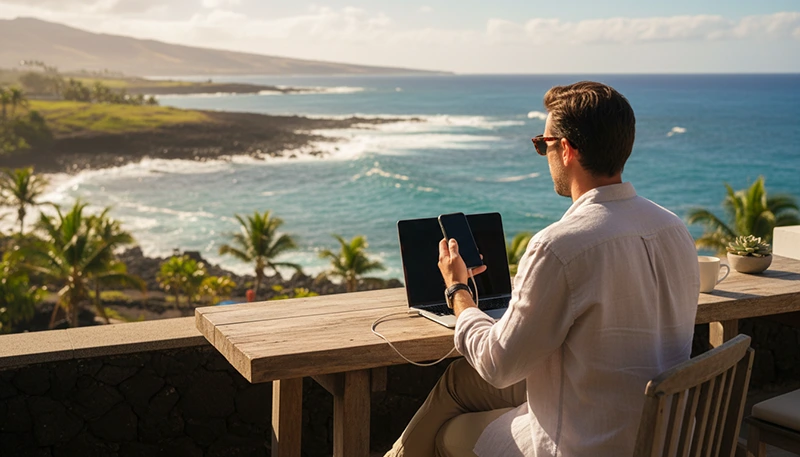

The Canary Islands offer an attractive environment for remote workers looking for warm weather, European infrastructure and a relaxed lifestyle. Tenerife, Gran Canaria, Lanzarote and Fuerteventura combine coastal towns, coworking communities, outdoor activities and year-round opportunities to work away from a traditional office.
However, reliable internet is essential when your trip includes video meetings, cloud platforms, file transfers or communication with clients and colleagues. Accommodation descriptions may advertise fast WiFi, but the actual connection can depend on the router, building infrastructure, location and number of people using the network.
The safest setup is to combine reliable accommodation or coworking WiFi with mobile data from a travel eSIM. Fixed WiFi can handle your normal working day, while the eSIM provides backup internet during outages, travel days and periods away from your accommodation.
Quick answer: For remote work in the Canary Islands, choose accommodation with verified WiFi, identify a nearby coworking space and install a travel eSIM before departure. This gives you several connection options and reduces the risk of missing an important meeting because one network fails.
Top Canary Islands eSIMs

Canary Islands eSIM
Fixed
1 GB, 7 days€ 1.792 GB, 15 days€ 3.583 GB, 30 days€ 4.47Unlimited
Unlimited, 1 day€ 2.24Unlimited, 3 days€ 4.92Unlimited, 5 days€ 8.05
Europe Extra eSIM
Fixed
1 GB, 7 days€ 2.242 GB, 15 days€ 3.583 GB, 30 days€ 4.47Unlimited
Unlimited, 1 day€ 2.68Unlimited, 3 days€ 5.37Unlimited, 5 days€ 8.95Europe+ eSIM
Fixed
1 GB, 7 days€ 2.682 GB, 15 days€ 4.033 GB, 30 days€ 5.37Unlimited
Unlimited, 1 day€ 2.68Unlimited, 3 days€ 6.26Unlimited, 5 days€ 10.29Is the Internet Reliable for Remote Work in the Canary Islands?
Internet access is generally reliable in the main cities, tourist resorts and populated coastal areas of the Canary Islands. Many apartments, hotels, coworking spaces and cafes provide WiFi suitable for ordinary remote work.
Connection quality can still vary significantly between individual properties. A listing that includes WiFi does not automatically guarantee enough speed or stability for several daily video meetings.
Before booking long-term accommodation, ask the host for:
- A recent internet speed test from inside the property.
- The expected download and upload speeds.
- Confirmation that the router is inside the apartment.
- Information about whether the connection is shared.
- Details about the available workspace.
- Confirmation that mobile signal is available indoors.
Upload speed and stability are especially important for video calls, cloud backups and sending large files. A high advertised download speed does not always guarantee a reliable working experience.
Best Internet Options for Remote Workers
| Internet Option | Best Use | Main Advantage | Possible Limitation |
|---|---|---|---|
| Apartment or hotel WiFi | Daily remote work | Suitable for extended use | Quality varies by property |
| Coworking space | Meetings and focused work | Professional work environment | Membership or daily fee |
| Travel eSIM | Backup connection and travel | Available directly on your phone | Limited by the data allowance |
| Mobile hotspot | Connecting a laptop temporarily | Useful during WiFi interruptions | Can consume data and battery quickly |
| Cafe WiFi | Light work and short sessions | Convenient in towns | Noise, security and stability |
| Public WiFi | Basic browsing | Often free | Not ideal for confidential work |
Why You Should Have Backup Mobile Data
Even strong fixed internet connections can experience temporary interruptions. Remote workers should therefore avoid depending on only one network.
A travel eSIM gives you immediate access to mobile data without removing your primary SIM card. It can keep you connected when:
- Your apartment WiFi stops working.
- A router needs to be restarted.
- You arrive before accommodation check-in.
- You are moving between islands.
- You need to work from an airport or ferry terminal.
- A cafe network is too slow or insecure.
- You need navigation while travelling.
- You need to send an urgent message outside your accommodation.
Mobile data may not replace a strong fixed connection for every working day, but it provides valuable protection against unexpected downtime.
Remote Work Internet in Tenerife
Tenerife offers several environments for remote workers, from larger urban areas to coastal resorts and quieter towns. Santa Cruz de Tenerife and La Laguna provide city infrastructure, while Puerto de la Cruz, Costa Adeje and other coastal destinations offer a more relaxed workation experience.
Internet connectivity is generally strongest in cities and established tourist areas. Mobile coverage may become less consistent around remote hiking trails, mountain roads and parts of Mount Teide National Park.
When choosing a base in Tenerife, consider:
- Distance from coworking spaces.
- Availability of cafes suitable for working.
- Mobile signal inside the accommodation.
- Access to public transport or a rental car.
- Noise levels around the apartment.
A travel eSIM is particularly useful when moving between northern and southern Tenerife or exploring areas away from your main accommodation.
Remote Work Internet in Gran Canaria
Gran Canaria is popular with remote workers because it combines a major city, beaches, mountain scenery and an established international community.
Las Palmas de Gran Canaria is one of the most practical bases for remote work. It offers coworking spaces, cafes, urban services and accommodation close to the beach. The southern resorts can also be comfortable, although they may provide a different atmosphere from the city.
Mobile internet helps when travelling between Las Palmas, Maspalomas, the airport and mountain villages. Signal strength can vary in deep valleys and isolated inland areas, so important meetings should be scheduled from a tested location.
Remote Work Internet in Fuerteventura
Fuerteventura is ideal for remote workers who prefer surfing, beaches and open landscapes. Corralejo and other popular coastal towns offer accommodation, cafes and tourism infrastructure.
The island is less urban than Tenerife or Gran Canaria, and remote workers may travel longer distances between beaches, towns and accommodation. Mobile data is therefore useful for maps, messages and temporary hotspot access.
Before choosing a quiet or isolated property, confirm both the fixed internet quality and the mobile signal available in the area. A beautiful remote location may not be appropriate for a week filled with important video meetings.
Remote Work Internet in Lanzarote
Lanzarote offers volcanic scenery, coastal communities and a calmer lifestyle. It can suit remote workers who want a quiet environment while remaining close to tourism services.
Arrecife and established resort areas generally provide the most convenient access to accommodation, transport and connectivity. Signal and WiFi quality may be less predictable in isolated rural properties or near remote natural attractions.
A combination of verified accommodation WiFi and eSIM mobile data allows remote workers to enjoy the island without relying completely on a single connection.
How Much Mobile Data Do You Need for Remote Work?
The amount of data you need depends on whether the eSIM will be used only as a backup or as an active working connection.
| Remote Work Style | Suggested Data | Typical Activities |
|---|---|---|
| Emergency backup only | 3GB–5GB | Email, messaging and brief browsing |
| Light remote work | 5GB–10GB | Documents, email and occasional calls |
| Regular backup use | 10GB–20GB | Work platforms and several meetings |
| Frequent laptop hotspot | 20GB or more | Video calls, uploads and cloud work |
| Primary mobile connection | Large or unlimited-style plan | Extended daily tethering |
Video meetings and large file transfers can use mobile data quickly. A small plan may be sufficient for emergencies, but it should not be treated as unlimited office internet.
Data Usage by Remote Work Activity
| Activity | Typical Data Impact |
|---|---|
| Email and messaging | Low |
| Web-based documents | Low to moderate |
| Audio meetings | Moderate |
| Video meetings | High |
| Cloud synchronization | High |
| Large file uploads | Very high |
| Video streaming | Very high |
Use fixed WiFi for operating system updates, automatic cloud backups, entertainment streaming and large downloads whenever possible.
Can You Use an eSIM Hotspot for Your Laptop?
Many smartphones can share their eSIM mobile connection with a laptop through Personal Hotspot or mobile tethering. This is one of the most useful backup options for remote workers.
Before relying on hotspot access, confirm that tethering is supported by the selected plan. You should also consider:
- The amount of high-speed data included.
- Any daily fair usage limit.
- Possible speed reductions after a threshold.
- Your phone battery level.
- The strength of the mobile signal indoors.
- The number of devices connected to the hotspot.
Hotspot use can drain the battery quickly, so keep your phone connected to a charger or carry a power bank during long work sessions.
Accommodation WiFi vs Coworking Space
| Feature | Accommodation WiFi | Coworking Space |
|---|---|---|
| Convenience | Work without travelling | Requires commuting |
| Internet quality | Depends on the property | Usually designed for work |
| Meeting environment | Depends on noise and privacy | Often includes meeting facilities |
| Social opportunities | Limited | Good for meeting other remote workers |
| Cost | Usually included | Additional fee |
| Backup value | Primary daily connection | Alternative professional workspace |
Remote workers with critical meetings may benefit from staying near a coworking space even when their apartment has good WiFi. This provides another location if the property connection becomes unreliable.
How to Test Internet Before an Important Meeting
Do not wait until a call begins to discover that the connection is unstable. Test your setup in advance.
- Run a speed test from the exact place where you will work.
- Check both download and upload performance.
- Make a short test video call.
- Test the connection with your company VPN.
- Confirm that your microphone and camera work correctly.
- Activate the eSIM and test mobile data.
- Connect your laptop to the phone hotspot.
- Identify a coworking space or cafe as a backup location.
Signal quality can be different inside a building, on a balcony and outdoors. Test the connection from your actual workspace rather than relying only on the signal shown at the entrance.
How to Install a Canary Islands Travel eSIM
Install your eSIM before departure while connected to reliable WiFi. The plan can then be prepared for use after arrival.
- Confirm that your phone supports eSIM.
- Purchase a suitable data plan.
- Open the QR code or installation details.
- Go to your phone mobile network settings.
- Select the option to add an eSIM.
- Scan the QR code.
- Label the new line as NoveSIM or Travel.
- Keep it installed until you arrive.
After landing, select the travel eSIM for mobile data and enable Data Roaming on that line.
Recommended eSIM Settings for Remote Work
| Setting | Recommended Configuration |
|---|---|
| Travel eSIM | Enabled |
| Mobile Data | Select the travel eSIM |
| Data Roaming | Enabled on the travel eSIM |
| Main SIM roaming | Disabled unless required |
| Automatic Data Switching | Disabled |
| APN | data.esim |
Keeping Automatic Data Switching disabled helps prevent the phone from unexpectedly using mobile data through your primary SIM.
What to Do If the eSIM Does Not Connect
- Confirm that the eSIM is turned on.
- Select it as the preferred Mobile Data line.
- Enable Data Roaming on the eSIM.
- Disable Automatic Data Switching.
- Check whether the APN is set to data.esim.
- Activate Airplane Mode for approximately 30 seconds.
- Turn Airplane Mode off and wait for the network.
- Restart the phone.
- Move to an area with a stronger signal.
Do not delete the eSIM while troubleshooting unless support specifically advises you to do so, because some installation QR codes can only be used once.
Can You Keep Your Main SIM and Phone Number?
Yes. Most dual-SIM phones allow you to keep your primary SIM active while using a travel eSIM for mobile data.
This setup can allow you to:
- Receive SMS verification codes.
- Keep your usual telephone number.
- Continue using WhatsApp with the same account.
- Use the travel eSIM for work applications.
- Avoid replacing your physical SIM card.
Your primary operator may charge for calls, SMS or roaming services. Disable mobile data roaming on the main SIM unless you intentionally want to use it.
How to Reduce Mobile Data Usage While Working
- Disable automatic cloud photo uploads.
- Pause application and operating system updates.
- Use audio-only meetings when appropriate.
- Reduce video quality during calls.
- Download large files through trusted WiFi.
- Turn off background data for unnecessary applications.
- Avoid streaming entertainment through the hotspot.
- Monitor data usage in your phone settings.
- Close unused browser tabs and cloud applications.
Remote Work Internet Security Tips
Public networks can be convenient, but remote workers should consider security when accessing company systems or confidential information.
- Avoid sensitive work on unknown public WiFi.
- Use your company-approved VPN when required.
- Enable two-factor authentication.
- Keep your operating system updated before travelling.
- Do not share your hotspot password publicly.
- Use mobile data for sensitive tasks when public WiFi is untrusted.
- Lock your laptop and phone when leaving the workspace.
Remote Work Connectivity Checklist
- Book accommodation with verified internet performance.
- Ask for a recent speed test.
- Find a nearby coworking space.
- Check that your phone supports eSIM.
- Install the eSIM before departure.
- Choose enough data for backup hotspot use.
- Test WiFi and mobile data after arrival.
- Carry a charger and power bank.
- Download essential work files for offline access.
- Test your backup connection before important meetings.
Related Articles
- Best eSIM for Digital Nomads in Canary Islands
- Canary Islands Travel Internet Guide
- Best eSIM for Canary Islands
- Cheap Internet in Canary Islands
- Mobile Data for Island Hopping Canary Islands
FAQ
Is the internet reliable enough for remote work in the Canary Islands?
Internet is generally reliable in cities and tourist areas, but performance varies between individual properties. Ask for a recent speed test before booking accommodation.
Do I need an eSIM if my accommodation has WiFi?
An eSIM is recommended as a backup connection for outages, travel days, navigation and temporary laptop hotspot use.
Which Canary Island is best for remote work?
Tenerife and Gran Canaria offer the widest selection of cities, coworking spaces and services. Fuerteventura and Lanzarote may suit remote workers seeking a quieter coastal lifestyle.
How much mobile data do I need for remote work?
A backup plan may require only 3GB–10GB, while frequent video meetings and laptop hotspot use may require 20GB or more.
Can I use my Canary Islands eSIM as a laptop hotspot?
Hotspot availability depends on the selected plan. Check that tethering is supported before relying on the eSIM for laptop work.
Can one eSIM work across several Canary Islands?
Yes. A compatible Canary Islands or Spain eSIM can generally be used across the included islands without installing a new plan on each island.
Will WhatsApp keep my original number?
Yes. WhatsApp normally remains connected to your existing registered number while using internet from a travel eSIM.
Should I use public WiFi for remote work?
Public WiFi can be used for basic tasks, but it may not be suitable for confidential work. Follow your company security requirements and use a trusted VPN where appropriate.
Final Recommendation
The most reliable remote work internet setup in the Canary Islands combines three layers: verified accommodation WiFi for daily work, a coworking space as an alternative professional location and a travel eSIM for mobile backup.
A NoveSIM travel eSIM lets you prepare your mobile connection before departure and stay connected during airport transfers, island travel and temporary WiFi interruptions. Install it before your trip, choose a data allowance that matches your expected hotspot use and test every connection before an important meeting.