


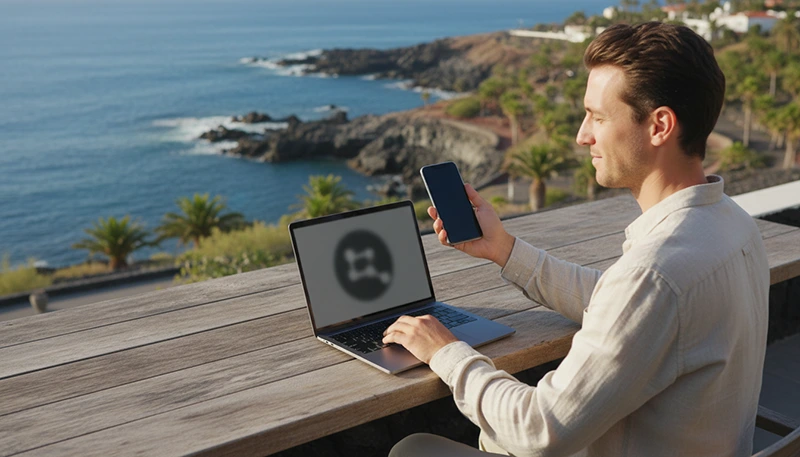

The Canary Islands have become an attractive destination for digital nomads who want warm weather, reliable infrastructure, beautiful landscapes and a comfortable European time zone. Remote workers can combine productive weekdays with beaches, hiking, surfing and island exploration.
Tenerife, Gran Canaria, Fuerteventura and Lanzarote all offer different remote work experiences. Some digital nomads prefer the coworking communities of larger cities, while others choose quiet coastal towns or smaller resorts with easy access to nature.
Reliable internet is one of the most important parts of planning a remote work stay. Accommodation WiFi may be sufficient for many tasks, but mobile data provides an essential backup during outages, travel days, coworking visits and trips outside your apartment.
Quick answer: The best eSIM for digital nomads in the Canary Islands is a travel eSIM with reliable coverage, sufficient high-speed data, hotspot support and a validity period that covers the full stay. Light remote workers may manage with 10GB, while frequent video calls, cloud work and hotspot use require a larger plan.
Top Canary Islands eSIMs

Canary Islands eSIM
Fixed
1 GB, 7 days€ 1.782 GB, 15 days€ 3.563 GB, 30 days€ 4.45Unlimited
Unlimited, 1 day€ 2.23Unlimited, 3 days€ 4.90Unlimited, 5 days€ 8.02
Europe Extra eSIM
Fixed
1 GB, 7 days€ 2.232 GB, 15 days€ 3.563 GB, 30 days€ 4.45Unlimited
Unlimited, 1 day€ 2.67Unlimited, 3 days€ 5.35Unlimited, 5 days€ 8.91Europe+ eSIM
Fixed
1 GB, 7 days€ 2.672 GB, 15 days€ 4.013 GB, 30 days€ 5.35Unlimited
Unlimited, 1 day€ 2.67Unlimited, 3 days€ 6.24Unlimited, 5 days€ 10.25Why Digital Nomads Need an eSIM in the Canary Islands
Digital nomads depend on connectivity more than ordinary holiday travellers. Losing internet access can mean missing a meeting, delaying a project or being unable to communicate with clients and colleagues.
An eSIM provides a second internet option that does not depend on the WiFi network at your accommodation or coworking space.
Digital nomads commonly use mobile data for:
- Joining video calls when WiFi is unstable.
- Checking email and work messages while travelling.
- Using cloud-based platforms.
- Accessing two-factor authentication messages through the main SIM.
- Working from cafes and outdoor locations.
- Using a laptop through mobile hotspot.
- Navigating between accommodation and coworking spaces.
- Managing bookings, transport and daily travel tasks.
Even when accommodation WiFi is strong, a travel eSIM provides flexibility and reduces the risk of being completely offline.
What Makes an eSIM Suitable for Digital Nomads?
The cheapest plan is not always the best plan for remote work. Digital nomads should focus on reliability, data allowance and practical features rather than only the initial price.
| Feature | Why It Matters for Remote Work |
|---|---|
| Reliable coverage | Provides connectivity in cities, resorts and travel areas |
| Large data allowance | Supports work platforms, calls and cloud services |
| Hotspot support | Allows a laptop or tablet to use the mobile connection |
| Suitable validity | Should cover the full remote work stay |
| Simple activation | Reduces setup problems after arrival |
| Compatible network | Affects speed, signal strength and availability |
| Transparent usage rules | Helps avoid unexpected speed reductions |
Before buying a plan, check whether hotspot use is permitted and whether the plan includes any fair usage limits that could affect high-speed data.
Why an eSIM Is Useful as a Backup Internet Connection
Many digital nomads book apartments based on the promise of fast WiFi. However, actual performance can depend on the router, the number of guests, the building connection and the quality of the local service.
A travel eSIM can act as a backup when:
- The apartment WiFi stops working.
- The connection becomes slow during a meeting.
- You move between accommodations.
- You arrive before check-in.
- You work from a cafe with unstable public WiFi.
- You need internet during a ferry or airport transfer.
Using mobile data as a backup can be more practical than trying to solve an accommodation network problem during an important workday.
Best Canary Islands for Digital Nomads
Tenerife
Tenerife is one of the most varied islands for remote workers. It offers large cities, coastal resorts, mountain areas and established tourism infrastructure.
Santa Cruz de Tenerife and La Laguna may appeal to digital nomads who prefer an urban environment, while Puerto de la Cruz, Costa Adeje and other coastal areas offer a more relaxed lifestyle.
Mobile data is useful when travelling between coworking spaces, accommodation, beaches and natural attractions such as Mount Teide or Anaga Rural Park.
Gran Canaria
Gran Canaria is popular with remote workers who want a combination of city life, beaches and a strong international community. Las Palmas de Gran Canaria offers coworking spaces, cafes and urban services, while the south of the island provides resort-style living.
An eSIM is useful for staying connected during travel between Las Palmas, Maspalomas, mountain villages and other parts of the island.
Fuerteventura
Fuerteventura appeals to digital nomads who prefer beaches, surfing and open landscapes. Corralejo and other coastal towns offer a relaxed atmosphere, but travellers may spend more time moving between beaches and smaller communities.
Mobile data becomes important when working away from accommodation or navigating remote parts of the island.
Lanzarote
Lanzarote offers volcanic scenery, coastal towns and a quieter environment. It can be suitable for remote workers who want fewer urban distractions and easy access to nature.
Coverage is generally strongest in towns and tourist areas, while connectivity may vary around isolated volcanic landscapes and remote beaches.
Can One eSIM Work Across Different Canary Islands?
Yes. The Canary Islands are part of Spain, so a compatible Spain or Canary Islands eSIM can generally be used across multiple islands covered by the plan.
This is useful for digital nomads who want to combine several destinations without purchasing a separate mobile plan for each island.
| Remote Work Route | Why One eSIM Helps |
|---|---|
| Tenerife and Gran Canaria | Stay connected during flights or ferry transfers |
| Fuerteventura and Lanzarote | Use one data plan while changing islands |
| Multi-island workation | Avoid repeated installations and new SIM purchases |
| Airport and accommodation changes | Maintain access to maps, messages and bookings |
Connection availability still depends on the supported local network and the exact location on each island.
How Much Data Do Digital Nomads Need?
Remote work data consumption depends heavily on the type of work. Email and messaging use relatively little data, while video calls, large file transfers and hotspot use can consume a plan quickly.
| Work Style | Suggested Data | Typical Usage |
|---|---|---|
| Light remote work | 5GB–10GB | Email, messaging and occasional browsing |
| Standard digital nomad | 10GB–20GB | Daily work platforms and occasional calls |
| Frequent video meetings | 20GB+ | Regular video calls and cloud collaboration |
| Primary hotspot connection | Large or unlimited-style plan | Laptop work, uploads and extended tethering |
A digital nomad who uses the eSIM only as an emergency backup may need much less data than someone who plans to work through hotspot every day.
How Remote Work Activities Affect Data Usage
| Activity | Relative Data Use |
|---|---|
| Email and team messaging | Low |
| Web browsing | Low to moderate |
| Cloud documents | Moderate |
| Audio calls | Moderate |
| Video meetings | High |
| Large uploads and downloads | Very high |
| Streaming after work | Very high |
To preserve mobile data, use trusted accommodation or coworking WiFi for large updates, cloud backups and video streaming. Keep the eSIM available for work continuity, travel and situations where WiFi is unavailable.
Using Hotspot for Remote Work
Hotspot support allows a smartphone to share its mobile data connection with a laptop or tablet. This can be extremely useful during WiFi interruptions or when working away from accommodation.
Before relying on hotspot, check:
- Whether the eSIM plan permits tethering.
- How much high-speed data is included.
- Whether speed limits apply after a daily threshold.
- How quickly your laptop consumes data.
- Whether your phone battery can support extended hotspot use.
Hotspot use can drain a phone battery quickly, so digital nomads should carry a charger or power bank.
eSIM vs Local SIM Card for Digital Nomads
| Feature | Travel eSIM | Local SIM Card |
|---|---|---|
| Purchase | Before travel online | After arrival |
| Installation | Digital QR code | Physical card |
| Immediate connectivity | Yes, after activation | Requires local purchase and setup |
| Keep main SIM active | Usually possible | Depends on device |
| Local phone number | Usually not included | Often included |
| Best for | Short and medium remote stays | Long-term local use |
A local SIM may be useful for a long stay or when a Spanish phone number is required. A travel eSIM is usually more convenient for shorter workations, island hopping and immediate internet access after landing.
eSIM vs Coworking and Accommodation WiFi
An eSIM should not always replace fixed WiFi. For many remote workers, the best setup combines several connection options.
| Connection | Best Use | Main Limitation |
|---|---|---|
| Accommodation WiFi | Daily work and large files | Quality may vary |
| Coworking WiFi | Meetings and focused work | Requires access or membership |
| Travel eSIM | Backup, travel and hotspot | Limited by data allowance |
| Public WiFi | Temporary browsing | Security and reliability concerns |
For important meetings, test the available WiFi and mobile data in advance. Knowing which connection performs better can prevent last-minute problems.
Mobile Coverage for Remote Workers
Mobile coverage is generally strongest in cities, airports, resorts and populated coastal areas. Performance may vary in mountain regions, isolated beaches and volcanic landscapes.
| Location Type | Expected Connectivity |
|---|---|
| Las Palmas and Santa Cruz | Usually strong |
| Major tourist resorts | Generally reliable |
| Airports and ferry ports | Usually strong |
| Coastal towns | Generally good |
| Remote mountain areas | May vary |
| Isolated beaches | Can be limited |
Digital nomads should avoid scheduling critical calls from remote natural areas unless the connection has already been tested.
How to Install Your Canary Islands eSIM
Install the eSIM before departure while connected to stable WiFi. This allows you to complete the setup without depending on airport internet.
- Check that your phone supports eSIM.
- Purchase the appropriate plan.
- Open the installation instructions or QR code.
- Add the eSIM through your phone settings.
- Label it clearly as Travel or NoveSIM.
- Keep it installed until arrival.
- Select it for mobile data after landing.
- Enable Data Roaming on the travel eSIM.
Do not delete the eSIM during troubleshooting because some QR codes support only one installation.
Recommended eSIM Settings for Digital Nomads
| Setting | Recommended Configuration |
|---|---|
| Travel eSIM | Enabled |
| Mobile Data | Select travel eSIM |
| Data Roaming | Enabled on travel eSIM |
| Main SIM roaming | Disabled |
| Automatic Data Switching | Disabled |
| APN | data.esim when required |
Keeping your main SIM active can allow you to receive calls, SMS and verification codes, while the travel eSIM handles mobile data. Charges from the main operator may still apply, so roaming settings should be checked carefully.
What to Do If Your eSIM Does Not Connect
- Confirm that the eSIM is enabled.
- Select it as the preferred Mobile Data line.
- Enable Data Roaming on the travel eSIM.
- Disable roaming on the primary SIM.
- Turn off Automatic Data Switching.
- Activate Airplane Mode for 30 seconds.
- Restart the phone.
- Check that the APN is set to data.esim when required.
- Move to an area with stronger signal and test again.
Before an important workday, test mobile data, hotspot functionality and any work applications you may need.
Tips for Reducing Remote Work Data Usage
- Disable automatic cloud backups on mobile data.
- Pause operating system and application updates.
- Use audio instead of video when appropriate.
- Lower video meeting quality when the connection is limited.
- Download work files while connected to WiFi.
- Turn off background data for unnecessary applications.
- Use accommodation WiFi for entertainment streaming.
- Monitor mobile data consumption regularly.
These steps can make a medium-sized data plan last much longer while keeping mobile data available for essential work.
Can You Keep Your Main Number and WhatsApp?
Yes. A data-only travel eSIM does not normally replace your WhatsApp number. WhatsApp continues using the number already registered to the account while messages and calls travel through the internet connection.
You can normally continue using:
- WhatsApp messages.
- Voice and video calls.
- Slack, Teams and other work platforms.
- Email and cloud tools.
- Your main SIM for SMS verification.
To avoid accidental roaming charges, ensure the travel eSIM is selected for mobile data and automatic data switching is disabled.
Digital Nomad Connectivity Checklist
- Confirm that your phone supports eSIM.
- Choose enough data for your work style.
- Check whether hotspot use is supported.
- Install the eSIM before departure.
- Test accommodation WiFi after arrival.
- Test the eSIM before an important meeting.
- Download essential files for offline use.
- Carry a charger and power bank.
- Keep a backup meeting location available.
Related Articles
- Canary Islands Travel Internet Guide
- Best eSIM for Canary Islands
- Cheap Internet in Canary Islands
- Mobile Data for Island Hopping Canary Islands
- Canary Islands Campervan Internet
FAQ
What is the best eSIM for digital nomads in the Canary Islands?
The best eSIM provides reliable coverage, enough high-speed data for your work, suitable validity and hotspot support when you need to connect a laptop.
Is an eSIM enough for remote work?
An eSIM can be enough for light work or temporary hotspot use, but most digital nomads should combine mobile data with reliable accommodation or coworking WiFi.
How much data do digital nomads need?
Light users may manage with 5GB–10GB, while frequent video meetings, hotspot use and cloud work may require 20GB or more.
Can I use hotspot with a Canary Islands eSIM?
Hotspot availability depends on the specific plan. Check the plan conditions before purchasing if laptop tethering is important.
Can one eSIM work on Tenerife and Gran Canaria?
Yes. A compatible Spain or Canary Islands eSIM can generally work across multiple islands included in the plan.
Can I keep my main SIM active?
Yes. On a dual-SIM phone, you can usually keep your main SIM available for calls and SMS while using the travel eSIM for mobile data.
Does WhatsApp keep my original number?
Yes. WhatsApp normally remains linked to your existing number even when mobile data is provided by a travel eSIM.
Should I install the eSIM before travelling?
Yes. Install it before departure while connected to reliable WiFi, then enable it and select it for mobile data after arrival.
Final Recommendation
The best connectivity setup for digital nomads in the Canary Islands is a reliable accommodation or coworking WiFi connection supported by a travel eSIM. Fixed WiFi can handle long meetings, large files and daily work, while the eSIM provides backup connectivity, navigation and hotspot access during travel.
A NoveSIM travel eSIM allows you to prepare your mobile connection before departure and stay connected while working remotely across Tenerife, Gran Canaria, Fuerteventura, Lanzarote and other Canary Islands destinations. Choose the data allowance according to your work habits, install it before your flight and test the connection before any important meeting.