
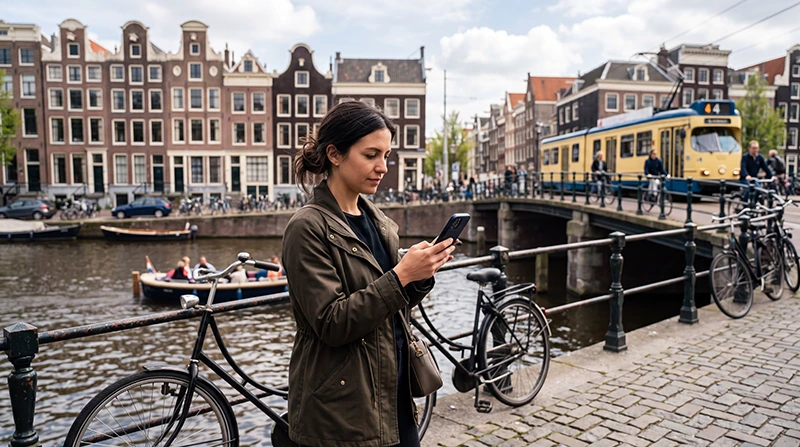

Traveller using helpful mobile apps during a trip through the Netherlands

Best Apps for Netherlands Travel: Transport, Maps and Trip Planning

The right mobile apps can make travelling through the Netherlands much easier. Visitors frequently use their phones to check trains, plan local transport, navigate between attractions, monitor the weather and access digital tickets.

You do not need dozens of apps for a successful trip. A small selection covering transport, maps, weather, communication and bookings is normally enough.

Quick answer: install a general map app, NS for Dutch train travel, 9292 for journeys combining different types of public transport and a reliable weather app. Add translation, airline, accommodation and attraction apps according to your itinerary.

Top Netherlands eSIMs

Essential Netherlands Travel Apps at a Glance

App or App Type Best Use Internet Needed?
NS Train planning, disruptions and tickets Yes for live information
9292 Train, bus, tram, metro and ferry journeys Yes for current departures
OVpay Reviewing contactless public transport journeys Yes for updated journey records
Google Maps or Apple Maps Walking, driving and general navigation Recommended, with offline maps as backup
Google Translate or similar Translation and camera-based text help Some features can work offline
Buienradar or another weather app Rain and weather planning Yes for current forecasts

1. NS for Train Travel

NS is one of the most useful apps for visitors travelling by train. It can help you plan railway journeys, review current travel information and find the platform for your departure.

Depending on the available features and your journey, the app may also help with:

  • Checking planned departure and arrival times.
  • Reviewing delays and disruptions.
  • Planning a journey to an address.
  • Buying eligible train tickets.
  • Finding alternative connections.
  • Checking how busy a train may be.

Download the app and create any required account before your first travel day. Save important tickets offline whenever the ticket format permits it.

2. 9292 for Door-to-Door Public Transport

9292 is useful when a journey includes more than a train. It combines information for multiple forms of Dutch public transport, including buses, trams, metros and ferries.

It can be particularly helpful for:

  • Travelling from a railway station to a hotel.
  • Combining a train with a local bus or tram.
  • Planning public transport outside Amsterdam.
  • Checking transfers between different operators.
  • Finding a complete route from one address to another.

NS is especially useful for railway travel, while 9292 is often more convenient for journeys involving several transport types. Many visitors keep both installed.

3. OVpay for Contactless Transport Journeys

Visitors may be able to use an eligible contactless payment card or mobile wallet to check in and out of Dutch public transport. The OVpay app can help users review the journeys associated with their chosen payment method.

It may be useful for:

  • Checking whether a journey was registered.
  • Reviewing recent travel activity.
  • Receiving check-in or check-out notifications when supported.
  • Managing certain journey corrections.

Always use the same card or device when checking in and out. A physical bank card and the digital version of that card may be treated as different payment methods.

4. Google Maps or Apple Maps

A general navigation app is essential for walking between stations, hotels, museums, restaurants and meeting points.

Use it to:

  • Save accommodation and attraction locations.
  • Plan walking and driving routes.
  • Find nearby restaurants, shops and facilities.
  • Review opening information.
  • Save selected areas for offline navigation.

Do not rely only on one app for complicated public transport journeys. Compare the route with NS or 9292 when trains, trams or buses are involved.

5. A Dutch Weather and Rain App

Weather can influence cycling, canal cruises, beach visits and countryside trips. A rain-focused app such as Buienradar can be helpful when planning outdoor activities.

Check the forecast before:

  • Renting bicycles.
  • Visiting flower gardens.
  • Taking a canal cruise.
  • Planning a beach day.
  • Starting a countryside walk.
  • Travelling to an outdoor attraction.

Short-term rain forecasts can change, so check again shortly before leaving rather than relying only on the previous evening’s forecast.

6. Google Translate or Another Translation App

Many visitors can travel comfortably using English, but a translation app remains useful for signs, menus, accommodation instructions and unexpected situations.

Prepare it before departure by:

  • Downloading Dutch for offline use when available.
  • Testing camera translation.
  • Saving important phrases.
  • Checking voice-input permissions.
  • Learning how to reverse the translation direction.

Machine translation may not always capture context perfectly. Use simple sentences when communicating important information.

7. Airline and Schiphol Travel Apps

Travellers flying through Amsterdam Airport Schiphol should keep their airline app installed. It may provide boarding passes, gate updates, baggage information and notifications about schedule changes.

An airport app or mobile website may also help with terminal information and airport navigation. Save your boarding pass in a digital wallet or as an approved offline copy where possible.

8. Accommodation Apps

Keep the app used for your hotel, apartment or hostel booking installed until the stay is complete. It can provide:

  • Reservation confirmation.
  • Property address.
  • Check-in instructions.
  • Messages from the host.
  • Payment details.
  • Cancellation conditions.

Take screenshots of the address and check-in instructions before travelling. This is particularly useful when arriving late or entering a property with self-service access.

9. Attraction and Ticket Apps

Museums, tours and entertainment venues may issue tickets through their own apps or through a booking platform. Avoid installing an app unless it is genuinely required for entry or provides useful visit information.

Before visiting an attraction:

  • Download the ticket.
  • Check the reservation time.
  • Save the address.
  • Review entry conditions.
  • Confirm whether identification is required.
  • Increase the phone brightness before scanning.

10. Messaging and Communication Apps

WhatsApp and similar services are useful for contacting hotels, guides, family members and travel companions. They work through mobile data or WiFi.

A data-only travel eSIM does not normally change the number registered with WhatsApp. You can continue using your existing account while the Netherlands eSIM supplies internet access.

Apps for Cycling in the Netherlands

Visitors planning longer bicycle trips may benefit from a dedicated cycling-navigation app. Choose one that supports bicycle routes and allows offline map downloads.

Before cycling:

  • Download the complete route.
  • Save the bicycle-rental location.
  • Check the expected distance and duration.
  • Review the weather forecast.
  • Carry a power bank.

Stop in a safe place before reading directions or changing the route. Do not hold or operate the phone while cycling.

Apps for Driving and Parking

A road-trip itinerary may require navigation, parking and electric-vehicle charging apps. The most suitable parking service can vary by city, rental company and payment method.

Before collecting a car:

  • Ask the rental company which apps are recommended.
  • Download offline road maps.
  • Save the vehicle-return location.
  • Check parking rules at each destination.
  • Confirm how tolls, fuel or charging are handled.

Never adjust an app while driving. Set the route before departure or ask a passenger to manage it.

Do Netherlands Travel Apps Need Mobile Data?

Many important features depend on an active connection. Live delays, platform changes, current weather, ticket purchases and last-minute booking messages may not update offline.

A Netherlands travel eSIM can provide data throughout the trip without requiring you to remove your regular SIM card.

Browse Netherlands eSIM plans.

Recommended eSIM Settings

Setting Recommended Value
Travel eSIM Enabled after arrival
Mobile Data Travel eSIM
Data Roaming on travel eSIM On
Data Roaming on primary SIM Off
Automatic Data Switching Off
Network Selection Automatic
APN data.esim when required

How to Prepare Your Phone Before Travelling

  1. Install essential apps before departure.
  2. Sign in and complete any verification steps.
  3. Update apps through reliable WiFi.
  4. Download Dutch offline maps and translations.
  5. Save tickets and accommodation details locally.
  6. Install your Netherlands eSIM.
  7. Carry a charging cable and power bank.

Avoid downloading many unfamiliar apps after arrival. Confirm the developer and use official app-store listings to reduce the risk of installing an imitation service.

How to Reduce App Data Use

  • Download offline maps through hotel WiFi.
  • Disable automatic app updates.
  • Pause photo and video backups.
  • Download music and entertainment in advance.
  • Turn off automatic video playback.
  • Restrict background data for unnecessary apps.
  • Remove temporary apps after the trip.

NoveSIM unlimited plans include 1 GB of high-speed data per 24-hour period. Speed may be reduced after the daily high-speed allowance is used and restored at the next reset.

What If Travel Apps Have No Internet?

  1. Confirm that the travel eSIM is selected for Mobile Data.
  2. Turn on Data Roaming for the travel eSIM.
  3. Disable Automatic Data Switching.
  4. Keep Network Selection on Automatic.
  5. Check that the APN is data.esim.
  6. Turn Airplane Mode on for 30 seconds and turn it off.
  7. Restart the phone if necessary.

Do not delete the eSIM during troubleshooting. Its installation QR code may be valid for one installation only.

FAQ

What are the most important apps for Netherlands travel?

A map app, NS, 9292, a weather app and a translation app cover most common travel needs.

What is the difference between NS and 9292?

NS is particularly useful for train travel, while 9292 plans journeys combining trains, buses, trams, metros and ferries.

Can Netherlands travel apps work offline?

Some maps, translations and saved tickets can work offline, but live departures, delays and weather updates require internet access.

Should I download every local transport app?

No. Start with NS and 9292, then add a local operator app only when it offers a feature you genuinely need.

Will WhatsApp keep my existing number?

Yes. WhatsApp normally keeps your registered number while the travel eSIM provides mobile data.

What APN should I use for NoveSIM?

Use data.esim when manual APN configuration is required.

Final Recommendation

Install NS, 9292, a general map app, a weather app and a translation tool before travelling to the Netherlands. Add airline, accommodation and attraction apps according to your bookings.

Download maps, tickets and essential information offline, but keep mobile data available for live transport changes, navigation and communication.

A Netherlands travel eSIM provides convenient access to these services throughout the trip while allowing you to keep your primary SIM in the phone.

Browse Netherlands eSIM plans here.

Scroll to Top