
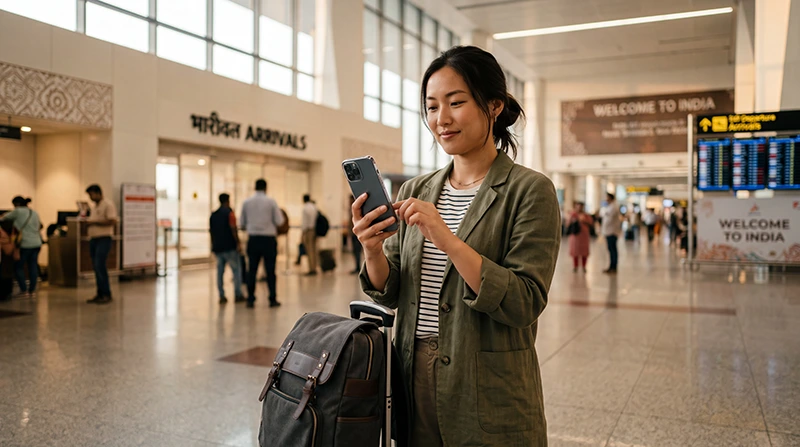

International tourist buying and installing an eSIM for travel in India

Can Tourists Buy an eSIM in India?

Yes, tourists can buy an eSIM for a trip to India. The easiest option for most international visitors is to purchase a travel eSIM online before departure. You can install it while connected to WiFi and use it for mobile data after arriving in India.

Foreign visitors may also investigate obtaining a mobile connection directly from an Indian operator. However, a local eSIM usually involves more registration, identity verification and activation steps than an international travel eSIM. The exact procedure depends on the operator, the type of plan and the documents accepted at the time of purchase.

A travel eSIM is particularly convenient for a short holiday, business trip, family vacation or multi-city itinerary. It does not require you to remove your home SIM, and you can continue using your regular number for calls, SMS and verification codes while the eSIM provides mobile data.

Quick answer: tourists can buy an India travel eSIM online before arrival. Install it on a compatible unlocked phone while connected to WiFi, select it for Mobile Data after landing and enable Data Roaming on the eSIM.

Top India eSIMs

What Types of eSIM Can Tourists Buy for India?

There are two main types of eSIM that a visitor may consider.

eSIM Type Best For Main Consideration
International travel eSIM Short and medium tourist trips Usually data-only
Local Indian operator eSIM Long stays and local services Registration and operator activation may be required

Although both options use the eSIM technology built into your phone, the purchase and activation processes are different.

What Is an India Travel eSIM?

An India travel eSIM is a prepaid digital mobile data plan designed for visitors. It can normally be purchased online without visiting a mobile operator store in India.

After completing the purchase, you receive installation details or a QR code. The eSIM profile is then added to your compatible smartphone.

A travel eSIM is useful because it allows you to:

  • Buy mobile data before departure.
  • Install the plan before travelling.
  • Avoid airport SIM queues.
  • Keep your physical SIM installed.
  • Continue using your existing WhatsApp number.
  • Use Google Maps immediately after arrival.
  • Book Uber or Ola rides.
  • Communicate with hotels and drivers.
  • Use the same plan across supported locations in India.

Browse India eSIM plans.

Can Foreigners Buy a Local Indian eSIM?

Foreign visitors may be able to obtain a local Indian mobile connection, including an eSIM from an operator that supports the technology. However, the process is not always as immediate as buying a travel eSIM.

A local operator may require:

  • Identity verification.
  • A valid passport.
  • Valid visa or entry documentation where applicable.
  • A local address or accommodation information.
  • A passport photograph.
  • Completion of the operator’s customer-registration process.
  • A compatible device.
  • An active email address.
  • OTP, app or store-based confirmation.

Requirements can differ between operators and retail locations. A tourist should confirm the current procedure directly with the selected provider before relying on a local eSIM.

Travel eSIM vs Local Indian eSIM

Feature Travel eSIM Local Indian eSIM
Purchase before arrival Yes Not always
Online purchase Usually yes Depends on operator and eligibility
Store visit Usually not required May be required
Passport or local registration Usually not required for installation Normally part of customer verification
Indian phone number Usually no Usually yes
Mobile data Yes Yes
Local calls and SMS Usually no Usually included according to the plan
Best for short holidays Excellent Possible but less convenient
Best for long stays Good Potentially better

Can You Buy an India eSIM Before Travelling?

Yes. Buying before departure is the simplest option for most tourists.

You can complete the following steps while still at home:

  1. Confirm that your phone supports eSIM.
  2. Check that the device is carrier-unlocked.
  3. Select an India data plan.
  4. Complete the online purchase.
  5. Receive the QR code and installation details.
  6. Install the profile while connected to WiFi.
  7. Keep the eSIM turned off until travel if instructed.
  8. Activate mobile data after arriving in India.

Preparing the eSIM before the flight means you do not need to depend on airport WiFi for installation.

Can You Buy an eSIM After Arriving in India?

Yes. A travel eSIM can normally be purchased online after arrival, provided you have access to reliable WiFi or another internet connection.

You may use:

  • Airport WiFi.
  • Hotel WiFi.
  • A companion’s mobile hotspot.
  • A café or coworking connection.

However, purchasing after arrival may be less convenient if airport WiFi requires registration or if the connection is unstable. Buying and installing before departure is usually the safer approach.

Can You Buy an eSIM at an Indian Airport?

Some airports may have telecom counters, authorised stores or other mobile connectivity services. The available operators, opening hours, documents and eSIM support can vary.

Buying at an airport may involve:

  • Waiting at a telecom counter.
  • Providing identification documents.
  • Completing local registration.
  • Waiting for activation.
  • Confirming whether the counter issues eSIM or only physical SIM cards.

An online travel eSIM avoids the need to locate an open airport shop after a long flight.

Do Tourists Need a Passport to Buy an India eSIM?

For an international travel eSIM purchased online, you normally do not need to visit an Indian telecom store or complete the same local registration process required for a local mobile number.

A local Indian operator connection is different. The operator may require identity and entry documents as part of its customer-verification procedure.

Purchase Type Passport Usually Needed?
Online travel eSIM Usually not for standard installation
Local Indian operator eSIM Commonly required for foreign-customer verification
Local physical SIM Commonly required for foreign-customer verification

Always follow the current requirements of the provider issuing the connection.

Do You Need an Indian Address?

A travel eSIM does not normally require you to maintain an Indian residential address.

A local operator may ask for local accommodation or address information as part of its registration procedure. A hotel address may sometimes be relevant, but acceptance depends on the operator’s rules.

Do You Need an Indian Bank Card?

You normally do not need an Indian bank card to purchase an international India travel eSIM. Online providers commonly accept supported international payment methods.

A local Indian operator’s online purchase or account system may have different payment and verification requirements.

Can You Buy an eSIM without an Indian Phone Number?

Yes. An international travel eSIM can normally be purchased without already having an Indian number.

This is one of its main advantages. You can arrive with mobile data ready without first needing another local connection for account registration or OTP verification.

Does an India Travel eSIM Include a Phone Number?

Most travel eSIM plans are data-only. They provide mobile internet but do not include a regular Indian phone number, traditional voice minutes or standard SMS.

You can still use internet-based communication services such as:

  • WhatsApp.
  • Viber.
  • Telegram.
  • FaceTime.
  • Google Meet.
  • Zoom.
  • Microsoft Teams.

Your home SIM may remain active for ordinary calls, SMS and verification messages.

Will WhatsApp Keep Your Existing Number?

Yes. WhatsApp can continue using the number already registered to your account while the India eSIM supplies mobile data.

Do not change the WhatsApp number simply because you installed a travel eSIM.

Read the WhatsApp in India guide.

Can You Keep Your Home SIM Active?

Yes. Most modern Dual SIM smartphones allow the primary SIM and an eSIM to remain installed at the same time.

A recommended setup is:

Phone Function Recommended SIM
Mobile Data India eSIM
Calls Primary SIM
SMS and verification codes Primary SIM
WhatsApp and travel apps Internet through India eSIM

Disable Data Roaming on the primary SIM to reduce the risk of unexpected charges.

Which Phones Support an India eSIM?

Your phone must have eSIM hardware and software support. It must also be unlocked for use with another mobile provider.

Many recent models from the following manufacturers support eSIM:

  • Apple.
  • Samsung.
  • Google.
  • Motorola.
  • Huawei.
  • Other selected manufacturers.

Support varies by model, country of purchase and device version. Two phones with similar names may not have identical eSIM capabilities.

How to Check Whether Your Phone Supports eSIM

Check on iPhone

  1. Open Settings.
  2. Select Cellular or Mobile Service.
  3. Look for Add eSIM or Add Cellular Plan.

Check on Android

  1. Open Settings.
  2. Select Connections, Network and Internet or SIM Manager.
  3. Look for Add eSIM or Download SIM.

Use the EID Test

Dial *#06# and check whether an EID appears. The EID is associated with the phone’s embedded SIM hardware.

Check whether your phone supports an India eSIM.

Does Your Phone Need to Be Unlocked?

Yes. A carrier-locked phone may reject an eSIM issued by another provider.

Before purchasing:

  • Check the device settings.
  • Contact your home operator.
  • Confirm that no carrier restriction remains.
  • Do not assume that completing the device contract automatically unlocked it.

How to Buy an India Travel eSIM

  1. Visit the India eSIM product page.
  2. Choose the required data allowance.
  3. Select a validity period that covers the trip.
  4. Complete the payment.
  5. Open the confirmation email.
  6. Save the QR code and installation instructions.
  7. Install the eSIM while connected to WiFi.

Choose slightly more data than the minimum you expect to use, particularly for multi-city trips, road travel and frequent social media.

How Much Data Should a Tourist Buy?

Trip Length Suggested Data
3–5 days 5–8 GB
One week 10–15 GB
10 days 15–20 GB
Two weeks 20–30 GB
One month 30–50 GB
Frequent hotspot, video or remote work High-data or unlimited option

Read the complete India data guide.

Should You Choose a Fixed or Unlimited Plan?

A fixed plan is normally suitable for maps, messaging, bookings, ride-hailing and moderate social media.

Consider an unlimited option when you expect:

  • Frequent video calls.
  • Regular streaming.
  • Daily hotspot use.
  • Remote work.
  • Large photo or video uploads.
  • Limited access to hotel WiFi.

Unlimited plans may include a fair-use policy. For NoveSIM unlimited plans, high-speed data is subject to the applicable daily fair-use allowance, after which the connection may be slowed until the next reset.

How to Install an India eSIM on iPhone

  1. Connect the iPhone to WiFi.
  2. Open Settings.
  3. Select Cellular or Mobile Service.
  4. Tap Add eSIM.
  5. Select Use QR Code.
  6. Scan the provided QR code.
  7. Follow the on-screen instructions.
  8. Label the plan India eSIM or NoveSIM.

Read the India eSIM guide for iPhone.

How to Install an India eSIM on Android

  1. Connect the phone to WiFi.
  2. Open Settings.
  3. Select Connections or Network and Internet.
  4. Open SIM Manager or SIMs.
  5. Select Add eSIM.
  6. Scan the QR code.
  7. Follow the installation instructions.
  8. Keep the profile installed until the trip ends.

Read the India eSIM guide for Android.

When Should You Install the eSIM?

Install the profile before departure while you have reliable WiFi. You can then enable it after arriving in India.

Do not leave installation until you are standing outside the airport without a dependable connection.

Do not delete the eSIM after installation. The QR code may be intended for one installation and may not work again after the profile is removed.

When Does the India eSIM Activate?

Activation conditions depend on the selected plan. A travel eSIM commonly begins connecting when it reaches a supported mobile network in India.

Review the plan instructions before installation so you understand when its validity starts.

Recommended Mobile Settings After Arrival

Setting Recommended Value
India eSIM Enabled
Mobile Data India eSIM
Calls and SMS Primary SIM
Data Roaming on India eSIM On
Data Roaming on primary SIM Off
Automatic Data Switching Off
Network Selection Automatic
Preferred Network 5G Auto or 4G/LTE
APN data.esim if required

India eSIM APN Settings

Most compatible phones configure the APN automatically. If the phone shows mobile signal but apps do not load, check the following settings.

Field Value
Name NoveSIM
APN data.esim
Username Leave blank
Password Leave blank
Authentication None

What to Do If the eSIM Does Not Connect

  1. Confirm that the India eSIM is enabled.
  2. Select it for Mobile Data.
  3. Enable Data Roaming on the eSIM.
  4. Disable Automatic Data Switching.
  5. Keep Network Selection on Automatic.
  6. Verify that the APN is data.esim.
  7. Turn Airplane Mode on for 30 seconds.
  8. Turn it off and wait several minutes.
  9. Restart the phone.

Do not delete the eSIM while troubleshooting.

Common Mistakes Tourists Make

  • Buying before checking device compatibility.
  • Using a carrier-locked phone.
  • Deleting the eSIM after installation.
  • Leaving Data Roaming disabled.
  • Selecting the primary SIM for Mobile Data.
  • Keeping Automatic Data Switching enabled.
  • Installing without reliable WiFi.
  • Expecting a data-only plan to provide local calls and SMS.
  • Buying too little data.
  • Waiting until after landing to review the instructions.

Is a Travel eSIM Legal to Use in India?

A travel eSIM operates as a mobile connectivity service through supported network arrangements. Visitors should purchase from an established provider and use the service in accordance with the plan terms and applicable local rules.

Do not buy unofficial profiles or SIM credentials from unknown sellers.

Is a Travel eSIM Better Than International Roaming?

Feature Travel eSIM Home-Operator Roaming
Purchase before travel Yes Usually already available
Transparent data allowance Normally yes Depends on operator
Keep home number Yes, with Dual SIM Yes
Potential data cost Usually predictable Can be expensive
Installation required Yes No
Best for travel data Usually Useful for brief or emergency use

Related India Guides

FAQ

Can tourists buy an eSIM for India?

Yes. Tourists can buy an India travel eSIM online before departure or after arriving while connected to WiFi.

Can foreigners buy a local Indian eSIM?

Potentially yes, but local operator registration, identity verification and activation requirements apply. Confirm the current procedure directly with the operator.

Can I buy an India eSIM before arriving?

Yes. Buying and installing before departure is the most convenient option for most international visitors.

Do I need a passport for a travel eSIM?

A standard online travel eSIM normally does not require a visit to an Indian telecom store. Local operator connections commonly involve identity verification.

Do I need an Indian phone number?

No. You can buy an international India travel eSIM without already having an Indian number.

Does an India travel eSIM include calls and SMS?

Most travel plans are data-only. Use WhatsApp, Viber and other internet-based services for calls and messages.

Can I keep my regular SIM active?

Yes. Most Dual SIM phones allow the primary SIM to remain active while the India eSIM provides mobile data.

Will WhatsApp keep my existing number?

Yes. WhatsApp continues using the number already registered to the account while the eSIM supplies internet access.

Should I install the eSIM before travelling?

Yes. Install it while connected to reliable WiFi and keep the profile on your phone until the trip ends.

Can I buy an eSIM at an Indian airport?

Airport telecom services vary. An online travel eSIM is usually easier because it avoids queues, store opening hours and local registration.

Does my phone need to be unlocked?

Yes. A carrier-locked device may reject an eSIM from another provider.

How much data should I buy?

Most visitors need approximately 10–15 GB for one week or 20–30 GB for two weeks. Heavy users may require more.

Can I top up the same NoveSIM plan?

No. The existing QR code and plan cannot normally be topped up or extended. Purchase a new plan when additional data or validity is required.

Do I need Data Roaming enabled?

Yes. Enable Data Roaming on the India eSIM and keep it disabled on your primary SIM.

What APN should I use?

If manual configuration is required for a NoveSIM India eSIM, use data.esim.

Final Recommendation

Tourists can buy an eSIM for India, and an international travel eSIM is normally the simplest option for a short or medium-length visit. It can be purchased and installed before departure without waiting at an airport telecom counter.

A local Indian eSIM may be useful for a long stay or when you need an Indian phone number, but it usually involves additional registration and operator-specific activation steps.

Before buying, confirm that your phone is eSIM-compatible and unlocked. Install the profile while connected to reliable WiFi, keep it on the phone and save the instructions offline.

After arriving in India, select the eSIM for Mobile Data, enable Data Roaming and keep Network Selection on Automatic. Leave your primary SIM active for calls and SMS, but disable its mobile data roaming to reduce the risk of unexpected charges.

Browse India eSIM plans here.

Scroll to Top