
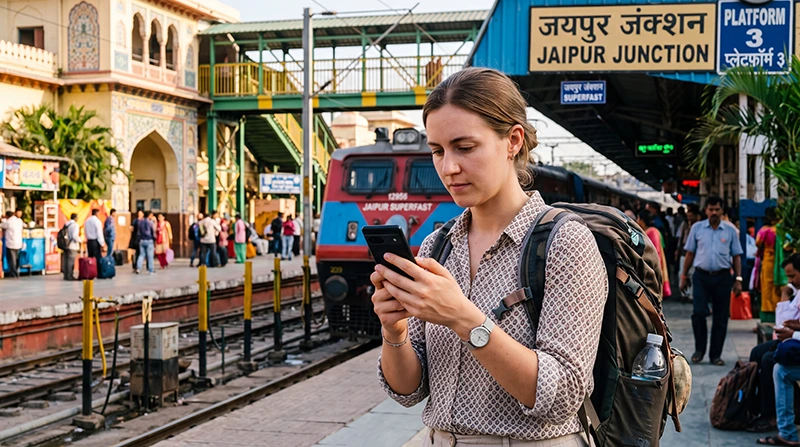

Traveler estimating mobile data needs for a trip to India

How Much Data Do You Need for India?

The amount of mobile data you need for India depends less on the country itself and more on how you use your phone while travelling. A visitor who mainly checks Google Maps, sends WhatsApp messages and opens hotel bookings may need only a few gigabytes. A traveller who watches video, uploads large photo collections, joins work meetings or shares a hotspot with a laptop may need considerably more.

For most tourists, a practical estimate is between 1 GB and 2 GB per day. This is usually enough for maps, messaging, ride-hailing, restaurant searches, travel apps, moderate social media and occasional calls.

Light users may need less than 1 GB per day, while digital nomads, business travellers and frequent video users may need 3 GB or more per day.

Quick answer: choose approximately 5 GB for a short three-to-five-day trip, 10–15 GB for one week, 20–30 GB for two weeks and 30–50 GB for one month. Consider a high-data or unlimited option when you expect regular hotspot use, video meetings or streaming.

Top India eSIMs

India Data Recommendations at a Glance

Trip Length Light Use Normal Tourist Use Heavy Use
3 days 2–3 GB 4–6 GB 8 GB or more
5 days 3–5 GB 6–10 GB 12–15 GB
7 days 5–7 GB 10–15 GB 20 GB or more
10 days 7–10 GB 15–20 GB 25–30 GB
14 days 10–15 GB 20–30 GB 40 GB or more
21 days 15–20 GB 30–40 GB 50 GB or more
30 days 20–30 GB 30–50 GB High-data or unlimited option

These figures are practical estimates rather than fixed rules. Your real usage depends on video quality, automatic backups, social media habits, hotspot use and access to hotel WiFi.

How Much Data Does the Average Tourist Need in India?

Most tourists use mobile data throughout the day for short practical tasks rather than continuous entertainment. Typical activities include checking directions, messaging a hotel, booking transport, viewing restaurant reviews and uploading a few photos.

A normal tourist may use approximately 1–2 GB per day when using:

  • Google Maps and navigation.
  • WhatsApp messages and occasional calls.
  • Uber, Ola and transport apps.
  • Hotel and airline applications.
  • Restaurant searches.
  • Moderate Instagram or Facebook use.
  • Occasional photo uploads.
  • General web browsing.

At that level of usage, 10–15 GB is usually comfortable for one week and 20–30 GB for two weeks.

How Much Data Do Light Users Need?

A light user mainly relies on the phone for travel essentials and uses hotel WiFi for entertainment, backups and long calls.

Light use normally includes:

  • Text messages.
  • Basic Google Maps navigation.
  • Checking bookings.
  • Occasional web searches.
  • Short WhatsApp voice calls.
  • Limited social media.
  • No regular video streaming.
Trip Length Suggested Data for Light Use
3–5 days 3–5 GB
One week 5–7 GB
Two weeks 10–15 GB
One month 20–30 GB

How Much Data Do Heavy Users Need?

Heavy users regularly watch video, upload photos and videos, use social media, make video calls or share mobile data with another device.

Heavy use may include:

  • Daily Instagram and TikTok use.
  • Frequent video calls.
  • YouTube or Netflix streaming.
  • Automatic cloud backups.
  • Laptop hotspot use.
  • Uploading high-resolution photos and videos.
  • Remote work applications.
  • Online gaming.
Trip Length Suggested Data for Heavy Use
3–5 days 10–15 GB
One week 20–30 GB
Two weeks 40–60 GB
One month High-data or unlimited option

How Much Data Does Google Maps Use in India?

Google Maps generally uses relatively little mobile data during normal navigation. Downloading satellite imagery, viewing business photos and repeatedly changing routes increases usage, but maps are rarely the main reason a traveller runs out of data.

Google Maps Activity Expected Data Use
Basic navigation Low
Searching for places Low
Live traffic updates Low
Viewing restaurant photos Moderate
Satellite view Moderate to High
Downloading offline maps Potentially High

Download large offline map areas through hotel WiFi before road trips, train journeys and mountain travel.

Read the complete Google Maps in India guide.

How Much Data Does WhatsApp Use?

WhatsApp text messages use very little data. Voice messages and calls use more, while video calls and video sharing consume the most.

WhatsApp Activity Expected Usage
Text messages Very Low
Voice messages Low
Photo sharing Low to Moderate
Voice calls Moderate
Video calls High
Video sharing Potentially High
Chat backup Depends on backup size

For messaging and occasional voice calls, WhatsApp is unlikely to use much of your allowance. Frequent video calls can consume several gigabytes over a trip.

Read how WhatsApp works in India.

How Much Data Do Uber and Ola Use?

Ride-hailing apps use relatively little data. They need an internet connection to load maps, display cars, track the driver and receive messages, but normal use does not consume large amounts.

The bigger risk is not data usage but losing your internet connection at an airport, railway station or busy pickup point.

How Much Data Does Social Media Use?

Social media can consume much more data than maps, messaging and travel apps because feeds increasingly contain video.

Activity Approximate Usage
Viewing text and photos Moderate
Instagram browsing Moderate to High
Short-form video High
Uploading photos Depends on image size
Uploading videos High
Live streaming Very High

A traveller who frequently watches reels or short videos may use several times more data than someone who mainly uses maps and WhatsApp.

How Much Data Does Video Streaming Use?

Streaming is one of the fastest ways to consume a travel data allowance.

Video Quality Approximate Usage per Hour
Low quality Approximately 300–500 MB
Standard definition Approximately 500 MB–1 GB
High definition Approximately 1–3 GB
Very high resolution Several GB per hour

Download films, series, music and podcasts through WiFi before a long train, bus or domestic flight.

How Much Data Do Video Calls Use?

Video calls can consume hundreds of megabytes or more per hour, depending on the app, connection and video quality.

Call Type Expected Data Use
Audio-only call Low to Moderate
Low-quality video call Moderate
HD video meeting High
Group video call High to Very High

Use hotel or coworking WiFi for long Zoom, Teams, Google Meet and WhatsApp video calls whenever possible.

How Much Data Does a Mobile Hotspot Use?

A hotspot does not have a fixed consumption rate. It uses whatever data the connected laptop or tablet consumes.

Hotspot data can disappear quickly because laptops may automatically:

  • Download operating-system updates.
  • Synchronise cloud folders.
  • Back up photographs.
  • Load desktop versions of websites.
  • Stream higher-quality video.
  • Synchronise email attachments.

Before sharing mobile data:

  • Pause software updates.
  • Pause cloud backups.
  • Set the connection as metered.
  • Close unused apps.
  • Reduce video-call quality.
  • Monitor usage on the phone.

How Much Data Do You Need for a 3-Day Trip to India?

For a short city break, 3–5 GB may be enough for light use. Choose 5–8 GB for normal tourist activity and 10 GB or more when you expect frequent social media, video calls or hotspot use.

A 3-day plan should comfortably cover:

  • Airport navigation.
  • Hotel communication.
  • Google Maps.
  • Ride-hailing.
  • WhatsApp.
  • Restaurant searches.
  • Moderate social media.

How Much Data Do You Need for One Week in India?

For most tourists, 10–15 GB is a comfortable one-week allowance. Light users may manage with 5–7 GB, while heavy users should consider 20 GB or more.

One-Week Usage Type Suggested Data
Light use 5–7 GB
Normal tourist use 10–15 GB
Heavy social media 15–25 GB
Remote work or hotspot 20–30 GB or more

How Much Data Do You Need for 10 Days in India?

A 10-day traveller should normally consider 15–20 GB. This allows room for daily maps, messaging, transport apps, browsing and moderate photo or social media use.

Choose 25–30 GB when you expect frequent video calls, uploads or hotspot access.

How Much Data Do You Need for Two Weeks in India?

For a two-week multi-city trip, 20–30 GB is suitable for most travellers. Light users who rely heavily on hotel WiFi may need only 10–15 GB.

Choose 40 GB or more when your itinerary includes:

  • Frequent video calls.
  • Regular streaming.
  • Daily hotspot use.
  • Large cloud uploads.
  • Remote work.
  • Heavy social media posting.

How Much Data Do You Need for One Month in India?

For one month, 30–50 GB is a practical range for normal travel use. Digital nomads, business travellers and content creators may require much more.

Monthly Usage Type Suggested Data
Light travel use 20–30 GB
Normal tourist use 30–50 GB
Frequent remote work 50 GB or more
Daily streaming and hotspot High-data or unlimited option

How Much Data Do Backpackers Need in India?

Backpackers often spend more time away from reliable hotel WiFi and use mobile data during trains, buses, hostel changes and long travel days.

A practical estimate is:

Backpacking Trip Length Suggested Data
One week 10–15 GB
Two weeks 20–30 GB
One month 30–50 GB

Read the internet guide for backpacking in India.

How Much Data Do Families Need?

Family data usage depends on how many devices are connected and whether children stream video through a parent’s hotspot.

Family Usage Suggested Data for One Week
One connected parent phone 10–15 GB
Two connected parent phones 10–15 GB per phone
Occasional child hotspot use 20–30 GB total
Frequent streaming High-data plans on multiple devices

Download children’s entertainment before travel days and use hotel WiFi for video streaming.

Read the family internet guide for India.

How Much Data Do Business Travellers Need?

A business traveller who mainly checks email, uses maps and opens cloud documents may need 8–15 GB for one week.

Regular hotspot access and video meetings can raise the requirement to 20–30 GB or more.

How Much Data Do Digital Nomads Need?

Digital nomads should treat mobile data as either a backup connection or a primary working connection.

Remote-Work Setup Suggested Monthly Mobile Data
Emergency backup only 10–20 GB
Regular mobile browsing and messaging 20–30 GB
Frequent hotspot use 30–50 GB
Daily meetings and uploads 50 GB or more
Mobile data as main connection High-data or unlimited option

Read the digital nomad internet guide for India.

Do You Need Unlimited Data in India?

Not every traveller needs unlimited data. A fixed allowance is usually sufficient when you mainly use maps, messaging, bookings and social media.

An unlimited option is more suitable when you:

  • Use a hotspot every day.
  • Attend regular video meetings.
  • Stream video frequently.
  • Upload large photo or video files.
  • Travel without reliable hotel WiFi.
  • Prefer not to monitor usage.

Unlimited plans may be subject to a fair-use policy. For NoveSIM unlimited plans, high-speed usage is subject to the plan’s daily fair-use conditions, after which speed may be reduced until the next daily reset.

Read the unlimited data guide for India.

Should You Choose One Large Plan or Several Smaller Plans?

One plan covering the full trip is usually more convenient because you do not need to install another eSIM partway through the journey.

A smaller plan may be better when:

  • Your trip is short.
  • You use hotel WiFi heavily.
  • You only need maps and messaging.
  • You want to control spending.

A larger plan is better when:

  • You are visiting several cities.
  • You travel by train or road.
  • You use social media frequently.
  • You need hotspot access.
  • You do not want to monitor every megabyte.

How to Check Mobile Data Usage on iPhone

  1. Open Settings.
  2. Select Cellular or Mobile Service.
  3. Scroll to Current Period.
  4. Review usage by application.
  5. Reset statistics at the beginning of the trip if desired.

Check that the India eSIM is selected for Mobile Data and that your primary SIM is not using roaming data.

How to Check Mobile Data Usage on Android

  1. Open Settings.
  2. Select Network and Internet or Connections.
  3. Open Data Usage or Mobile Data Usage.
  4. Select the India eSIM.
  5. Review usage by app.
  6. Set a warning or limit if supported.

How to Reduce Data Usage in India

  • Download offline maps through WiFi.
  • Disable automatic photo and video backups.
  • Turn off automatic app updates.
  • Download music, films and podcasts before travel days.
  • Use hotel WiFi for large uploads.
  • Reduce video-streaming quality.
  • Disable background data for unnecessary apps.
  • Set social media to use less data.
  • Pause laptop cloud synchronisation during hotspot use.
  • Monitor data usage every few days.
  • Save tickets and confirmations as screenshots.
  • Use voice calls instead of video when possible.

Recommended Mobile Settings

Setting Recommended Value
India eSIM Enabled
Mobile Data India eSIM
Calls and SMS Primary SIM
Data Roaming on India eSIM On
Data Roaming on primary SIM Off
Automatic Data Switching Off
Network Selection Automatic
Preferred Network 5G Auto or 4G/LTE
Cloud Backups on Mobile Data Off
APN data.esim if required

India eSIM APN Settings

Most compatible phones configure the APN automatically. If the phone shows signal but mobile data does not work, check the following settings.

Field Value
Name NoveSIM
APN data.esim
Username Leave blank
Password Leave blank
Authentication None

What Happens If You Run Out of Data?

If your fixed data allowance is exhausted, mobile internet may stop working. Because a travel eSIM normally cannot be extended on the same QR code, you may need to purchase and install a new plan.

To avoid losing connectivity:

  • Check usage before long travel days.
  • Purchase enough data from the beginning.
  • Use WiFi for large downloads.
  • Reduce streaming quality.
  • Keep your order and installation details accessible.

Related India Guides

FAQ

How much mobile data do I need for one week in India?

Most tourists need approximately 10–15 GB for one week. Light users may manage with 5–7 GB, while heavy users may need 20 GB or more.

Is 5 GB enough for India?

Five gigabytes can be enough for a short trip or light use involving maps, messages, bookings and limited social media.

Is 10 GB enough for a week in India?

Yes, for many travellers. It should cover maps, WhatsApp, ride-hailing, web browsing and moderate social media when large downloads are completed through WiFi.

Is 20 GB enough for two weeks in India?

Yes, for normal tourist use. Frequent streaming, video calls or hotspot access may require 30–40 GB or more.

How much data do I need for one month in India?

Most travellers should consider 30–50 GB. Remote workers and heavy users may need a higher allowance or an unlimited option.

Does Google Maps use a lot of data?

No. Normal navigation uses relatively little data. Download offline maps through WiFi to reduce usage further.

Does WhatsApp use a lot of data?

Text messages use very little data. Video calls, large videos and chat backups use considerably more.

Do I need unlimited data in India?

Not necessarily. A fixed allowance is enough for most tourists. Unlimited data is more useful for hotspot use, remote work, frequent streaming and large uploads.

Can I use hotel WiFi to save data?

Yes. Use hotel WiFi for streaming, software updates, cloud backups and large downloads while keeping mobile data available for travel.

Can I share my India eSIM data with a laptop?

Personal Hotspot availability depends on the selected plan and device. Hotspot use can consume data quickly.

Can I buy more data if I run out?

A new plan may need to be purchased because the existing NoveSIM QR code and plan cannot normally be topped up or extended.

Do I need Data Roaming enabled?

Yes. Enable Data Roaming on the India eSIM and keep it disabled on your primary SIM.

What APN should I use?

If manual configuration is required for a NoveSIM India eSIM, use data.esim.

Final Recommendation

For most travellers, 10–15 GB is a comfortable choice for one week in India, while 20–30 GB is suitable for a two-week trip. A one-month traveller should normally consider 30–50 GB.

Choose less when you mainly use maps, WhatsApp and hotel WiFi. Choose more when you expect frequent video calls, social media, cloud backups, streaming or hotspot use.

It is usually better to select slightly more data than the minimum you expect to use. Running out during an airport transfer, train journey or road trip can be far more inconvenient than having a small amount left at the end.

Install your India eSIM while connected to reliable WiFi, select it for Mobile Data after arriving, enable Data Roaming and keep Network Selection on Automatic.

Browse India eSIM plans here.

Scroll to Top