
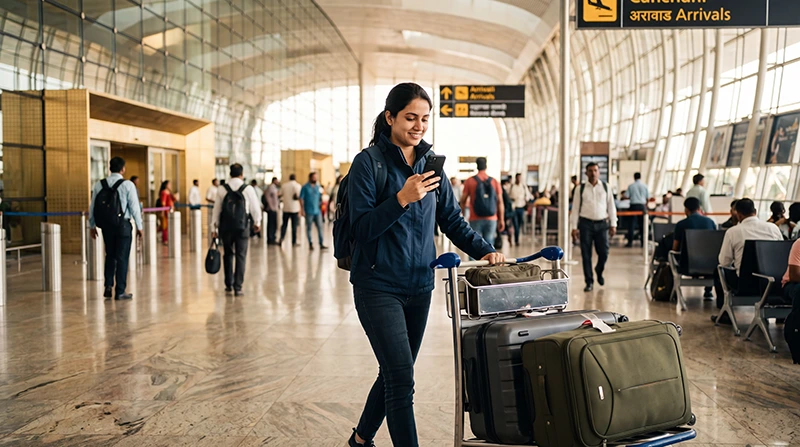

Traveler accessing mobile internet after arriving at Mumbai Airport

Internet at Mumbai Airport: Best Ways to Get Online

Landing at Chhatrapati Shivaji Maharaj International Airport (BOM) is often the start of an exciting journey through India. Whether you’re heading to South Mumbai, Bandra, Goa, Pune or another destination, having internet access immediately after arrival makes travelling much easier.

You’ll probably need Google Maps, Uber, hotel confirmations, train tickets or WhatsApp before you even leave the airport.

Fortunately, there are several ways to get online at Mumbai Airport, including free airport WiFi, local SIM cards and travel eSIMs.

Quick answer: the easiest and fastest option for most international travelers is an India eSIM installed before departure. It connects shortly after landing and avoids airport queues and paperwork.

Top India eSIMs

Internet Options at Mumbai Airport

Option Available Immediately Works Outside Airport
Airport WiFi Yes No
Airport SIM Card Usually after activation Yes
India eSIM Yes Yes

Each option suits different types of travelers, depending on how quickly you need internet and whether you’ll continue travelling beyond the airport.

Using Free WiFi at Mumbai Airport

Mumbai Airport offers complimentary WiFi throughout Terminal 2. Connect to #MumbaiAirportWiFi, open your browser and complete the verification process using an OTP sent to your mobile number. Travelers without SMS access can receive assistance at an Information Desk after presenting identification.

Airport WiFi is useful for:

  • Checking emails.
  • Booking airport transport.
  • Downloading boarding passes.
  • Messaging family.
  • Checking hotel reservations.

Once you leave the terminal, you’ll need mobile data to remain connected.

Buying a SIM Card at Mumbai Airport

International arrivals can purchase local SIM cards from telecom counters inside Terminal 2.

Typically you’ll need:

  • Passport.
  • Valid visa.
  • Identity verification.
  • Possible activation waiting time.

Although convenient, this process may take longer than activating a travel eSIM.

Why an India eSIM Is the Best Alternative

An India eSIM can be installed before your flight while you’re still connected to WiFi at home.

  • No physical SIM card.
  • No airport queues.
  • No passport verification after landing.
  • Keep your existing phone number.
  • Works throughout India.
  • Perfect for holidays and business travel.

Browse India eSIM plans.

How to Activate Your India eSIM After Landing

  1. Turn off Airplane Mode.
  2. Enable your India eSIM.
  3. Select it for Mobile Data.
  4. Turn on Data Roaming.
  5. Leave Network Selection on Automatic.
  6. Wait a few minutes for the connection.

Your QR code and installation instructions are emailed immediately after purchase and are also available in your NoveSIM account.

Recommended Mobile Settings

Setting Recommended Value
Mobile Data India eSIM
Calls Primary SIM
SMS Primary SIM
Data Roaming (India eSIM) ON
Data Roaming (Primary SIM) OFF
Automatic Data Switching OFF
Network Selection Automatic
APN data.esim if required

India eSIM APN Settings

Most smartphones configure the APN automatically. If manual configuration is required, use the following settings.

Field Value
APN data.esim
Username Leave blank
Password Leave blank
Authentication None

Can You Keep Your Home SIM?

Yes. Most Dual SIM smartphones allow you to keep your primary SIM active for calls, SMS and banking verification codes while your India eSIM provides mobile internet.

Disable Data Roaming on your primary SIM to avoid unexpected roaming charges.

Does WhatsApp Work?

Yes. WhatsApp continues using your existing phone number while your India eSIM supplies the internet connection.

Travel Tips

  • Install your eSIM before departure.
  • Download offline Google Maps.
  • Book airport transport in advance.
  • Carry a power bank.
  • Keep your QR code until your trip ends.
  • Use airport WiFi as a backup.
  • Restart your phone if it doesn’t connect immediately.

Related India Guides

FAQ

Does Mumbai Airport have internet?

Yes. Passengers can use the airport’s free WiFi, buy a local SIM card or connect with a travel eSIM.

Can I use airport WiFi after leaving the airport?

No. Airport WiFi only works inside the terminal. You’ll need mobile data after leaving the airport.

Is an eSIM better than buying a SIM card?

For most international visitors, yes. A travel eSIM avoids queues, paperwork and physical SIM replacement while connecting within minutes after arrival.

Can I keep my regular phone number?

Yes. Your primary SIM can remain active while your India eSIM provides mobile internet.

What APN should I use?

If manual configuration is required, use data.esim.

Final Recommendation

Mumbai Airport offers several ways to access the internet, but a travel eSIM provides the smoothest experience for most visitors. Install it before departure, activate it after landing and enjoy reliable mobile internet throughout your trip without waiting at SIM counters.

Enable Data Roaming, select your India eSIM for Mobile Data and use data.esim if manual APN configuration is required.

Browse India eSIM plans here.

Scroll to Top