
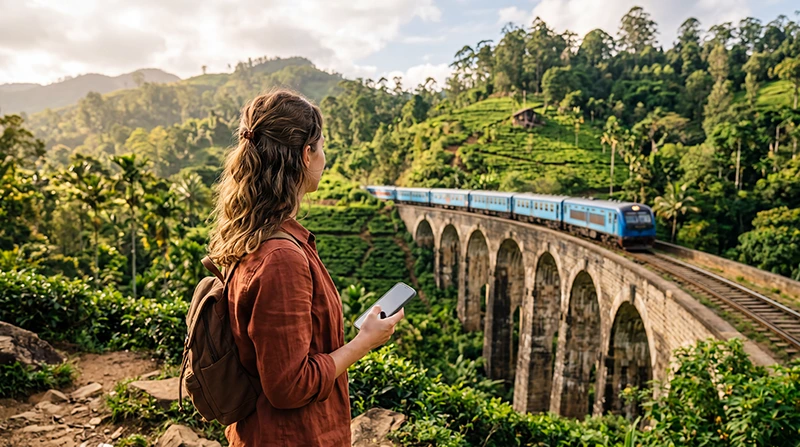

Whether you’re visiting Sri Lanka for beaches, wildlife, surfing, hiking or cultural sightseeing, having the right travel apps can make your trip significantly easier. From navigating Colombo’s busy streets to booking transport in Ella or checking surf conditions in Arugam Bay, your smartphone quickly becomes one of your most valuable travel tools.
Reliable mobile internet allows these apps to work smoothly wherever you travel. Most international visitors choose a Sri Lanka eSIM because it can be installed before departure and activated shortly after landing.
Quick answer: install your Sri Lanka eSIM before departure, then use apps like Google Maps, PickMe, WhatsApp and Google Translate throughout your trip.
Top Sri Lanka eSIMs
Why Mobile Internet Matters
Many of Sri Lanka’s most useful travel apps require an active internet connection. Navigation, ride-hailing, hotel bookings, weather forecasts and digital tickets all work better with reliable mobile data.
| Internet Option | Best For | Main Advantage |
|---|---|---|
| Sri Lanka eSIM | Most tourists | Install before departure |
| Local SIM Card | Long stays | Local phone number |
| Hotel WiFi | Large downloads | Usually free |
| International Roaming | Emergency use | No setup |
Why Use a Sri Lanka eSIM?
- Install before travelling.
- No physical SIM card.
- No airport queues.
- Keep your regular phone number.
- Works across Sri Lanka.
- Perfect for Google Maps and travel apps.
- Ideal for Dual SIM phones.
Top Apps for Sri Lanka
| App | Best For |
|---|---|
| Google Maps | Navigation |
| PickMe | Taxis and tuk-tuks |
| Uber | Transport in larger cities |
| Communication | |
| Google Translate | Language assistance |
| Booking.com | Accommodation |
| Google Wallet / Apple Wallet | Travel documents |
| Windy | Weather and surf forecasts |
Google Maps
Google Maps is one of the most important apps during your trip. It helps you navigate cities, find hotels, restaurants, ATMs, beaches, train stations and tourist attractions.
Download offline maps before travelling through mountain regions or national parks where coverage may occasionally weaken.
PickMe
PickMe is Sri Lanka’s most popular local ride-hailing app. It allows you to book taxis, tuk-tuks and deliveries in many cities.
Having mobile data makes it much easier to request rides without negotiating prices on the street.
Uber
Uber is available in Colombo and selected surrounding areas. If Uber is unavailable, PickMe is usually the preferred local alternative.
Hotels, tour operators, surf schools, drivers and guesthouses frequently communicate through WhatsApp.
Your existing WhatsApp number continues to work while using a Sri Lanka eSIM.
Read our guide to using WhatsApp in Sri Lanka.
Google Translate
Although English is widely spoken in tourist areas, Google Translate can be helpful when communicating in Sinhala or Tamil.
Download offline language packs before your trip for situations where your connection may temporarily disappear.
Booking Apps
Booking platforms make it easy to reserve hotels, guesthouses and villas throughout Sri Lanka.
Mobile internet allows you to receive confirmations instantly and communicate directly with accommodation providers.
Weather Apps
Weather forecasts are especially useful if you’re planning safaris, hiking, surfing or train journeys through the hill country.
Apps such as Windy can also help surfers monitor swell and wind conditions.
Maps and Navigation During Your Trip
Google Maps works well across most tourist destinations including Colombo, Kandy, Ella, Galle, Mirissa, Sigiriya and Arugam Bay.
GPS continues working even if your mobile signal briefly weakens, especially when you’ve downloaded offline maps.
Recommended Mobile Settings
| Setting | Recommended Value |
|---|---|
| Mobile Data | Sri Lanka eSIM |
| Calls | Primary SIM |
| SMS | Primary SIM |
| Data Roaming | ON (eSIM) |
| Automatic Data Switching | OFF |
| Network Selection | Automatic |
| APN | data.esim if required |
How Much Data Do Travel Apps Use?
| Activity | Typical Usage |
|---|---|
| Google Maps | Low |
| WhatsApp Messages | Very Low |
| Ride-hailing apps | Low |
| Hotel bookings | Low |
| Video calls | High |
| Video streaming | Very High |
Most travel apps consume very little data. Navigation, messaging and booking services are unlikely to use more than a few hundred megabytes during an average holiday.
Sri Lanka eSIM APN Settings
Most phones configure the APN automatically. If manual configuration is required, use:
| Field | Value |
|---|---|
| APN | data.esim |
| Username | Leave blank |
| Password | Leave blank |
| Authentication | None |
What If the Apps Stop Working?
- Confirm the Sri Lanka eSIM is enabled.
- Select it for Mobile Data.
- Enable Data Roaming.
- Disable Automatic Data Switching.
- Check that the APN is data.esim.
- Toggle Airplane Mode for 30 seconds.
- Restart your phone.
Travel App Tips
- Install your apps before departure.
- Download offline Google Maps.
- Save hotel addresses.
- Enable automatic cloud backups only on WiFi.
- Carry a power bank.
- Keep important bookings available offline.
- Disable roaming on your primary SIM.
- Use hotel WiFi for software updates.
Related Sri Lanka Guides
- Sri Lanka eSIM
- Google Maps in Sri Lanka
- Does PickMe Work in Sri Lanka?
- Does Uber Work in Sri Lanka?
- Internet on Sri Lanka Trains
- Best Network in Sri Lanka
FAQ
Which navigation app is best for Sri Lanka?
Google Maps is the most popular choice for navigation throughout Sri Lanka.
Is PickMe better than Uber?
PickMe has broader coverage across Sri Lanka, while Uber mainly operates in Colombo and nearby areas.
Do I need internet for these apps?
Yes. Most travel apps require mobile data or WiFi, although offline maps continue working without a connection.
Does WhatsApp work with a Sri Lanka eSIM?
Yes. Your WhatsApp account continues using your existing phone number while the eSIM provides mobile data.
What APN should I use?
If manual configuration is required, use data.esim.
Final Recommendation
The right travel apps can make exploring Sri Lanka significantly easier. Google Maps, PickMe, WhatsApp and Booking.com cover most daily travel needs, while a Sri Lanka eSIM keeps them connected wherever you go.
Install your eSIM before departure, enable Data Roaming after arrival and use data.esim if manual APN configuration is required.


