
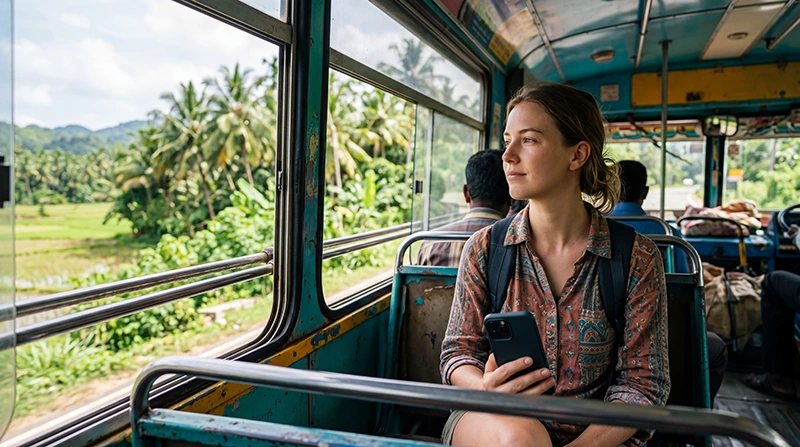

Traveler using mobile internet while riding a local bus in Sri Lanka

Internet on Sri Lanka Buses: Stay Connected While Exploring the Island

Buses are one of the most popular and affordable ways to travel around Sri Lanka. Whether you’re travelling between Colombo, Kandy, Ella, Galle, Mirissa, Sigiriya or Arugam Bay, reliable mobile internet makes every journey more convenient.

You can use mobile data to navigate, contact your accommodation, book transport, check weather forecasts, communicate through WhatsApp and plan your next destination while travelling.

Tourists usually stay connected using a Sri Lanka travel eSIM, a local prepaid SIM card, hotel WiFi before departure or international roaming. For most visitors, an eSIM is the easiest option because it can be installed before departure and activated immediately after arrival.

Quick answer: install your Sri Lanka eSIM before travelling, enable it after arrival, select it for Mobile Data and turn on Data Roaming before boarding the bus.

Top Sri Lanka eSIMs

What Is the Best Internet Option for Bus Travel?

Unlike hotels or cafés, buses rarely provide onboard WiFi. Mobile data is therefore the most practical way to stay connected throughout your journey.

Option Best For Main Advantage
Sri Lanka eSIM Most tourists Ready before arrival
Local prepaid SIM Long stays Local phone number
Hotel WiFi Before departure Large downloads
International roaming Emergency use No setup required

A travel eSIM lets you stay connected throughout your journey without replacing your regular SIM card.

Why Use a Sri Lanka eSIM?

  • Install before departure.
  • No physical SIM card required.
  • No airport queues.
  • Keep your home SIM active.
  • Reliable mobile internet across Sri Lanka.
  • Ideal for Dual SIM smartphones.
  • Perfect for navigation during bus travel.

Browse Sri Lanka eSIM plans.

How to Activate Your eSIM

  1. Install the eSIM while connected to WiFi.
  2. Arrive in Sri Lanka.
  3. Enable the eSIM.
  4. Select it for Mobile Data.
  5. Enable Data Roaming.
  6. Leave Network Selection on Automatic.

Your QR code and installation instructions are delivered immediately after purchase and remain available inside your NoveSIM account.

Recommended Mobile Settings

Setting Recommended Value
Mobile Data Sri Lanka eSIM
Calls Primary SIM
SMS Primary SIM
Data Roaming ON (eSIM)
Automatic Data Switching OFF
Network Selection Automatic
APN data.esim if required

Will Mobile Internet Work on Sri Lanka Buses?

Yes. Mobile internet works on most bus routes throughout Sri Lanka. Coverage is generally strong when travelling through cities, towns and along major highways.

Temporary signal loss may occur in mountain regions, forests, national parks and remote rural areas, but your phone will normally reconnect automatically.

Coverage on Popular Bus Routes

Route Typical Coverage
Colombo – Galle Excellent
Colombo – Kandy Excellent
Kandy – Ella Very Good
Ella – Arugam Bay Good
Colombo – Sigiriya Very Good
Colombo – Trincomalee Very Good

Roads through the central highlands and remote wildlife areas may experience occasional coverage interruptions.

Which Mobile Network Is Best?

Dialog and SLT-Mobitel generally provide the strongest nationwide coverage for travellers moving between Sri Lanka’s main tourist destinations.

Network Best For Coverage
Dialog Overall travel Excellent
SLT-Mobitel Mountain regions Very Good
Hutch Budget travellers Good

Learn more in our guide to the best mobile network in Sri Lanka.

What Should You Download Before Your Journey?

Before boarding a long-distance bus, it’s a good idea to save important information offline.

  • Offline Google Maps.
  • Hotel confirmations.
  • Travel tickets.
  • Entertainment and music.
  • Translation packs.
  • Emergency contacts.
  • Travel itinerary.

Does WhatsApp Work on Buses?

Yes. WhatsApp works normally whenever mobile data is available. If coverage briefly disappears, messages are automatically delivered once your connection returns.

Your existing WhatsApp number remains unchanged while using a Sri Lanka eSIM.

Read our guide to using WhatsApp in Sri Lanka.

Can You Use Google Maps?

Yes. Google Maps works well throughout most bus journeys and is useful for tracking your location, estimating arrival times and finding your accommodation after getting off the bus.

Downloading offline maps before travelling through mountain regions is recommended.

How Much Data Do You Need?

Usage Suggested Data
Maps and messaging 5 GB
One-week holiday 10 GB
Two-week holiday 20 GB
Streaming and hotspot 30 GB+

Navigation and messaging require relatively little data, while video streaming and hotspot sharing consume much more.

Sri Lanka eSIM APN Settings

Most phones configure the APN automatically. If manual configuration is required, use the following settings.

Field Value
APN data.esim
Username Leave blank
Password Leave blank
Authentication None

What If Mobile Internet Stops Working?

  1. Confirm the Sri Lanka eSIM is enabled.
  2. Select it for Mobile Data.
  3. Enable Data Roaming.
  4. Disable Automatic Data Switching.
  5. Verify the APN is data.esim.
  6. Use Airplane Mode for 30 seconds.
  7. Restart your phone if necessary.

If you’re travelling through remote countryside or mountain roads, temporary signal loss is normal and the connection usually returns automatically.

Bus Travel Internet Tips

  • Install your eSIM before departure.
  • Download offline maps.
  • Save hotel addresses offline.
  • Download entertainment before long journeys.
  • Carry a power bank.
  • Use hotel WiFi for large downloads.
  • Disable roaming on your primary SIM.
  • Keep travel confirmations available offline.

Related Sri Lanka Guides

FAQ

Does mobile internet work on Sri Lanka buses?

Yes. Mobile internet is available on most bus routes, although brief interruptions can occur in mountain and rural areas.

Do buses in Sri Lanka have WiFi?

Most local and intercity buses do not offer onboard WiFi, so mobile data is the best way to stay connected.

Should I download offline maps?

Yes. Offline maps are useful before travelling through remote areas where coverage may temporarily weaken.

Does WhatsApp work while travelling?

Yes. WhatsApp works normally using mobile data and automatically reconnects if the signal briefly disappears.

What APN should I use?

If manual configuration is required, use data.esim.

Final Recommendation

A Sri Lanka eSIM is the easiest way to stay connected while travelling by bus. It provides reliable mobile internet for maps, messaging, bookings and travel planning throughout your journey.

Although temporary signal loss may occur in remote mountain or rural areas, your phone will normally reconnect automatically once coverage improves.

Install your eSIM before departure, enable Data Roaming after arrival and use data.esim if manual APN configuration is required.

Browse Sri Lanka eSIM plans here.

Scroll to Top