


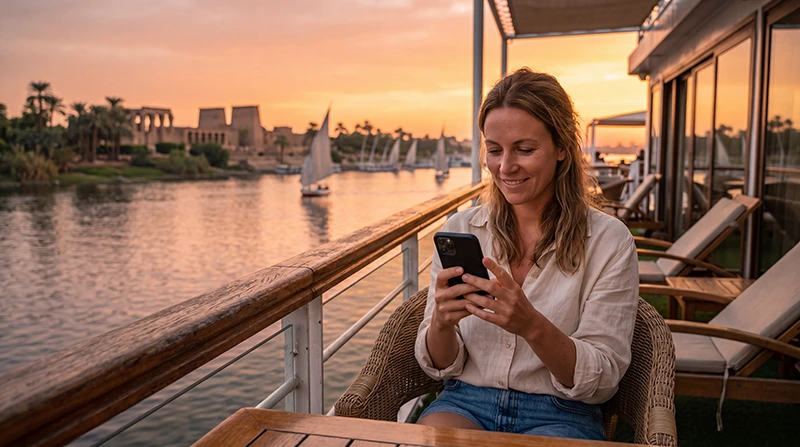

Internet on an Egypt Nile cruise depends on two different connections: the vessel’s Wi-Fi service and mobile reception available to your phone along the river. Neither should be assumed to work continuously while sailing.
For a Luxor–Aswan itinerary, prepare to download the day’s meeting details before leaving the boat and postpone large photo uploads until you have a reliable connection. The important information should stay accessible when both services are unavailable.
Our NoveSIM travel eSIMs provide mobile data, without an Egyptian number, conventional calls or SMS. They use supported terrestrial mobile networks; buying an Egypt plan does not create satellite internet aboard a vessel.
Quick answer: Ask the cruise operator what Wi-Fi your specific boat offers, whether it costs extra and where it works. Use an Egypt-covered eSIM as an alternative wherever its partner network is available, not as uninterrupted river coverage. Download tickets, excursion instructions and contacts before sailing.
Top Egypt eSIMs

Egypt eSIM
Fixed
1 GB, 7 days€ 4.462 GB, 15 days€ 7.143 GB, 30 days€ 9.82Unlimited
Unlimited, 1 day€ 4.91Unlimited, 3 days€ 11.60Unlimited, 5 days€ 18.74
Africa eSIM
Fixed
1 GB, 7 days€ 10.262 GB, 15 days€ 19.193 GB, 30 days€ 26.78Unlimited
Unlimited, 1 day€ 13.83Unlimited, 3 days€ 39.72Unlimited, 5 days€ 65.60Ask about the booked vessel, not just the cruise brand
Before departure, request the Wi-Fi details for your actual boat. A booking description saying “Wi-Fi available” does not establish the allowance, speed, access in cabins or number of devices you can connect.
- Is internet included in the fare or charged separately?
- Is the allowance per device, cabin, day or whole cruise?
- Does access work in cabins as well as shared areas?
- What can guests reasonably expect while the boat is sailing?
If you need a scheduled work call, ask specifically whether the operator can support it. Do not interpret a general amenity listing as a service guarantee. We have not measured individual boats’ connections or verified a route-wide mobile coverage map here.
Ship Wi-Fi and an eSIM can fail for different reasons
| Connection | What you control | What remains uncertain |
|---|---|---|
| Vessel Wi-Fi | Joining the correct network and completing its login | The boat’s internet link, shared capacity and access conditions |
| Travel eSIM | Package choice and the phone’s data-line settings | Reception at the boat’s position and supported network capacity |
A Wi-Fi symbol may show that the phone is connected to the boat’s router even when the router has no usable internet. Equally, a mobile signal icon does not establish that a download or call will complete.
Test each separately with a small webpage. Turn Wi-Fi off briefly when testing the eSIM, and avoid assuming that the boat and phone use independent upstream connections. Two available options are useful, but they are not necessarily two independent backups.
Set up mobile data before the river itinerary begins
Check the Egypt package details for coverage, validity, allowance and hotspot terms. The phone must support eSIM and be unlocked for another provider. Install using a dependable connection when the package’s activation rule permits it.
Follow the Egypt activation instructions before relying on the profile aboard the boat. Select the travel line for data, apply its roaming instructions and prevent automatic fallback to home-SIM data.
If manual APN configuration is required, NoveSIM uses data.esim. Keep home-line data roaming off unless you deliberately use an included roaming service. A cruise fare that includes Wi-Fi does not cover home-provider roaming charges.
Save the next shore excursion before leaving
- Download the guide’s meeting time and precise pickup or return point.
- Save the vessel name, operator contact and any booking reference.
- Keep the day’s tickets and confirmation files accessible without opening an inbox.
- Agree how the group will handle a changed return time if messages fail.
- Charge the phone and carry the essential details in a second accessible form if needed.
The return point matters more than a general pin for the city. Do not assume that a boat will remain at the same place or that a guide can always reach you through an app. Use the operator’s instructions for your own itinerary.
On a temple visit, concentrate on having the ticket and meeting information saved rather than continually checking reception. A screenshot is an offline reference, not a promise of live navigation.
Budget for photos without making every upload immediate
A day’s sightseeing can produce much more upload traffic than the messages needed to coordinate it. Pause automatic photo backup over mobile data and send a small selection when the connection is stable. Leave full-resolution albums for a dependable connection with suitable terms.
If sharing a hotspot, include the other devices’ use in the allowance and check that tethering is permitted. Our Egypt data-usage guide helps estimate usage; it cannot predict your vessel’s speed or the reception during sailing.
When the connection disappears between stops
If mobile data worked earlier and fails as the boat moves, retain the installed profile and retry later from a safe, permitted passenger area. Do not repeatedly change APNs or delete the eSIM to chase a signal.
If the same problem remains after reaching a location where service should be available, check line selection, validity, remaining data and travel-line roaming through Egypt troubleshooting. Ask the crew about vessel Wi-Fi separately.
A Red Sea or other offshore cruise is a different itinerary. Egypt land coverage does not promise service offshore, and any maritime service offered by the ship has its own terms. Confirm those with the operator instead of treating this Nile guide as an offshore coverage claim.
Related Articles
FAQ
Will an Egypt eSIM work throughout a Nile cruise?
Do not assume continuous service. It can supply data where the plan’s supported terrestrial network is available, but reception can change with the boat’s position and conditions.
Does every Nile cruise include free Wi-Fi?
No universal inclusion is confirmed here. Ask the operator about your specific vessel, allowance, price and access areas.
Can I depend on the boat’s Wi-Fi for a video meeting?
Confirm that requirement with the operator and have a rescheduling plan. A listing for Wi-Fi does not guarantee enough capacity or reliability for a timed meeting.
Should I reinstall the eSIM when data drops while sailing?
No. Keep the profile installed, check basic settings and retry when reception is available. Delete it only if support specifically instructs you to do so.
Final Recommendation
Plan internet for an Egypt Nile cruise with the booked vessel’s Wi-Fi terms and a mobile-data alternative where coverage permits.
Set up the travel line before departure and save the next excursion’s return instructions while connected.
Let messages and bookings take priority over large uploads, and make the sailing periods manageable without internet.