


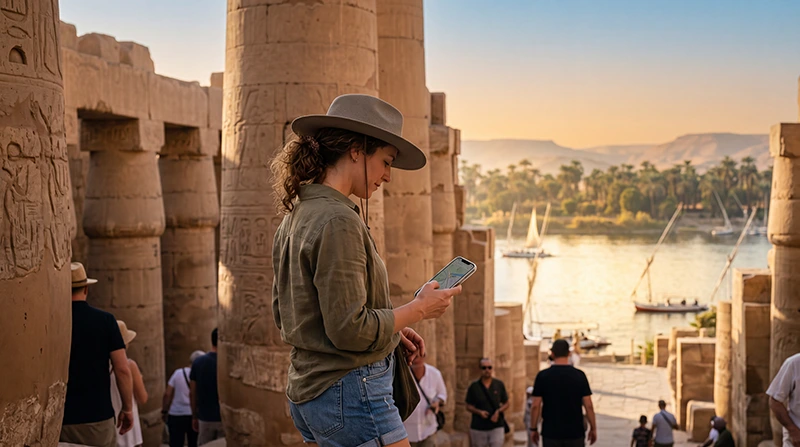

For internet in Luxor, use hotel Wi-Fi for downloads and a mobile-data connection for messages, maps and arrangements outside your accommodation. Do not make a temple visit depend on being able to open a ticket or contact your driver online.
A day here can take you from an East Bank hotel to several West Bank sites, then back to a different meeting point. Save the actual pickup location and agreed time, not just a pin labelled “Luxor”.
Our NoveSIM travel eSIMs provide data without an Egyptian phone number, conventional calls or SMS. You can use internet messaging through the connection, but a driver who expects a regular telephone call needs a separately agreed contact method.
Quick answer: Test your hotel’s Wi-Fi before relying on it, and use an Egypt-covered eSIM or local SIM when you leave. Download the Luxor area map, booking files and driver details first. Mobile reception is not guaranteed inside tombs, buildings or at every sightseeing stop; agree a meeting point that still works if messages fail.
Top Egypt eSIMs

Egypt eSIM
Fixed
1 GB, 7 days€ 4.462 GB, 15 days€ 7.143 GB, 30 days€ 9.82Unlimited
Unlimited, 1 day€ 4.91Unlimited, 3 days€ 11.60Unlimited, 5 days€ 18.74
Africa eSIM
Fixed
1 GB, 7 days€ 10.262 GB, 15 days€ 19.193 GB, 30 days€ 26.78Unlimited
Unlimited, 1 day€ 13.83Unlimited, 3 days€ 39.72Unlimited, 5 days€ 65.60Is hotel Wi-Fi enough for a Luxor stay?
It may be enough if you take organised excursions and only need internet back at the hotel. Ask whether access is included and whether it reaches your room. A lobby connection tells you little about the connection upstairs, and a Wi-Fi symbol alone does not confirm that the hotel has working internet.
Before downloading a large offline map, open a small webpage and send a message. Complete any sign-in screen required by the hotel. If the network connects but nothing loads, ask reception whether there is an outage or an access-code problem before changing your phone’s mobile settings.
For independently arranged visits, mobile data is useful for a changed pickup, a restaurant address or a message after leaving the hotel. It is an alternative connection, not a guarantee that every location will have service.
Prepare for the East and West Banks separately
Luxor Temple and Karnak are on the East Bank; the Valley of the Kings and Hatshepsut’s temple are on the West Bank. The Egyptian Ministry of Tourism and Antiquities’ site overview identifies the monuments on each side. This distinction matters when sharing an address or arranging a return journey.
Save your accommodation’s address, the next site’s entrance or meeting location, and your driver’s instructions while connected. Confirm which bank the pickup is on. An offline map can help you recognise the area, but it does not supply live traffic or confirm that a suggested crossing is appropriate for your journey.
At the Valley of the Kings, keep any booking reference and visit instructions accessible offline. Do not assume mobile service will continue inside a tomb. This guide does not claim tested reception at individual monuments.
Choose a connection for the time outside the hotel
A travel eSIM is convenient if your exact phone supports it and is unlocked. A physical SIM is an alternative for a phone without eSIM support. If you need an Egyptian number as well as data, check the local SIM offer rather than assuming our data-only plans provide one.
Review the Egypt eSIM package for its allowance, validity, activation rule and supported networks before buying. We do not promise a particular operator, 5G service or uninterrupted Luxor coverage here. Those depend on the package, device and reception where you are.
If you are undecided between roaming, a local SIM and an eSIM, the Egypt internet-options comparison covers that choice. For this city visit, the practical question is whether you need to communicate while away from Wi-Fi.
Before your first sightseeing pickup
- Install the eSIM over a dependable connection, following the package’s activation timing rather than assuming installation and validity start are the same event.
- Select the travel line for mobile data and apply its roaming instructions. Keep home-SIM data roaming off unless you deliberately use an included service.
- Turn Wi-Fi off briefly and test a small webpage and the messaging app you will use with your guide or driver.
- Save the pickup point, meeting time, contact details and booking files offline.
- Agree what happens if either person cannot send a message, then charge your phone before leaving.
The Egypt activation guide explains the setup in more detail. If manual APN entry is required for NoveSIM, use data.esim, not a domestic SIM provider’s APN. Avoid automatic data switching to your home line.
Keep sightseeing photos from using the whole allowance
Navigation and short messages are a different workload from backing up a day’s videos. Pause automatic cloud photo uploads on mobile data and send selected pictures instead. Leave the full album for a suitable Wi-Fi connection.
If another traveller connects through your hotspot, their downloads count too, where your plan permits tethering. Estimate the whole group’s use with the Egypt data-allowance guide. A larger allowance does not fix weak reception.
Leaving Luxor on a Nile cruise
Before boarding, save the vessel name and exact embarkation instructions. Confirm them with the operator rather than relying on a general riverfront location. Once sailing begins, both the boat’s Wi-Fi and your phone’s connection can vary.
See the Nile cruise internet guide for questions to ask about the booked vessel. An Egypt mobile-data plan is not satellite internet and does not establish continuous service along the river.
If mobile data stops during the day
First distinguish a hotel Wi-Fi problem from an eSIM problem: switch Wi-Fi off to test the travel line. If data worked earlier, check remaining allowance and validity before changing settings. Try again from a safe, permitted location outside the building if reception appears weak.
Keep the eSIM installed. For a persistent failure, use Egypt eSIM troubleshooting and contact support with the device and error details. Do not delete the profile unless support specifically instructs you to do so.
Related Articles
FAQ
Can I rely only on hotel Wi-Fi in Luxor?
Possibly, if your arrangements are fixed and you save essential details offline. For independent sightseeing, mobile data gives you another way to communicate outside the hotel. Check the actual hotel’s Wi-Fi access and room reception.
Will mobile internet work inside the Valley of the Kings tombs?
Do not assume it will. No tomb-specific reception is verified here. Save tickets and meeting instructions before entering, and arrange a return point without depending on live messages.
Can I telephone my Luxor driver with a NoveSIM eSIM?
Our travel eSIMs are data-only and do not provide conventional calls or an Egyptian number. Agree an internet messaging method with the driver, or use a separate voice service if a regular call is necessary.
Does a Luxor connection also cover a Nile cruise?
The same Egypt-covered plan may work where its supported terrestrial network is available, but it does not guarantee continuous reception while sailing. Check your vessel’s Wi-Fi separately.
Final Recommendation
Plan internet in Luxor around the hotel, the day’s sightseeing and the next pickup. Use Wi-Fi for preparation and mobile data for communication when coverage permits.
Test the travel line before leaving and save the East or West Bank meeting details offline.
Choose an allowance for your actual usage, postpone large uploads and keep the day’s plans usable even when the phone cannot connect.