


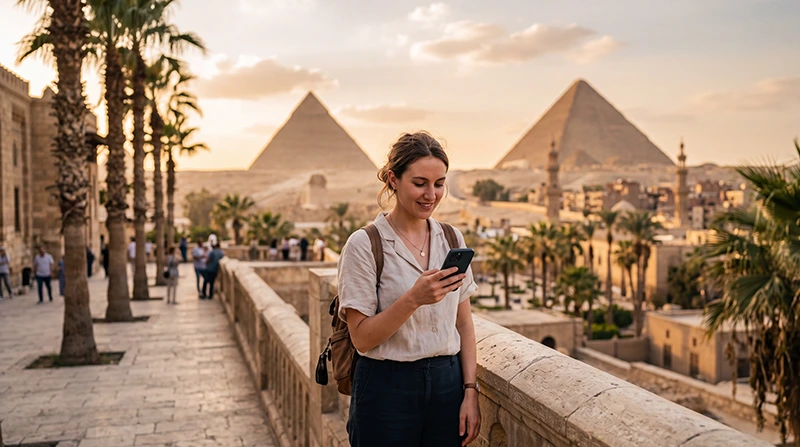

The best way to get internet in Egypt depends on what you need the connection to do. A compatible travel eSIM suits a visitor who wants data without shopping after landing. An Egyptian SIM is worth comparing if a local telephone number matters. Included home roaming can be convenient, while hotel Wi-Fi is mainly useful at the property.
Start with the moments when being offline would cause a problem: finding your Cairo transfer, contacting a tour operator in Luxor or meeting a driver outside a Red Sea resort. Choose a service that covers those moments, then use Wi-Fi for larger downloads when available.
With NoveSIM, we provide travel data rather than an Egyptian number, conventional calls or SMS. Check the current Egypt eSIM plans for the allowance, validity and service terms before deciding whether that matches your trip.
Quick answer: Choose a travel eSIM for convenient prepaid data if your phone supports it and is unlocked. Compare an Egyptian SIM when you need a local number or an in-person service. Use home roaming if Egypt is explicitly included at an acceptable cost, and treat hotel Wi-Fi as a supplement when you will leave the property.
Top Egypt eSIMs

Egypt eSIM
Fixed
1 GB, 7 days€ 4.462 GB, 15 days€ 7.143 GB, 30 days€ 9.82Unlimited
Unlimited, 1 day€ 4.91Unlimited, 3 days€ 11.60Unlimited, 5 days€ 18.74
Africa eSIM
Fixed
1 GB, 7 days€ 10.262 GB, 15 days€ 19.193 GB, 30 days€ 26.78Unlimited
Unlimited, 1 day€ 13.83Unlimited, 3 days€ 39.72Unlimited, 5 days€ 65.60Match the internet option to the job
| Your priority | Option to consider | Check before committing |
|---|---|---|
| Data ready for the airport transfer | Travel eSIM or an included roaming allowance | Device eligibility and first-use or activation rules |
| An Egyptian number for ordinary calls | A local service with voice included | Visitor registration, call allowance and documents |
| A phone that cannot use eSIM | Physical SIM, suitable home roaming or Wi-Fi | Carrier lock and spare SIM slot |
| Mostly staying at one resort | Property Wi-Fi with optional mobile backup | Room coverage, access fees and excursion needs |
| Work calls and laptop access | Tested accommodation internet plus mobile backup | Upload quality, hotspot permission and data limits |
No option guarantees reception throughout Egypt. Buying more data does not fix weak signal at a remote meeting point or an overloaded connection inside a hotel.
When a travel eSIM is the convenient choice
An eSIM lets you obtain a data profile online and install it without replacing a physical card. That is useful for a short visit when you would rather leave the airport than find a sales counter. It also gives you a known allowance instead of an open-ended home-carrier data tariff.
Check the exact phone variant, not only the model family: eSIM support and active-line combinations can differ. Confirm that the handset is unlocked. Read the validity start rule before installation so an early setup does not unexpectedly start the plan.
For a closer comparison of travel plans, use what to look for in an Egypt eSIM. Do not assume that every provider uses the same network or offers the same hotspot access.
When an Egyptian SIM deserves a closer look
A local SIM can make sense when you need domestic voice service, expect a longer stay or want help from an operator’s shop. Compare the total bundle rather than just the initial card price: ask about the data allowance, renewal, taxes and what happens when the package ends.
Use an authorised seller and confirm current visitor registration requirements before purchase. Do not count on an airport counter being open at your arrival time. The Egypt SIM card guide is the place to compare local services; this decision should include whether you actually need a number.
A local eSIM and a travel eSIM are not necessarily interchangeable products. Their purchase, identity checks and activation conditions may differ even though both use a digital profile.
Check home roaming before paying twice
If your existing plan includes Egypt, it may already cover the trip. Check the data amount, any speed restriction, pass triggers and charges for calls. If it does not include Egypt, calculate the carrier cost for the whole stay rather than assuming an allowance for Europe applies.
The Egypt roaming cost guide explains how to separate home-line data from conventional calls. Keeping a home number active while using a travel data line does not remove its voice charges.
Decide whether hotel Wi-Fi is enough
Wi-Fi may be sufficient if you spend most of the holiday at one property and can tolerate being offline during transfers. Ask whether access is included in the room, not just in the lobby. If work depends on it, ask for evidence from the room or workspace where you will use it.
For a trip through Cairo, Luxor and Aswan, a property connection cannot cover the travel between them. Resort excursions also take you beyond the hotel’s network. Save bookings and contacts before departure even if you buy mobile data.
Choose the allowance around your itinerary
A week using messages, maps and booking pages needs a different allowance from a week of video meetings or automatic photo backup. Look at your own phone’s usage history, decide which large tasks you can leave for Wi-Fi and allow for days when the property connection is unavailable.
Check how much data to prepare for Egypt before buying. On an unlimited-labelled plan, read fair-use and hotspot conditions; the label does not establish unrestricted laptop use.
Prepare the first connection before departure
- Confirm that the chosen service includes Egypt and meets any device or registration requirements.
- Save the transfer contact, hotel address and booking confirmation offline.
- If using an eSIM, install it on reliable Wi-Fi according to its timing instructions.
- Keep access to the purchase email and support details without needing mobile data.
- After arrival, follow the Egypt eSIM activation steps, then test a webpage before leaving Wi-Fi.
Related Articles
- Using mobile data during an Egypt trip
- Local SIM versus travel eSIM in Egypt
- Internet planning for remote work in Egypt
FAQ
What is the best internet option for a short Egypt holiday?
A travel eSIM is convenient for a compatible unlocked phone when prepaid data is the main requirement. Included home roaming may already be sufficient; check it before buying another plan.
Should I choose a local SIM if I need an Egyptian number?
Compare local packages that explicitly include voice service and a number. Our NoveSIM travel eSIMs provide data, not an Egyptian telephone number.
Can resort Wi-Fi replace mobile data?
It may cover use at the property, but it will not follow you on transfers or excursions. Decide whether offline bookings and occasional Wi-Fi are enough for those parts of the holiday.
Which option works best on a Nile cruise?
Ask the cruise operator about onboard internet and prepare offline information. Mobile reception depends on the boat’s position and the plan’s network; neither a SIM nor an eSIM guarantees a continuous connection along the itinerary.
Final Recommendation
The best way to get internet in Egypt is the option that covers your phone, communication needs and time away from Wi-Fi. Choose prepaid travel data for convenience, local service when a number matters, or home roaming when your tariff already makes it worthwhile.
Check the full cost and terms, then prepare the transfer and first connection before departure. Use the mobile-data guide for day-to-day settings once you have made the choice.