
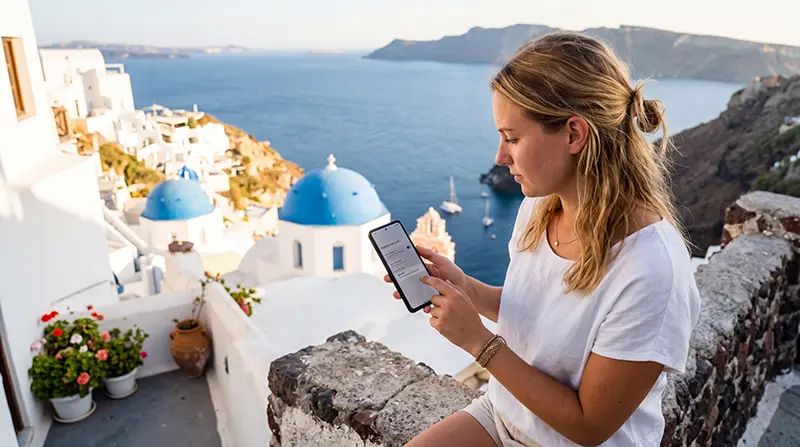

Installing a Greece eSIM before your trip is one of the easiest ways to prepare mobile internet for your holiday. Whether you are visiting Athens, Santorini, Mykonos, Crete, Rhodes, Corfu, Zakynthos, Paros, Naxos, Milos or several Greek islands in one itinerary, an eSIM helps you get connected without buying a physical SIM card after arrival.
A Greece eSIM is useful for Google Maps, ferry tickets, hotel check-ins, airport transfers, WhatsApp, translation apps, taxis, restaurant reservations, online banking, weather updates and travel planning. The most important step is to install the eSIM correctly before departure while you have stable WiFi.
Quick answer: install your Greece eSIM before travel by scanning the QR code on WiFi. After arriving in Greece, enable the eSIM, select it for mobile data, turn on Data Roaming and use APN data.esim if manual settings are needed.
Top Greece eSIMs
Before You Install Your Greece eSIM
Before installing your eSIM, make sure your phone is compatible and ready. Most installation issues happen because the phone does not support eSIM, is locked to a carrier or is not connected to stable WiFi during setup.
- Check that your phone supports eSIM.
- Make sure your phone is unlocked.
- Connect to stable WiFi.
- Open your QR code or manual installation details.
- Install before leaving for Greece if possible.
- Do not delete the eSIM after installation.
- Do not scan the same QR code on multiple devices.
Install vs Activate: What Is the Difference?
Installation and activation are not the same. Installation means downloading the eSIM profile to your phone. Activation means turning it on and connecting to a supported mobile network after arrival in Greece.
| Step | Meaning | Best Time |
|---|---|---|
| Install eSIM | Add the eSIM profile to your phone | Before departure on WiFi |
| Enable eSIM | Turn on the travel eSIM line | After arrival in Greece |
| Select Mobile Data | Use the eSIM as your internet source | After arrival in Greece |
| Enable Data Roaming | Allow the eSIM to connect to the partner network | After arrival in Greece |
How to Install Greece eSIM on iPhone
- Connect your iPhone to stable WiFi.
- Open Settings.
- Tap Cellular or Mobile Service.
- Tap Add eSIM.
- Select Use QR Code.
- Scan your Greece eSIM QR code.
- Follow the on-screen instructions.
- Label the eSIM as Greece, Travel or NoveSIM.
- Keep your primary SIM as the default line for calls and SMS if needed.
- After arrival, select the Greece eSIM for Mobile Data and enable Data Roaming.
How to Install Greece eSIM on Android
- Connect your Android phone to stable WiFi.
- Open Settings.
- Go to Network & Internet, Connections or Mobile Network.
- Open SIMs, SIM Manager or Mobile Plans.
- Tap Add eSIM or Add SIM.
- Scan your Greece eSIM QR code.
- Follow the on-screen instructions.
- Label the eSIM as Greece, Travel or NoveSIM.
- After arrival, select the Greece eSIM for Mobile Data and enable Data Roaming.
How to Install Greece eSIM on Samsung Galaxy
- Connect your Samsung Galaxy phone to WiFi.
- Open Settings.
- Tap Connections.
- Tap SIM Manager.
- Tap Add eSIM.
- Select Scan QR Code.
- Scan your Greece eSIM QR code.
- Follow the setup instructions.
- Name the eSIM Greece, Travel or NoveSIM.
- After landing, select the eSIM for mobile data and enable roaming.
How to Install Greece eSIM on Google Pixel
- Connect your Google Pixel phone to stable WiFi.
- Open Settings.
- Tap Network & Internet.
- Tap SIMs.
- Tap Add SIM.
- Choose to download a new eSIM.
- Scan your Greece eSIM QR code.
- Follow the instructions.
- Label the eSIM clearly.
- After arrival in Greece, set it as your mobile data line.
Manual Installation for Greece eSIM
If the QR code does not scan, some phones allow manual installation using SM-DP+ address and activation details. Use manual installation only when QR code scanning is not possible.
- Open your eSIM installation menu.
- Choose manual entry or enter details manually.
- Enter the SM-DP+ address exactly as provided.
- Enter the activation code if required.
- Confirm and install the eSIM profile.
- Label the eSIM as Greece, Travel or NoveSIM.
- Do not delete the eSIM after installation.
Recommended Settings After Installing Greece eSIM
| Setting | Recommended Value |
|---|---|
| Mobile Data | Greece eSIM |
| Data Roaming | ON for the eSIM |
| APN | data.esim |
| Primary SIM | Calls and SMS if needed |
| Primary SIM Data Roaming | OFF |
| Automatic Data Switching | OFF |
How to Set APN After Installation
In most cases, your phone adds APN settings automatically. If you have signal but no mobile internet after arrival, set the APN manually.
- Open your phone settings.
- Select your Greece eSIM.
- Open APN or Cellular Data Network settings.
- Enter data.esim in the APN field.
- Leave username and password empty.
- Save the APN settings.
- Restart your phone.
When Should You Install Your Greece eSIM?
The best time to install your Greece eSIM is before departure while connected to reliable WiFi. This allows you to complete the installation calmly before your trip and avoid depending on airport WiFi after arrival.
- Install before your flight.
- Install on stable WiFi.
- Keep the eSIM disabled until arrival if preferred.
- Enable it after arriving in Greece.
- Do not delete it before your trip ends.
Can You Install Greece eSIM After Arrival?
Yes, you can install a Greece eSIM after arrival if you have stable WiFi. For example, you may use airport WiFi, hotel WiFi or café WiFi. However, installing before travel is usually easier and safer.
If you install after arrival, make sure you have access to your QR code or manual installation details and enough time to complete setup.
Can You Keep Your Regular Phone Number?
Yes. Most modern dual-SIM phones allow you to keep your regular SIM active for calls and SMS while using your Greece eSIM for mobile data.
This is useful for SMS verification codes, banking messages, two-factor authentication, family calls and work communication while traveling.
Will WhatsApp Work After Installing Greece eSIM?
Yes. WhatsApp works normally with mobile data from your Greece eSIM. Your WhatsApp account stays linked to your existing phone number, so you do not need to change your WhatsApp number.
- WhatsApp messages
- WhatsApp voice calls
- WhatsApp video calls
- Group chats
- Photo sharing
- Location sharing
Where Your Greece eSIM Is Useful
Athens
Use mobile data for airport arrivals, metro routes, taxis, hotel check-ins, restaurants, Acropolis visits and port transfers to Piraeus or Rafina.
Greek Islands
Use your eSIM in popular destinations such as Santorini, Mykonos, Crete, Rhodes, Corfu, Zakynthos, Paros, Naxos and Milos.
Ferry Travel
Mobile data can work on Greek ferries whenever your phone connects to coastal networks. Signal may be weaker when the ferry is far from land.
Road Trips
A Greece eSIM helps with navigation, fuel stations, parking, beaches, mountain villages and hotel check-ins during road trips.
Common Greece eSIM Installation Problems
QR Code Does Not Scan
- Increase screen brightness on the device showing the QR code.
- Make sure your phone is connected to WiFi.
- Clean the camera lens.
- Try manual installation if available.
- Check that the QR code has not already been used.
eSIM Does Not Install
- Check that your phone supports eSIM.
- Make sure your phone is unlocked.
- Connect to stable WiFi.
- Update your phone software if needed.
- Restart your phone and try again.
eSIM Installed but No Internet
- Make sure you are in Greece.
- Select the Greece eSIM for mobile data.
- Enable Data Roaming for the eSIM.
- Check APN: data.esim.
- Restart your phone.
- Turn Airplane Mode on for 30 seconds, then off.
Mobile Data Uses the Wrong SIM
- Open mobile data settings.
- Select the Greece eSIM for mobile data.
- Turn off automatic data switching.
- Keep roaming off on your primary SIM.
Common Installation Mistakes
- Trying to install without WiFi.
- Not checking eSIM compatibility before purchase.
- Trying to scan the same QR code on multiple phones.
- Deleting the eSIM after installation.
- Leaving mobile data assigned to the primary SIM after arrival.
- Forgetting to enable Data Roaming for the eSIM.
- Turning on roaming for the primary SIM by mistake.
How Much Data Do You Need After Installation?
| Trip Type | Recommended Data | Best For |
|---|---|---|
| Athens city break | 3–5 GB | Maps, WhatsApp, bookings and light browsing |
| One-week Greece holiday | 5–10 GB | Daily navigation, social media and travel apps |
| Greek island hopping | 10–20 GB | Ferries, hotels, maps, transfers and frequent travel apps |
| Road trip in Greece | 10–20 GB | Navigation, hotels, beaches and travel apps |
| Remote worker | 20 GB+ | Email, hotspot, work apps and video calls |
How to Save Mobile Data After Installation
- Download offline maps before travel days.
- Save ferry tickets and hotel confirmations offline.
- Use WiFi for app updates and cloud backups.
- Turn off automatic photo uploads on mobile data.
- Disable autoplay videos in social media apps.
- Lower streaming quality.
- Close background apps that use data.
Related Greece eSIM Guides
- Greece eSIM
- How to Activate Greece eSIM
- Greece eSIM iPhone
- Greece eSIM Android
- Best eSIM for Greece
- APN Settings Greece eSIM
- eSIM Not Working Greece
- Does WhatsApp Work in Greece?
- Internet for Greek Islands
- eSIM for Greek Island Hopping
FAQ: Install Greece eSIM
How do I install a Greece eSIM?
Connect to WiFi, open your phone’s eSIM settings, scan the QR code and follow the setup instructions. After arriving in Greece, select the eSIM for mobile data and enable Data Roaming.
Should I install my Greece eSIM before traveling?
Yes. It is best to install the eSIM before departure while connected to stable WiFi.
Can I install the eSIM after arriving in Greece?
Yes, but you need stable WiFi. Installing before departure is usually easier.
Do I need Data Roaming after installation?
Yes. Enable Data Roaming for the Greece eSIM after arriving in Greece.
What APN should I use?
If manual APN configuration is required, use APN data.esim.
Can I install the same QR code on two phones?
No. Most travel eSIM QR codes can only be installed once and should be used on one device only.
Can I delete and reinstall the Greece eSIM?
No. Do not delete the eSIM before your trip ends. Many travel eSIM profiles cannot be reinstalled after deletion.
Will WhatsApp work after installing the eSIM?
Yes. WhatsApp works normally and stays connected to your existing phone number.
Final Recommendation
Installing a Greece eSIM is simple when you prepare correctly. Install it before departure on stable WiFi, keep it on your phone, enable it after arrival, select it for mobile data and turn on Data Roaming.
This setup gives you mobile internet for Athens, Santorini, Mykonos, Crete, Rhodes, Corfu, Zakynthos, Paros, Naxos, Milos, road trips, ferries and Greek island hopping.


