


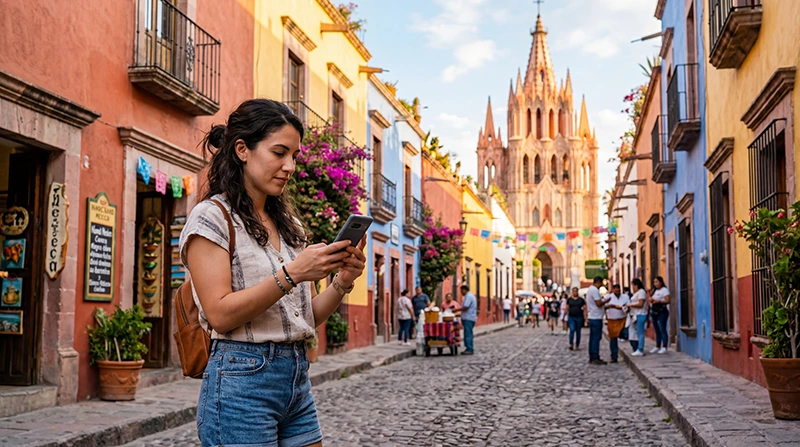

To estimate how much data you need for Mexico, start with your recent mobile usage and adjust it for the trip. Maps and messages need a different allowance from daily video uploads or sharing a connection with a laptop.
A week in Mexico City with dependable accommodation Wi-Fi may use less mobile data than a week of transfers between Cancún, Tulum and inland stops. Count arrival and departure days, and plan for essential tasks even when Wi-Fi is unavailable.
NoveSIM Mexico travel eSIMs are data-only. Internet messages, app calls, navigation and browsing use the allowance; the plan does not include a Mexican number, conventional calls or carrier SMS.
Quick answer: Use daily mobile consumption × all travel days, then add a reserve for delays, uploads and days without Wi-Fi. For example, 0.5 GB a day for seven days is 3.5 GB; an illustrative 20% reserve brings that to 4.2 GB. Compare both the allowance and validity before choosing a plan, and check any daily high-speed limit separately.
Top Mexico eSIMs

Mexico eSIM
Fixed
1 GB, 7 days€ 3.572 GB, 15 days€ 5.353 GB, 30 days€ 7.13Unlimited
Unlimited, 1 day€ 3.57Unlimited, 3 days€ 8.47Unlimited, 5 days€ 13.38
North America eSIM
Fixed
1 GB, 7 days€ 4.012 GB, 15 days€ 7.133 GB, 30 days€ 9.81Unlimited
Unlimited, 1 day€ 5.80Unlimited, 3 days€ 15.16Unlimited, 5 days€ 24.97Central America eSIM
Fixed
1 GB, 7 days€ 7.132 GB, 15 days€ 11.593 GB, 30 days€ 15.61Unlimited
Unlimited, 1 day€ 6.69Unlimited, 3 days€ 16.50Unlimited, 5 days€ 26.31Seven-Day Data Budgets: Examples, Not Guarantees
The table uses assumed daily budgets to show the calculation. It does not claim that an app or a traveller will always consume that amount. The weekly figures include an illustrative 20% reserve, rounded for planning.
| Travel pattern and assumptions | Assumed daily use | Seven days with reserve |
|---|---|---|
| Offline maps, messages and occasional bookings; entertainment and backups kept on Wi-Fi | 0.2 GB | About 1.7 GB |
| Maps, messages, browsing and limited social feeds; large uploads avoided | 0.5 GB | About 4.2 GB |
| More social media and short videos, with less dependable Wi-Fi | 1 GB | About 8.4 GB |
| Frequent video, uploads or permitted laptop hotspot use | 2 GB or more | About 16.8 GB or more |
Use your own figures wherever possible. Autoplay, video quality, call length and background transfers can move you between these examples. Compare the result with our current Mexico eSIM allowances and durations; do not treat the closest number of gigabytes as suitable without checking the rest of the terms.
Calculate Your Allowance from Recent Usage
- Check mobile-data usage for a known recent period and identify which apps used the most.
- Divide the total by the number of days in that period to obtain a daily average.
- Adjust for the trip: add anticipated uploads, app calls, hotspot use and time away from Wi-Fi. Remove home-only activity only if you really will avoid it.
- Multiply the adjusted daily amount by every travel day, including transfers.
- Add a reserve that fits the uncertainty of your itinerary. A 20% margin is a planning example, not a guarantee.
- Check that the selected plan lasts until the end of the trip and meets your busiest day’s needs.
On iPhone, check the usage period rather than assuming “Current Period” means the last month. Apple explains the counters and usage by app in its mobile-data statistics guide. On Android, find data usage in the network or SIM settings and check the date range; menus differ by device.
For a 14-day trip at an adjusted 0.5 GB per day, the base estimate is 7 GB. Adding 20% gives 8.4 GB. This arithmetic supports comparing an allowance above that figure, but it does not establish that your actual daily use will be 0.5 GB.
Allow for Uploads and Hotspot Separately
Photo and video backup can run without an obvious action from you. Before leaving, check whether your cloud app uploads over mobile data, and whether social apps automatically play high-quality video. Uploading a large video can use a substantial part of a small allowance even if messages and maps use little.
If your selected plan and device permit hotspot, count the connected devices as well. A laptop may download updates, sync cloud folders or stream at a higher quality than expected. Pause those tasks before connecting and include work calls or file transfers in the estimate.
Do not choose solely from a weekly average if one day involves a large upload or a long video meeting. A plan with a daily high-speed restriction may behave differently from one with a shared total allowance.
Budget for Days Without Wi-Fi
Do not assume every airport, coach or accommodation connection will be usable. Allow mobile data for booking changes, contacting your accommodation and finding the next meeting point during transfers.
Download the relevant map areas, tickets and addresses before leaving dependable Wi-Fi. Offline information reduces data dependence but cannot create mobile coverage. Our Mexico internet guide explains the connection choices and route preparation.
If you expect regular Wi-Fi, decide which tasks can wait for it. Essential messages and navigation belong in the mobile budget; large entertainment downloads and optional backups can be scheduled separately.
Total Data, High-Speed Limits and Validity Are Different
A fixed allowance is a quantity of data available under the plan’s terms during its validity. A daily allowance or high-speed restriction has a separate reset rule. Neither tells you how many days the purchased plan lasts.
Our Mexico product page currently states that Unlimited provides 1 GB of high-speed data where available per 24-hour period, followed by reduced speed until the next reset. Do not assume this means unrestricted high-speed use, a midnight reset or a guaranteed speed after the limit. Recheck the selected offer before purchase.
The same page lists fixed options including 1 GB for seven days, 2 GB for 15 days and larger allowances for 30 days. An allowance that looks sufficient can still expire too early: for example, a seven-day plan does not cover a ten-day trip simply because some data remains.
Check what starts validity before installing. Follow the purchased plan’s timing instructions and use our Mexico eSIM installation guide for setup. Do not assume that an unused or switched-off profile pauses its countdown.
Choose Between Fixed Data and Unlimited
Consider fixed data when you can estimate the trip total and want to compare an explicit allowance. Check what happens when that allowance is used up. Do not assume a fixed plan has no other conditions.
Consider Unlimited when its duration and high-speed policy fit your expected daily pattern. If you need several gigabytes at full speed on one day, compare that requirement with the advertised 1 GB high-speed threshold rather than relying on the Unlimited label.
For either option, verify hotspot permission, validity and the full price of the selected duration. More gigabytes do not improve reception where the permitted network has no coverage.
Monitor Use Before You Run Out
- Check usage after the first full day and compare it with your budget.
- Look for unexpected background uploads or a connected device using hotspot.
- Review the plan’s balance and expiry information through the available NoveSIM account or order guidance.
- Check top-up or replacement options before relying on buying more data during the trip.
Device counters can help identify consumption, but use the provider’s available balance and validity information to check the purchased plan. Do not assume a top-up exists, extends expiry or uses the same installed profile; verify the terms or contact NoveSIM Support.
Related Articles
- Compare Mexico eSIM plans
- Internet options for tourists in Mexico
- Install and connect your Mexico eSIM
FAQ
Is 5 GB enough for a week in Mexico?
It can fit an estimate of 0.5 GB per day plus an illustrative 20% reserve, which totals 4.2 GB. It may not cover frequent video or large uploads. Check your own usage and choose validity that includes all seven days.
Is 10 GB enough for two weeks?
At 0.5 GB per day, 14 days plus a 20% reserve totals 8.4 GB. At 1 GB per day, it totals 16.8 GB. Use the daily figure that reflects your habits instead of assuming 10 GB suits every fortnight.
Does Unlimited mean unlimited high-speed data?
No. The current NoveSIM Mexico offer states 1 GB of high-speed data where available per 24 hours, then reduced speed until the next reset. Check the selected plan’s current terms and duration.
Should I choose fixed data or Unlimited?
Compare your trip total and busiest day with each offer. Fixed data may suit a predictable total; Unlimited may suit your daily pattern if its high-speed threshold and reduced-speed conditions are acceptable. Verify hotspot terms and validity for either choice.
Can I add data or extend the plan in Mexico?
Check the selected plan’s available top-up or replacement options before purchase. Additional data, extended validity and reusing the same profile are separate questions; none should be assumed without confirmation.
Final Recommendation
Estimate your Mexico data needs from a known usage period, adjust for transfers, uploads and hotspot, then multiply by every travel day and add a practical reserve.
Compare total allowance, daily high-speed conditions and validity separately. Check the actual plan terms before choosing fixed data or Unlimited.
Download essential travel information offline and review consumption early in the trip so unexpected background use does not consume the allowance you need for the remaining days.