


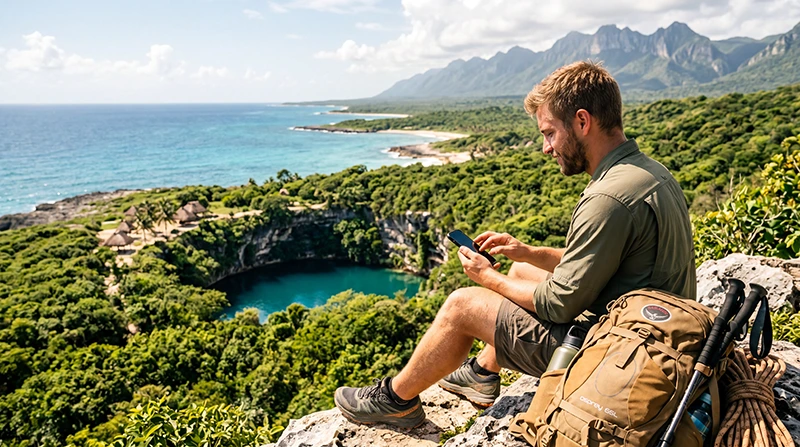

For outdoor activities in Mexico, use a working connection to prepare the information you will need before leaving town, the hotel or the departure point. Download suitable maps and keep the organiser’s meeting instructions, booking and return arrangements offline.
A hiking route, cenote visit and boat excursion need different preparation. Reception at a nearby town or entrance does not establish service throughout the activity, so agree how the trip will work without live messages.
NoveSIM travel eSIMs provide prepaid mobile data without a Mexican number, conventional calls or carrier SMS. They can support internet apps where the purchased plan has usable partner-network service; they do not replace the organiser’s communication arrangements.
Quick answer: Check the actual route and permitted network, then save maps, entrance details and return plans before setting out. Use a map suited to the activity rather than assuming a downloaded driving map covers a walking trail. Choose data and validity for the whole trip, and test the connection before depending on it.
Top Mexico eSIMs

Mexico eSIM
Fixed
1 GB, 7 days€ 3.642 GB, 15 days€ 5.913 GB, 30 days€ 7.28Unlimited
Unlimited, 1 day€ 3.64Unlimited, 3 days€ 8.64Unlimited, 5 days€ 13.65
North America eSIM
Fixed
1 GB, 7 days€ 4.092 GB, 15 days€ 7.283 GB, 30 days€ 10.01Unlimited
Unlimited, 1 day€ 5.91Unlimited, 3 days€ 15.47Unlimited, 5 days€ 25.47Central America eSIM
Fixed
1 GB, 7 days€ 7.732 GB, 15 days€ 12.283 GB, 30 days€ 16.38Unlimited
Unlimited, 1 day€ 6.82Unlimited, 3 days€ 16.83Unlimited, 5 days€ 26.84Before a Walk or Mountain Excursion
Get the current route and meeting instructions from the organiser or relevant site information. Save the starting point, intended return point and contacts. If using an offline navigation app, confirm that its downloaded map and route support the activity you are planning.
Google Maps’ offline guidance says walking, cycling and public-transport directions are unavailable offline. Its offline driving navigation requires the whole route to be inside the downloaded area. A downloaded road map is therefore not evidence that you have offline walking directions for a trail.
Check that the required information opens without internet before departure. Agree the expected return and communication arrangements with the organiser or your contact, including what to do if a check-in message does not arrive. Live location sharing needs a working connection to transmit updates.
At Cenotes and Underground Locations
Save the exact entrance and final approach, not just the attraction name. Keep tickets, booking references and any instructions supplied by the operator available outside an app that needs to reload.
Before separating from a driver or guide, agree the return time and pickup location. Do not make the pickup depend on sending a message from underground. A working connection in the car park does not establish reception throughout the visit.
For the road between stops, use the Yucatán road-trip guide. The Tulum guide covers accommodation entrances and excursion arrangements in that part of the trip.
Before a Dive, Boat Trip or Coastal Outing
Download the operator’s meeting point, booking and current departure instructions before leaving the accommodation connection. Confirm where you will return and how any changes will be communicated.
Do not assume mobile service continues from a marina or beach across the water. A Mexico travel eSIM provides land-based partner-network access where available; it is not a promise of offshore connectivity or a replacement for the vessel operator’s communication procedures.
Use the Cozumel guide for pier, ferry and island preparation. For a wider peninsula itinerary, the Baja California guide covers road stages, beach detours and meeting details before marine excursions.
Choose a Connection Without Assuming Remote Coverage
Check existing Mexico roaming before buying another service. If it covers the trip at a suitable cost, you may not need additional data. A local service may suit a need for Mexican telephone features, while an eSIM can provide prepaid data on a compatible, unlocked device.
Compare the current Mexico offers against the places where you expect to use the connection. Confirm which partner networks the purchased plan permits. An operator appearing in a manual search does not establish that the profile can register on it.
The Mexico network guide explains how to interpret coverage information. We do not identify one operator as best for every trail, protected area or coastal route. More GB cannot fix a lack of usable reception, and 4G or 5G availability depends on the plan, device and local conditions.
Keep the Activity Plan Available Without Messages
| Before leaving the connection | What to have available |
|---|---|
| Meeting the organiser | Exact location, time, booking reference and contact method. |
| Following the planned route | A suitable downloaded map and route, checked offline on your device. |
| Returning to accommodation | Pickup agreement, return address and entrance instructions. |
| Handling changed plans | The organiser’s agreed procedure and contacts saved separately from live chat. |
Check current site or operator instructions while connected and follow them during the activity. Mobile data is useful for preparation and coordination when service exists; it should not be the only means on which the activity’s communication plan depends.
Budget for Uploads and Time Away from Wi-Fi
Estimate from recent device usage, separating maps, messages and bookings from video uploads, cloud photo backup and hotspot sharing. Check whether hotspot is permitted before planning to connect another device.
Use the Mexico data guide to include the days you expect to be away from suitable Wi-Fi. Read high-speed restrictions and expiry rules before buying; a traveller label such as “adventure” does not determine the right quantity.
Leave optional large uploads until a suitable connection is available and preserve usable data for the return journey. A larger allowance does not make the connection faster or extend the plan’s validity.
Install and Test Before Setting Out
- Check exact-device compatibility, carrier-unlocked status and Mexico inclusion in the selected offer.
- Read what starts validity and any installation deadline.
- Install over reliable internet when the purchased instructions permit.
- At an included destination, select the travel profile for data and apply its supplied roaming settings.
- Review automatic switching and unwanted home-line data roaming, then test a small webpage with Wi-Fi briefly off.
If data fails, check the selected line, allowance and validity before changing advanced settings. Keep the installed profile while following the Mexico connection checks; delete it only if NoveSIM Support instructs you to do so.
Related Articles
FAQ
Is a downloaded Google Maps area enough for a hike?
Do not assume it supplies offline trail navigation. Google Maps does not provide walking directions offline. Check a suitable map and route for the activity and confirm that the information opens without internet.
Will my eSIM work underground or offshore?
Do not rely on it. Reception at an entrance or coastal departure point does not establish service throughout the activity. Save booking details and agree return arrangements before leaving the connection.
Does buying more data improve reception in a remote area?
No. Check the authorised network and location separately from the remaining allowance. Extra data can address an exhausted allowance, but it cannot create coverage where no usable service is available.
Final Recommendation
Prepare Mexico adventure-travel connections around the actual activity, meeting point and return arrangements.
Choose suitable data, follow the purchased installation timing and test before leaving a working connection.
Keep the necessary maps and instructions offline, with communication arrangements that do not depend solely on mobile reception.