


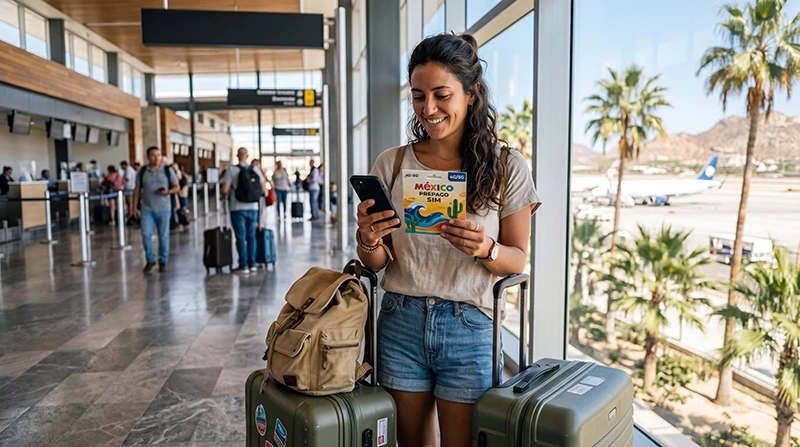

If you want to buy a SIM card at Los Cabos Airport (SJD), confirm a seller in your arrival terminal before making that your only plan for getting connected. We have not verified a particular airport SIM counter, its current stock or opening hours. A shop selling travel essentials does not necessarily sell and activate mobile service.
Keep your transfer confirmation and accommodation address offline in case you cannot buy or activate a SIM immediately. Whether you are heading to Cabo San Lucas, San José del Cabo or a resort between them, save the property’s actual entrance and the pickup instructions supplied by your transport provider.
A travel eSIM is an alternative on a compatible, carrier-unlocked device. Our NoveSIM plans provide mobile data without a Mexican number, conventional calls or carrier SMS; internet messaging and calling apps can use the data connection.
Quick answer: Do not rely on finding a specific SIM seller at SJD without confirming it first. If you find an offer, check the operator, registration, included services, validity and total price, then test mobile data with Wi-Fi off before leaving the seller. Also check whether your home plan already includes Mexico roaming before buying another service.
Top Mexico eSIMs

Mexico eSIM
Fixed
1 GB, 7 days€ 3.562 GB, 15 days€ 5.353 GB, 30 days€ 7.13Unlimited
Unlimited, 1 day€ 3.56Unlimited, 3 days€ 8.46Unlimited, 5 days€ 13.36
North America eSIM
Fixed
1 GB, 7 days€ 4.012 GB, 15 days€ 7.133 GB, 30 days€ 9.80Unlimited
Unlimited, 1 day€ 5.79Unlimited, 3 days€ 15.15Unlimited, 5 days€ 24.95Central America eSIM
Fixed
1 GB, 7 days€ 7.132 GB, 15 days€ 11.583 GB, 30 days€ 15.59Unlimited
Unlimited, 1 day€ 6.68Unlimited, 3 days€ 16.48Unlimited, 5 days€ 26.28Confirm the Seller Before Planning an Airport Purchase
Ask airport information about SIM sales in the terminal you will use. Confirm the seller’s name, location, opening hours and whether staff can complete registration and activation. If the offer is from a reseller, ask which operator provides the service and where you can obtain support afterwards.
Keep a fallback that does not depend on an unconfirmed shop being open: saved transfer details, an existing roaming allowance you have checked, or a suitable eSIM prepared according to its instructions. Airport Wi-Fi may help where available, but confirm access locally and do not assume that it will cover the transfer.
Check the Offer Before Paying
| Check | What to ask |
|---|---|
| Seller and operator | Who supplies the SIM, which network does it use and who handles support? |
| Registration | Which documents and steps are required, and can they be completed now? |
| Data and other services | How much general-purpose data is included? Are a local number, calls or SMS supplied? |
| High-speed conditions | Is there a daily or total high-speed limit? What happens afterwards? |
| Hotspot | Is sharing data permitted, and does it use the same allowance? |
| Validity | What starts the allowance, when does it expire and does it cover the departure day? |
| Total price | What is the final amount and currency, including the SIM, data, setup and any additional charges? |
| Top-ups and support | How do you check the balance, add data and obtain help after leaving? |
Ask for the offer and receipt in a form you can keep. There is no verified airport price list here: compare the actual quoted total rather than relying on a generic tourist-SIM price range. An offer described as unlimited may still have high-speed or usage restrictions.
Complete Registration as Well as Installation
Inserting a physical SIM does not by itself confirm that the line is registered or ready to use. Check the operator’s current requirements before purchase. For example, AT&T Mexico’s registration guidance states that new domestic lines need identity linking for service and that foreign visitors can use a valid passport from their home country. Its process includes a confirmation SMS.
Ask the seller to explain which confirmation establishes that your own line is ready. Use the operator’s authorised process for identity checks and keep the service instructions. If registration cannot be completed, do not treat signal bars or an inserted SIM as proof of a working allowance.
Test Before Leaving the Seller
- Confirm that registration and activation have completed and that the purchased allowance is attached to the correct line.
- Select the new SIM for mobile data. Apply the settings supplied for that domestic service, rather than copying a travel eSIM’s APN.
- Turn Wi-Fi off briefly and load a small webpage, then send an internet message.
- Open the operator’s balance-check method and confirm the remaining allowance and expiry date.
- If you purchased calls, SMS or hotspot specifically, ask how to verify those services and check the applicable conditions.
- Keep the receipt, local number if supplied, support details and top-up instructions before leaving.
If data fails, ask the seller to resolve it while you are still there. Avoid using a large speed test simply to establish that data works; a small page is enough for the initial check.
Compare the SIM With eSIM and Existing Roaming
A local SIM may suit you if its particular offer includes a Mexican number you need. Whether you can keep a home line active alongside it depends on the device’s supported SIM combination. A physical SIM does not automatically rule out dual SIM.
If you prefer an eSIM, confirm support for your exact model and regional version, plus carrier-unlocked status. Compare current Mexico eSIM plans with the full trip length, data use and hotspot needs. See our local SIM versus eSIM comparison for the differences.
Before installing, identify what starts the purchased eSIM’s validity and when installation is permitted. Add the profile over reliable internet at that time. At an included destination, select it for data, apply its Data Roaming instructions and test with Wi-Fi briefly off. Our Mexico eSIM installation guide explains the sequence.
Your existing roaming may already be sufficient. Confirm Mexico’s inclusion, daily fees, allowance and charges after it runs out. If you are using a different line for data, keep home-line data roaming off when you do not intend to use it and review automatic data switching. Calls, SMS and voicemail on an active home line can still incur charges.
Keep the Transfer Independent of Your SIM Purchase
Save your arrival terminal, transport confirmation, exact meeting point and accommodation entrance before flying. Follow the transport provider’s current pickup instructions rather than assuming that a generic airport pin identifies the correct location.
If the SIM purchase takes longer than expected, contact your provider while you have a working connection. Keep a plan for meeting without messages. Once data works, check for new instructions before setting off.
A successful airport test does not establish coverage at every resort, beach or road section. Check the plan’s network access against your itinerary and keep essential information offline. The Los Cabos internet guide covers city stops, accommodation Wi-Fi and outings beyond the airport.
Related Articles
- Check network access and coverage for your Mexico route
- Troubleshoot a Mexico travel eSIM without deleting the profile
FAQ
Is there a confirmed SIM counter at Los Cabos Airport?
We have not verified a particular counter, its current stock or hours. Confirm sales and activation in your arrival terminal with airport information before relying on an airport purchase.
What should I check before paying for a local SIM?
Confirm the operator, registration process, included data and other services, validity, high-speed conditions, hotspot permission and total price. Keep the receipt and make sure registration and activation can be completed.
How do I know the SIM is working before leaving?
Select it for mobile data, turn Wi-Fi off briefly and load a small webpage. Confirm the allowance and expiry using the operator’s balance-check method. Ask the seller to resolve any problem before leaving; signal bars alone are not a data test.
Final Recommendation
If you prefer a physical SIM at SJD, confirm a seller and judge the actual offer by registration, included services, validity and total cost.
Complete activation and a mobile-data test before leaving the seller. Compare existing roaming and an eSIM as alternatives, following the purchased eSIM’s installation timing.
Keep the airport pickup and exact accommodation entrance offline so that your first transfer does not depend on completing a SIM purchase.