


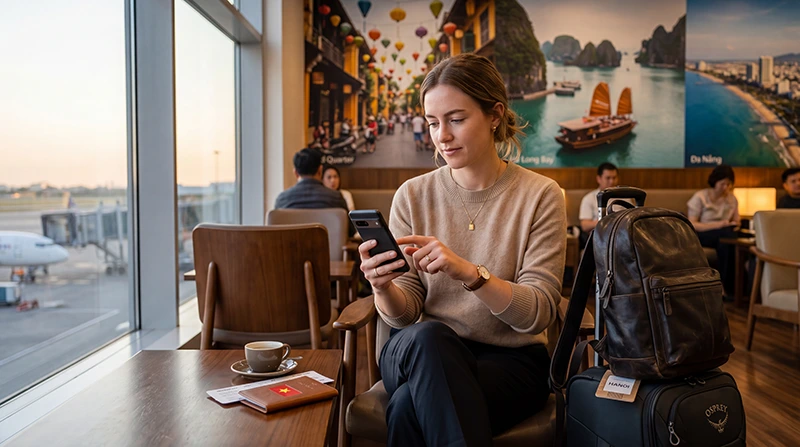

Installing a Vietnam eSIM adds a travel profile to a compatible, carrier-unlocked phone. Before adding it, read the purchased plan’s installation instructions and check what starts its validity.
Install before departure when those instructions permit it without using up validity needed for your Vietnam dates. Adding the profile, starting the plan’s validity and connecting to a supported network are separate events and need not happen together.
At NoveSIM, our travel eSIMs provide mobile data for maps, pickup messages and other internet apps. They do not include a Vietnamese number, conventional calls or carrier SMS. Save essential arrival details offline because an installed profile alone does not guarantee an immediate connection after landing.
Quick answer: Check phone compatibility, Vietnam coverage and what starts the purchased plan’s validity. At the time permitted by its instructions, use dependable internet to add the eSIM with the supplied QR code or manual details, then label the travel line. In Vietnam, confirm the plan is ready for use, select it for mobile data and enable Data Roaming on that line when required by the NoveSIM instructions. Keep home-SIM data roaming and automatic data switching off, then test a webpage with Wi-Fi off. Keep the installed profile if troubleshooting is needed.
Top Vietnam eSIMs

Vietnam eSIM
Fixed
1 GB, 7 days€ 3.142 GB, 15 days€ 4.493 GB, 30 days€ 5.84Unlimited
Unlimited, 1 day€ 3.14Unlimited, 3 days€ 7.19Unlimited, 5 days€ 11.23
Asia eSIM
Fixed
1 GB, 7 days€ 4.492 GB, 15 days€ 8.083 GB, 30 days€ 10.78Unlimited
Unlimited, 1 day€ 5.84Unlimited, 3 days€ 15.72Unlimited, 5 days€ 25.60What Does Installing a Vietnam eSIM Mean?
Installation adds the digital eSIM profile to your phone, usually by scanning a QR code or entering the supplied manual details. It does not by itself establish that the plan is valid for use or that the phone has connected in Vietnam.
| Stage | What to check |
|---|---|
| Installation | The travel profile appears in the phone’s SIM settings. |
| Start of plan validity | The purchased plan’s instructions define when its validity begins. Do not infer this from installation or signal bars. |
| Network connection | The enabled travel line registers on a supported network where coverage is available. |
| Mobile-data use | The travel line is selected for data and a normal webpage loads with Wi-Fi off. |
When Should You Install Your Vietnam eSIM?
Read the installation and activation instructions for your purchased plan before adding the profile. Install before departure on a stable connection when those instructions allow it, leaving time to resolve a problem before the journey.
Check the trigger for the start of validity separately. Do not assume that every Vietnam-covering plan waits until arrival to start its allowance or validity period. Keep the installed profile and purchase instructions available for the arrival setup.
What You Need Before Installation
Before installing your Vietnam eSIM, make sure you have:
- An eSIM-compatible phone
- An unlocked device
- A stable WiFi connection
- Your eSIM QR code or manual setup details
- Enough battery
- Vietnam coverage included in your plan
If your device is locked to a carrier or does not support eSIM, installation may fail.
Keep the QR code and manual activation details private. Have them accessible on another device if needed, and do not scan the code again once the travel profile appears in your phone’s SIM settings.
How to Check If Your Phone Supports eSIM
iPhone
- Open Settings
- Tap Cellular or Mobile Service
- Look for Add eSIM
You can also dial *#06#. If your phone displays an EID number, it usually supports eSIM.
Android
- Open Settings
- Go to Network & Internet or Connections
- Open SIMs or SIM Manager
- Look for Add eSIM, Add Mobile Plan or Download SIM
How to Install Vietnam eSIM on iPhone
- Connect your iPhone to WiFi
- Open Settings
- Tap Cellular or Mobile Service
- Tap Add eSIM
- Select Use QR Code
- Scan your Vietnam eSIM QR code
- Follow the on-screen instructions
- Label the plan as Vietnam eSIM
- Select your primary SIM for calls and SMS
- Select Vietnam eSIM for mobile data after arrival
Recommended iPhone Settings After Installation
Label the home and travel lines clearly. Apply the arrival settings below when you are ready to use the plan in its covered destination; do not assume that installation starts or delays validity.
How to Install Vietnam eSIM on Android
Android settings vary by brand, but the general process is similar.
- Connect your Android phone to WiFi
- Open Settings
- Go to Network & Internet or Connections
- Open SIMs or SIM Manager
- Tap Add eSIM or Download SIM
- Scan your Vietnam eSIM QR code
- Follow the setup instructions
- Label the plan clearly
- Select Vietnam eSIM for mobile data after arrival
- Enable Data Roaming on the travel line when required by the NoveSIM instructions. Keep home-SIM data roaming and automatic mobile-data switching off.
How to Install Vietnam eSIM on Samsung Galaxy
- Connect to WiFi
- Open Settings
- Tap Connections
- Tap SIM Manager
- Tap Add eSIM
- Scan the QR code
- Confirm installation
- Label the eSIM as Vietnam eSIM
How to Install Vietnam eSIM on Google Pixel
- Connect to WiFi
- Open Settings
- Tap Network & Internet
- Tap SIMs
- Tap Add SIM
- Select Download a SIM instead?
- Scan the QR code
- Follow the setup instructions
Manual Vietnam eSIM Installation
If the QR code reports an error, first check whether the travel profile already appears in SIM settings. Do not delete an existing profile or repeatedly try to add it again. If it is absent and your order includes manual installation details, follow those instructions or contact NoveSIM Support.
You may receive:
- SM-DP+ Address
- Activation Code
- Confirmation Code, if required
Manual installation is useful when:
- Your camera cannot scan the QR code
- The QR code is displayed on the same phone
- The QR code image is blurry
- You are setting up from email on the same device
Important: Do Not Delete Your eSIM
After installation, do not delete the Vietnam eSIM unless your provider specifically tells you to.
Many eSIM QR codes can only be installed once.
If you delete the eSIM profile, you may not be able to reinstall it using the same QR code.
Does the eSIM Activate Immediately?
Follow the activation conditions of the exact plan you bought. Adding the profile, starting its validity and connecting to a supported network are separate events and need not happen together.
A destination-only plan may have no service before you reach its supported network. However, a message such as No Service or Activating does not confirm the plan’s start date or prove that the installation succeeded. Check that the profile is present and review its instructions; contact NoveSIM Support if the status is unclear. Keep the profile installed while checking.
What to Do After Arriving in Vietnam
- Check that the purchased plan is ready for use under its activation instructions, and turn on the installed Vietnam travel line.
- Select that line for Mobile Data or Cellular Data. Menu names vary by phone and software version.
- Enable Data Roaming on the travel line when required by the NoveSIM instructions.
- Keep Data Roaming off on the home line and disable automatic mobile-data switching if you do not want it supplying data.
- Start with Automatic network selection and allow the phone time to register where a supported network has coverage.
- Turn Wi-Fi off temporarily and open a normal webpage to test the connection.
If data does not work, check the selected line, allowance, validity and required settings first. A brief aeroplane-mode refresh or restart can be tried if needed; it is not a required step for every successful arrival. Keep the eSIM installed.
Settings for the travel and home lines
| Setting | Travel eSIM | Home line |
|---|---|---|
| Mobile data | Select this line for Vietnam data. | Do not select it for data unless you intend to use its roaming service. |
| Data Roaming | Enable when required by the plan instructions. | Keep off when you do not intend to use home-carrier roaming data. |
| Automatic data switching | Disable switching to the home line when you do not want that line supplying data. Check the equivalent control on your phone where available. | |
| Calls, SMS and voicemail | NoveSIM travel plans are data-only and do not supply a Vietnamese number, conventional calls or carrier SMS. | These services remain subject to the home carrier’s availability and separate charges. |
Turning off Data Roaming on the home SIM does not determine the cost of its calls, SMS or voicemail. Check those services with your home carrier before keeping the line active.
Confirm that mobile data is using the travel eSIM
- Open the phone’s SIM settings and confirm that the Vietnam travel line is selected for mobile data.
- With Wi-Fi off, load a normal webpage and test the app you need for the first transfer.
- Where the phone provides per-SIM usage information, check that the travel line’s data counter reflects the test. Signal bars alone do not confirm which line supplied the data.
If the test fails, keep the profile installed and check the selected line, plan status and settings before retrying. Do not delete and reinstall the eSIM as a first response.
APN Settings for Vietnam eSIM
Most phones configure APN automatically.
If manual setup is required, use:
| Setting | Value |
|---|---|
| APN | data.esim |
| Username | Leave Blank |
| Password | Leave Blank |
Common Installation Problems
| Problem | Possible Cause | Solution |
|---|---|---|
| QR Code Not Scanning | Camera issue or poor image quality | Check whether the profile is already installed. If absent, use the supplied manual details or contact Support. |
| Cannot Add eSIM | Device may not support eSIM | Check compatibility |
| eSIM Installed But No Service | Outside supported coverage, or a line, plan or network issue | Check location, enabled line, plan status and supported network. Keep the profile installed. |
| Connected But No Internet | Data Roaming or APN issue | Enable roaming and check APN |
| Wrong SIM Using Data | Mobile data source incorrect | Select Vietnam eSIM for data |
If the checks do not restore service, contact NoveSIM Support with your phone model, current location, selected mobile-data line, displayed network and exact error message. Hide the QR code and activation details in any screenshots.
Can You Keep Your Primary SIM Active?
Yes.
Most modern phones allow dual-SIM use.
You can use:
- Vietnam eSIM for mobile data
- Primary SIM for calls
- Primary SIM for SMS verification codes
- Primary SIM for banking authentication
NoveSIM travel plans provide mobile data only. Your home number, ordinary calls, carrier SMS and voicemail remain separate services subject to your home carrier’s conditions and charges. Keep automatic mobile-data switching off when you do not want the home line supplying data.
Does WhatsApp Work After Installing a Vietnam eSIM?
Yes.
Installing a Vietnam eSIM does not automatically change your WhatsApp number.
Your WhatsApp account remains linked to your original phone number.
Can You Use Hotspot With Vietnam eSIM?
Hotspot availability depends on the selected plan and phone. Check the current plan terms and test sharing before relying on it.
Hotspot can be useful for:
- Laptops
- Tablets
- Remote work
- Travel companions
- Backup internet
Remember that hotspot usage can consume data quickly.
Quick Installation Checklist
- Confirm the exact phone is eSIM-compatible and carrier-unlocked, and that the purchased plan includes Vietnam.
- Read the installation instructions and check what starts validity before scanning the code.
- At the permitted time, connect to dependable internet. If the travel profile is absent, install it using the supplied instructions; do not scan the code again if the profile is already present.
- Label the home and travel lines clearly and keep the installation details private.
- In Vietnam, confirm the plan is ready for use, enable the travel line and select it for mobile data.
- Enable Data Roaming on the travel line when required by the NoveSIM instructions. Keep home-SIM data roaming and automatic mobile-data switching off.
- Start with Automatic network selection. Check the APN only if manual configuration is required; for NoveSIM, use data.esim.
- Turn Wi-Fi off temporarily and load a normal webpage to test mobile data.
- If the test fails, check the selected line, plan status, allowance, validity and required settings. Keep the profile installed; try a brief Airplane Mode refresh or restart if needed, then contact Support if the problem continues.
Related Vietnam eSIM Guides
- Vietnam eSIM iPhone
- Vietnam eSIM Android
- Does My Phone Support eSIM Vietnam?
- eSIM Not Working Vietnam
- APN Settings Vietnam eSIM
- Best eSIM for Vietnam
FAQ: Install Vietnam eSIM
Can I install a Vietnam eSIM before traveling?
Install before departure when the purchased plan’s instructions permit it. Check when validity starts and use a stable connection while you still have time to resolve a problem.
Do I need WiFi to install the eSIM?
Yes. Your phone needs internet access to download and install the eSIM profile.
Will the eSIM activate before I arrive?
That depends on the exact plan. Installation, the start of validity and network connection are separate events. Follow your purchase instructions rather than assuming that validity always begins after arrival.
Should I delete the eSIM if it shows No Service?
No. Do not delete your eSIM unless your provider specifically tells you to.
Do I need Data Roaming enabled?
Enable Data Roaming on the travel eSIM when required by the instructions for your purchased NoveSIM plan. This is a setting for the travel line, not the home SIM. Keep home-SIM data roaming and automatic mobile-data switching off when you do not intend to use home-carrier roaming data.
Can I keep my regular SIM active?
On a compatible dual-SIM phone, you can keep the home line available while selecting the travel eSIM for data. Disable automatic data switching and check home-carrier charges for calls, SMS and voicemail separately.
What APN should I use?
If manual setup is required, use data.esim.
Does WhatsApp keep my original number?
Yes. Installing an eSIM does not automatically change your WhatsApp number.
Can I use hotspot with Vietnam eSIM?
Check hotspot support and any limits for the exact plan and phone. Shared devices use the same allowance; test the connection before relying on it.
What should I do if installation fails?
Check whether the profile is already present, confirm device compatibility and use a stable connection. Use supplied manual details only when needed. Keep any installed profile and contact NoveSIM Support before deleting it.
Final Recommendation
Prepare installation before departure when the purchased plan permits it, and check the start of validity separately.
Install over dependable internet at the time permitted by the purchased plan’s instructions and keep the profile installed. In Vietnam, confirm the plan is ready for use, select the travel line for mobile data and enable Data Roaming on that line when required by the NoveSIM instructions. Keep home-SIM data roaming and automatic mobile-data switching off.
Test the travel-data line with Wi-Fi off where a supported network has coverage. Keep essential arrival details offline and preserve the installed profile if support is needed.