


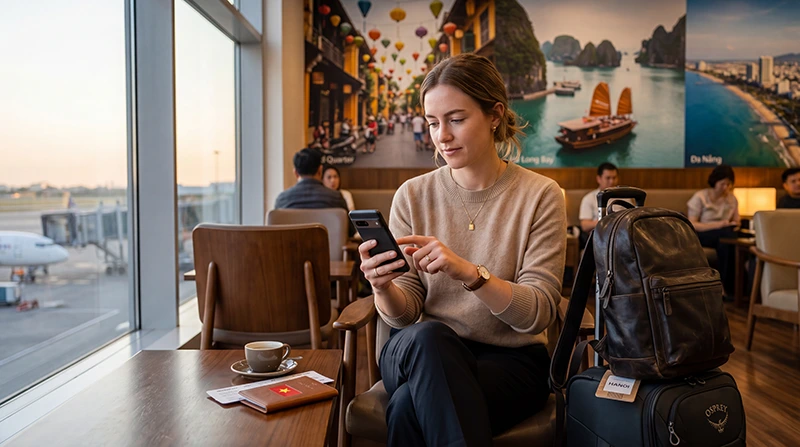

Installing a Vietnam eSIM is one of the easiest ways to prepare mobile internet before your trip.
Instead of buying a physical SIM card at the airport, waiting in queues or replacing your regular SIM card, you can install a digital eSIM profile on your phone before departure and connect after arriving in Vietnam.
This is especially useful if you need internet immediately for airport transfers, Google Maps, Grab rides, hotel communication, WhatsApp, translation apps, online bookings or checking travel details after landing.
Quick answer: To install a Vietnam eSIM, connect your phone to WiFi, open your cellular or SIM settings, choose Add eSIM, scan the QR code, label the plan as Vietnam eSIM, select it for mobile data after arrival and enable Data Roaming on the eSIM profile.
Top Vietnam eSIMs


What Does Installing a Vietnam eSIM Mean?
Installing an eSIM means adding a digital SIM profile to your phone.
This profile allows your phone to connect to mobile networks in Vietnam without using a physical SIM card.
Installation is usually done by scanning a QR code or entering manual activation details.
| Step | Meaning |
|---|---|
| Install eSIM | Add the digital SIM profile to your phone |
| Activate eSIM | Connect the profile to a supported network |
| Select Mobile Data | Use the eSIM for internet access |
| Enable Data Roaming | Allow the travel eSIM to connect abroad |
When Should You Install Your Vietnam eSIM?
The best time to install your Vietnam eSIM is before departure while connected to stable WiFi.
This gives you time to complete the setup calmly before traveling.
Recommended timing:
- Install before your flight
- Use stable WiFi
- Do not delete the eSIM after installation
- Keep the eSIM ready for arrival
- Enable Data Roaming after arriving in Vietnam
Most travel eSIMs activate only after connecting to a supported network in Vietnam, so installing before travel is usually safe.
What You Need Before Installation
Before installing your Vietnam eSIM, make sure you have:
- An eSIM-compatible phone
- An unlocked device
- A stable WiFi connection
- Your eSIM QR code or manual setup details
- Enough battery
- Vietnam coverage included in your plan
If your device is locked to a carrier or does not support eSIM, installation may fail.
How to Check If Your Phone Supports eSIM
iPhone
- Open Settings
- Tap Cellular or Mobile Service
- Look for Add eSIM
You can also dial *#06#. If your phone displays an EID number, it usually supports eSIM.
Android
- Open Settings
- Go to Network & Internet or Connections
- Open SIMs or SIM Manager
- Look for Add eSIM, Add Mobile Plan or Download SIM
How to Install Vietnam eSIM on iPhone
- Connect your iPhone to WiFi
- Open Settings
- Tap Cellular or Mobile Service
- Tap Add eSIM
- Select Use QR Code
- Scan your Vietnam eSIM QR code
- Follow the on-screen instructions
- Label the plan as Vietnam eSIM
- Select your primary SIM for calls and SMS
- Select Vietnam eSIM for mobile data after arrival
Recommended iPhone Settings After Installation
| iPhone Setting | Recommended Option |
|---|---|
| Cellular Data | Vietnam eSIM |
| Default Voice Line | Primary SIM |
| Data Roaming on Vietnam eSIM | ON |
| Data Roaming on Primary SIM | OFF |
| Allow Cellular Data Switching | OFF |
How to Install Vietnam eSIM on Android
Android settings vary by brand, but the general process is similar.
- Connect your Android phone to WiFi
- Open Settings
- Go to Network & Internet or Connections
- Open SIMs or SIM Manager
- Tap Add eSIM or Download SIM
- Scan your Vietnam eSIM QR code
- Follow the setup instructions
- Label the plan clearly
- Select Vietnam eSIM for mobile data after arrival
- Enable Data Roaming on the Vietnam eSIM
How to Install Vietnam eSIM on Samsung Galaxy
- Connect to WiFi
- Open Settings
- Tap Connections
- Tap SIM Manager
- Tap Add eSIM
- Scan the QR code
- Confirm installation
- Label the eSIM as Vietnam eSIM
How to Install Vietnam eSIM on Google Pixel
- Connect to WiFi
- Open Settings
- Tap Network & Internet
- Tap SIMs
- Tap Add SIM
- Select Download a SIM instead?
- Scan the QR code
- Follow the setup instructions
Manual Vietnam eSIM Installation
If scanning the QR code does not work, many eSIMs can be installed manually.
You may receive:
- SM-DP+ Address
- Activation Code
- Confirmation Code, if required
Manual installation is useful when:
- Your camera cannot scan the QR code
- The QR code is displayed on the same phone
- The QR code image is blurry
- You are setting up from email on the same device
Important: Do Not Delete Your eSIM
After installation, do not delete the Vietnam eSIM unless your provider specifically tells you to.
Many eSIM QR codes can only be installed once.
If you delete the eSIM profile, you may not be able to reinstall it using the same QR code.
Does the eSIM Activate Immediately?
Usually not.
Most Vietnam travel eSIMs activate when your phone connects to a supported network in Vietnam.
Before arrival, your phone may show:
- No Service
- Searching
- Activating
- Not Registered on Network
This is usually normal if you are still outside Vietnam.
What to Do After Arriving in Vietnam
- Turn on the Vietnam eSIM line
- Select Vietnam eSIM for mobile data
- Enable Data Roaming on the Vietnam eSIM
- Keep Data Roaming OFF on your primary SIM
- Turn Airplane Mode ON for 30 seconds
- Turn Airplane Mode OFF
- Wait a few minutes for network registration
- Test internet using a browser or maps app
APN Settings for Vietnam eSIM
Most phones configure APN automatically.
If manual setup is required, use:
| Setting | Value |
|---|---|
| APN | data.esim |
| Username | Leave Blank |
| Password | Leave Blank |
Common Installation Problems
| Problem | Possible Cause | Solution |
|---|---|---|
| QR Code Not Scanning | Camera issue or poor image quality | Use manual setup details |
| Cannot Add eSIM | Device may not support eSIM | Check compatibility |
| eSIM Installed But No Service | Not yet in Vietnam | Wait until arrival |
| Connected But No Internet | Data Roaming or APN issue | Enable roaming and check APN |
| Wrong SIM Using Data | Mobile data source incorrect | Select Vietnam eSIM for data |
Can You Keep Your Primary SIM Active?
Yes.
Most modern phones allow dual-SIM use.
You can use:
- Vietnam eSIM for mobile data
- Primary SIM for calls
- Primary SIM for SMS verification codes
- Primary SIM for banking authentication
This allows you to stay connected without removing your regular SIM card.
Does WhatsApp Work After Installing a Vietnam eSIM?
Yes.
Installing a Vietnam eSIM does not automatically change your WhatsApp number.
Your WhatsApp account remains linked to your original phone number.
Can You Use Hotspot With Vietnam eSIM?
In most cases, yes.
Hotspot can be useful for:
- Laptops
- Tablets
- Remote work
- Travel companions
- Backup internet
Remember that hotspot usage can consume data quickly.
Quick Installation Checklist
- Check phone compatibility
- Connect to WiFi
- Scan the QR code
- Install the eSIM profile
- Label it clearly
- Do not delete the eSIM
- Select it for mobile data in Vietnam
- Enable Data Roaming
- Check APN if needed
- Restart your phone if internet does not work
Related Vietnam eSIM Guides
- How to Activate Vietnam eSIM
- Vietnam eSIM iPhone
- Vietnam eSIM Android
- Does My Phone Support eSIM Vietnam?
- eSIM Not Working Vietnam
- APN Settings Vietnam eSIM
- Best eSIM for Vietnam
FAQ: Install Vietnam eSIM
Can I install a Vietnam eSIM before traveling?
Yes. It is recommended to install your Vietnam eSIM before departure while connected to WiFi.
Do I need WiFi to install the eSIM?
Yes. Your phone needs internet access to download and install the eSIM profile.
Will the eSIM activate before I arrive?
Usually no. Most Vietnam eSIMs activate after connecting to a supported network in Vietnam.
Should I delete the eSIM if it shows No Service?
No. Do not delete your eSIM unless your provider specifically tells you to.
Do I need Data Roaming enabled?
Yes. Enable Data Roaming on the Vietnam eSIM profile.
Can I keep my regular SIM active?
Yes. Most dual-SIM phones allow you to keep your primary SIM active for calls and SMS.
What APN should I use?
If manual setup is required, use data.esim.
Does WhatsApp keep my original number?
Yes. Installing an eSIM does not automatically change your WhatsApp number.
Can I use hotspot with Vietnam eSIM?
In most cases, yes. Hotspot can be used for laptops, tablets and other devices.
What should I do if installation fails?
Check your device compatibility, connect to stable WiFi, try manual installation details and contact support if the issue continues.
Final Recommendation
Installing a Vietnam eSIM before departure is the easiest way to prepare reliable mobile internet for your trip.
Use WiFi during installation, do not delete the eSIM after adding it, select it for mobile data after arrival and enable Data Roaming on the eSIM profile.
With the correct setup, your Vietnam eSIM should connect shortly after arrival and provide convenient mobile internet throughout your journey.