


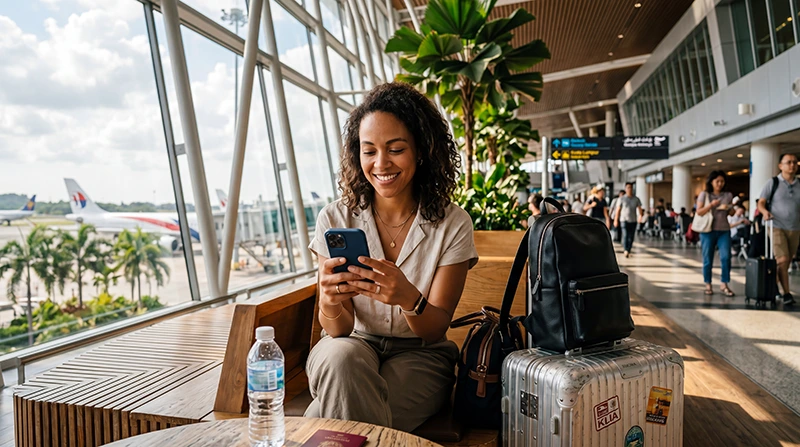

If you are planning a trip to Malaysia, one of the most common questions is whether your eSIM will actually work once you arrive.
The good news is that most modern smartphones support eSIM technology, and Malaysia has excellent mobile network infrastructure that supports travel eSIM connectivity throughout major cities, airports, tourist destinations and transportation routes.
Quick answer: Your eSIM will usually work in Malaysia if your phone supports eSIM technology, is carrier unlocked and is configured correctly with Data Roaming enabled.
Top Malaysia eSIMs

Malaysia eSIM
Fixed
1 GB, 7 days€ 3.902 GB, 15 days€ 6.933 GB, 30 days€ 9.10Unlimited
Unlimited, 1 day€ 5.20Unlimited, 3 days€ 12.57Unlimited, 5 days€ 20.37
Will My eSIM Work in Malaysia?
In most cases, yes.
Your eSIM should work normally in Malaysia if:
- Your phone supports eSIM technology
- Your phone is carrier unlocked
- The eSIM supports Malaysia coverage
- The eSIM is installed correctly
- Data Roaming is enabled
- The correct APN settings are configured
If all these requirements are met, your eSIM can usually connect shortly after arrival.
How Does a Malaysia eSIM Work?
An eSIM works similarly to a traditional SIM card, except it is installed digitally instead of physically.
Before traveling, you install the eSIM profile on your phone using a QR code or activation details.
Once you arrive in Malaysia and your device connects to a supported network, mobile data becomes available.
You do not need to insert a physical SIM card.
Which Phones Support eSIM?
Most recent flagship smartphones support eSIM technology.
Popular iPhone Models
- iPhone 17 Series
- iPhone 16 Series
- iPhone 15 Series
- iPhone 14 Series
- iPhone 13 Series
- iPhone 12 Series
- iPhone 11 Series
- iPhone XS
- iPhone XS Max
- iPhone XR
Popular Samsung Models
- Samsung Galaxy S25 Series
- Samsung Galaxy S24 Series
- Samsung Galaxy S23 Series
- Samsung Galaxy S22 Series
- Samsung Galaxy Z Fold Series
- Samsung Galaxy Z Flip Series
Other eSIM-Compatible Devices
- Google Pixel devices
- Motorola flagship devices
- Huawei selected models
- Xiaomi selected models
- Honor selected models
Support may vary depending on region and carrier.
How to Check if Your Phone Supports eSIM
The easiest method is to look for the eSIM option in your settings.
iPhone:
- Settings
- Cellular
- Add eSIM
Android:
- Settings
- Network & Internet
- SIM Manager
- Add eSIM
If you see an eSIM option, your device likely supports eSIM technology.
Does My Phone Need to Be Unlocked?
Yes.
Carrier-locked phones may prevent eSIM activation or network connectivity abroad.
If you purchased your phone through a mobile operator, verify that it is unlocked before traveling.
Will My eSIM Work at KLIA Airport?
Yes.
Most travelers can connect shortly after arriving at KLIA Airport.
This allows you to:
- Book a Grab ride
- Use Google Maps
- Contact your hotel
- Check travel information
- Access email and messaging apps
Many travelers activate their eSIM immediately after landing.
Where Will My eSIM Work in Malaysia?
Coverage is generally available throughout major tourist destinations.
- Kuala Lumpur
- Penang
- Langkawi
- Malacca
- Johor Bahru
- Cameron Highlands
- Kota Kinabalu
- Kuching
- Perhentian Islands
- Tioman Island
Coverage may vary in remote rainforest areas and certain mountain regions.
Can I Keep My Home SIM Active?
Yes.
Most eSIM-compatible smartphones support dual SIM functionality.
This allows you to:
- Use your home SIM for calls
- Receive SMS verification codes
- Receive banking messages
- Use the eSIM for mobile data
This is one of the biggest advantages of travel eSIMs.
Will WhatsApp Still Work?
Yes.
WhatsApp remains associated with your existing phone number.
When the eSIM provides internet access, WhatsApp continues working normally.
You do not need to create a new WhatsApp account.
Do I Need Data Roaming Enabled?
Yes.
Most travel eSIMs require Data Roaming to be enabled on the eSIM profile.
This is one of the most common setup requirements.
To avoid unwanted charges:
- Enable roaming on the eSIM
- Disable roaming on your primary SIM
APN Settings for Malaysia eSIM
Most phones configure APN settings automatically.
If manual configuration is needed, use:
| Setting | Value |
|---|---|
| APN | data.esim |
| Username | Leave blank |
| Password | Leave blank |
What If My eSIM Does Not Work?
If your eSIM does not connect after arriving in Malaysia, try the following:
- Check that the eSIM is enabled
- Select the eSIM for mobile data
- Enable Data Roaming
- Verify APN settings
- Turn Airplane Mode on for 30 seconds
- Restart your device
- Wait several minutes for network registration
Most connection issues are solved with these basic troubleshooting steps.
Can I Install My eSIM Before Traveling?
Yes.
In fact, this is usually recommended.
Installing your eSIM before departure allows you to complete the setup while connected to reliable WiFi.
The eSIM typically activates when it connects to a supported network in Malaysia.
Benefits of Using an eSIM in Malaysia
- Install before departure
- No airport SIM card queues
- No physical SIM replacement
- Keep your regular SIM active
- Internet immediately after arrival
- Works throughout Malaysia
- Ideal for multi-country trips
- Easy digital setup
Related Malaysia Travel Guides
- eSIM Not Working Malaysia
- APN Settings Malaysia eSIM
- No Internet Malaysia eSIM
- Best eSIM for Malaysia
- Mobile Internet Malaysia
- How to Get Internet in Malaysia
- Internet for Tourists in Malaysia
FAQ: Does My eSIM Work in Malaysia?
Will my eSIM work in Malaysia?
Yes, if your phone supports eSIM technology, is carrier unlocked and your eSIM includes Malaysia coverage.
Do I need an unlocked phone?
Yes. Carrier-locked devices may prevent eSIM activation or network connectivity.
Can I install my eSIM before traveling?
Yes. Most travelers install their eSIM before departure and activate it after arriving in Malaysia.
Will WhatsApp still work?
Yes. WhatsApp generally continues working with your existing phone number.
Can I keep my home SIM active?
Yes. Most dual-SIM smartphones allow your home SIM to remain active while the eSIM provides mobile data.
Do I need Data Roaming enabled?
Yes. Most travel eSIMs require Data Roaming to be enabled on the eSIM profile.
What APN should I use?
If manual setup is required, use data.esim and leave username and password fields blank.
What should I do if my eSIM does not connect?
Check Data Roaming, APN settings, mobile data selection and perform an Airplane Mode reset before contacting support.
Final Recommendation
For most travelers, eSIMs work extremely well throughout Malaysia and provide one of the easiest ways to stay connected during your trip.
As long as your phone supports eSIM technology, is unlocked and configured correctly, you should be able to access mobile internet shortly after arriving in Malaysia.
Installing your eSIM before departure and enabling Data Roaming upon arrival will help ensure a smooth and hassle-free travel experience.