


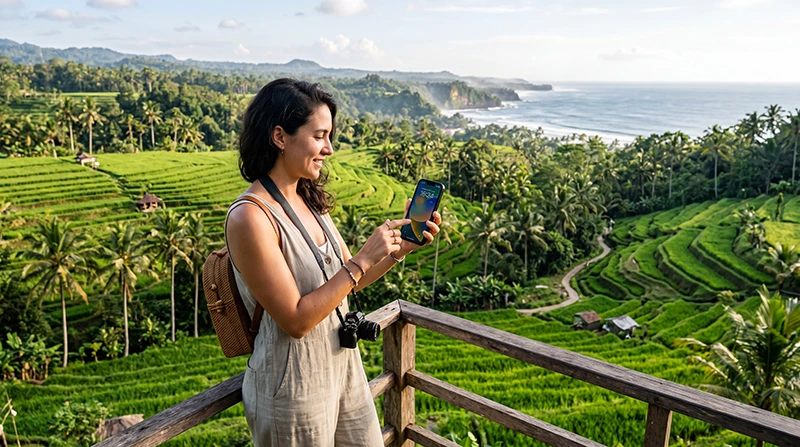

One of the most common questions travelers ask before visiting Indonesia is:
“Will my eSIM actually work when I arrive?”
This concern is completely understandable.
Nobody wants to land in Bali, leave the airport, and suddenly discover they have no internet connection, no maps, no ride-hailing apps, and no way to contact their accommodation.
The good news is that in most cases an eSIM works perfectly in Indonesia, provided that your phone supports eSIM technology, your device is unlocked, and the eSIM has been installed correctly.
Millions of travelers now use eSIMs while visiting Indonesia because they provide a simple and convenient alternative to physical SIM cards.
Quick answer: if your phone supports eSIM and is carrier unlocked, your Indonesia eSIM should work in Bali, Lombok, Gili Islands, Komodo Islands, Jakarta, Yogyakarta and most major tourist destinations throughout Indonesia.
Top Indonesia eSIMs

Indonesia eSIM
Fixed
1 GB, 7 days€ 3.462 GB, 15 days€ 6.063 GB, 30 days€ 8.22Unlimited
Unlimited, 1 day€ 3.89Unlimited, 3 days€ 9.95Unlimited, 5 days€ 16.01
How Does an Indonesia eSIM Work?
An eSIM works similarly to a traditional SIM card.
The difference is that the SIM profile is downloaded digitally instead of being inserted physically into the phone.
Once installed, the eSIM allows your phone to connect to local mobile networks in Indonesia.
This provides mobile internet access without needing to purchase a plastic SIM card after arrival.
For many travelers, this is one of the easiest ways to stay connected throughout their trip.
Will My Phone Support an Indonesia eSIM?
The first requirement is device compatibility.
Not all smartphones support eSIM technology.
Most modern flagship devices do, but older or budget devices may not.
Common eSIM-compatible devices include:
- iPhone 11 and newer
- iPhone SE (2020 and newer)
- iPhone 12 Series
- iPhone 13 Series
- iPhone 14 Series
- iPhone 15 Series
- iPhone 16 Series
- Samsung Galaxy S Series
- Samsung Galaxy Fold Series
- Samsung Galaxy Flip Series
- Google Pixel devices
- Many modern flagship Android phones
You can verify compatibility here:
Is My Phone Unlocked?
Even if your phone supports eSIM, it must also be unlocked.
A carrier-locked device may prevent installation or activation of travel eSIMs.
This is common with phones purchased through mobile contracts.
If you are unsure, contact your carrier before traveling.
Most travelers discover this issue before departure rather than after arriving in Indonesia.
Where Will My eSIM Work in Indonesia?
Most Indonesia eSIMs provide coverage across major tourist destinations.
Popular locations include:
- Bali
- Canggu
- Ubud
- Seminyak
- Uluwatu
- Nusa Dua
- Kuta
- Nusa Penida
- Lombok
- Gili Islands
- Komodo Islands
- Labuan Bajo
- Jakarta
- Yogyakarta
- Surabaya
- Bandung
Most travelers spend the majority of their trip within these regions.
Will My eSIM Work in Bali?
Yes.
Bali is one of the most connected tourist destinations in Southeast Asia.
Travelers commonly use eSIMs throughout:
- Canggu
- Ubud
- Seminyak
- Uluwatu
- Nusa Dua
- Kuta
- Sanur
- Nusa Penida
Many visitors use mobile internet continuously throughout their trip for navigation, ride-hailing services, WhatsApp, and social media.
Related guides:
Will My eSIM Work in Lombok?
Yes.
Lombok has become increasingly popular among international travelers.
Most tourists use mobile internet for:
- Surf forecasts
- Navigation
- Accommodation communication
- Transportation planning
- Travel research
Many Indonesia eSIM plans continue working seamlessly after arriving from Bali.
Will My eSIM Work in the Gili Islands?
The Gili Islands are among Indonesia’s most popular tourist destinations.
Most travelers use mobile internet for:
- Ferry schedules
- Diving reservations
- Hotel communication
- Travel planning
- Maps
An Indonesia eSIM generally continues working without needing any additional setup.
Will My eSIM Work in Komodo Islands?
Komodo National Park attracts travelers from around the world.
Internet access is often used for:
- Tour bookings
- Boat reservations
- Accommodation communication
- Transportation coordination
- Photography sharing
Coverage may vary depending on the exact location, but major tourist areas typically have service.
Can I Use One eSIM Across Multiple Islands?
In most cases, yes.
This is one of the biggest advantages of an Indonesia eSIM.
Many travelers follow routes such as:
- Bali → Lombok
- Bali → Gili Islands
- Bali → Komodo Islands
- Java → Bali → Lombok
- Bali → Flores
Instead of changing SIM cards repeatedly, travelers simply continue using the same eSIM throughout their trip.
Related guides:
Does WhatsApp Work with an Indonesia eSIM?
Yes.
This is another common concern.
Many travelers worry they will lose access to WhatsApp after switching to an eSIM.
In most cases, WhatsApp continues working normally because it remains linked to your existing phone number.
You can continue sending:
- Messages
- Photos
- Videos
- Voice notes
- Voice calls
- Video calls
Related guide:
Does WhatsApp Work in Indonesia?
When Does an Indonesia eSIM Start Working?
Most travelers install their eSIM before departure.
This is recommended.
However, installation and activation are not always the same thing.
Many travel eSIMs become active only after the phone connects to a supported network in Indonesia.
This means:
- Install before departure.
- Travel to Indonesia.
- Enable the eSIM.
- Connect to a local network.
- Begin using mobile data.
How to Make Sure Your eSIM Works After Arrival
Before leaving the airport, verify the following:
- eSIM installed successfully.
- eSIM selected for mobile data.
- Data roaming enabled.
- Primary SIM mobile data disabled.
- Automatic switching disabled.
- Network connected.
These simple checks prevent most connectivity problems.
Most Common Reasons an eSIM Does Not Work
If your eSIM does not work, it is usually caused by one of the following:
- Data roaming disabled.
- Wrong mobile data line selected.
- Phone locked by carrier.
- Device not eSIM compatible.
- Incomplete installation.
- Incorrect APN settings.
- Network registration delay.
Fortunately, these problems are usually easy to fix.
iPhone Setup Checklist
- Open Settings.
- Select Cellular.
- Choose the Indonesia eSIM.
- Enable Data Roaming.
- Select eSIM for Mobile Data.
- Disable Allow Cellular Data Switching.
- Restart the device.
Android Setup Checklist
- Open Settings.
- Go to SIM Manager.
- Select the Indonesia eSIM.
- Enable Data Roaming.
- Select eSIM as Mobile Data.
- Disable Automatic Switching.
- Restart the phone.
What APN Should I Use?
Some eSIMs configure automatically.
Others may require manual APN setup.
| Setting | Value |
|---|---|
| APN | data.esim |
Leave other fields empty unless instructed otherwise.
Can I Keep My Regular SIM Active?
Yes.
Many travelers use dual SIM mode.
This allows them to:
- Keep receiving SMS messages.
- Use banking verification codes.
- Receive calls.
- Continue using WhatsApp.
However, the Indonesia eSIM should remain selected as the preferred mobile data line.
Can Digital Nomads Use an Indonesia eSIM?
Absolutely.
Indonesia is one of the world’s most popular digital nomad destinations.
Many remote workers use eSIMs while working from:
- Canggu
- Ubud
- Seminyak
- Lombok
- Gili Islands
eSIMs are commonly used alongside coworking WiFi as a backup connection.
Related guides:
How to Test If Your eSIM Is Working
Once connected, test:
- Google Maps.
- WhatsApp.
- A web browser.
- Email.
- A speed test.
If all of these work, your eSIM is functioning correctly.
Final Recommendation
For most travelers, an Indonesia eSIM works perfectly across Bali, Lombok, Gili Islands, Komodo Islands, Jakarta, Yogyakarta, and many other destinations.
The key requirements are having an eSIM-compatible phone, ensuring the device is unlocked, enabling data roaming, and selecting the eSIM as your preferred mobile data line.
Once configured correctly, an eSIM can provide one of the easiest and most convenient ways to stay connected throughout your Indonesia adventure.
You can start with the Indonesia eSIM page or browse all plans on the destinations page.
FAQ: Does My eSIM Work in Indonesia?
Will my eSIM work in Bali?
Yes. Most Indonesia eSIM plans work throughout Bali, including Canggu, Ubud, Seminyak, Uluwatu, Nusa Dua, and Kuta.
Can I use one eSIM across multiple islands?
Many Indonesia eSIM plans work across Bali, Lombok, Gili Islands, Komodo Islands, Java, Flores, and other destinations.
Does WhatsApp work with an Indonesia eSIM?
Yes. WhatsApp generally continues working normally because it remains linked to your existing phone number.
Do I need to enable data roaming?
Yes. Most travel eSIMs require data roaming to be enabled.
Can I keep my home SIM active?
Yes, but your Indonesia eSIM should be selected as the preferred mobile data line.
What if my eSIM does not work?
Check data roaming, mobile data settings, APN configuration, and network registration. Most issues are caused by device settings.