
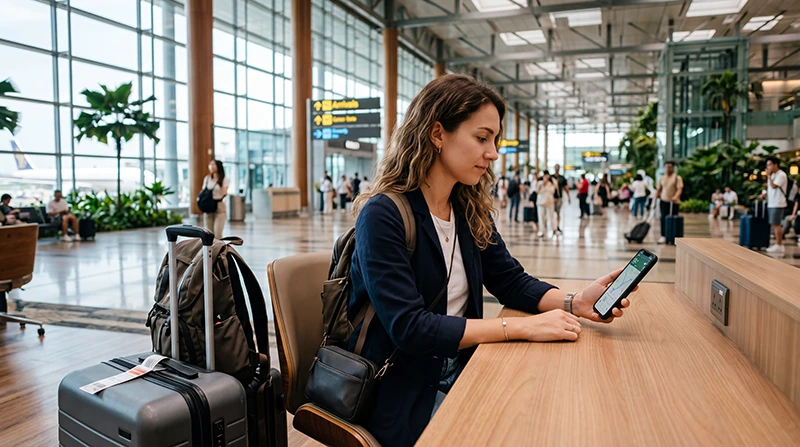

Many travelers arriving in Singapore search for WiFi immediately after landing at Changi Airport.
Reliable internet access is important for Google Maps, Grab, MRT routes, hotel directions, WhatsApp, booking confirmations, airport transfers, shopping, and staying connected while traveling across Singapore.
Quick answer: Changi Airport offers WiFi access for travelers, but many visitors prefer using a Singapore eSIM because it provides mobile internet not only inside the airport but throughout the entire trip.
Top Singapore eSIMs
Does Changi Airport Have WiFi?
Yes. Changi Airport provides WiFi access for travelers in many areas of the airport.
WiFi can be useful after landing to:
- Check messages
- Open hotel bookings
- Contact family or colleagues
- Download travel documents
- Use airport services
- Book transportation
- Check flight information
However, airport WiFi is generally useful only while you remain within airport coverage areas.
Is Airport WiFi Enough for a Singapore Trip?
For most travelers, airport WiFi alone is not enough.
Once you leave the airport, you will likely need internet for:
- Google Maps navigation
- Grab rides
- MRT directions
- WhatsApp communication
- Restaurant searches
- Hotel check-in assistance
- Attraction tickets
- Shopping and payments
- Business communication
This is why many travelers use a Singapore eSIM for mobile internet throughout their stay.
WiFi vs Singapore eSIM
| Feature | Airport WiFi | Singapore eSIM |
|---|---|---|
| Works inside airport | Yes | Yes |
| Works after leaving airport | No | Yes |
| Useful for Google Maps | Only while connected | Yes |
| Useful for Grab | Limited | Yes |
| Useful across Singapore | No | Yes |
| Can be prepared before travel | No | Yes |
Why Many Travelers Prefer eSIM Over Airport WiFi
A Singapore eSIM allows you to use mobile internet throughout Singapore instead of depending on WiFi hotspots.
You can install the eSIM before departure while connected to WiFi. After arriving in Singapore, select the eSIM for mobile data, enable data roaming, and connect to the network.
- No need to search for WiFi
- No need to repeatedly reconnect
- Works while moving around the city
- Useful for navigation
- Useful for transport apps
- Useful for business travel
- Can keep your regular SIM active on many phones
Using WiFi for Grab at Changi Airport
Grab is one of the most popular transportation apps in Singapore.
Airport WiFi can help you book a ride while inside the terminal, but mobile data is generally more convenient because it continues working while you move between terminals, pickup zones, roads, and destinations.
A Singapore eSIM can provide continuous connectivity throughout the trip.
Using WiFi for Google Maps
Google Maps is one of the most useful travel apps in Singapore.
It helps with:
- Hotel directions
- MRT routes
- Walking navigation
- Restaurant searches
- Shopping malls
- Tourist attractions
- Airport transfers
Google Maps works best with mobile data because it can continuously update routes and search results.
Using WiFi for MRT Navigation
Singapore’s MRT network is efficient and easy to use.
However, internet access remains useful for route planning, station exits, transfer points, walking directions, and local transport updates.
Mobile internet is often more convenient than relying solely on airport WiFi.
Using WiFi for WhatsApp
WhatsApp works with both WiFi and mobile data.
Airport WiFi can help after landing, but many travelers prefer mobile data because they can continue using WhatsApp throughout the city without needing to reconnect to WiFi networks.
WiFi for Hotel Check-In and Directions
Many travelers use internet immediately after landing to:
- Find hotel directions
- Message accommodation hosts
- Confirm reservations
- Coordinate arrival times
- Arrange transportation
While airport WiFi can assist initially, mobile data is usually more practical once you leave the airport.
WiFi for Stopover Travelers
Singapore is one of the world’s most popular stopover destinations.
If you have a short stopover and plan to leave the airport, mobile internet becomes especially useful for navigation, transport, attraction bookings, and airport return planning.
A Singapore eSIM can provide internet access throughout the stopover.
WiFi for Business Travelers
Business travelers often require reliable internet immediately after arrival.
Internet may be needed for:
- Video meetings
- Messaging
- Calendar updates
- Conference apps
- Hotel communication
- Transport arrangements
A Singapore eSIM can provide connectivity throughout meetings and travel between locations.
Airport WiFi vs Local SIM Card
| Feature | Airport WiFi | Local SIM Card |
|---|---|---|
| Available inside airport | Yes | After purchase |
| Works citywide | No | Yes |
| Requires store visit | No | Usually yes |
| Requires SIM replacement | No | Usually yes |
| Useful for full trip | No | Yes |
Airport WiFi vs Roaming
| Feature | Airport WiFi | International Roaming |
|---|---|---|
| Works inside airport | Yes | Yes |
| Works throughout Singapore | No | Yes |
| Extra charges possible | No | Depends on provider |
| Requires provider support | No | Yes |
| Good for navigation | Limited | Yes |
Airport WiFi vs Pocket WiFi
| Feature | Airport WiFi | Pocket WiFi |
|---|---|---|
| Extra device needed | No | Yes |
| Works outside airport | No | Yes |
| Needs charging | No | Yes |
| Good for groups | Limited | Yes |
| Portable connectivity | No | Yes |
How Much Data Do Travelers Usually Need?
| Trip Type | Recommended Data |
|---|---|
| Short stopover | 1GB – 3GB |
| Weekend trip | 5GB – 10GB |
| One-week trip | 10GB – 20GB |
| Business travel | 15GB – 30GB |
| Remote work and hotspot | 30GB+ or unlimited |
Can You Keep Your Home SIM Active?
Yes. Many modern smartphones support dual SIM functionality.
You can use a Singapore eSIM for mobile data while keeping your regular SIM active for calls, SMS verification codes, banking messages, and authentication services.
Do You Need Data Roaming Enabled for Singapore eSIM?
Yes. Most travel eSIM plans require data roaming to be enabled on the eSIM line.
This only applies to the travel eSIM and does not require roaming to be enabled on your primary SIM.
APN Settings for NoveSIM eSIM
| Setting | Value |
|---|---|
| APN | data.esim |
| Username | Leave blank |
| Password | Leave blank |
How to Use Singapore eSIM Instead of Airport WiFi
- Purchase your Singapore eSIM before travel.
- Install the eSIM while connected to WiFi.
- Arrive at Changi Airport.
- Select the Singapore eSIM for mobile data.
- Enable data roaming on the eSIM line.
- Wait for network connection.
- Start using mobile internet across Singapore.
Where to Find Your NoveSIM eSIM Details
Your NoveSIM QR code, installation instructions, and eSIM details are available:
- In your confirmation email
- Under My Account → Orders → View → eSIM details
More Singapore Airport and Internet Guides
- Singapore eSIM
- SIM Card Changi Airport
- Internet Singapore Tourists
- How to Get Internet in Singapore
- Best Way to Get Mobile Internet in Singapore
- Local SIM vs eSIM Singapore
- Singapore Roaming Charges
FAQ: WiFi at Changi Airport
Does Changi Airport have free WiFi?
Changi Airport provides WiFi access for travelers in many areas of the airport.
Is airport WiFi enough for my trip to Singapore?
For most travelers, airport WiFi alone is not enough because you will need internet after leaving the airport for navigation, transport, and communication.
Can I use Grab with airport WiFi?
Yes, while connected. However, mobile data is more reliable because it continues working after leaving the airport.
Can I use WhatsApp on airport WiFi?
Yes. WhatsApp works with WiFi, but mobile data provides uninterrupted connectivity throughout your trip.
What is the best alternative to airport WiFi?
For many travelers, a Singapore eSIM is one of the easiest alternatives because it provides mobile internet across Singapore.
Final Recommendation
Changi Airport WiFi is useful immediately after landing, but most travelers need internet beyond the airport.
For navigation, Grab, MRT routes, WhatsApp, hotel communication, shopping, attractions, and business travel, a Singapore eSIM is often the most practical solution because it works throughout the entire trip.


