
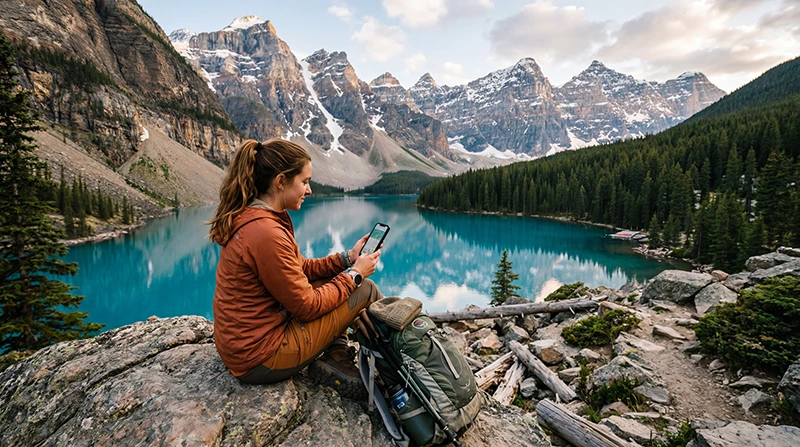

Visiting Banff National Park is one of the most popular travel experiences in Canada, but staying connected can be different from using internet in a large city.
Travelers often need mobile internet for maps, weather updates, road conditions, hotel bookings, hiking information, shuttles, emergency communication, and exploring the Canadian Rockies more confidently.
Quick answer: Many travelers use an eSIM for Banff National Park because it can be installed before arriving in Canada and used for mobile data after landing, without needing to search for a physical SIM card.
Top Canada eSIMs
Can You Get Internet in Banff National Park?
Yes, internet is available in many parts of Banff National Park, especially around Banff town, hotels, restaurants, visitor areas, major roads, and popular tourist locations.
However, Banff is a mountain national park, so mobile coverage can vary depending on terrain, road location, weather, valley position, and distance from populated areas.
For this reason, travelers should not rely on perfect coverage everywhere, especially on trails, remote viewpoints, mountain roads, and less developed areas.
Why Mobile Internet Is Important in Banff National Park
Banff includes mountain roads, lakes, hiking trails, scenic viewpoints, hotels, campgrounds, shuttles, restaurants, and remote natural areas.
Mobile internet is useful for:
- Using Google Maps and Apple Maps
- Checking weather and road conditions
- Finding hotels, restaurants, and visitor services
- Checking hiking routes and trail information
- Booking shuttles, tours, and activities
- Using WhatsApp, Messenger, and email
- Emergency communication while traveling
Best Internet Options in Banff National Park
Travelers visiting Banff usually choose between several internet options:
- International roaming — convenient but often expensive.
- Public WiFi — available in some hotels, cafes, restaurants, and visitor areas.
- Local SIM card — physical Canadian SIM card purchased after arrival.
- eSIM for Canada — digital mobile data without replacing your physical SIM card.
Is Public WiFi Enough in Banff National Park?
Public WiFi may be available in hotels, cafes, restaurants, and some tourist facilities around Banff.
However, public WiFi is not enough for most travelers because you may need internet while driving, hiking, checking weather, using maps, or moving between attractions.
For most visitors, mobile internet is more practical than relying only on WiFi.
Why Many Travelers Prefer eSIM for Banff National Park
An eSIM is a digital SIM that allows you to activate mobile data without visiting a store or replacing your regular SIM card.
This is especially useful for Banff because many travelers arrive through Calgary, Vancouver, or another Canadian city and continue toward the mountains without wanting to stop for SIM card shopping.
With an eSIM, you can prepare your mobile internet before departure and use it shortly after arriving in Canada.
Benefits of Using an eSIM in Banff National Park
- Install before your trip
- No physical SIM card required
- Keep your normal SIM active
- Use mobile data shortly after arriving in Canada
- No need to search for SIM card shops
- Useful for maps, road trips, weather, and travel planning
Roaming vs SIM Card vs eSIM in Banff National Park
| Option | Best For | Main Limitation |
|---|---|---|
| Roaming | Using your current mobile plan abroad | Can be very expensive |
| Public WiFi | Hotels, cafes, restaurants, and visitor areas | Limited outside WiFi locations |
| Local SIM card | Travelers wanting a physical SIM | Requires store visit and SIM replacement |
| eSIM | Fast and convenient mobile internet | Requires eSIM-compatible phone |
Important: Coverage Can Vary in Banff
Banff National Park includes valleys, mountains, forests, lakes, trails, and scenic roads where mobile coverage can change quickly.
No mobile provider can guarantee perfect coverage everywhere in the park.
Before visiting remote areas or starting hikes, it is smart to:
- Download offline maps
- Save your hotel or campground details offline
- Check weather and road conditions before departure
- Save emergency contacts
- Prepare your route before leaving town or main roads
Popular Banff Areas Where Internet Helps
- Banff town
- Lake Louise
- Moraine Lake
- Bow Valley Parkway
- Icefields Parkway
- Canmore to Banff routes
- Hotels, restaurants, and visitor areas
- Scenic viewpoints and hiking starting points
How to Use an eSIM in Banff National Park
- Choose your Canada eSIM plan before travel.
- Install the eSIM using the QR code or activation link.
- After arriving in Canada, select the eSIM for mobile data.
- Turn on data roaming for the eSIM line.
- Wait for the eSIM to connect to a supported local network.
Your NoveSIM eSIM QR code and setup instructions are sent by email after purchase. You can also access them anytime under My Account → Orders → View → eSIM details.
When Should You Install Your eSIM?
You can install your eSIM before departure while you still have a stable internet connection.
Most travelers prepare their eSIM before flying to Canada so they can connect after arrival and continue toward Banff without delays.
Can You Keep Your Main SIM While Using an eSIM?
Yes. Most modern smartphones support dual SIM functionality, allowing you to keep your regular SIM active while using an eSIM for mobile data.
This is useful if you want to receive calls, SMS verification codes, or banking messages on your normal number while using mobile internet in Canada.
Before Traveling to Canada
Before purchasing an eSIM, make sure your phone supports eSIM technology and is carrier unlocked.
Get Connected Before Visiting Banff
Many travelers prepare mobile internet before departure so they can connect after arriving in Canada and continue toward Banff National Park with less stress.
Browse NoveSIM eSIM destinations
More Canada Travel Internet Guides
If you are visiting Banff National Park or planning a Canada roadtrip, these guides may also help you choose the best internet option for your trip:
- Canada eSIM
- Best eSIM for Canada
- Mobile Internet Canada
- Internet in Canada for Tourists
- Best eSIM for Canada Roadtrip
- Internet for Canada Roadtrip
- Mobile Data in the Rocky Mountains
- Internet in Banff for Tourists
- Internet in Calgary for Tourists
- Internet for Cross-Canada Travel
FAQ: Internet in Banff National Park
Can I get internet in Banff National Park?
Yes. Internet is available in many parts of Banff National Park, especially around towns, hotels, restaurants, visitor areas, and main roads. Coverage may vary in remote mountain areas.
Is public WiFi enough in Banff National Park?
Public WiFi can help at hotels, cafes, and restaurants, but most travelers prefer mobile internet for maps, weather, transport, and moving between attractions.
Can I use an eSIM in Banff National Park?
Yes. If your phone supports eSIM and is unlocked, you can use an eSIM for mobile internet in Banff National Park and other parts of Canada.
Will mobile internet work everywhere in Banff?
No. Mobile coverage can vary in mountain areas, trails, valleys, forests, and remote roads. Download offline maps before exploring remote locations.
When does my eSIM start working?
Most eSIM plans activate when you arrive in Canada and connect to a supported local network.
Do I need to turn on data roaming for my eSIM?
Yes. In most cases, data roaming must be enabled for the eSIM line to use mobile internet abroad.
Can I keep my normal SIM active while using an eSIM?
Yes. Most modern smartphones support using your regular SIM together with an eSIM.
Final Recommendation
If you only need internet occasionally at hotels, cafes, restaurants, or visitor centers, public WiFi may help with basic browsing and messaging in Banff National Park.
However, for most travelers visiting Banff, Lake Louise, Moraine Lake, Icefields Parkway, or nearby Rocky Mountains areas, using an eSIM is usually the more convenient option because it provides mobile internet while moving between destinations.
With a Canada eSIM, you can prepare your mobile data before departure, avoid expensive roaming charges, and stay connected shortly after arriving in Canada.
This is especially useful for maps, weather updates, road conditions, hiking routes, hotel check-ins, shuttles, restaurant bookings, emergency communication, and exploring Banff more confidently.


