


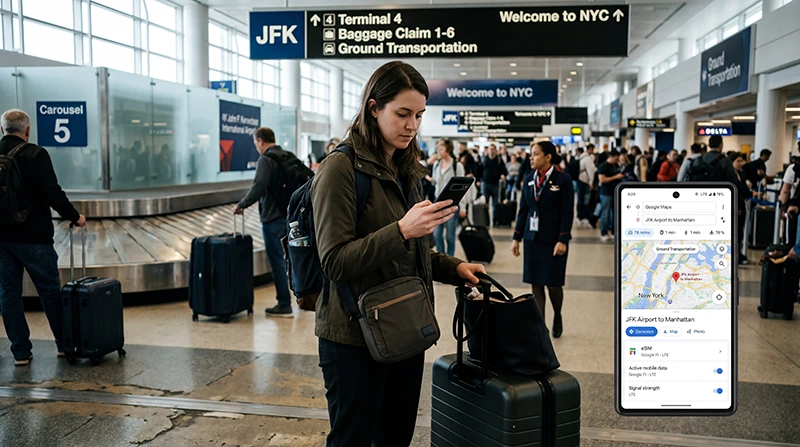

If you are traveling to the United States, one of the first questions you may ask is whether your eSIM will work in the USA.
The answer depends on your phone, your eSIM plan, your network coverage, and your mobile data settings. In most cases, a travel eSIM can work well in the USA if your device supports eSIM, the plan includes the United States, and the eSIM is selected correctly for mobile data.
Quick answer: your eSIM should work in the USA if your phone is eSIM-compatible, unlocked, the plan covers the United States, mobile data is set to the eSIM, and data roaming is enabled if required.
Top United States eSIMs

United States eSIM
Fixed
1 GB, 7 days€ 2.602 GB, 15 days€ 4.333 GB, 30 days€ 5.62Unlimited
Unlimited, 1 day€ 3.46Unlimited, 3 days€ 8.65Unlimited, 5 days€ 13.41
How to Know If Your eSIM Works in the USA
Before your trip, check these key points:
- Your phone supports eSIM
- Your phone is unlocked
- Your eSIM plan includes the USA
- Your eSIM has not expired
- Your eSIM is installed correctly
- The eSIM is selected for mobile data
- Data roaming is enabled for the eSIM if required
- Your location has mobile network coverage
USA eSIM Compatibility Checklist
| Check | Why it matters | What to do |
|---|---|---|
| Phone supports eSIM | Not every phone can install an eSIM | Check your device model before buying |
| Phone is unlocked | Locked phones may not accept travel eSIMs | Contact your mobile carrier if unsure |
| Plan covers the USA | Some eSIMs work only in selected countries | Check the countries included in the plan |
| Mobile data is set to eSIM | Your phone may still use your regular SIM | Select the eSIM as the mobile data line |
| Data roaming is enabled | Many travel eSIMs require roaming | Turn on data roaming for the eSIM |
| Coverage is available | No mobile plan works without signal | Test in another location if needed |
Will My Current eSIM Work in the USA?
Your current eSIM may work in the USA if the plan includes United States coverage and the provider supports mobile data in the country.
If your eSIM was purchased for another destination, it may not automatically work in the USA. Some eSIMs are country-specific, while others are regional or global plans.
Before traveling, check your eSIM plan details and confirm whether the United States is included.
Do I Need a USA eSIM or a Global eSIM?
If you are only visiting the United States, a USA eSIM is usually the simplest option.
If your trip includes multiple countries, such as Canada, Mexico, or other destinations, a regional or global eSIM may be more convenient depending on your route.
| Plan type | Best for | What to check |
|---|---|---|
| USA eSIM | Trips only in the United States | Data amount, validity, hotspot, activation |
| Regional eSIM | USA plus nearby countries | Included countries and coverage |
| Global eSIM | Multi-country travel | Country list, price, data allowance |
How to Check If Your Phone Supports eSIM
The easiest way is to check your phone model in the device settings or on the manufacturer’s official specifications.
On iPhone, many newer models support eSIM, but availability can depend on region and device version.
On Android, eSIM support depends on the brand, model, and sometimes the country version of the device.
Check if your phone supports eSIM
Does eSIM Work on iPhone in the USA?
Yes, eSIM can work on iPhone in the USA if your iPhone supports eSIM, is unlocked, and the eSIM plan includes USA coverage.
To use your eSIM on iPhone:
- Install the eSIM while connected to stable WiFi.
- Go to Settings.
- Open Mobile Data or Cellular.
- Select the eSIM for mobile data.
- Turn on Data Roaming for the eSIM if required.
- Toggle airplane mode on for 30 seconds, then off.
Does eSIM Work on Android in the USA?
Yes, eSIM can work on Android phones in the USA if the device supports eSIM, is unlocked, and the eSIM plan includes the United States.
On Android, menu names may vary by brand, but you should check:
- SIM Manager or SIM settings
- Mobile data line selection
- Data roaming for the eSIM
- APN settings if required
- Network selection if automatic connection fails
How to Activate an eSIM in the USA
Most travel eSIMs are installed using a QR code or manual installation details.
After purchase, your eSIM QR code and installation instructions are sent by email. You can also find your eSIM details in your NoveSIM account under your order details.
To activate your eSIM:
- Connect to stable WiFi.
- Install the eSIM using the QR code or manual details.
- Arrive in the United States if the plan activates on network connection.
- Select the eSIM for mobile data.
- Enable data roaming for the eSIM if required.
- Wait a few minutes for the phone to connect to a supported network.
Why Your eSIM May Not Work in the USA
If your eSIM does not work in the USA, the most common reasons are usually settings or coverage related.
- The eSIM is not selected for mobile data
- Data roaming is turned off
- The APN is missing or incorrect
- Your phone is locked
- Your phone does not support eSIM
- The plan does not include the USA
- The plan has expired or has no remaining data
- You are in an area with weak mobile coverage
- The phone has not refreshed network registration
Read the full eSIM not working USA troubleshooting guide
Does eSIM Work Immediately After Landing in the USA?
If your eSIM is already installed and your plan supports USA coverage, it can usually start working after your phone connects to a supported mobile network.
For the smoothest arrival, install your eSIM before departure while connected to WiFi. After landing, select the eSIM for mobile data and enable data roaming if required.
This helps you use Google Maps, ride-sharing apps, hotel directions, airport information, and messaging shortly after arrival.
Does eSIM Work with Google Maps in the USA?
Yes. If your eSIM provides mobile data in the USA, you can use Google Maps, Apple Maps, Waze, and other navigation apps where coverage is available.
For road trips, national parks, deserts, mountains, and rural highways, download offline maps as a backup.
Read more about using Google Maps in the USA
Does eSIM Work in US National Parks?
An eSIM can work in and around US national parks where mobile coverage is available.
However, coverage can be limited in remote areas, canyons, forests, mountain valleys, desert roads, and backcountry trails. A USA eSIM is useful, but offline maps are still important.
Read more about eSIM for US national parks
Does eSIM Work for USA Road Trips?
Yes. A USA eSIM is useful for road trips because it gives mobile data for navigation, traffic updates, hotels, gas stations, weather, music streaming, travel apps, and emergency communication.
For remote areas, download offline maps because no mobile network can guarantee perfect coverage everywhere.
Read more about internet for USA road trips
Can I Keep My Regular SIM Active?
Yes. In most cases, you can keep your regular SIM active for calls or messages and use your USA eSIM for mobile data.
This is useful if you want to keep receiving messages on your normal number while using the eSIM for internet during your trip.
Can I Use Hotspot with My eSIM in the USA?
Hotspot support depends on your eSIM plan and device.
If hotspot tethering is supported, you can share your eSIM mobile data with another phone, tablet, or laptop. This is useful for business travel, road trips, hotel WiFi backup, and sharing data with travel partners.
How Much Data Do You Need for a USA eSIM?
| Trip type | Suggested data | Best for |
|---|---|---|
| Short city trip | 3GB to 5GB | Maps, messaging, rideshare, light browsing |
| 1 week USA trip | 10GB to 20GB | Daily navigation, bookings, apps, photos |
| USA road trip | 20GB to 50GB | Maps, music, uploads, hotspot, route planning |
| Heavy use or long trip | Large or unlimited data | Hotspot, remote work, streaming, uploads |
What to Do Before Traveling to the USA
- Check that your phone supports eSIM.
- Make sure your phone is unlocked.
- Choose a USA eSIM plan that matches your trip.
- Install the eSIM while connected to stable WiFi.
- Save your QR code and installation details.
- Download offline maps for your route.
- After arrival, select the eSIM for mobile data.
- Enable data roaming for the eSIM if required.
Common Mistakes to Avoid
- Buying a USA eSIM without checking phone compatibility
- Assuming every eSIM works in every country
- Forgetting to check whether the plan includes the USA
- Installing the eSIM without stable WiFi
- Not selecting the eSIM for mobile data
- Forgetting to enable data roaming if required
- Not checking APN settings if your provider requires them
- Expecting perfect coverage in remote areas
- Not downloading offline maps before road trips or national parks
Related USA eSIM Guides
- eSIM Not Working in the USA
- Best Internet Option for USA Travel
- Unlimited Data eSIM for USA Travel
- Best Unlimited eSIM for USA Travel
- Best Pocket WiFi Alternative for USA Travel
- eSIM vs SIM Card in the USA
- Using Google Maps in the USA
- Internet for USA Road Trips
- eSIM for National Parks in the USA
- eSIM Compatible Devices
FAQ: Does My eSIM Work in the USA?
Does my eSIM work in the USA?
Your eSIM should work in the USA if your phone supports eSIM, your phone is unlocked, your plan includes the United States, and the eSIM is selected correctly for mobile data.
How do I know if my eSIM supports the USA?
Check your eSIM plan details and included countries. If the United States is listed, the plan should support mobile data in the USA where network coverage is available.
Do I need to turn on data roaming for my USA eSIM?
Many travel eSIMs require data roaming to be enabled. Turn on data roaming for the eSIM, not your regular SIM, if you want to use the eSIM for mobile data.
Why does my eSIM not work after landing in the USA?
The most common reasons are that the eSIM is not selected for mobile data, data roaming is off, APN settings are missing, the phone has not connected to a supported network, or coverage is weak in your location.
Can I use my regular SIM and USA eSIM at the same time?
Yes. In most cases, you can keep your regular SIM active for calls or messages and use your USA eSIM for mobile data.
Does eSIM work in US national parks?
An eSIM can work in national parks where mobile coverage is available. Remote areas may have weak or no signal, so offline maps are recommended.
Can I use Google Maps with a USA eSIM?
Yes. A USA eSIM can provide mobile data for Google Maps, Apple Maps, Waze, and other navigation apps where coverage is available.
What should I do if my eSIM does not work in the USA?
Select the eSIM for mobile data, enable data roaming, toggle airplane mode for 30 seconds, restart your phone, check APN settings if required, and try manual network selection.
Final Recommendation
Your eSIM can work in the USA if your phone is compatible, unlocked, and your plan includes US coverage. The most important setup steps are installing the eSIM correctly, selecting it for mobile data, and enabling data roaming if required.
For the easiest experience, install your USA eSIM before departure, save your installation details, download offline maps, and test your mobile data after arrival.