


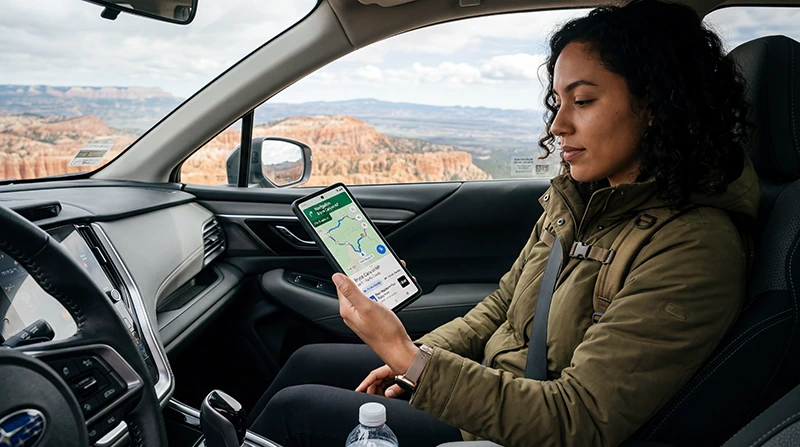

The most useful apps for a trip to the USA are the ones that solve a real task: navigation, public transport, rides, weather and booking changes.
Start with Google Maps or Apple Maps, Transit, Uber or Lyft, then add the official apps for the airline, accommodation and local transport used on the itinerary.
Most live features need mobile data. A USA travel eSIM can provide that connection without replacing the primary SIM, but NoveSIM plans do not include a local number or ordinary calls and SMS.
Quick answer: Install Google Maps or Apple Maps, the official apps for your airline and local transit agency, Uber or Lyft when required, and an official weather source. Add the National Park Service app for park visits. Sign in before departure and save tickets, maps and emergency information offline.
Top United States eSIMs

United States eSIM
Fixed
1 GB, 7 days€ 2.642 GB, 15 days€ 4.403 GB, 30 days€ 5.72Unlimited
Unlimited, 1 day€ 3.52Unlimited, 3 days€ 8.81Unlimited, 5 days€ 13.65
Best Apps for the USA Travel
| App | Best use |
|---|---|
| Google Maps or Apple Maps | driving and general navigation |
| Transit | public transport in supported cities |
| Uber or Lyft | app-based rides |
| the airline’s own app | boarding and disruption updates |
| the local transport authority app | fares and live service information |
Availability and features can change. Download apps from the official store and check that each service covers the cities and routes on the trip.
Which USA travel apps solve each task?
Google Maps or Apple Maps covers driving, walking and place searches. Download the relevant map area before a road trip, because a route through mountains, deserts or national parks can lose service. Check road closures with the responsible transport or park authority rather than treating a saved map as live information.
The local transit authority app is more important than a universal list. New York, Chicago, Washington, San Francisco and other cities use different fare systems and service-alert channels. Identify the agency on the route before downloading an app or adding money.
Uber or Lyft can help with airport and late-night transfers where the service operates. Complete account and card verification before travel, then check the vehicle, plate and pickup zone in the app. Airport pickup areas may be separate from ordinary taxi ranks.
The airline’s own app is the primary source for boarding passes, gate changes and rebooking. Save the boarding pass to the phone wallet or as a screenshot so a sign-out or weak terminal connection does not block access.
Official weather and park apps matter on outdoor routes. Use National Weather Service information for warnings and the National Park Service app for participating parks, but keep the park map and permit details offline.
Do not keep all five apps running in the background throughout the trip. In the USA, enable notifications only for active bookings, current transport and genuine safety information; this reduces distraction, battery use and unnecessary mobile-data activity.
Set Up Accounts before Departure
Create accounts, confirm payment methods and complete any number or email verification while the normal SIM and trusted Wi-Fi are available. A data-only eSIM cannot receive a verification SMS.
Keep tickets and booking references outside a single app. A screenshot or wallet pass remains available if the app signs out or the connection drops.
Keep the Apps Online after Arrival
Check the phone on the compatible-device list, then install the USA eSIM before travel using the iPhone or Android instructions. After arrival, select it for mobile data, enable Data Roaming on that line and keep automatic switching off. The primary SIM can remain enabled for its number, but its carrier may charge for calls, SMS or roaming.
Allow location access only to apps that need it. Streaming and automatic media backup usually consume far more data than maps, tickets or text messages; the app data-use guide helps with planning.
Do Not Depend on One App
Keep the accommodation address, airport transfer instructions and first route offline. For transport disruption, ticket validity or official warnings, use the responsible operator or authority rather than relying only on a general map.
If an App Will Not Connect
Open a website and a second app. If both fail, check the eSIM data line, Data Roaming and network registration. If only one app fails, review its permissions, update status, account session and service status.
Use data.esim only when a manual NoveSIM APN is required. Do not delete the installed eSIM unless Support specifically asks you to do so.
Related Articles
- USA eSIM plans
- Understand travel app data usage
- Use mobile data for maps and navigation
- Check eSIM-compatible devices
- How a NoveSIM travel eSIM works
- Check whether your phone supports eSIM
- Install an eSIM on iPhone
- Install an eSIM on Android
FAQ
Which apps should I install for the USA?
Start with the official public-transport or rail app, a map, any required ride app, the airline app and an official weather source. The exact set depends on the route.
Should I create the accounts before travelling?
Yes. Sign in, verify the account and add a payment method before departure where possible.
Can a data-only eSIM receive app verification SMS?
No. Keep access to the number-owning SIM or use another verification method offered by the service.
How can I limit app data use?
Download maps and tickets on Wi-Fi, disable automatic media backup and monitor usage by app.
Final Recommendation
The best apps for the USA travel are the ones required by the actual itinerary, not the longest possible download list.
Prepare accounts, tickets and offline backups before departure, then use the travel eSIM for live routes and updates.
Keep the primary number available for verification when necessary and troubleshoot a single failing app separately from the mobile-data connection.