


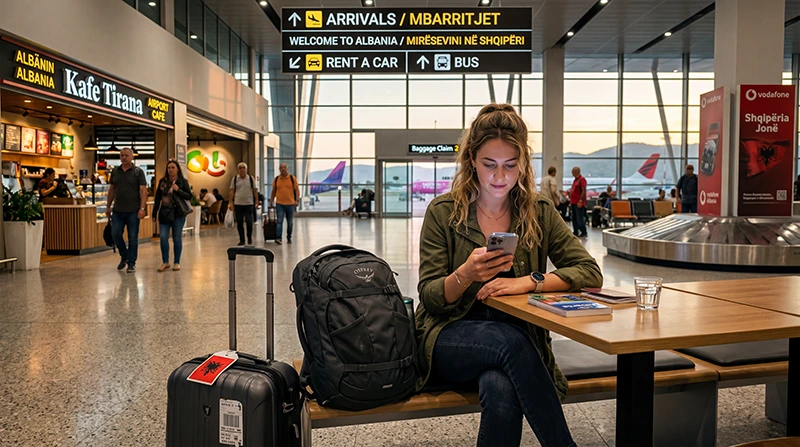

Tirana International Airport provides free Wi-Fi to passengers and guests throughout the terminal. It is useful for messages, checking a booking and arranging the next stage of the journey after arrival.
The airport also states that charging outlets are available in the terminal. Availability at a convenient seat can still vary, so arrive with enough battery for boarding passes, transport details and navigation.
Airport Wi-Fi ends when you leave the terminal. If you need maps during the transfer to Tirana or mobile data elsewhere in Albania, prepare an eSIM, roaming bundle or local SIM as a separate connection.
Quick answer: Tirana Airport provides passenger Wi-Fi in the terminal. Confirm the current official network on airport signage, connect and complete any browser login page. If the portal does not appear, forget and rejoin the verified network, open a normal website and temporarily pause an interfering VPN. Keep offline arrival details or mobile data as a fallback.
Top Albania eSIMs

Albania eSIM
Fixed
1 GB, 7 days€ 3.962 GB, 15 days€ 5.723 GB, 30 days€ 7.49Unlimited
Unlimited, 1 day€ 3.96Unlimited, 3 days€ 9.25Unlimited, 5 days€ 14.09
Balkans eSIM
Fixed
1 GB, 7 days€ 4.402 GB, 15 days€ 7.053 GB, 30 days€ 9.25Unlimited
Unlimited, 1 day€ 4.84Unlimited, 3 days€ 11.01Unlimited, 5 days€ 17.17Is Wi-Fi Free at Tirana Airport?
Yes. Tirana International Airport’s passenger information states that wireless internet is available free of charge and that Wi-Fi service is available throughout the terminal.
The airport does not publish a guaranteed speed, device limit or minimum performance level on its public information page. Actual performance can change with passenger demand, the part of the terminal and the device being used.
Use the connection for light arrival tasks first: message your host, retrieve the accommodation address and confirm transport. Complete large downloads before travelling rather than depending on busy terminal Wi-Fi.
How to Connect to Tirana Airport Wi-Fi
- Open Wi-Fi in the phone, tablet or laptop settings.
- Review the available networks and identify the official airport option displayed in the terminal.
- Ask an airport employee to confirm the exact network name if more than one similar name appears.
- Select the network and wait for any connection or sign-in page to open.
- Follow the on-screen instructions without entering information that the airport does not normally need.
- Open a simple webpage to confirm that the connection is active.
We do not list a fixed SSID because network names and login arrangements can change. Information displayed at the airport is more reliable than an old screenshot or an unofficial network name copied from another traveller.
What If the Sign-In Page Does Not Appear?
- Turn Wi-Fi off, wait a few seconds and turn it on again.
- Forget the airport network, reconnect and wait for the connection page.
- Disable a VPN temporarily if it prevents the portal from loading, then reconnect it after access is established.
- Open a browser and visit a simple non-sensitive webpage to trigger the portal.
- Move to another part of the terminal and retry if the signal appears weak.
- Restart the device if it shows a connection but no pages load.
- Ask airport staff whether the service has a current interruption.
A Wi-Fi icon alone does not confirm working internet. Test the connection before relying on it for a boarding document, driver message or time-sensitive booking.
Is Tirana Airport Wi-Fi Safe?
Public Wi-Fi should be treated as a shared connection. A network name that looks official is not proof that the access point is operated by the airport.
- Confirm the exact network name with staff.
- Avoid networks that request unusual personal or payment information.
- Do not ignore browser certificate warnings.
- Keep file sharing and device discovery disabled.
- Use websites and apps with encrypted connections.
- Delay sensitive financial or work activity when the network cannot be verified.
- Forget the network after use so the device does not reconnect automatically later.
For messages, maps and routine travel checks, verified airport Wi-Fi can be convenient. Use your trusted mobile connection for sensitive work when possible.
Can You Charge a Phone in the Terminal?
The airport’s published passenger information says charging outlets are available throughout the terminal. That does not guarantee that an outlet will be free or conveniently placed during a busy period.
Carry a charged power bank and keep the boarding pass, passport details required for the journey, hotel address and first transport route available offline. Avoid leaving a device unattended while it charges.
Will Airport Wi-Fi Work after You Leave Arrivals?
No. Terminal Wi-Fi is not a connection for the road into Tirana, a bus journey or travel elsewhere in Albania. Save the route and pickup point before walking outside.
For continuous data, choose among:
| Option | Useful when | Check before relying on it |
|---|---|---|
| Albania travel eSIM | You want data ready before leaving the terminal | Compatibility, phone lock, activation timing and allowance |
| Local prepaid SIM | You need a local number or a longer-term arrangement | Current sales location, registration and opening hours |
| Home-carrier roaming | Your carrier confirms an Albania bundle | Price, allowance and whether Albania is included |
The Tirana Airport SIM card guide compares buying a physical SIM after arrival with preparing an eSIM. Albania is outside the standard EU roaming area, so verify the tariff instead of assuming that domestic EU allowances apply.
Prepare Mobile Data before Landing
Install a travel eSIM on reliable private Wi-Fi before departure, but follow its plan-specific instructions for activation and validity. Save the QR code and manual installation details offline in case the airport connection is busy.
- Confirm that the exact phone model supports eSIM and is carrier-unlocked.
- Choose a plan that explicitly includes Albania.
- Review when the plan validity begins.
- Install the eSIM before travel when the instructions permit.
- After landing, switch on the eSIM and select it for Mobile Data.
- Enable Data Roaming on the travel eSIM and keep it off on the primary line.
- Disable automatic mobile-data switching.
Our Albania travel eSIMs are data-only. We do not provide an Albanian number, conventional calls or SMS. Messaging and internet-calling apps can use the data connection.
Browse the available Albania eSIM plans, or use the broader Albania tourist internet guide to compare eSIM, local SIM, roaming and Wi-Fi.
What If the eSIM Does Not Connect after Landing?
- Confirm that the eSIM is switched on and selected for Mobile Data.
- Enable Data Roaming on the eSIM.
- Turn off mobile-data switching.
- Toggle Airplane Mode on for about 30 seconds, then turn it off.
- Restart the phone and allow time for network registration.
- Check that the NoveSIM APN is data.esim if manual entry is required; leave username and password blank.
Do not delete the installed eSIM unless NoveSIM support specifically instructs you to do so, because the same profile may not be reinstallable. Continue with the Albania eSIM troubleshooting guide if these checks do not restore mobile data.
Related Articles
- Albania eSIM Plans
- SIM Card at Tirana Airport
- Internet after Landing in Albania
- Internet in Albania for Tourists
- Roaming Charges in Albania
- eSIM Not Working in Albania
FAQ
Does Tirana Airport have free Wi-Fi?
Yes. Tirana International Airport states that free Wi-Fi is available to passengers and guests throughout the terminal.
What is the Tirana Airport Wi-Fi network name?
Confirm the current official network name from signs or airport staff. Network names can change, so do not rely on an old screenshot or an unverified access point.
Why does Tirana Airport Wi-Fi show as connected but not work?
The sign-in page may not have opened, the terminal may be busy or the device may need to reconnect. Forget the network, retry, open a simple webpage and ask airport staff about any interruption.
Do I still need mobile data in Albania?
Mobile data is useful after you leave the terminal for navigation, transport messages and travel around Albania. Airport Wi-Fi does not continue along the road to Tirana.
Final Recommendation
Use Tirana Airport’s free Wi-Fi for light terminal tasks, and verify the current network name before connecting. Keep important arrival details offline in case the portal is slow or the terminal is busy.
Prepare a separate mobile connection when you need maps or messages after leaving arrivals. An Albania eSIM can provide data immediately when it is installed correctly and selected as the mobile-data line.
Keep the travel eSIM’s Data Roaming setting on, primary-line roaming and data switching off, and use data.esim only if manual APN entry is required. This gives you airport access plus a practical connection for the journey into Tirana.