


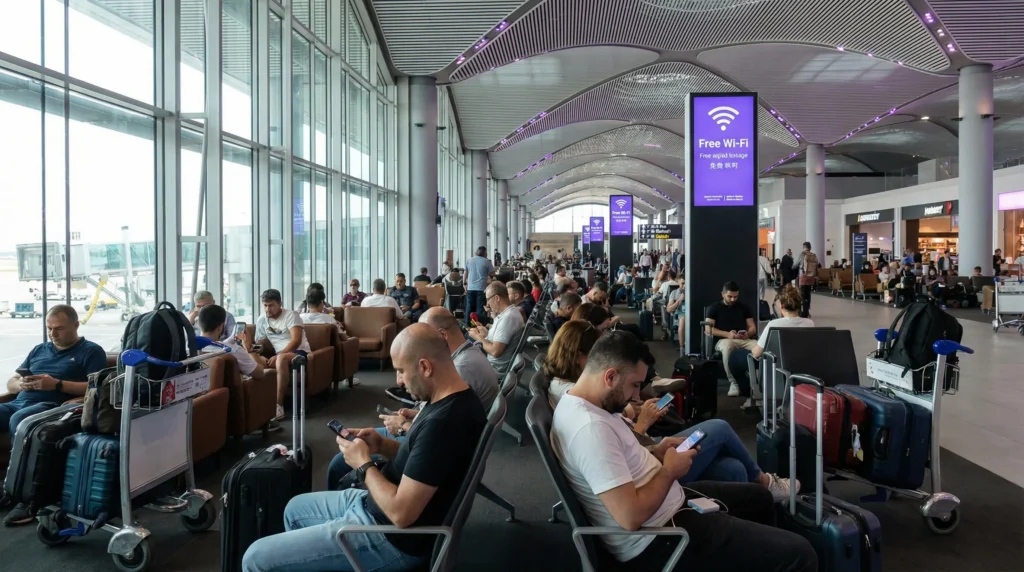

Many travelers arriving in Turkey look for WiFi immediately after landing at Istanbul Airport.
Internet access is important for:
- Google Maps
- Hotel communication
- Taxi apps
- WhatsApp messages
- Travel bookings
- Translation apps
- Flight information
Quick answer: Istanbul Airport offers free WiFi, but access may be time-limited and sometimes requires verification. Because of this, many travelers prefer using a Turkey eSIM for stable mobile internet after arrival.
Top Turkey eSIMs

Turkey eSIM
Fixed
1 GB, 7 days€ 2.162 GB, 15 days€ 3.033 GB, 30 days€ 3.89Unlimited
Unlimited, 1 day€ 2.60Unlimited, 3 days€ 5.62Unlimited, 5 days€ 9.09
Europe Extra eSIM
Fixed
1 GB, 7 days€ 2.162 GB, 15 days€ 3.463 GB, 30 days€ 4.33Unlimited
Unlimited, 1 day€ 2.60Unlimited, 3 days€ 5.19Unlimited, 5 days€ 8.65Europe+ eSIM
Fixed
1 GB, 7 days€ 2.602 GB, 15 days€ 3.893 GB, 30 days€ 5.19Unlimited
Unlimited, 1 day€ 2.60Unlimited, 3 days€ 6.06Unlimited, 5 days€ 9.95Europe Lite eSIM
Fixed
1 GB, 7 days€ 2.162 GB, 15 days€ 3.463 GB, 30 days€ 4.33Unlimited
Unlimited, 1 day€ 2.60Unlimited, 3 days€ 5.19Unlimited, 5 days€ 8.65Does Istanbul Airport Have Free WiFi?
Yes.
Istanbul Airport (IST) provides free WiFi access for passengers inside the terminal.
WiFi is available in:
- Arrivals areas
- Departures areas
- Waiting lounges
- Restaurants and cafés
- Gate areas
- Transit zones
How to Connect to Istanbul Airport WiFi
The airport WiFi network usually appears as:
- IGA WiFi
- Istanbul Airport WiFi
Travelers normally connect by:
- Selecting the airport WiFi network.
- Opening the login portal.
- Verifying access using SMS, passport, or kiosk authentication.
- Receiving internet access for a limited time.
The exact login process may change over time depending on airport systems.
Is WiFi at Istanbul Airport Unlimited?
Usually no.
Many travelers report that free airport WiFi access may be time-limited. Additional access may require payment or renewed authentication.
This is one reason many travelers prefer having their own mobile internet connection after arrival.
Common Problems With Airport WiFi
Travelers sometimes experience:
- Login portal issues
- SMS verification problems
- Slow speeds during busy hours
- Limited session duration
- Connection drops
- Weak signal in crowded areas
Airport WiFi is useful for short-term access, but many travelers still prefer mobile data for reliable internet throughout the trip.
Best Alternative to Airport WiFi
For most travelers, the best alternative is using a Turkey eSIM.
Instead of relying on public WiFi, travelers can activate mobile internet before departure and use internet immediately after landing.
- No airport WiFi login required
- No waiting for verification SMS
- Internet works outside the airport
- Useful for taxis and navigation immediately
- Works during road trips across Turkey
- More stable connection for travel apps
Top Turkey eSIMs
Turkey eSIM
Fixed
1 GB, 7 days€ 2.162 GB, 15 days€ 3.033 GB, 30 days€ 3.89Unlimited
Unlimited, 1 day€ 2.60Unlimited, 3 days€ 5.62Unlimited, 5 days€ 9.09Europe Extra eSIM
Fixed
1 GB, 7 days€ 2.162 GB, 15 days€ 3.463 GB, 30 days€ 4.33Unlimited
Unlimited, 1 day€ 2.60Unlimited, 3 days€ 5.19Unlimited, 5 days€ 8.65Europe+ eSIM
Fixed
1 GB, 7 days€ 2.602 GB, 15 days€ 3.893 GB, 30 days€ 5.19Unlimited
Unlimited, 1 day€ 2.60Unlimited, 3 days€ 6.06Unlimited, 5 days€ 9.95Europe Lite eSIM
Fixed
1 GB, 7 days€ 2.162 GB, 15 days€ 3.463 GB, 30 days€ 4.33Unlimited
Unlimited, 1 day€ 2.60Unlimited, 3 days€ 5.19Unlimited, 5 days€ 8.65Can You Buy a SIM Card at Istanbul Airport?
Yes.
Travelers can buy tourist SIM cards inside the arrivals area from:
- Turkcell
- Vodafone Turkey
- Türk Telekom
However, airport SIM cards are often significantly more expensive than city prices or eSIM alternatives.
Read also: SIM card Istanbul Airport
Why Many Travelers Prefer eSIMs
eSIM technology allows travelers to prepare internet before traveling to Turkey.
Instead of searching for SIM card stores or airport WiFi after landing, travelers can simply activate mobile data immediately.
- No physical SIM card needed
- No airport queue
- No SIM replacement
- Keep your primary SIM active
- Internet works after landing
- Useful throughout the entire trip
Can You Use Roaming Instead?
Usually yes, but it may become expensive.
Turkey is outside the standard EU roaming zone used by most European operators.
This means roaming charges may apply for:
- Mobile data
- Calls
- SMS messages
Because of this, many travelers avoid relying on roaming while visiting Turkey.
Read also: Roaming charges Turkey
How to Get Internet Immediately After Landing
For most travelers, the easiest setup is:
| Setting | Recommended setup |
|---|---|
| Primary SIM | Keep active for calls and SMS |
| Primary SIM roaming | Off |
| Turkey eSIM | On |
| Mobile data line | Turkey eSIM |
| Airport WiFi | Optional backup only |
Mobile Coverage After Leaving Istanbul Airport
Mobile coverage is generally strong around:
- Istanbul Airport
- Central Istanbul
- Tourist districts
- Main highways
- Hotels and city centers
Most travelers experience stable internet after leaving the airport area.
How to Activate a Turkey eSIM Before Travel
- Choose a Turkey eSIM plan online.
- Receive your QR code and setup instructions.
- Install the eSIM before departure.
- Enable the eSIM for mobile data.
- Turn off roaming on your primary SIM.
- Use internet immediately after landing in Istanbul.
Most travelers complete setup within minutes.
Related Turkey Travel Guides
- Turkey eSIM
- SIM card Istanbul Airport
- How to get internet in Turkey
- Mobile internet Turkey
- Internet Turkey tourists
- Roaming charges Turkey
FAQ: WiFi at Istanbul Airport
Does Istanbul Airport have free WiFi?
Yes. Istanbul Airport offers free WiFi access inside the terminal.
How do I connect to Istanbul Airport WiFi?
Travelers usually connect through the airport login portal using SMS, passport, or kiosk authentication.
Is Istanbul Airport WiFi unlimited?
Usually no. Free sessions may be time-limited depending on airport policy. ([sleepinginairports.net](https://www.sleepinginairports.net/guides/istanbul-airport-guide.htm?utm_source=chatgpt.com))
Can I buy a SIM card at Istanbul Airport?
Yes. SIM card kiosks from Turkish operators are available inside the arrivals area.
What is the best alternative to airport WiFi?
For most travelers, using a Turkey eSIM provides more reliable internet throughout the trip.
Final Thoughts: WiFi at Istanbul Airport
WiFi at Istanbul Airport is useful for basic short-term internet access after arrival.
However, free access may be limited and public airport WiFi is not always the most convenient solution for navigation and travel throughout Turkey.
For most travelers visiting Turkey in 2026, a Turkey eSIM is one of the easiest and most reliable ways to stay connected immediately after landing.
With a Turkey eSIM, travelers can avoid airport WiFi limitations, skip SIM card queues, and access mobile internet throughout Istanbul and the rest of Turkey.