
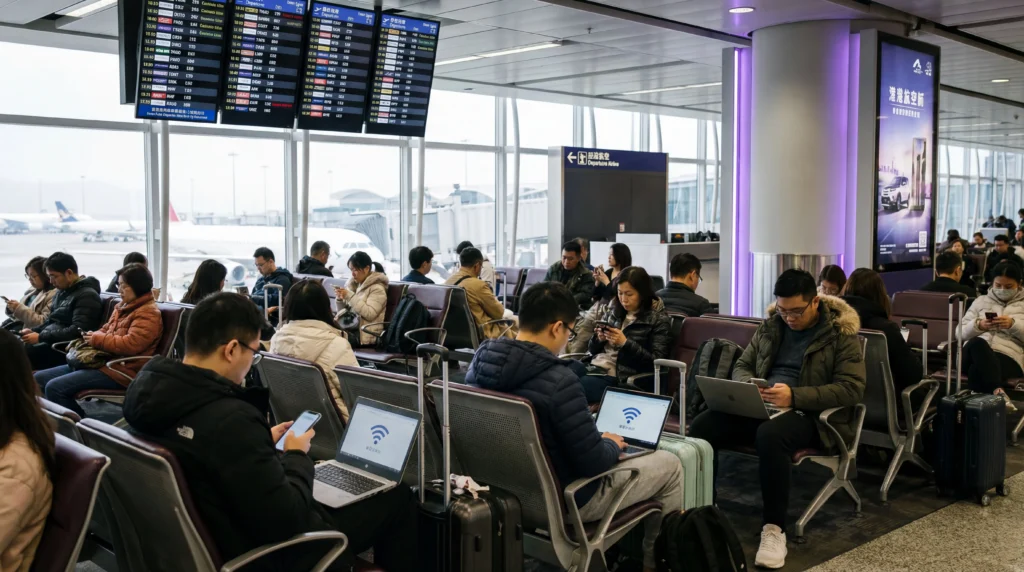

Tourists using free WiFi at Hong Kong International Airport terminal.

WiFi at Hong Kong Airport: Free Internet & Better Alternatives

Hong Kong International Airport offers free WiFi, but airport WiFi is not always the best option for your full trip.

If you are arriving at Hong Kong International Airport (HKG), you will probably need internet immediately for maps, hotel check-in, transport apps, messages, or travel bookings.

This guide explains how airport WiFi works, what its limits are, and why many travelers prefer to use a Hong Kong eSIM for mobile data after arrival.

Quick Answer

  • Free WiFi: available at Hong Kong Airport
  • Best for: short browsing, messages, booking checks, and airport use
  • Main limitation: airport WiFi does not work after you leave the airport
  • Best alternative: use a Hong Kong eSIM for mobile data across the city

Does Hong Kong Airport Have Free WiFi?

Yes, Hong Kong Airport has free WiFi for passengers and visitors.

You can usually connect in public areas such as arrival halls, departure halls, gates, waiting areas, lounges, restaurants, and shops.

Free airport WiFi is useful when you need quick internet access immediately after landing.

How to Connect to Hong Kong Airport WiFi

To connect to WiFi at Hong Kong Airport:

  • open WiFi settings on your phone
  • choose the airport WiFi network
  • open your browser if a login page appears
  • accept the terms if required
  • start browsing

If the WiFi login page does not open, try opening a new browser tab, turning WiFi off and on, or restarting your phone.

Is Hong Kong Airport WiFi Good?

Hong Kong Airport WiFi is usually useful for basic online tasks.

It is generally suitable for:

  • WhatsApp, Messenger, WeChat, and Telegram
  • email and light browsing
  • checking hotel or flight details
  • booking transport from the airport
  • sending a quick message after arrival

However, performance may vary depending on passenger traffic, location inside the airport, and device connection quality.

Limitations of Hong Kong Airport WiFi

Airport WiFi is helpful, but it is not a complete travel internet solution.

  • it only works inside the airport
  • speed may slow down during busy periods
  • connection may drop when moving between areas
  • public WiFi can be less secure than mobile data
  • it may not be ideal for video calls, uploads, or streaming
  • you still need mobile data after leaving the airport

Is Hong Kong Airport WiFi Safe?

Public airport WiFi is not always fully secure.

For safety, avoid entering sensitive information such as banking details, payment cards, or important passwords while using public WiFi.

For everyday travel use, airport WiFi is fine for checking maps, sending messages, and viewing booking details, but mobile data is usually safer and more reliable for your full trip.

Best Alternative to Hong Kong Airport WiFi

The best alternative to airport WiFi is a Hong Kong eSIM.

An eSIM gives you mobile data after you leave the airport, so you can stay connected in Kowloon, Central, Tsim Sha Tsui, Mong Kok, Disneyland, and other areas of Hong Kong.

Best eSIM for Hong Kong

Get connected when you land in Hong Kong — no airport WiFi dependency, no SIM swap, no waiting.

Most travelers choose 3–10 GB plans for Hong Kong trips, depending on maps, messaging, social media, transport apps, and browsing.

With NoveSIM, you get:

  • Instant eSIM delivery by email
  • Mobile data in Hong Kong
  • No physical SIM card needed
  • Easy setup with QR code or activation details
  • No airport shop visit required
  • Works on eSIM-compatible phones
Buy Hong Kong eSIM

Top Hong Kong (Special Administrative Region of China) eSIMs

Airport WiFi vs Hong Kong eSIM

Option Hong Kong Airport WiFi Hong Kong eSIM
Where it works Inside the airport Across Hong Kong
Setup Connect to WiFi network Install digitally before travel
Best for Short airport use Full trip connectivity
Security Public shared network Mobile data connection
Transport apps Only while at airport Works after leaving airport
Convenience Useful but limited More reliable for travel

Do You Need Mobile Data After Leaving Hong Kong Airport?

Yes. Once you leave the airport, you will likely need mobile data for transport, navigation, messages, and bookings.

Mobile data is useful for:

  • Google Maps and navigation
  • WhatsApp, Messenger, WeChat, and Telegram
  • Uber, taxi, and airport transfer apps
  • MTR, ferry, and bus route planning
  • hotel check-in and booking apps
  • restaurant reservations
  • Instagram, TikTok, YouTube, Facebook, and browsing

Should You Use WiFi or eSIM in Hong Kong?

Use airport WiFi if you only need a quick connection inside the terminal.

Use a Hong Kong eSIM if you want mobile data across the city, especially for maps, transport, messaging, travel apps, and social media.

For most tourists, the easiest setup is to install an eSIM before travel and keep airport WiFi as a backup.

When Should You Install Your Hong Kong eSIM?

It is best to install your eSIM before your trip while you still have stable WiFi.

After landing in Hong Kong:

  • turn on the eSIM line
  • enable data roaming for the eSIM
  • select the eSIM for mobile data
  • wait for your phone to connect to a local network

Read also: When should I install my eSIM before travel?

Useful Guides for Hong Kong Travel

FAQ

Does Hong Kong Airport have free WiFi?

Yes. Hong Kong Airport offers free WiFi for passengers and visitors in many public airport areas.

How do I connect to Hong Kong Airport WiFi?

Open your phone’s WiFi settings, select the airport WiFi network, open your browser if a login page appears, and accept the terms if required.

Is Hong Kong Airport WiFi enough for tourists?

Airport WiFi is useful inside the terminal, but it is not enough for a full trip. You will need mobile data after leaving the airport.

Is airport WiFi safe in Hong Kong?

Public airport WiFi is not always fully secure. Avoid entering sensitive information such as banking details or payment card data on public WiFi.

Is eSIM better than airport WiFi in Hong Kong?

For most tourists, yes. An eSIM gives you mobile data across Hong Kong, while airport WiFi only works inside the airport.

Can I install a Hong Kong eSIM before arrival?

Yes. It is best to install your Hong Kong eSIM before your trip while you have stable WiFi. Then activate mobile data when you arrive.

Can I use WhatsApp and WeChat with a Hong Kong eSIM?

Yes. You can use WhatsApp, WeChat, Messenger, Telegram, and other apps with mobile data from your eSIM.

Conclusion

Hong Kong Airport WiFi is useful for quick internet access after landing, but it is limited to the airport and may not be ideal for your full trip.

For most tourists, the easiest option is to install a Hong Kong eSIM before arrival and use mobile data after landing.

View Hong Kong eSIM Plans

Scroll to Top